
Subscriptions and usage belong to a workspace. Start by switching to the workspace you intend to manage, especially if you work across several clients or organisations.
Open your profile menu, select Settings, then Billing & usage. Workspace owners and administrators can review this area; payment and subscription actions can require the workspace owner. If an action is missing, check your role before creating another subscription.
1. Open Settings and choose Billing and usage
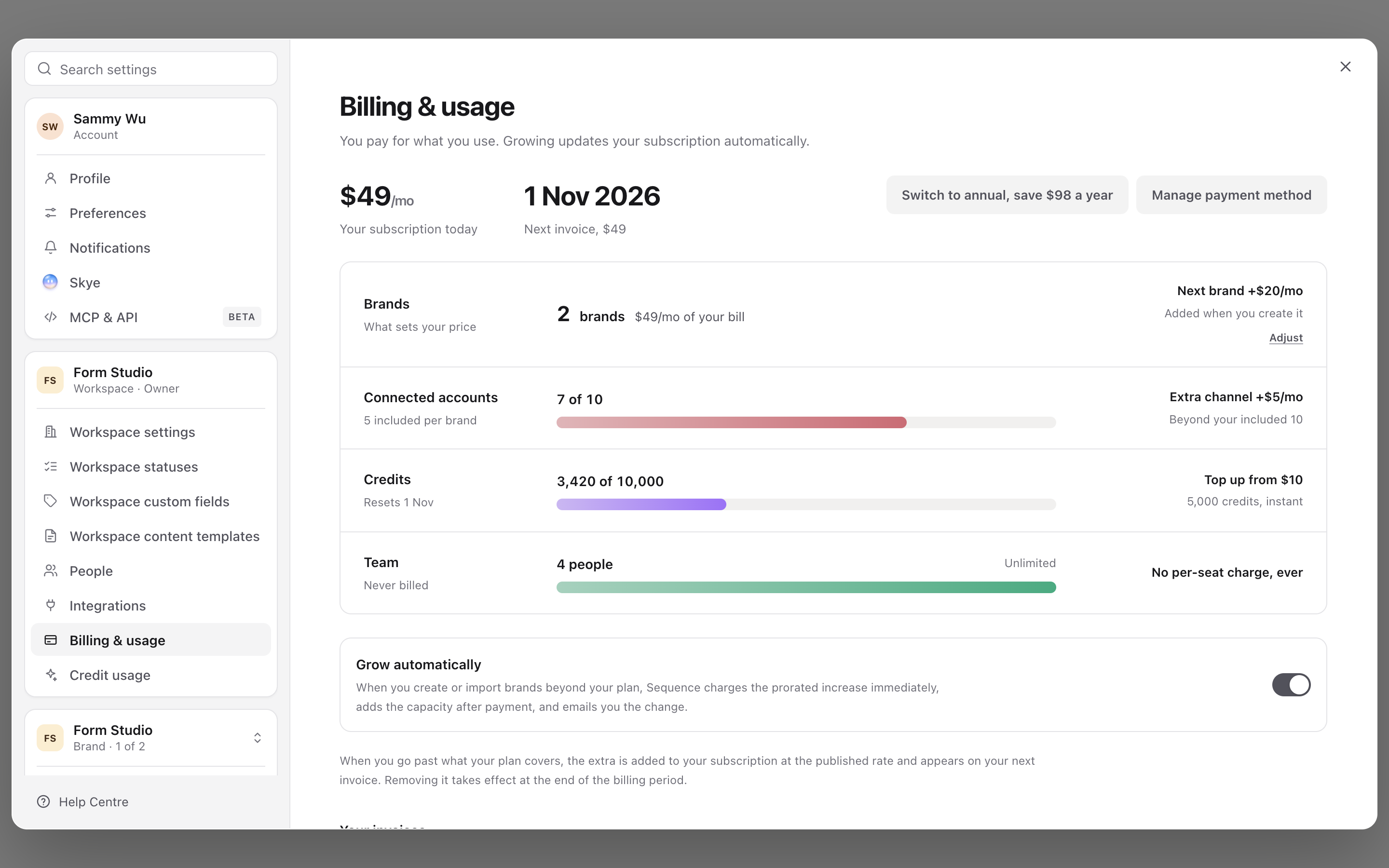
2. Compare the current plan with Pro
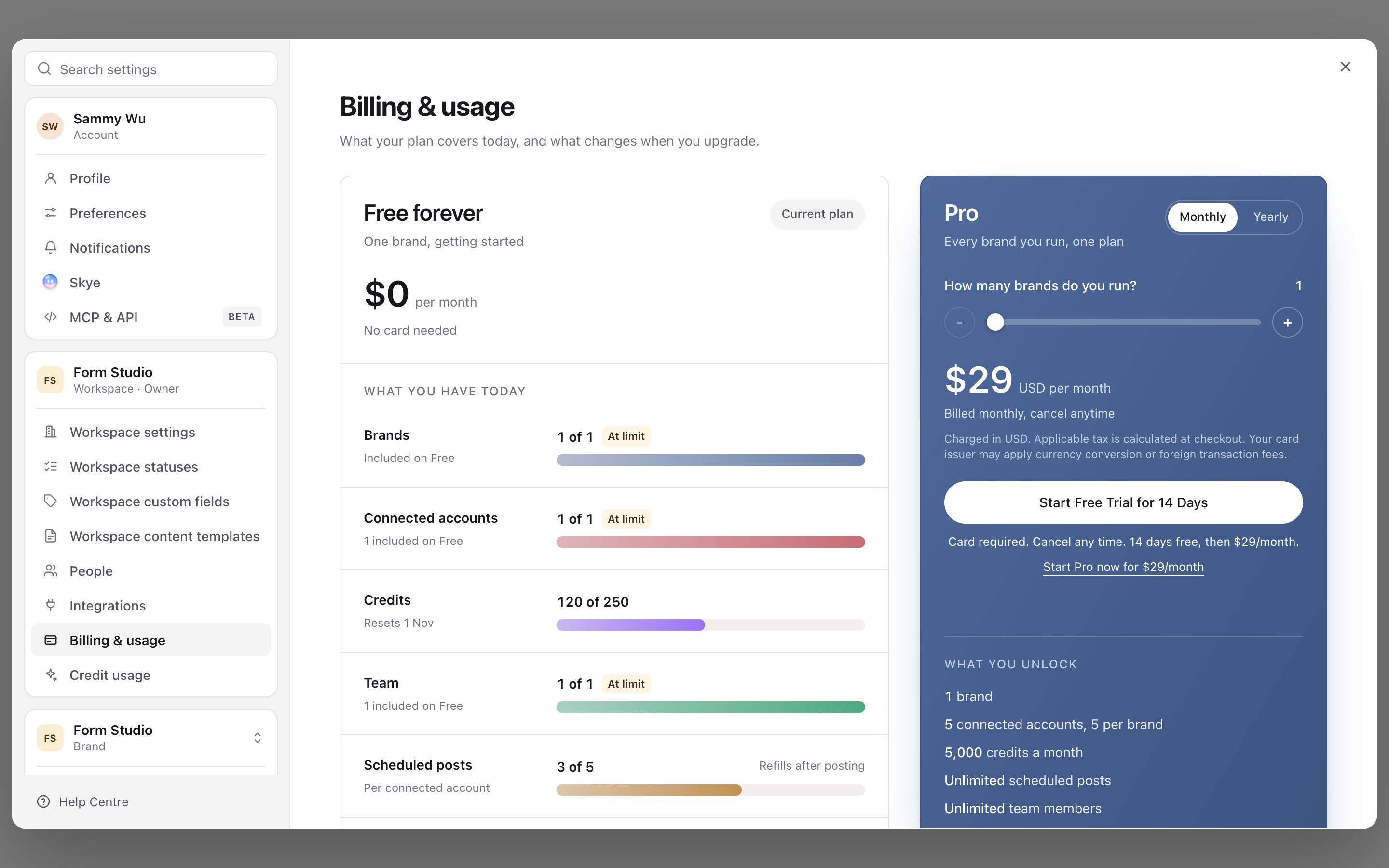
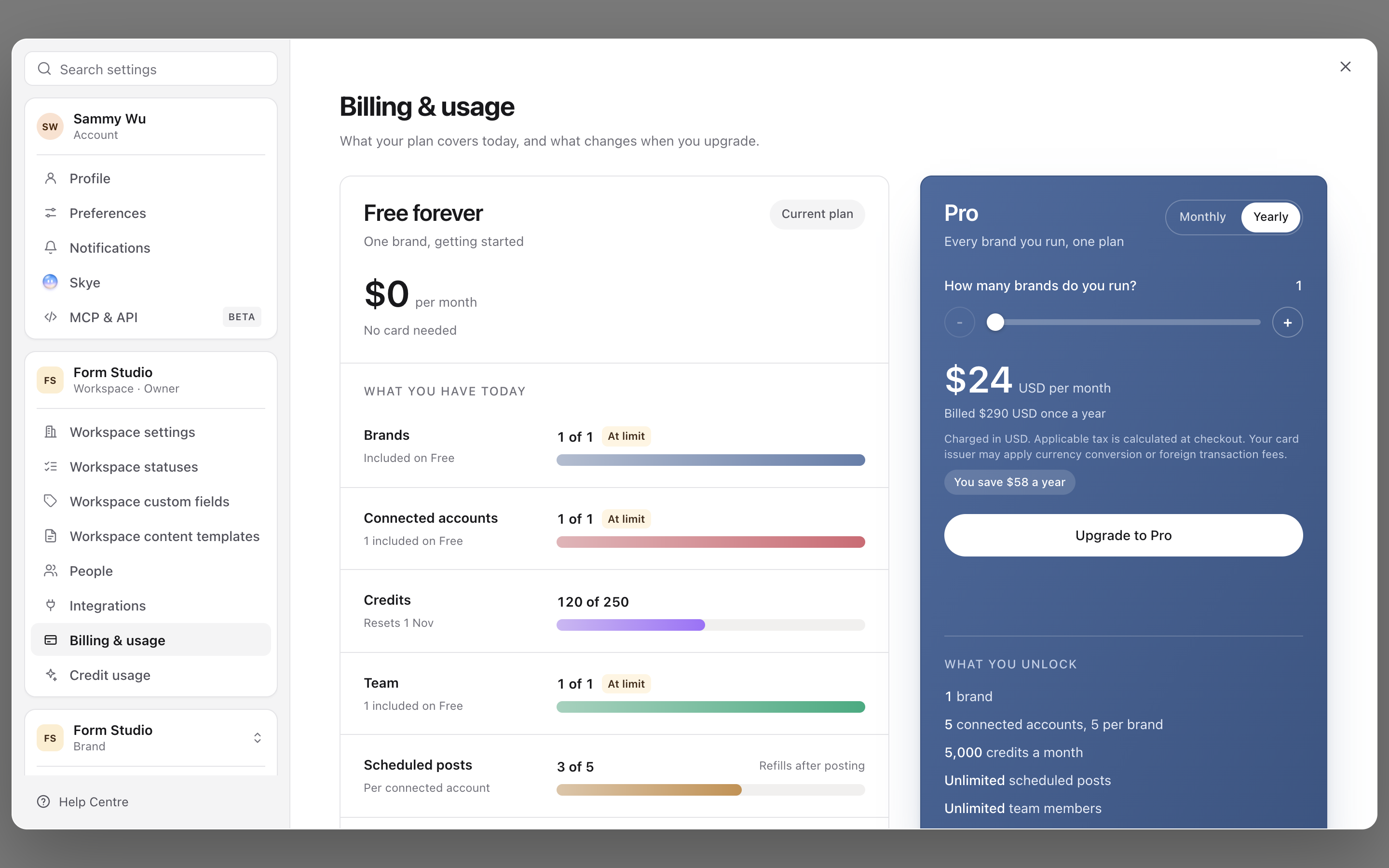
3. Check the yearly price before upgrading
4. Contact support when the plan is managed
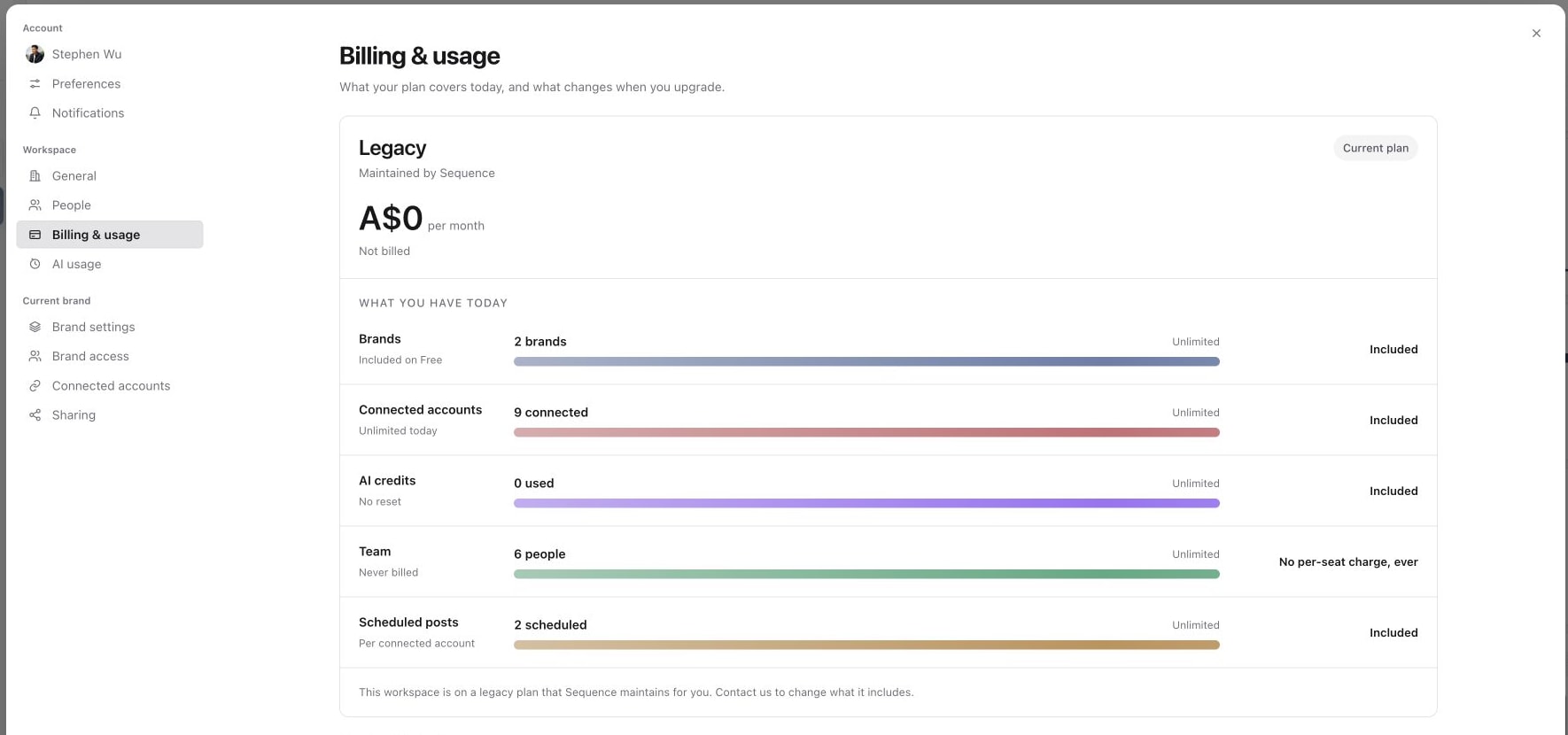
Review the current subscription
Check the current plan, billing interval, usage and next invoice information shown for this workspace. Trial, Beta, granted and paid workspaces can show different controls. Use the details in your workspace rather than assuming a price or allowance from another account applies.
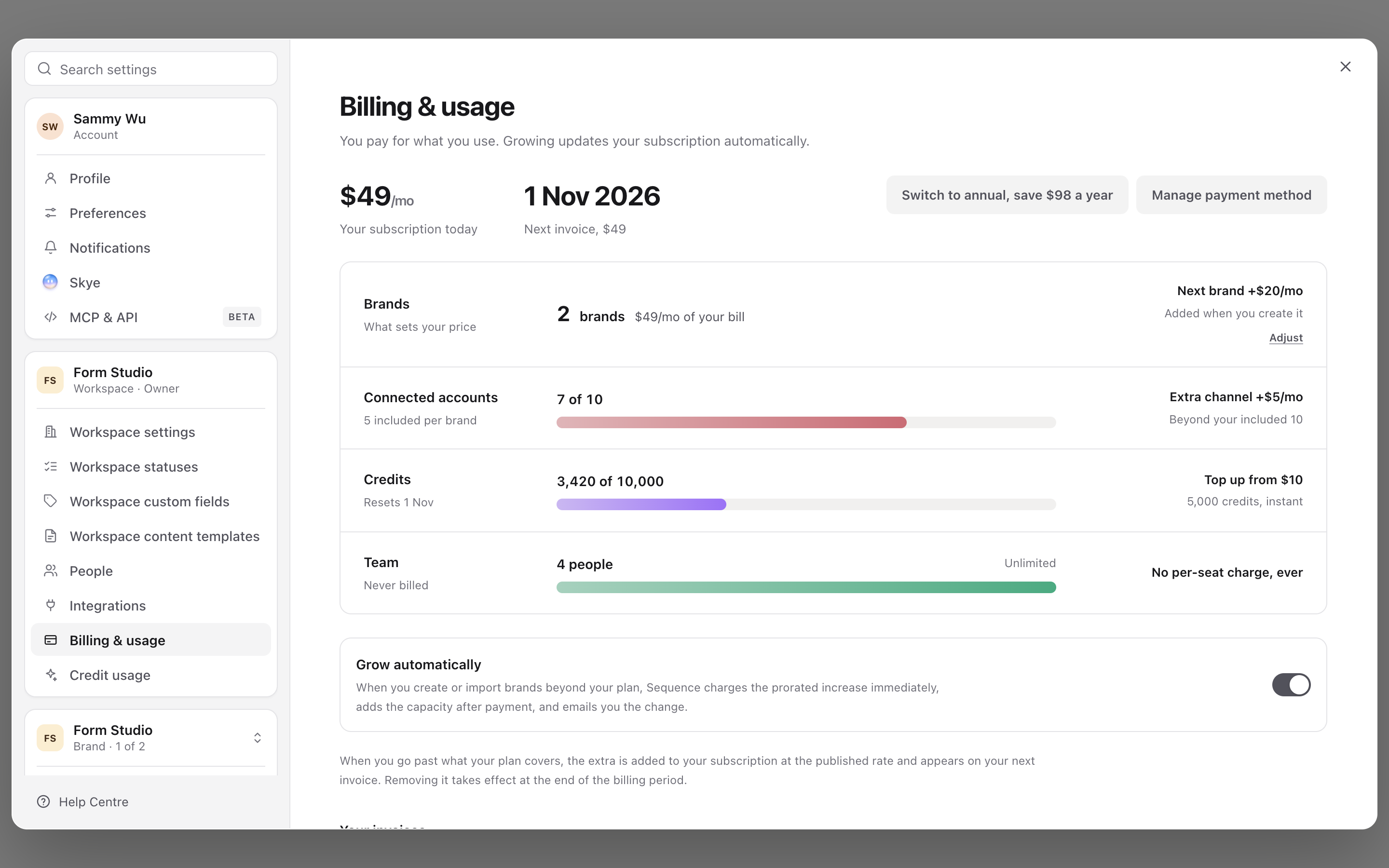
For the meaning of the usage meters, see Review plan usage and limits.
Follow or end a Pro trial
On a Pro trial, Billing & usage shows a Pro trial card with the days left and the date and amount of the first charge. The owner can select Cancel trial to cancel in the billing portal, or Start Pro now to end the trial and start paying straight away. Pro keeps working until the trial ends after a cancellation, and the workspace then continues on Free Forever.
Update a payment method
On an eligible paid subscription, the owner can select Manage payment method to open the hosted billing portal. If a payment problem is flagged, use Fix payment method from that notice.
Complete the payment-method change in the portal, then return to Sequence and check the workspace's billing state. A successful card update and payment of an outstanding invoice are different events; read any remaining payment warning rather than assuming it has cleared.
Change billing interval or capacity
Eligible paid workspaces show an interval action such as Switch to annual or Switch to monthly billing. Open it and review the confirmation, effective date and amounts before accepting. The payment-method portal is not the place to switch Sequence's billing interval.
Use the capacity controls, such as Adjust, for the brand or connected-account allowance you need to change. Review the displayed price and invoice impact before confirming. A reduction may take effect at the end of the billing period, as shown in the billing explanation; it should not be treated as an immediate refund.
Changing an allowance is different from deleting a brand or disconnecting an account. Check the capacity you need for existing work before reducing it.
Download an invoice
The owner can find available invoices under Your invoices. Select PDF beside the correct date and amount. Some records may show PDF unavailable; a trial or Beta workspace may have no invoice for that access period.
Cancellation or an unexpected charge
To cancel a Pro trial, use Cancel trial on the Pro trial card before the first charge date shown there. When a trial or subscription ends, brands and accounts beyond Free Forever's allowance are locked rather than deleted.
For a cancellation request or an option that is not available in your billing screen, contact Sequence support with the workspace name and the requested change. Do not assume that deleting a brand or leaving a workspace cancels its subscription.
For a charge query, include the invoice date, amount, currency and invoice number if available. Never send full card details. Ask for confirmation of any cancellation's effective date and impact on access.
Was this page helpful?
Need more help with this?