
Check the current workspace's allowance and usage before adding brands, connecting more accounts or running AI work or posting to X. The figures shown in Sequence are specific to that workspace, including any active trial or access grant.
Open Billing & usage
Switch to the intended workspace, open your profile menu, choose Settings, then Billing & usage. Workspace owners and admins can review this page; some payment actions are reserved for the owner.
1. Open Plans and billing
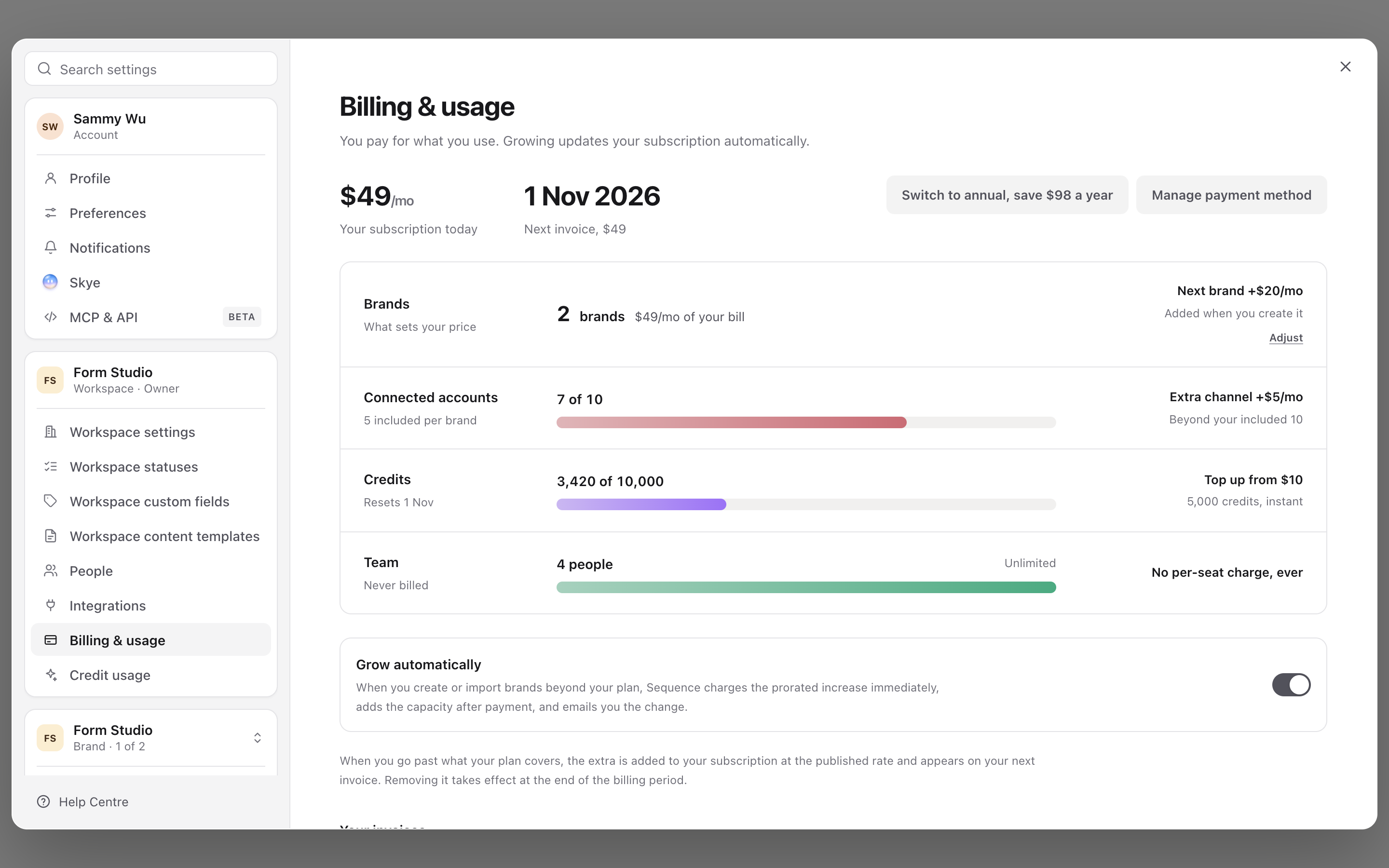
2. Compare the available tiers
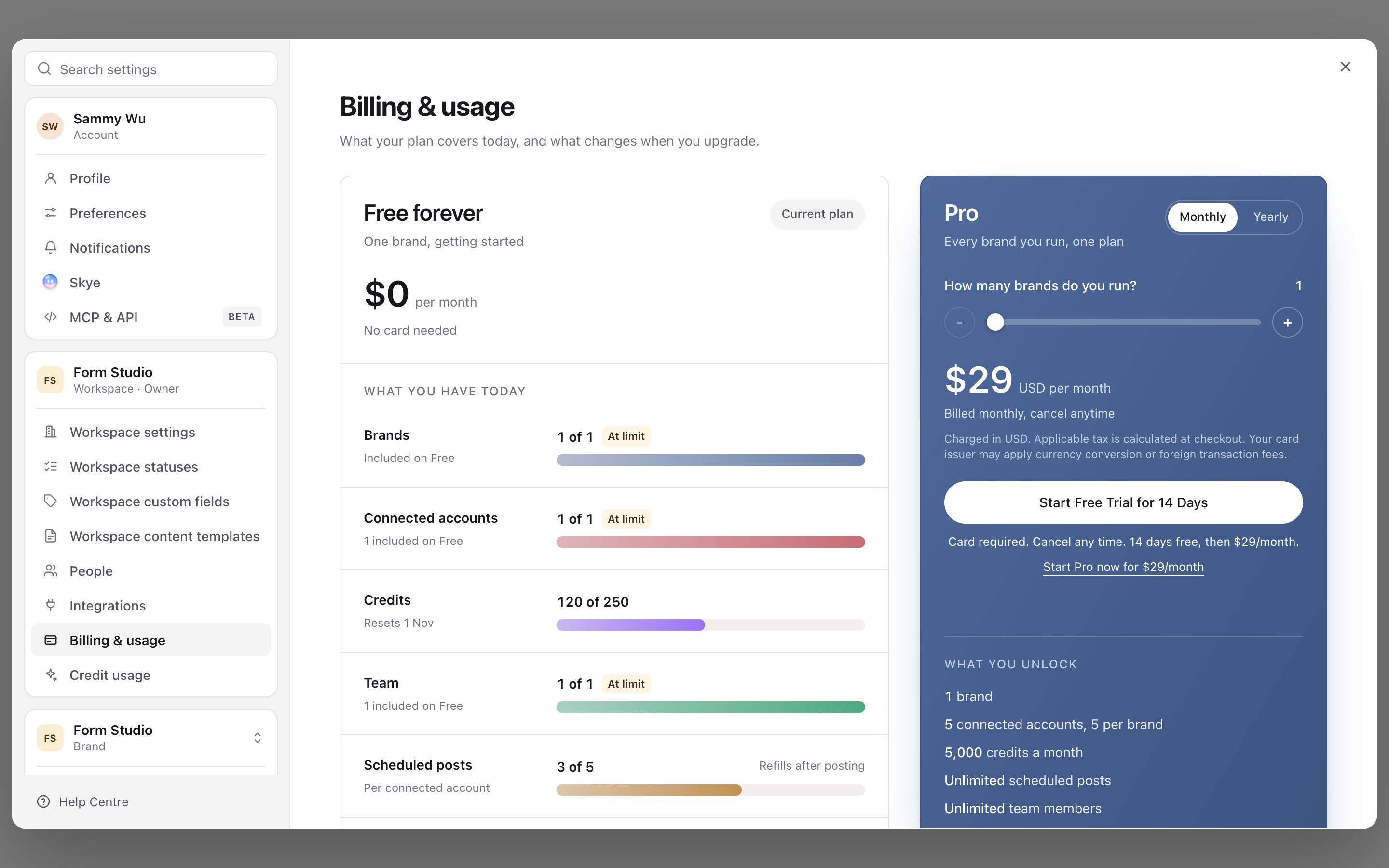
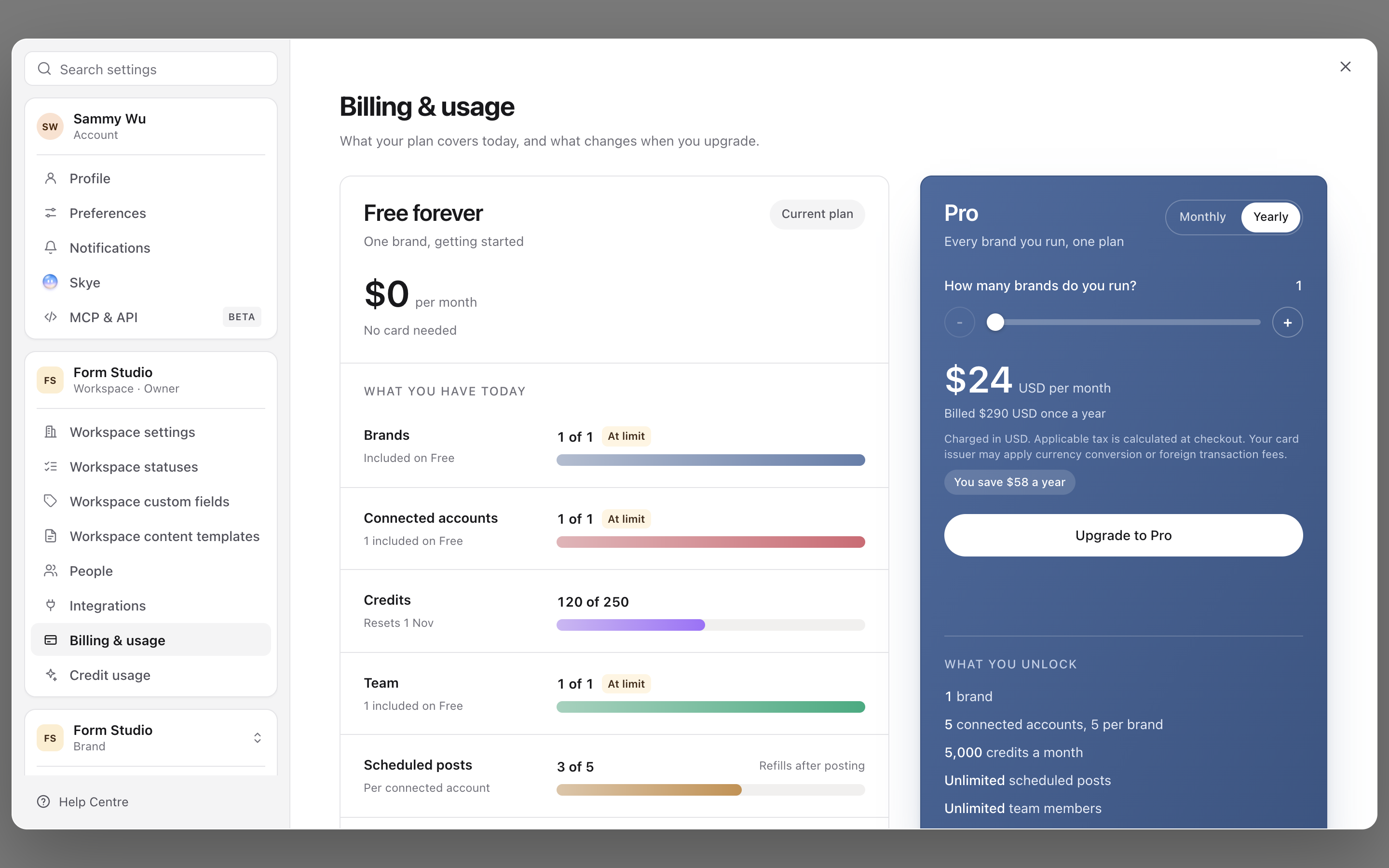
3. Check monthly and annual billing
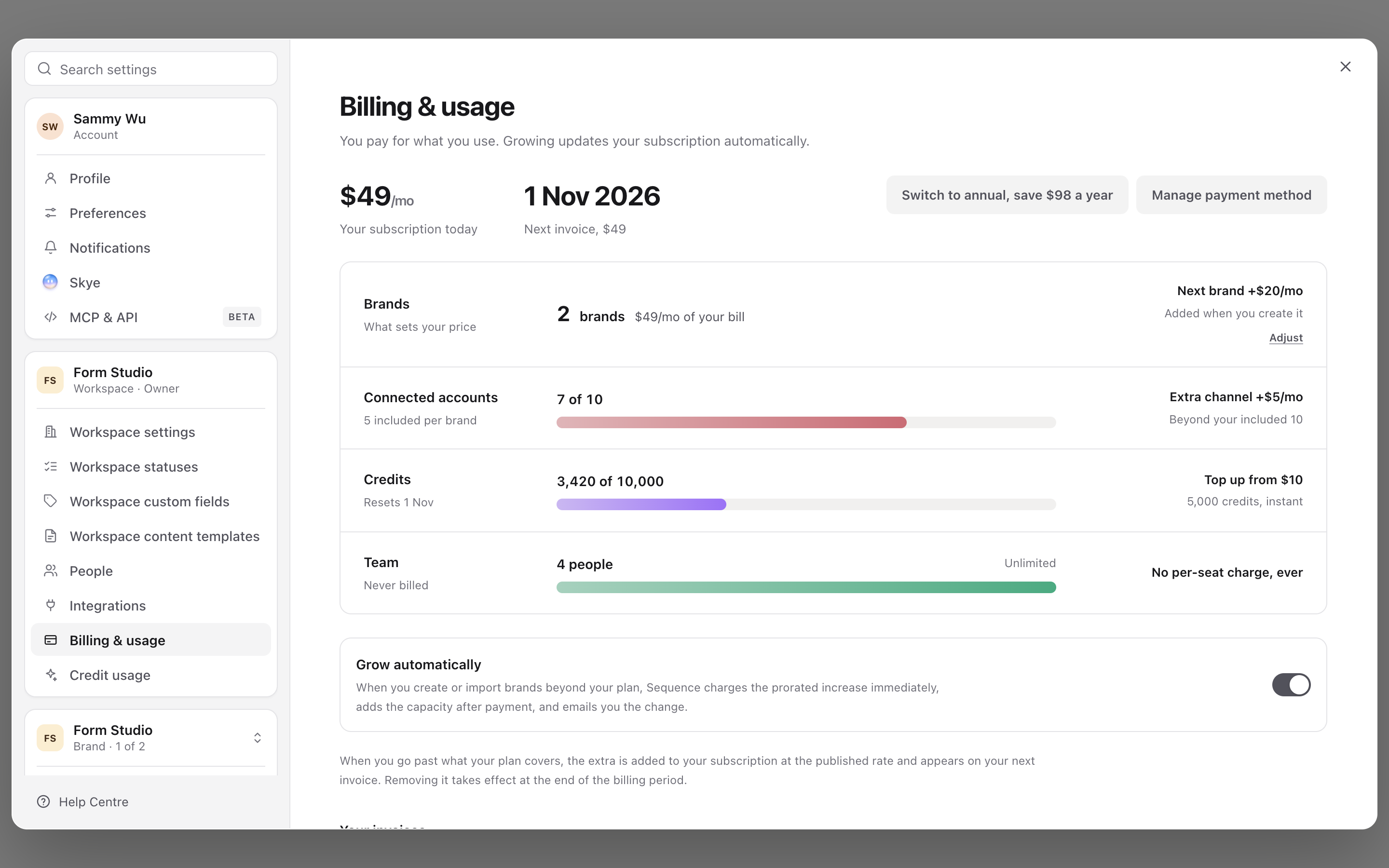
4. Review the current plan and usage
If the page is unavailable, ask the workspace owner to review it with you. Being a Brand admin does not necessarily grant workspace billing access.
Read each usage category
| Category | What to check |
|---|---|
| Brands | How many brands the workspace has and the allowance or quantity shown for its plan. |
| Connected accounts | The number of connected social destinations compared with the included amount. Multiple accounts on one platform count as separate connections. |
| Credits | Usage, the included allowance and the reset date shown for this workspace. Credits pay for AI features, X posts and X stats. |
| Team | Workspace people and any invitation information shown. Read this separately from brand and account allowances. |
Switching brands inside the workspace does not reset these totals. An empty or loading value is not evidence of zero usage; wait for the page to finish loading before making a decision.
Free Forever and Pro
Free Forever covers one brand with no card and no time limit. Pro covers every brand you run and adds approvals and client share links, the inbox, ads analytics, scheduled reports and dashboards, custom statuses, fields and templates, gallery and grid views, Ad Studio, and integrations.
| Free Forever | Pro | |
|---|---|---|
| Brands | 1 | Priced by brand count |
| Connected accounts | 1 | 5 per brand |
| Team members | 1 | Unlimited |
| Credits a month | 250 | 5,000 per brand |
| Scheduled posts | 5 | Unlimited |
| Organic analytics history | Last 30 days | Full history |
| Post analyses a month | 5 | Unlimited |
| Upload size | 250 MB video, 25 MB image | 10 GB video, 100 MB image |
On Free Forever, Pro features show a Pro tag. Selecting one opens the upgrade options, including the 14-day Pro trial for eligible workspace owners.
Understand the next step at a limit
Read the message beside the affected category. Depending on the workspace's plan, Sequence may offer an upgrade, a quantity adjustment, an additional account allowance or a credit top-up.
Adding a brand or an account beyond the included allowance can involve a subscription change. Review the confirmation and the displayed billing interval, currency and cost before accepting it. Do not assume that deleting content reduces the number of connected accounts or brands.
Use Credit usage for a closer look at credit consumption and the top-up options available to the workspace. Credits and social account capacity are different resources; topping up one does not automatically increase the other.
During a Pro trial, adding a brand, raising the account allowance or switching to yearly offers Start Pro now, because the trial covers one brand billed monthly.
Why the figures may differ from another workspace
Workspaces can have different subscriptions, quantities, trial states or temporary access grants. An access grant can also have an expiry date. Compare the details on the current page, not a screenshot from another account or a remembered plan name.
If there is a payment problem, the page shows a message and, for an authorised owner, a payment recovery action. Changing a content status will not resolve a workspace billing restriction.
For payment methods and subscription actions, see manage workspace billing. If the figures still appear wrong after reloading, contact Sequence support with the workspace name, affected category and visible message. Avoid sending full payment details.
For organising the allowance you have, see understand workspaces, brands and accounts and add and switch brands.
Was this page helpful?
Related articles
Need more help with this?