
A scheduled report sends your numbers from the active brand automatically, every day, week or month. It can go to up to 10 email addresses, into a Slack channel, or both.
What is a scheduled report?
Each send covers its own period, such as the 7 days before it goes out, and ends with a link to a dashboard showing live numbers for that period. Choose what the message says:
- Dashboard summary: three headline numbers from the dashboard and a button to open it.
- AI update: a short update written from your numbers, organic, paid or both. Each send writes a fresh one. See Write and send AI report updates.
Recipients who open the link see a read-only report like this one, with no Sequence account needed unless you turn on Login required.
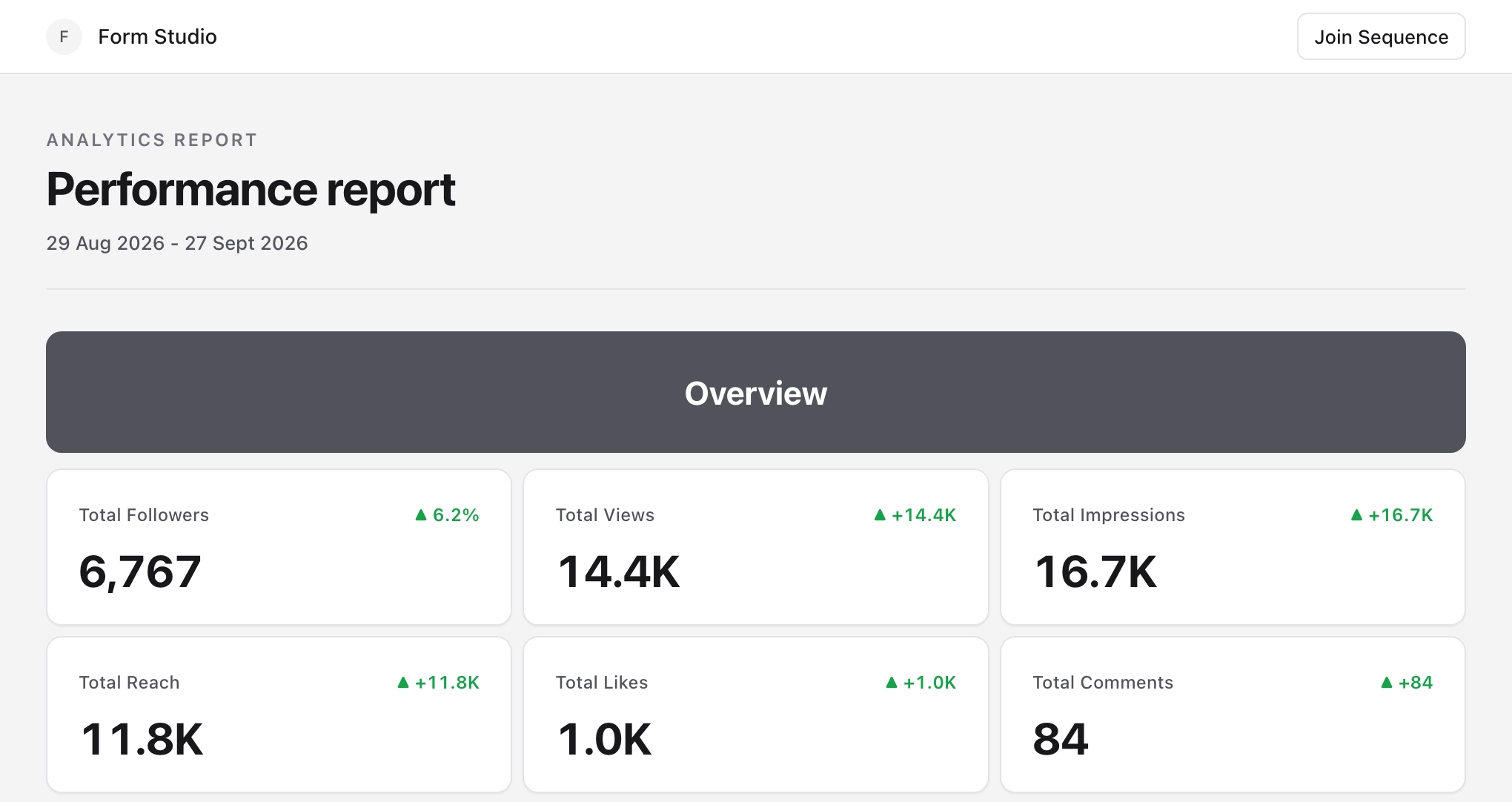
Create a scheduled report
- 01Open Analytics, select Report, then select New report.
- 02Under Send, choose On a schedule.
- 03Under Message, choose Dashboard summary or AI update.
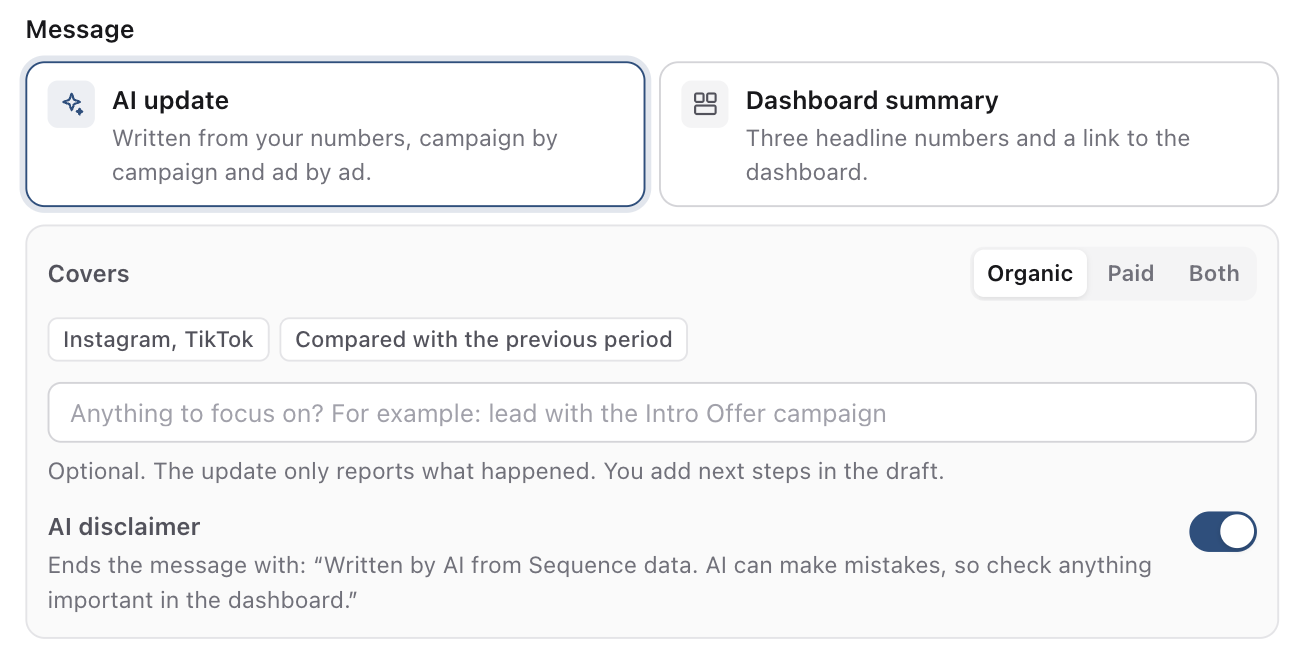
- 01Choose the Date range. A preset such as Last 7 days moves with each send; custom dates stay the same for every send, up to 90 days.
- 02Under Send to, add email addresses, a Slack channel, or both. You need at least one.
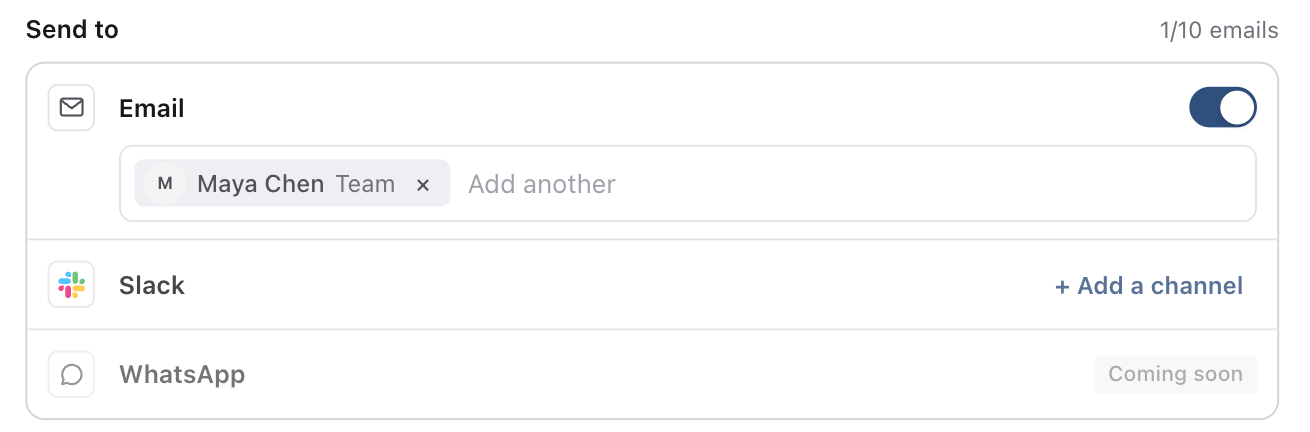
- 01Under Dashboard link, choose the dashboard the report links to, and turn on Login required if recipients should sign in to Sequence to open it.
- 02Under Schedule, set how often it goes out, the day, the time and the time zone. The line underneath shows the first send and the dates it covers.
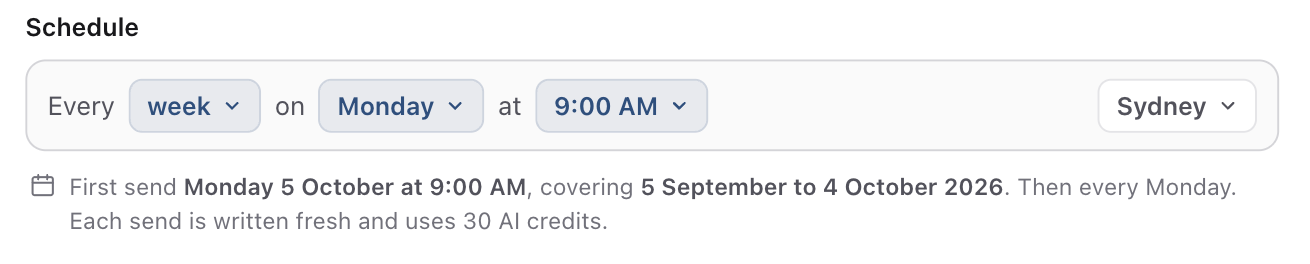
- 01Add a Personal note if you want a line under the numbers in every send, and choose whether to sign it with your name.
- 02Select Send test to me to check it in your inbox, then select Create report.
Manage scheduled reports
The Report page lists each report with its schedule, who it sends to, its access and the next send. Use the switch to pause or resume a report. Its menu has:
- Edit to change any setting.
- Send now to send the current period to everyone straight away. The schedule does not change.
- Send test to me, Duplicate and Delete.
- Reset shared links for reports without a login, which stops the links in every email already sent.
Each email includes a Stop receiving it link, which removes that person from the report.
If a scheduled AI update cannot be written, for example because the workspace is out of credits, that send goes out as the dashboard summary and the report row says why.
Reuse a report as a template
Select Save as template in a report to keep every setting, including the message, what an AI update covers, the schedule and the Slack channel. When you create a report, select Use template to start from it. Workspace templates are shared across brands, so they leave out the recipients, Slack channel and dashboard.
Was this page helpful?
Need more help with this?