
When an Analytics figure is missing or differs from the social platform, first match the account, date range and metric. A difference does not necessarily mean posts or engagement have been lost.
Match the comparison
- 01Switch to the correct workspace and brand, then in the sidebar open Analytics and select Dashboards.
- 02Check which dashboard and platform you are viewing. A combined Overview total can include several connected accounts.
- 03Open the date range control, such as Last 30 days. Match From, To and Include Today to the platform's report.
- 04Check the time zone shown at the bottom of the date chooser. Different day boundaries can move activity into a different reporting day.
- 05If comparing a change percentage, also match Compare To and the comparison period. Select Done to apply the range.
1. Confirm the dashboard scope and date range
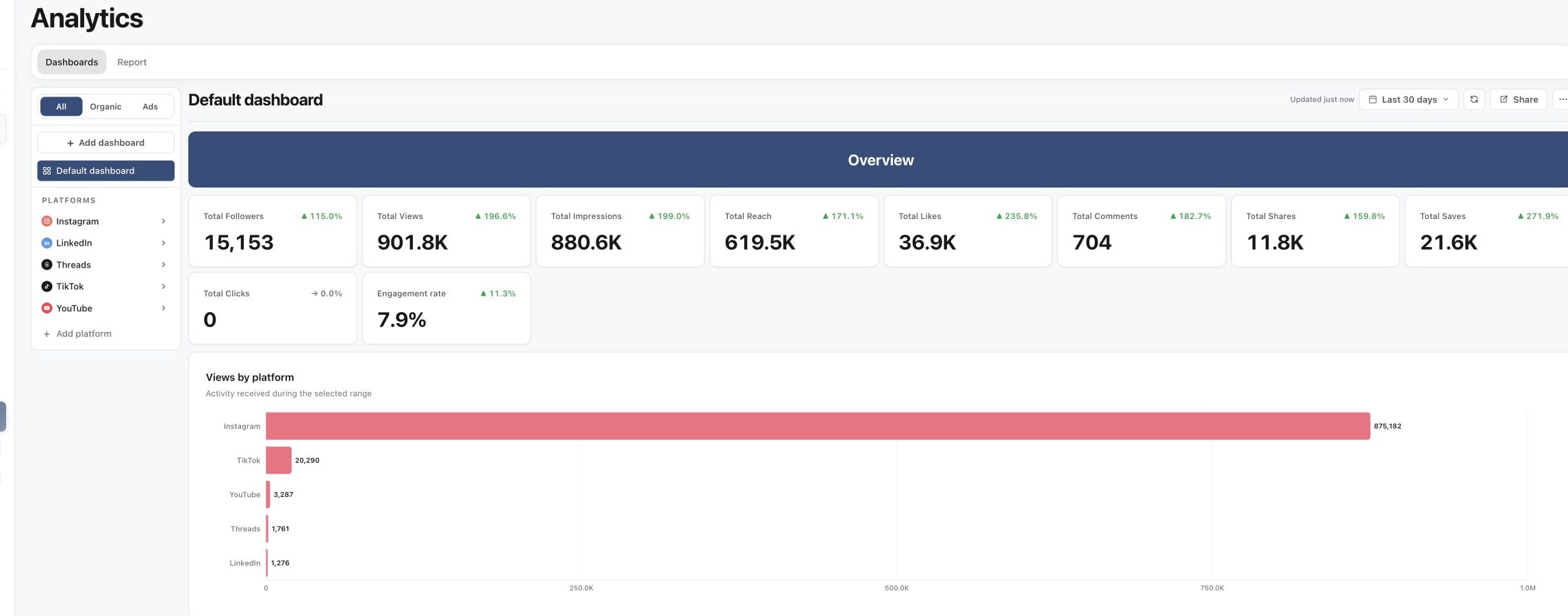
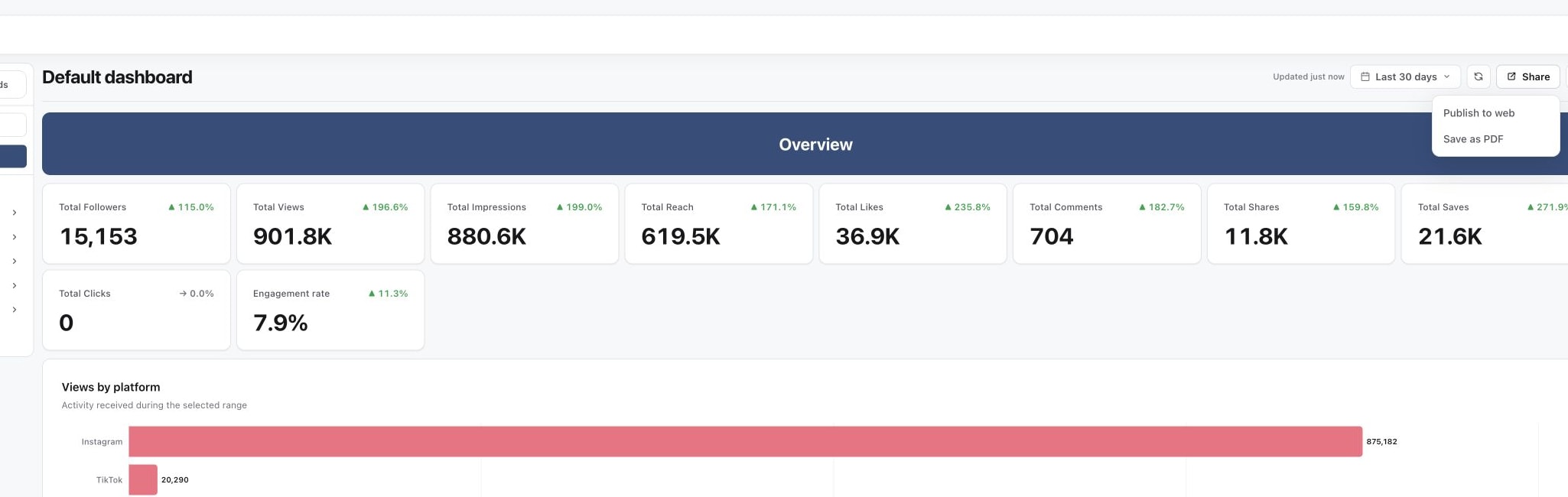
2. Use the live dashboard before exporting
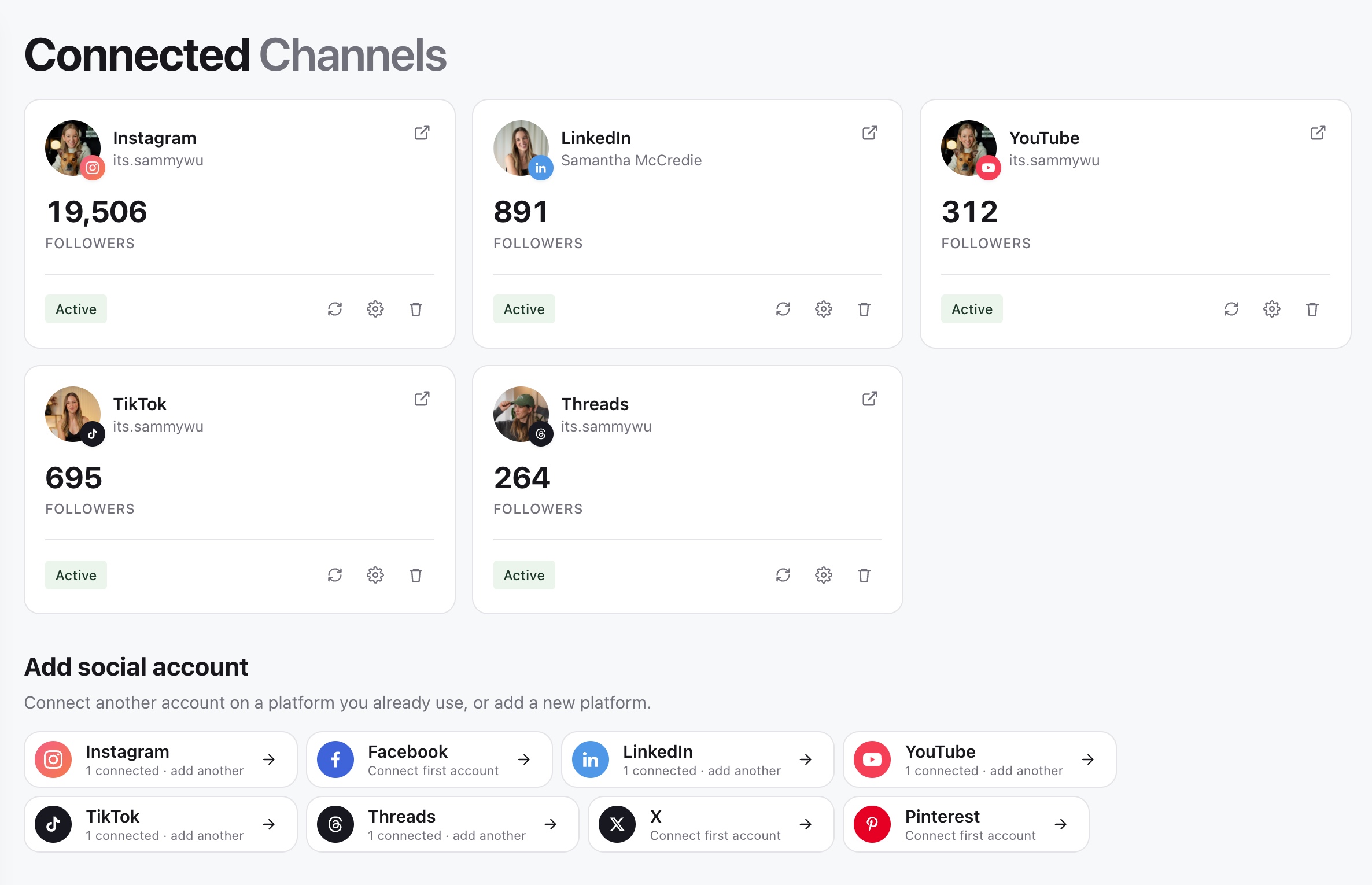
3. Check that the platform is still connected
Compare the same kind of number
Overview period metrics measure activity received during the selected range. A post published earlier can receive views during that range. Conversely, a post published within the range can receive more views after the range ends.
Do not add lifetime figures from individual post rows and expect the result to equal the period's Overview total. Post publication counts, account activity and follower totals answer different questions.
Also check organic versus paid scope. Instagram Profile action taps measures actions such as contacting or booking from a profile; it is not a count of website or bio-link clicks. Views, reach and impressions are separate measures and should not be compared as if they were interchangeable.
Refresh and check coverage
Select Refresh analytics, then check the freshness message near the range control. Read any coverage or account warning before interpreting the result. Some accounts or metrics can be unavailable while others have current data.
A missing metric is not proof of zero activity. Platforms expose different data, and audience breakdowns or historical periods may not be available for every account. A table with only some posts also does not necessarily mean the account's period total is incomplete.
If an account needs reconnection, open Channels and follow its connection warning. Return to Analytics and refresh after access is restored. Reconnection does not guarantee that the platform will supply every historical metric.
Give support a precise comparison
If the discrepancy remains, include the brand, account handle, platform, metric label, date range, time zone, comparison setting and freshness message. Include screenshots of both reports with the same scope and say whether one metric, one account or the whole dashboard is affected.
For help interpreting the cards and charts, see Read the Analytics overview.
Was this page helpful?
Related articles
Need more help with this?