
A Sequence content piece keeps the brief, working files, feedback, approvals and publishing setup together. Status and assignee tell the team what should happen next and who owns it.
Move through the work
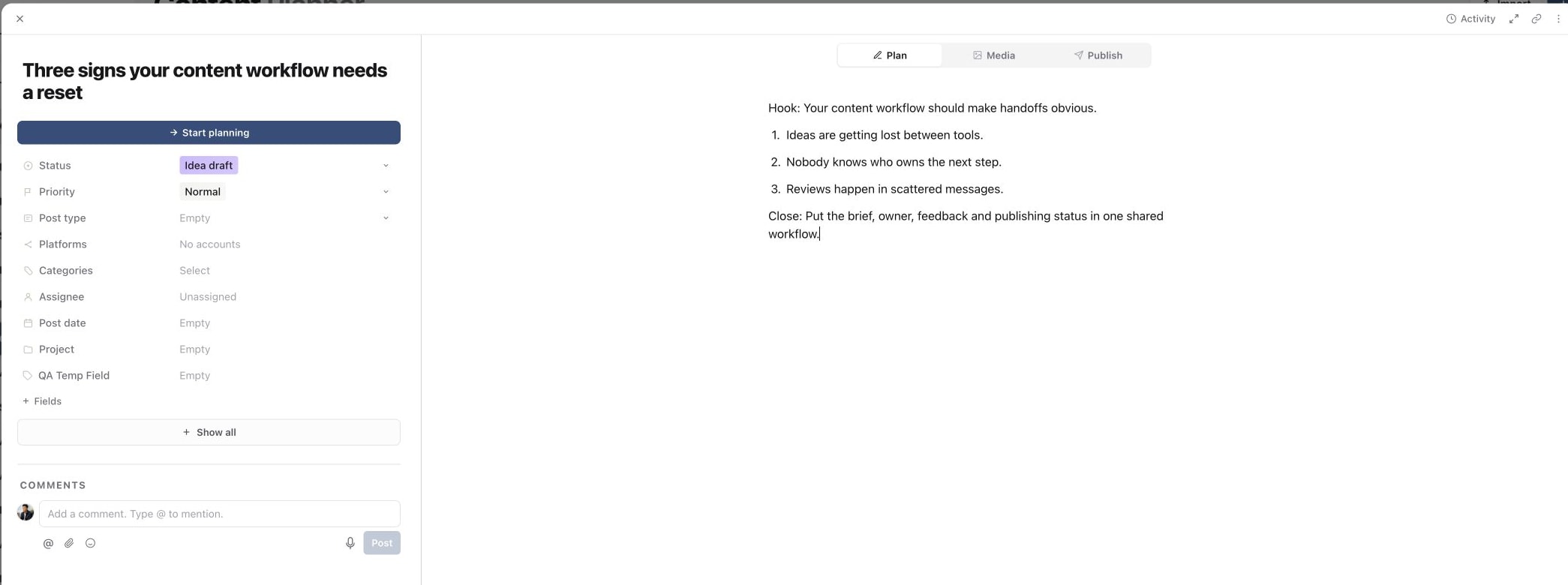
- 01Idea and planning: capture the title, goal, audience, format and Plan.
- 02Production: assign the creator or editor, attach media and review versions.
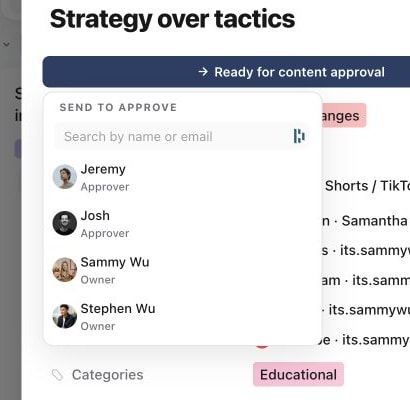
- 03Review: request feedback on the Plan or final creative and resolve comments.
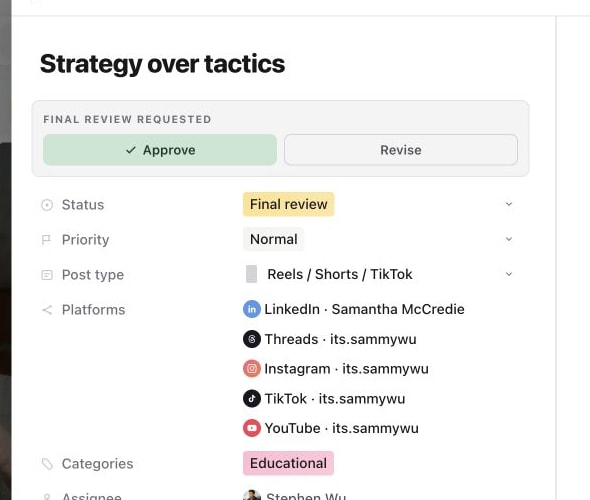
- 04Approval: send the correct review link or approval request and record the decision.
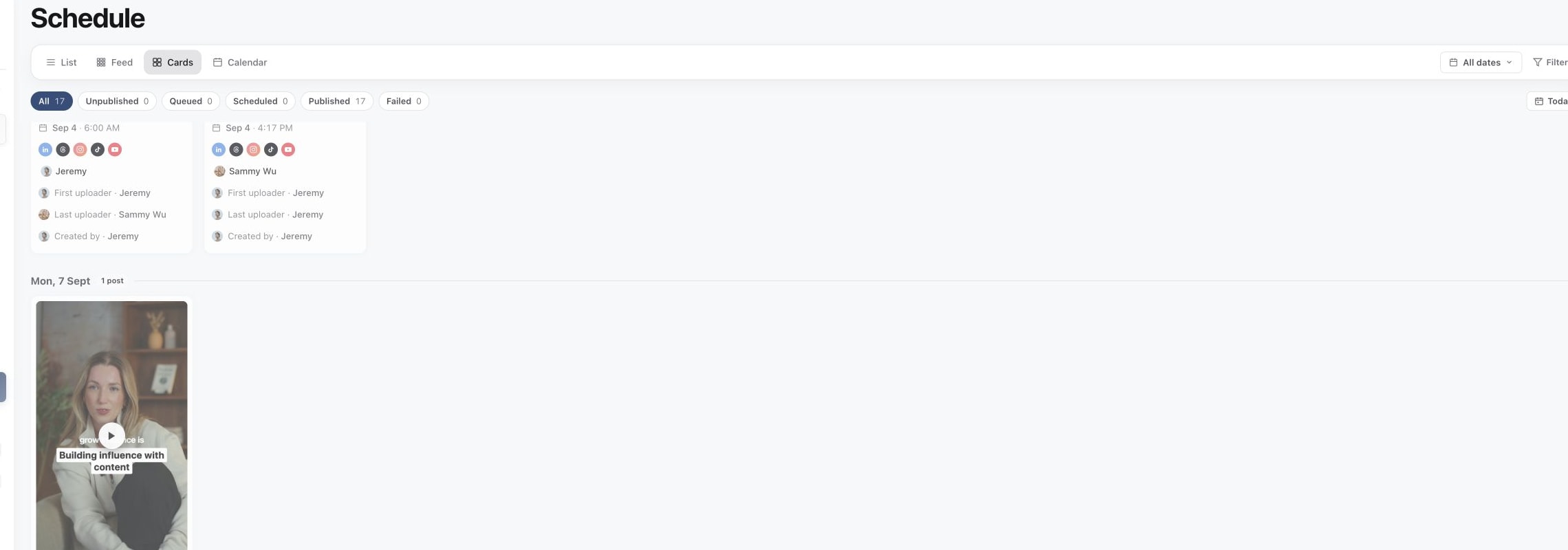
- 05Publishing: choose targets, complete captions and platform fields, set the time and preview.
- 06Published: confirm the result, then use Analytics to learn from performance.
1. Prepare the plan
2. Hand the work to a reviewer
3. Record the final approval
4. Follow the post through publishing
Use status and assignee together
Status describes the stage. Assignee names the current owner. A practical agency workflow can move through Idea, Client input needed, Ready to film, Filmed, Editing, Ready for review, Need caption, Client approval needed, Approved, Scheduled and Posted, with the video editor, client or social media manager assigned at the relevant handoff.
Keep platform and format as their own fields. Do not create a status for every channel or post type.
Keep the record as the source of truth
Put decisions in comments, attach the current media version and keep the publish setup on the same content piece. When work loops back, update the status and assignee so the next action remains visible.
Was this page helpful?
Need more help with this?