
Content templates let you reuse a complete content piece as the starting point for new work. A template can include properties, Plan content, media, captions and publishing setup.
Start from Blank or a template
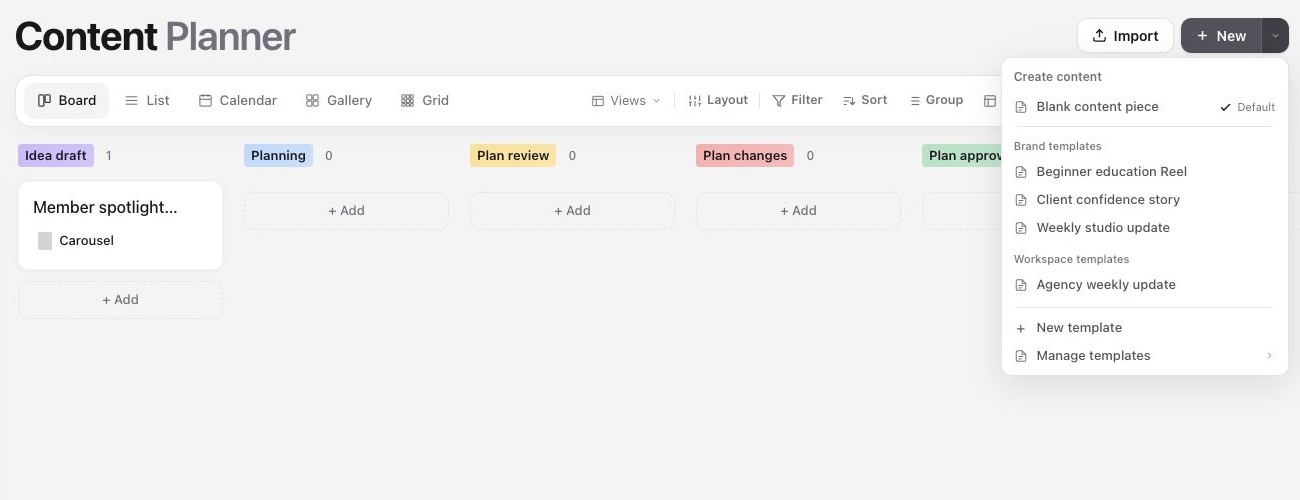
1. Open the arrow beside New from Content, a project or another create entry point.
2. Choose Blank content piece, a brand template or a workspace template.
3. Sequence creates an independent content piece with the template's starting content. Editing the new piece does not change the template.
Create and manage templates
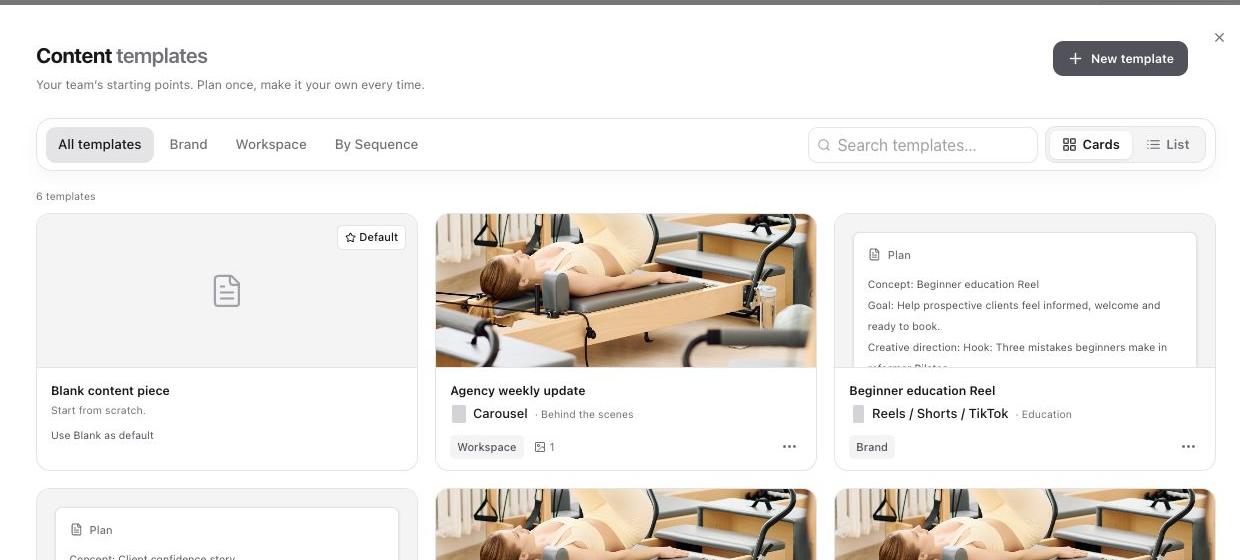
Open Settings and choose Content templates. You can also open Inspiration and select the Templates tab. Choose New template to start from scratch, or open a content piece's menu and save it as a template.
Brand templates: Available only in the brand where they were created. Use them for client-specific formats, properties, custom fields, Plan content, media and publishing setup.
Workspace templates: Available to every brand in the workspace. Use them for agency-wide briefs, repeatable workflows or content formats that should stay consistent across clients. Their standard properties, Plan content, media and publishing setup travel with the template, while brand-only custom fields stay with the original brand.
Edit the whole starting content piece
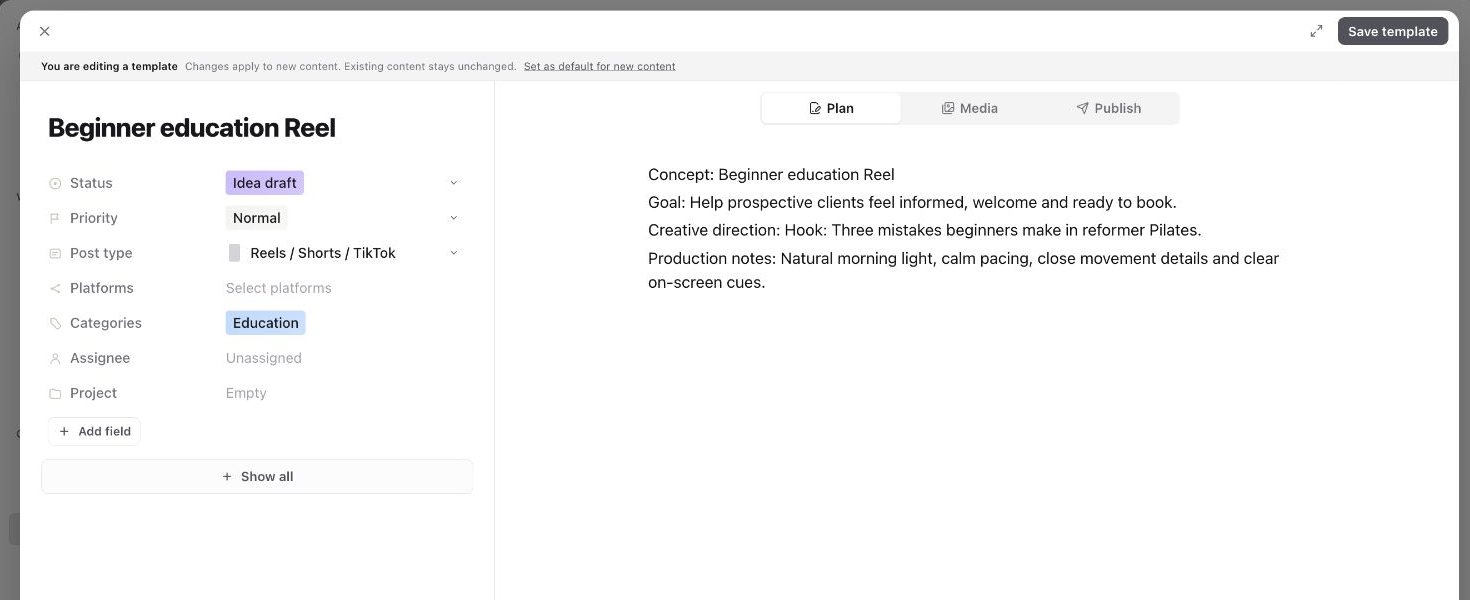
The template editor uses the same content-piece layout as ordinary content. Edit property values on the left, add brand custom fields with Add field, and use the Plan, Media and Publish tabs for the content that every new piece should start with.
The banner at the top confirms that you are editing a template. Changes apply only to content created from the template in the future. Existing content stays unchanged.
Set the default starting point
Brand admins and workspace admins can set a brand default. Workspace admins can set a workspace default. Creators can still choose another visible template or Blank when they create content.
Brand custom fields stay brand-only. Saving a workspace template does not create or transfer custom fields into other brands.
Update, duplicate or remove a template
Open a template's menu, or right-click its card or list row, to edit, duplicate, set it as the relevant default or delete it. These actions are available according to your brand and workspace permissions.
Was this page helpful?
Need more help with this?