
Sequence creates a proxy for every video you upload. A proxy is a lighter MP4 copy made for smooth playback, so videos start quickly in the Media tab and on Content Planner cards, even when the original file is very large. Your original file is kept exactly as uploaded.
Switch between Proxy and Original
Videos play the Proxy by default. When you need to judge full-quality detail, such as colour, grain or compression, play the original instead.
- 01Open the content piece and select Media.
- 02Select the quality button in the player controls. It shows the version that is playing, such as Proxy.
- 03Choose Original or Proxy. Playback continues from the same moment.
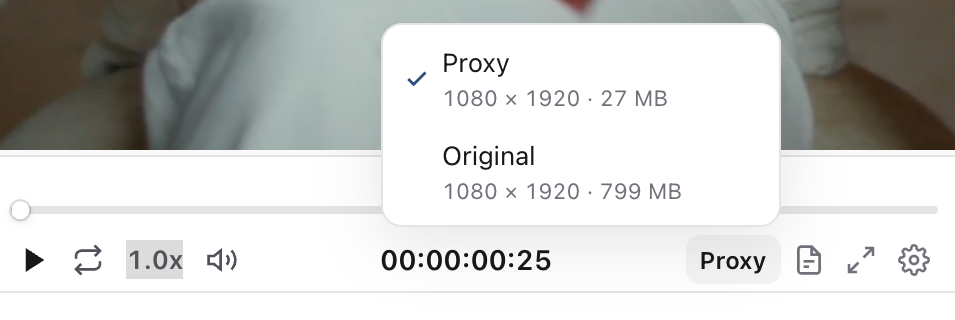
Each option lists its resolution and file size. The quality button only appears when the proxy differs from the original. If the player is narrow, find Quality in the settings (gear) menu instead.
Download the original, proxy or a still image
- 01In the Media tab, select the download button in the toolbar above the player, next to Versions.
- 02Choose the file you need. Each option shows its resolution and file size.
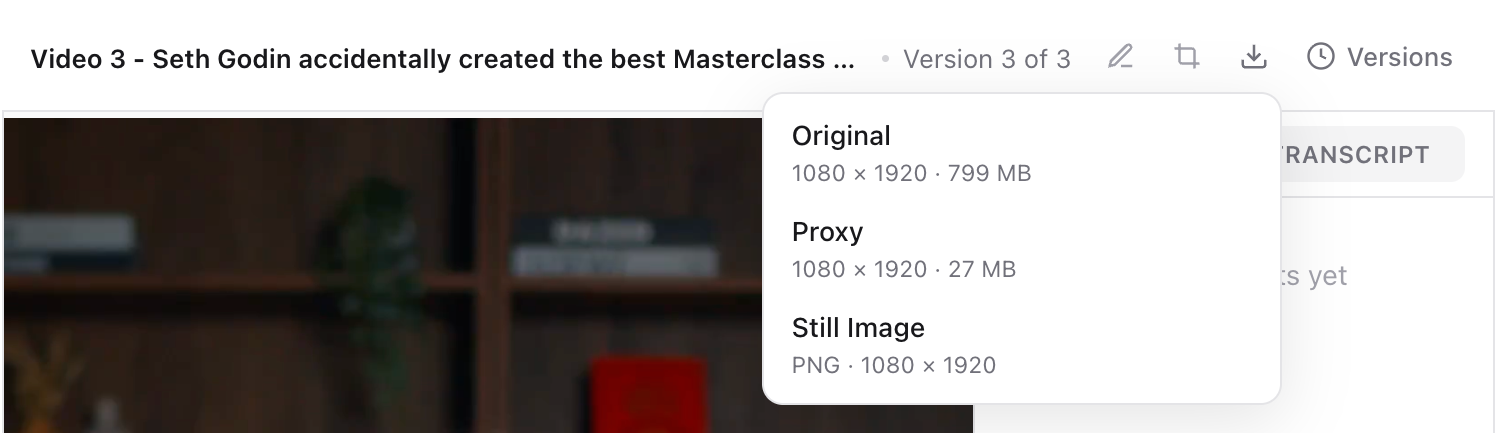
- Original: the full-quality file exactly as it was uploaded.
- Proxy: the smaller MP4 used for playback. It is useful for sharing a quick review copy.
- Still Image: a PNG of the frame at the current playhead. Pause on the moment you want first. It is captured from the version that is playing, so switch to Original for a full-resolution still.
For an image, the download button saves the file straight away.
Download from the player settings menu
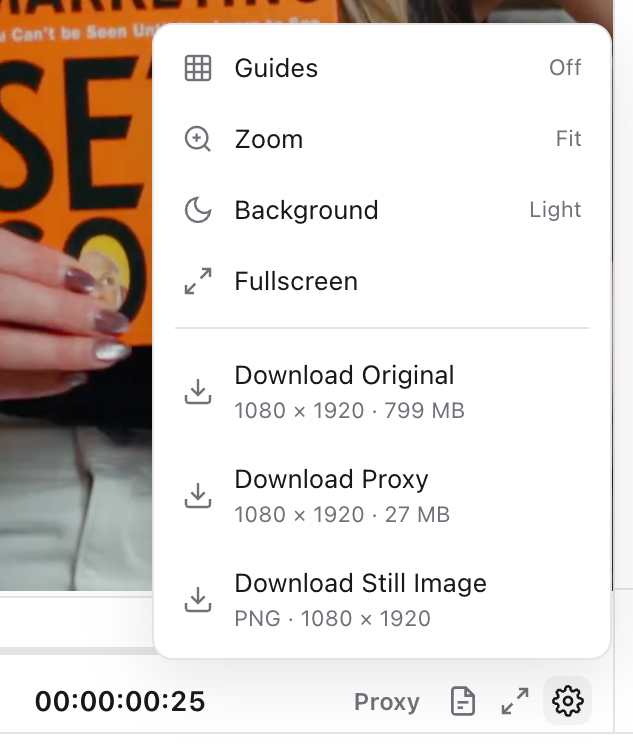
The same downloads are available from the settings (gear) button at the right of the player controls. Select it, then choose Download Original, Download Proxy or Download Still Image.
When the proxy is still being prepared
Sequence prepares the proxy automatically after upload. Until it is ready, the video plays the original file and the Proxy download shows Still being prepared. Longer and larger videos take more time. There is nothing to do; the proxy is used as soon as it is ready.
Publishing is not affected by the proxy. Posts use your original file, or a platform-ready version Sequence prepares when a platform needs one.
Was this page helpful?
Related articles
- Comment on mediaAttach clear feedback to a video moment or image area, then reply, resolve and hand off the revision.
- Media versionsUpload revisions, compare creative versions and check the final media before another review or publication.
- Fix media processingIdentify upload, processing and publishing problems, check the source file and retry the right step.
- Media library and downloadsFind brand assets, preview and download originals, and reuse a file in another content piece.
- Plan, Media and PublishUse Plan for the brief and script, Media for files and versions, and Publish for captions, targets and timing.
Need more help with this?