
Use Share with anyone to send a post to someone outside your workspace, such as a client. They open the link in a browser without a Sequence account. You choose what the link shows and what they can do: comment and draw on media, approve or request changes, and edit the Plan or the Publish tab.
If the client should sign in and review every post in Sequence, use client review access instead.
What a share link looks like
The link opens the post much as your team sees it: its details on the left, and Media, Plan and Publish tabs for the parts you share. Media plays the latest version of each file with its comments. Publish shows each platform’s caption, preview and settings, and which accounts the post is scheduled or published to.
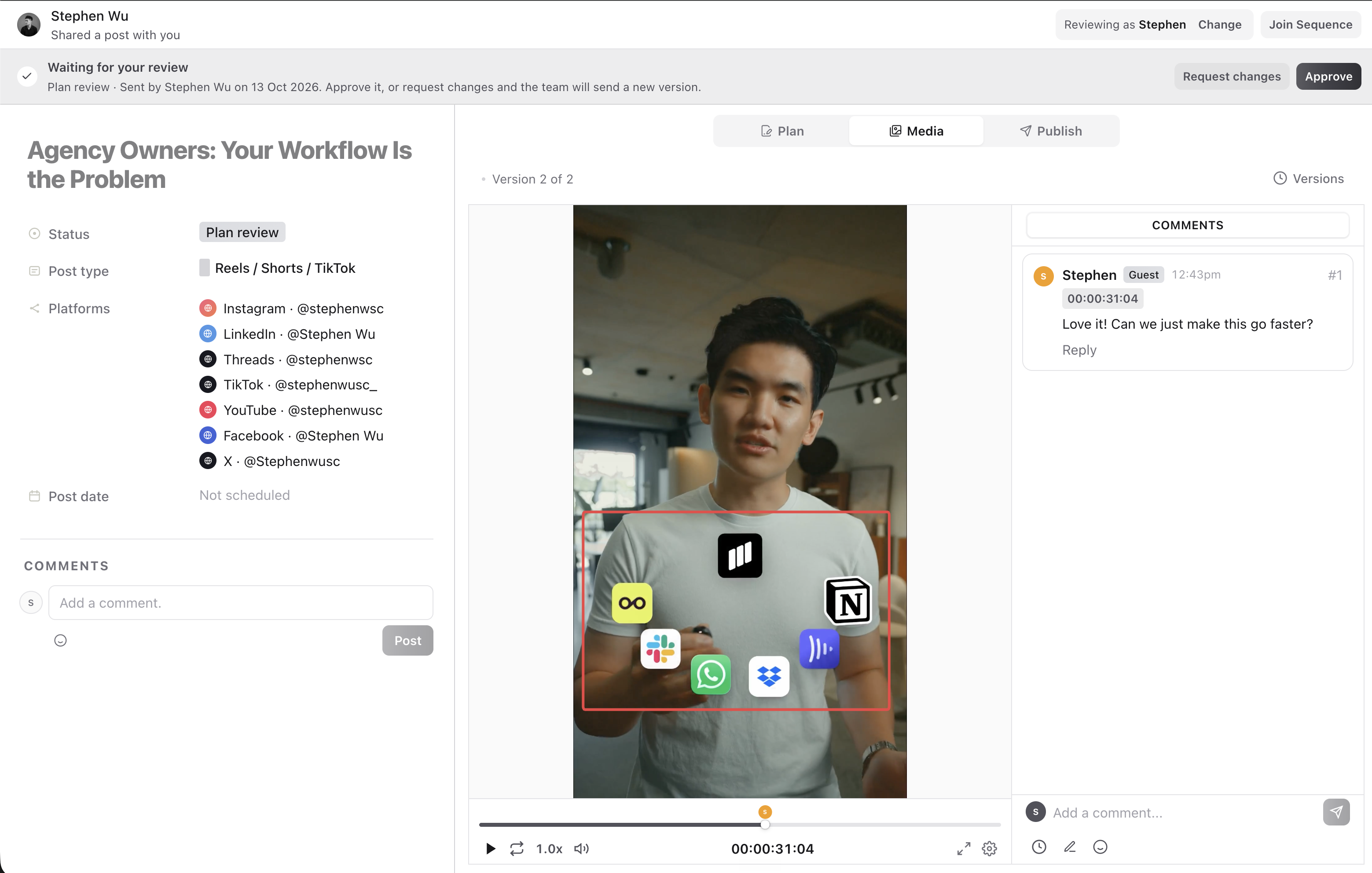
Example: a client’s comment at a timecode, with the note they drew on the frame.
Create a link
- 01Open the post and select More content actions (the three dots), then Share with anyone.
- 02Under What the link shows, turn on only what the person needs.
- 03Under What viewers can do, choose whether they can comment, approve or edit.
- 04Optionally add a passcode or an expiry, then select Create link and Copy.
The dialog has two columns. What the link shows decides which parts of the post appear, and What viewers can do decides what people can change. Each switch on the right is explained below.
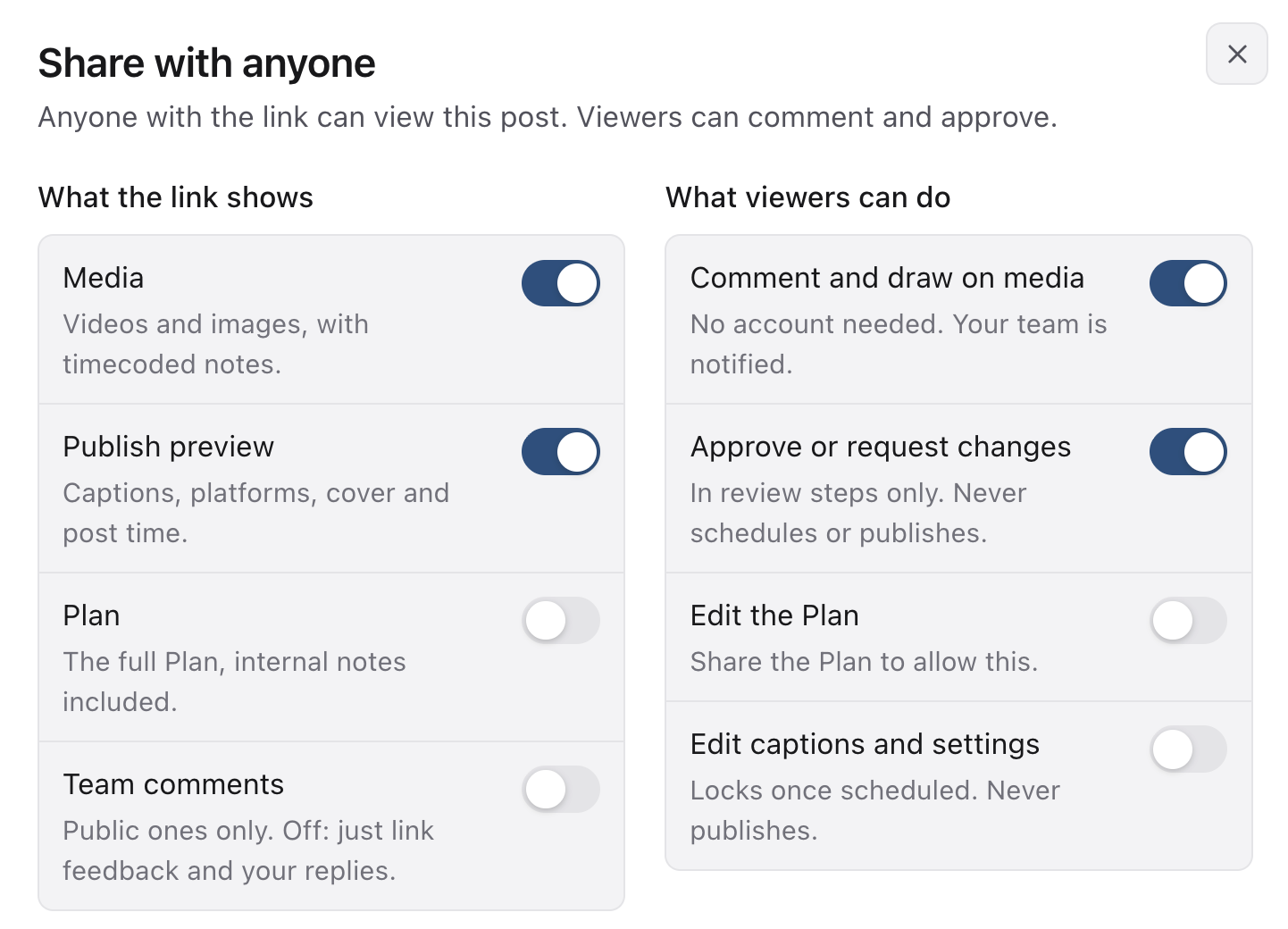
| Section | What the viewer receives |
|---|---|
| Media | Videos and images, with timecoded notes. |
| Publish preview | Captions, platforms, cover and post time. |
| Plan | The full Plan, including internal notes. |
| Team comments | Public comments from your team. Off: only comments left through the link and your replies to them. |
Review the Plan before sharing it, because it includes internal notes. Private comments never appear on a share link.
Collect comments and notes on media
With Comment and draw on media on, anyone with the link can comment on the post, leave comments at an exact moment in a video, draw on the frame to show what they mean, and reply. The first time they comment, Sequence asks for their name. It is remembered on that device for 30 days.
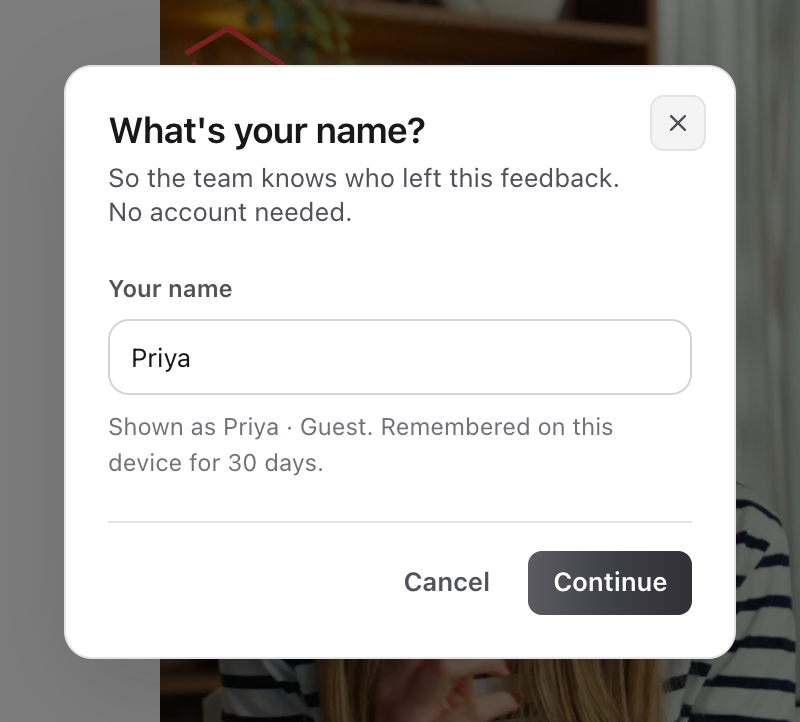
Your team is notified. In Sequence their comments are tagged Guest, and threads started through the link say that replies there are shown to the client. Comments left through a link are Public.
Let them approve or request changes
With Approve or request changes on, the link shows Waiting for your review whenever the post is in a review step, with Approve and Request changes. Requesting changes asks what needs to change. The decision is recorded on the post under their name and your team is notified.

If the post changes while they are reviewing, the link asks them to look over the latest version before approving. A decision never schedules or publishes the post. You need permission to approve posts on the brand to turn this switch on.
Let them edit the Plan or the Publish tab
Edit the Plan lets them edit the Plan. It saves as they type. If someone else changes the Plan at the same moment, the link shows the latest version so they can make their change again.
Edit captions and settings opens the Publish tab for editing:
- captions and first comments, for every platform or one at a time
- each platform’s settings, including music, places and tagged people
- the post date and time, and which accounts it goes to
- media and covers, when the link also shows Media
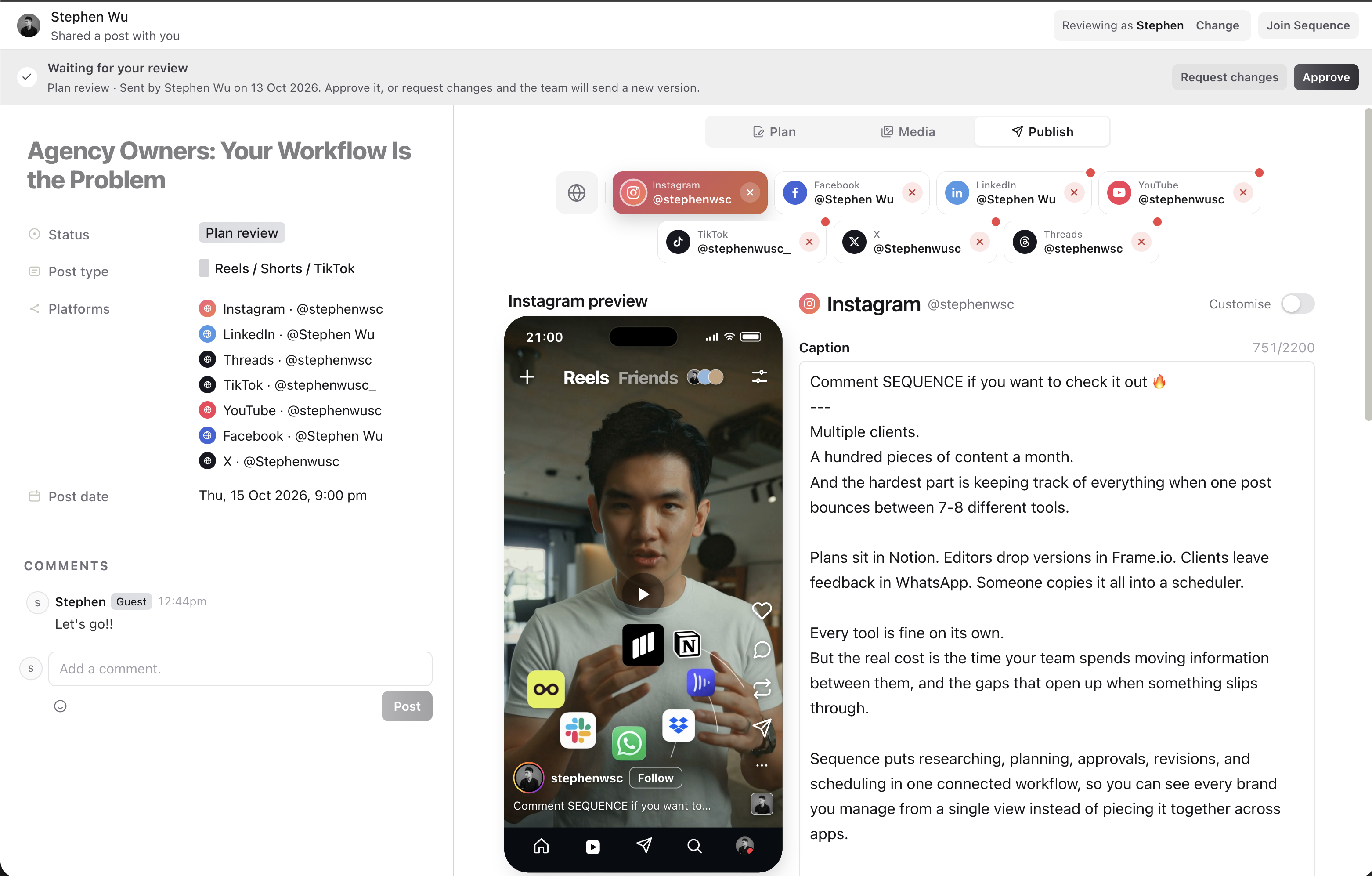
Example: client can see publish tab with previews and customised captions for all platforms.
Changes appear in the post’s history under their name. Editing stops once the post is scheduled or published, as it does in Sequence, and a link can never schedule or publish. A link can only change what the person who created it can change, and links made through the Sequence API or an AI assistant can’t allow editing.
Add a passcode or expiry
A passcode must contain at least 4 characters. Viewers enter it once to open the link. An expiry stops access after the chosen date; No expiry leaves it without a time limit.
Changing or removing the passcode signs out everyone who unlocked it, so they need to open the link again.
Update or stop sharing
Reopen Share with anyone to change an existing link. Changes save as you make them and apply to everyone who has the link.
Use Regenerate link to replace the URL; the old link stops working and guests need the new one. Use Stop sharing when access should end.
The ordinary Copy link control copies the post’s address in Sequence, which only your workspace can open. If someone can’t open a link, check which kind you sent, then its passcode, expiry and sharing state.
Was this page helpful?
Related articles
Need more help with this?