
Give a client access to the brand they review, then send them the relevant content for approval. These are two separate steps: an invitation grants access, while a review request places a decision with the selected reviewer.
You need permission to invite people and manage the relevant brand's access. If those controls are unavailable, ask the workspace administrator to handle the invitation.
Invite the client to a brand
- 01Open Settings → People and select Invite people.
- 02Choose Brand member so the invitation is scoped to the brands you specify.
- 03Enter the client's email address, select the brand and choose the appropriate brand access role.
- 04Review every brand listed on the invitation. Use Add brand only when the person needs access to another brand as well.
- 05Select Send invites. Ask the client to accept using the email address you invited.
Brand members only see the brands listed on their invite. Check that list carefully when your workspace contains content for several clients.
Brand members also only see Public comments. Your team's Private comments stay hidden from them. See use Private and Public comments.
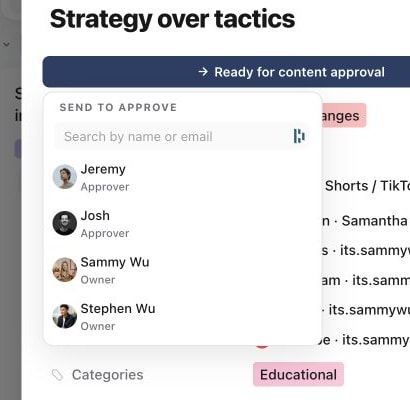
1. Choose the client reviewer
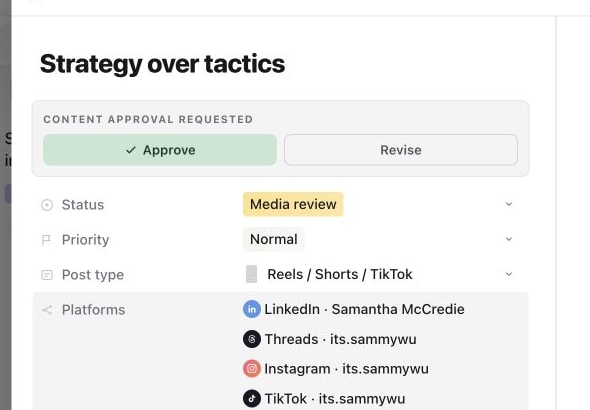
2. Check the request on the content piece
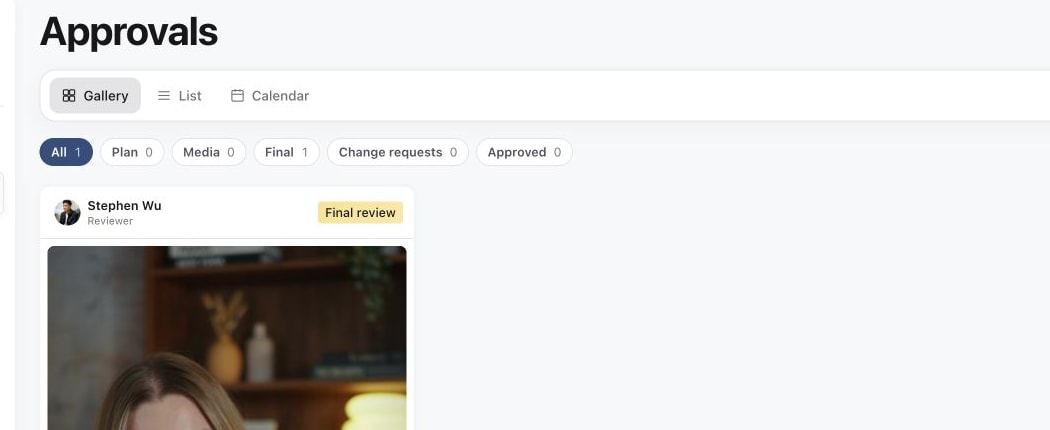
3. Open the client review queue
Choose a role that matches the job
The standard brand roles offer different levels of access:
| Role | What the invitation describes |
|---|---|
| Viewer | View and comment. |
| Editor | Create, edit and submit. |
| Approver | Edit, submit, approve and publish. |
| Brand admin | Manage all brand settings. |
Approver is not a review-only role. Its standard access includes editing and publishing. If your client should be able to approve without those other capabilities, have an administrator review the brand's permission configuration before granting access. See Choose roles and brand access.
Viewer is useful for someone who only needs to read and comment, but comments do not record formal approval. Editor can prepare and submit work; that does not give the role approval permission.
Send the first review request
After the client has access, open the piece and use Send for approval for the stage you want reviewed. Choose the intended reviewer and submit the request. The Send content for approval guide covers plan, media, final and multi-piece requests.
Give the client a short explanation of what they are reviewing: the direction in Plan, the creative in Media, or the final post in Publish. They can open Approvals and use Assigned to me to find work awaiting their decision.
An ordinary production assignee, such as the video editor, is not automatically the client reviewer. Select the reviewer through the approval flow when the work is ready.
If the client cannot find or approve the content
Check the email used to accept the invitation, the selected workspace and brand, and the brand access role. Then check that the piece was actually sent for review to that person and is at the intended review stage.
If they can comment but cannot approve, review their permissions rather than treating a comment as approval. If they only need to see a shared item without joining the review workflow, see Share content with someone outside your workspace and choose the sharing approach that fits that task.
Was this page helpful?
Need more help with this?