
Projects collect related content in one place. Use one for a campaign, recurring series, filming session or launch so the team can see the brief and the pieces that belong together.
A project's dates and assignee describe the project. Each content piece still has its own status, assignee and publishing schedule.
Create a project
- 01Select the correct brand and open Projects.
- 02Select New project.
- 03Enter a clear Name and a useful Description. Add an icon if it helps the team recognise it.
- 04Optionally choose a start and end date. The end date must be on or after the start date.
- 05Select Create project.
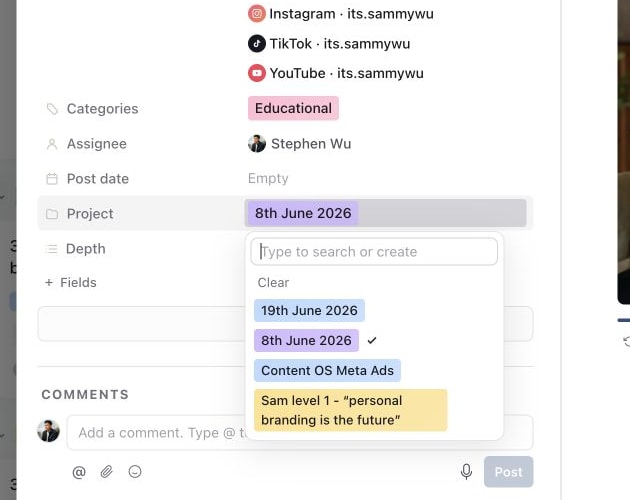
1. Add one content piece to a project
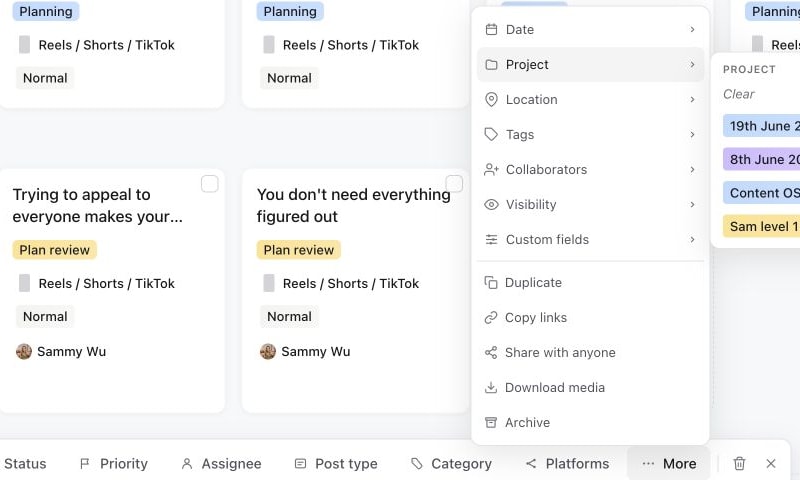
2. Move several selected pieces together
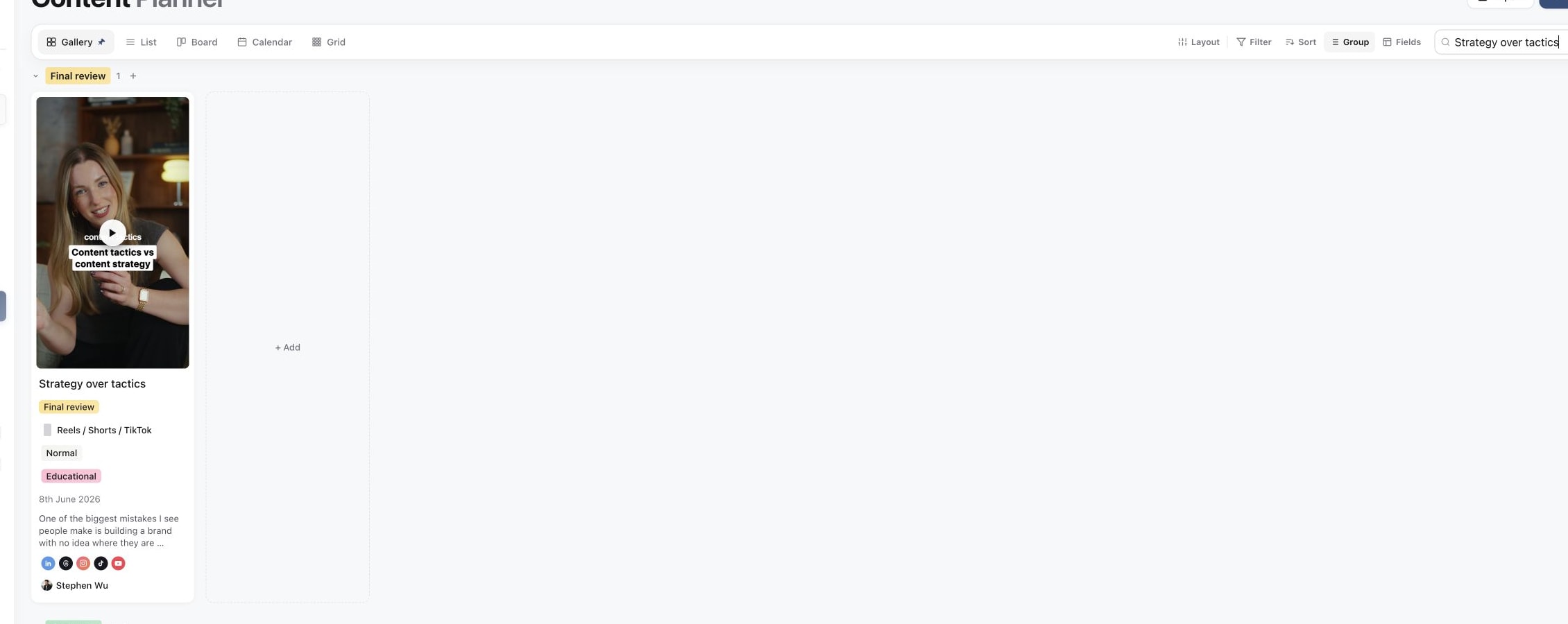
3. Find the organised content in the planner
For example, name a launch project “Spring collection launch” and explain the audience, offer and required deliverables in its description. Avoid making the title carry the whole brief.
Add content and ownership
Open an existing content piece and choose the project from its Project property. For several pieces, select them in Content and use More → Project in the bulk toolbar. Check a piece afterwards to confirm the association.
Projects also show their associated posts, with controls to open the work or add a new idea. Use View all when you want the full collection rather than the preview on a project card.
Assign the project owner from its Assignee control. Then check the assignees on individual pieces: the person coordinating the campaign may be different from the editor or reviewer responsible for the next content step.
Review progress without changing the workflow
The project overview summarises where its posts sit across planning, creation, review, scheduling and live work. Open the underlying piece to act on it. A project marked Active or given a date range does not approve or schedule those posts.
For a production meeting, use the project to define scope, then filter or group the planner by Project and Assignee. This lets the editor see the relevant work while the social media manager checks publishing readiness.
Rename, move or remove a project
Edit the project details when the campaign changes. To move a piece to another project, change that piece's Project association rather than duplicating it unnecessarily.
Deleting a project removes the project association from its content; it does not delete those content pieces. They remain available in the brand's Content planner. If you intend to delete pieces too, handle that as a separate, reviewed action using the Bin workflow.
See assign content and projects for ownership and review hand-offs.
Was this page helpful?
Related articles
Need more help with this?