
Deleted content stays recoverable in the Bin for 30 days. Use the Bin to recover an accidental deletion; use planner filters or hidden fields when you only want a cleaner view.
Delete a content piece
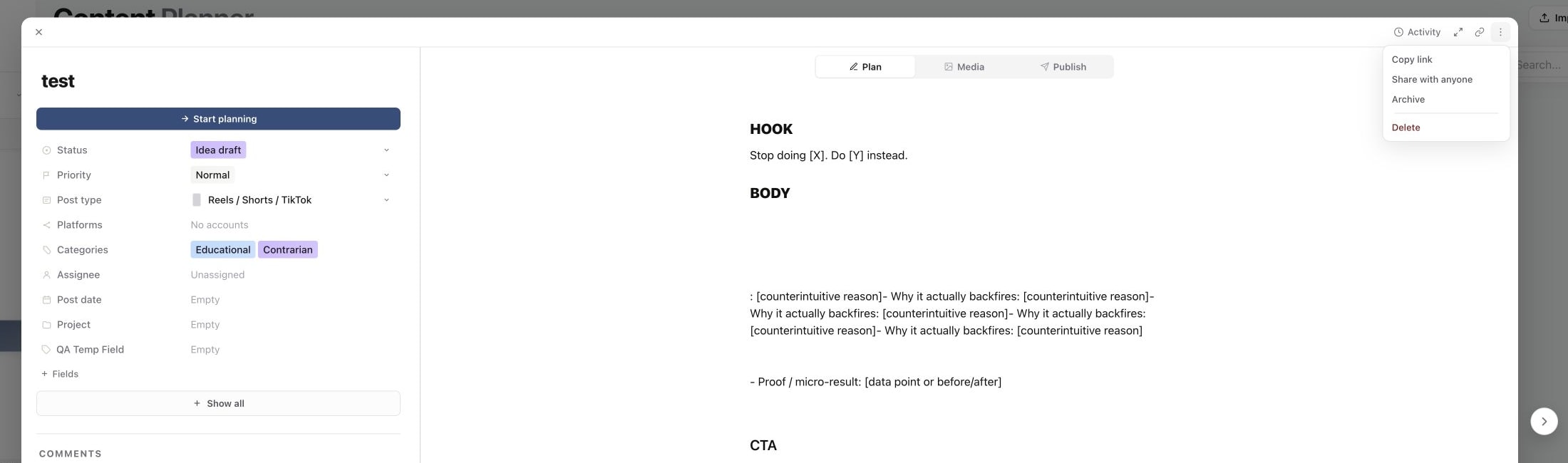
Open the piece, select More content actions → Delete, and follow the confirmation shown. To remove several pieces, select them in the planner and choose Delete selected posts. Check the selected count before confirming.
The piece leaves the active planner. If the action reports a failure, check the piece and any affected publishing targets rather than assuming it was deleted.
Restore a deleted piece
- 01Open Content planner in the brand that owned the piece.
- 02In the sidebar, open Content and select Bin.
- 03Find the title and check its Deletes forever date.
- 04Select Restore on the correct row.
- 05Return to the planner and open the restored piece. Clear filters or search if it is not immediately visible.
1. Move the content piece to the Bin
2. Restore it before the expiry date
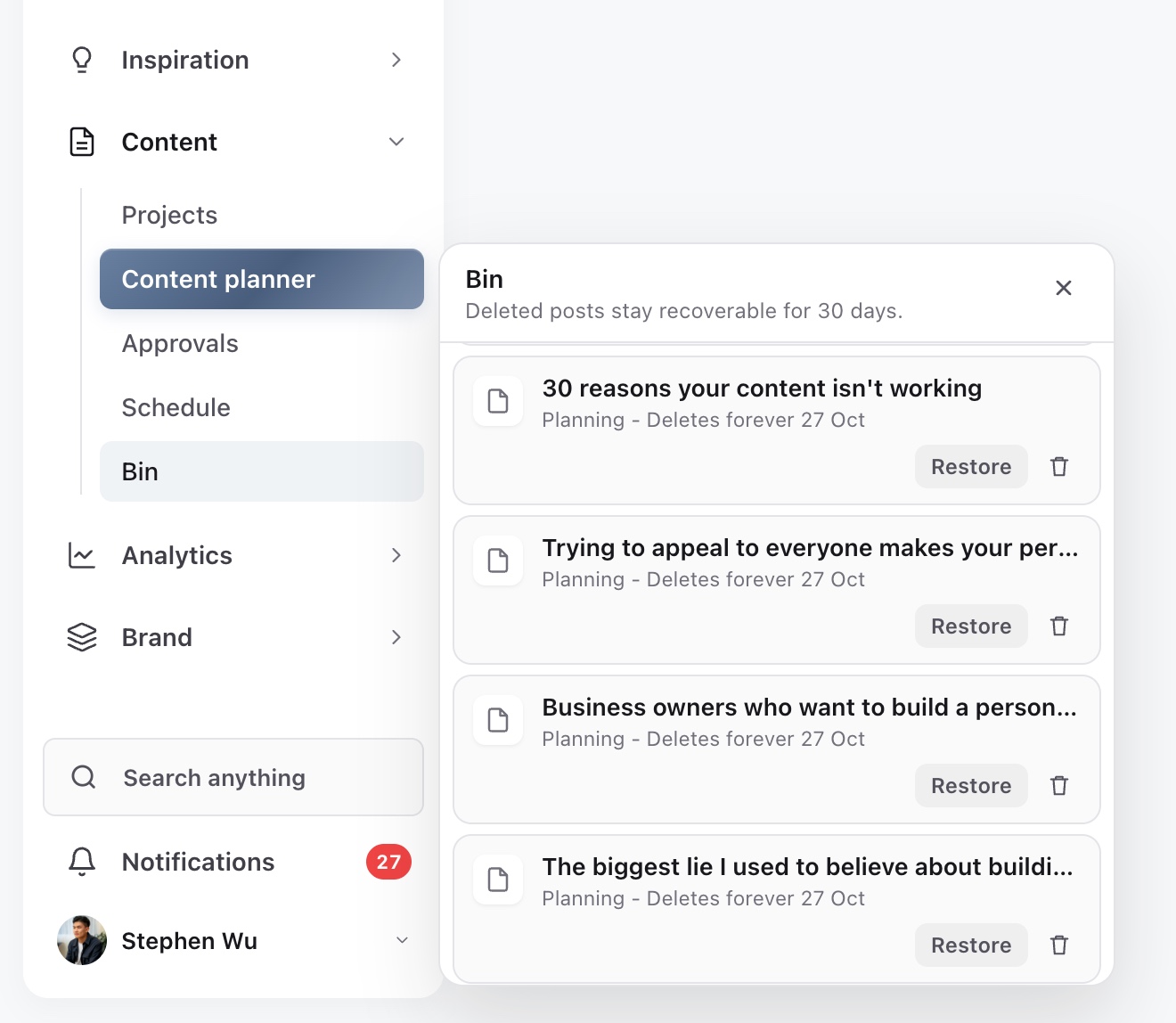
If the Bin appears empty, check the brand and whether the piece was already restored. A piece that has been permanently deleted cannot be recovered through this control. The date on each row is the useful reference for when its recovery window ends.
What happens to a scheduled post?
Deleting a scheduled piece first attempts to cancel its queued delivery. Sequence will report a problem if that cancellation cannot be completed safely. A submission already in flight may require you to wait, refresh and inspect the target result before trying again.
When a schedule is cancelled during deletion, the piece moves back to Final review. Restoring it does not automatically recreate that schedule. Open Publish, review the targets and content, set the intended time and confirm scheduling again.
This matters if you use Delete as a quick way to stop a post: verify the cancellation result before relying on it. For an ordinary timing change, unschedule or reschedule is the clearer workflow.
Permanent deletion and live posts
Delete forever removes the recovery option. Use it only when you are certain that you no longer need the piece and its recoverable record.
Deleting a piece from Sequence does not remove a post that has already gone live on a social platform. Open the live post on that platform if it needs removal or a supported edit there. To reuse the creative as a new post, duplicate the content instead of deleting its history.
Was this page helpful?
Related articles
Need more help with this?