
Use Assignee to show who needs to act on a content piece, and Project to connect it to a campaign or production. These answer different questions: who owns the next step, and which body of work the piece belongs to.
Assign a content piece
- 01Open the piece in the correct brand.
- 02Select the current Assignee value, or Unassigned.
- 03Search by name or email and select the relevant person or people. Use Unassigned when nobody should own it yet.
- 04Check the displayed assignee before closing the piece.
1. Assign an owner on one content piece
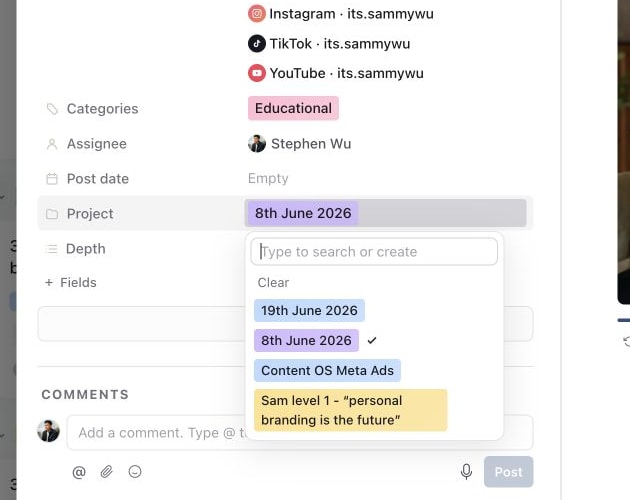
2. Connect the content piece to a project
3. Select several pieces for a bulk hand-off

4. Set one assignee across the selection
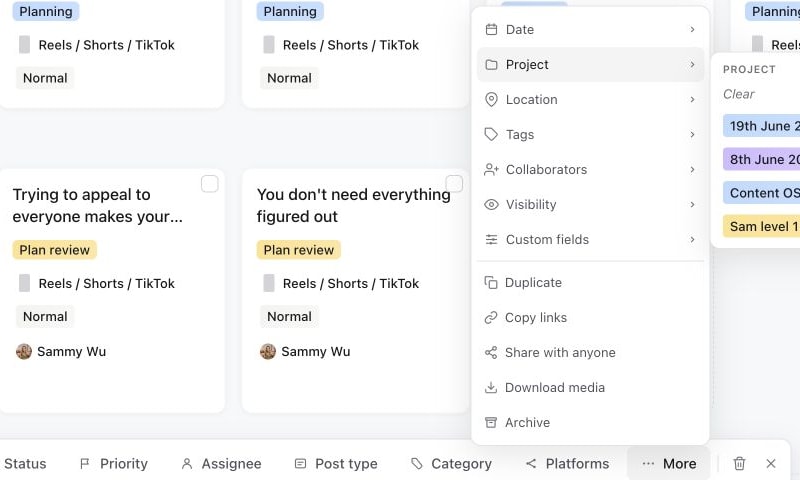
5. Set one project across the selection
If the person is missing, check their access to the workspace and brand. Adding a name to a comment is not the same as assigning work. For a client who needs to review, first give them suitable client review access.
Make hand-offs explicit
A practical ownership pattern for a video workflow is:
| Work waiting to happen | Assignee |
|---|---|
| Client input or filming | Client or the person coordinating the shoot. |
| Editing and revisions to the creative | Video editor. |
| Caption, account settings and scheduling | Social media manager. |
| A formal review decision | The eligible reviewer selected in the approval request. |
Reassign when responsibility changes, and add a short comment explaining the deliverable. For example: “The selected footage is ready. Please upload the first edit as a new version.” This is clearer than assigning the whole team throughout production.
Connect the piece to a project
Select the Project value in the properties panel and choose the campaign or project. Open Projects to create or manage the project itself. A project can have its own assignee; assigning that project should not be used as a substitute for checking each piece's Assignee.
For a batch, select the pieces in the planner and use Assignee in the bulk toolbar. Use More → Project for their project association. Check the selection count before applying the change.
Assignment during approval
Sending for approval sets the people responsible for the review. While a piece is in a review status, assigned people must be eligible to approve content on that brand. If you cannot assign an editor during review, complete or revise the review first, then make the production hand-off.
After a review decision, check who should act next rather than assuming the previous production owner has been restored. See send content for approval and organise projects.
Was this page helpful?
Related articles
Need more help with this?