
Brand Brain gives Sequence reusable context about one brand: who it serves, what it offers, how it sounds and what it should avoid. Start with accurate, specific details rather than a long collection of generic marketing language.
Build the brand context
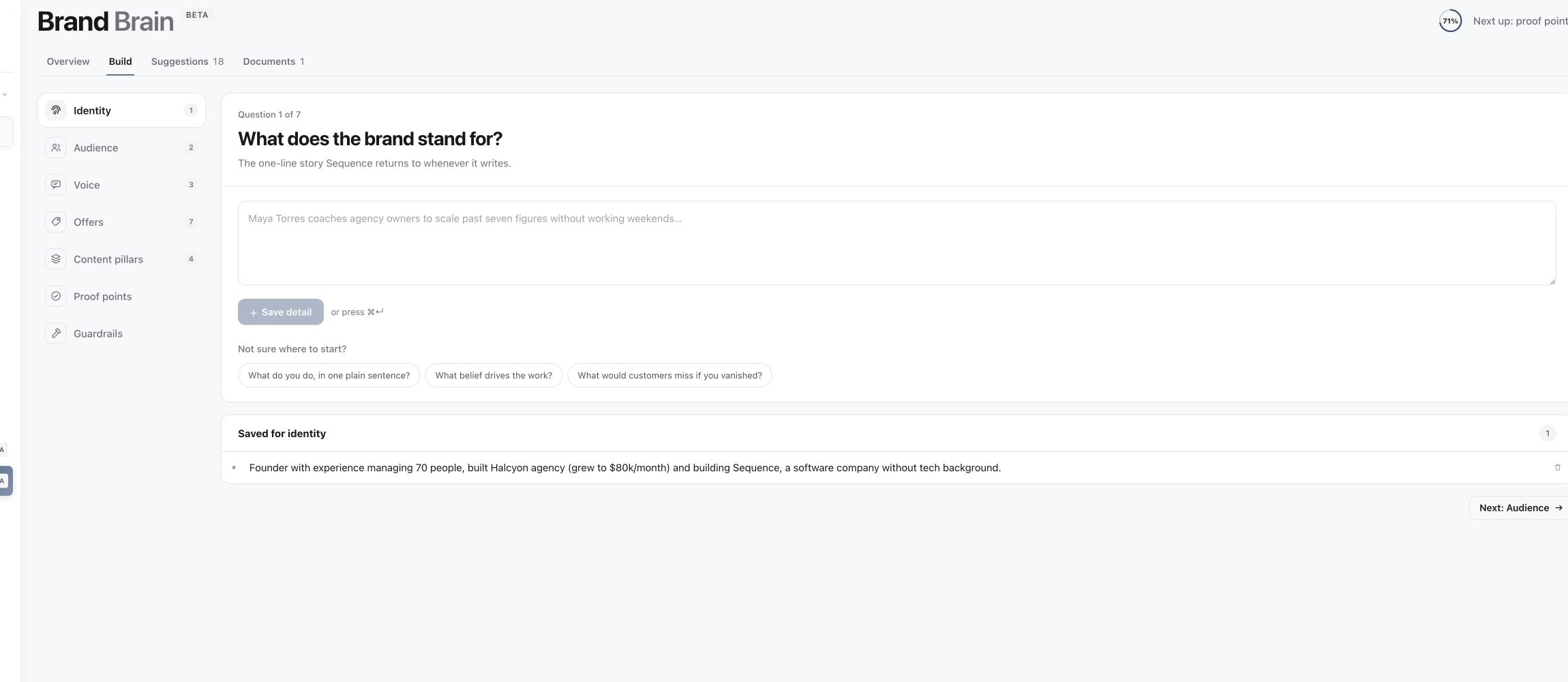
Open the intended brand, then in the sidebar open Brand and select Brand Brain. Choose Build to answer the guided questions.
The sections cover Identity, Audience, Voice, Offers, Content pillars, Proof points and Guardrails. Select a section, write one useful detail and choose Save detail. Add separate details when the facts concern different things; you do not need to finish every section in one session.
1. Review the Brand Brain overview
2. Build the brand profile
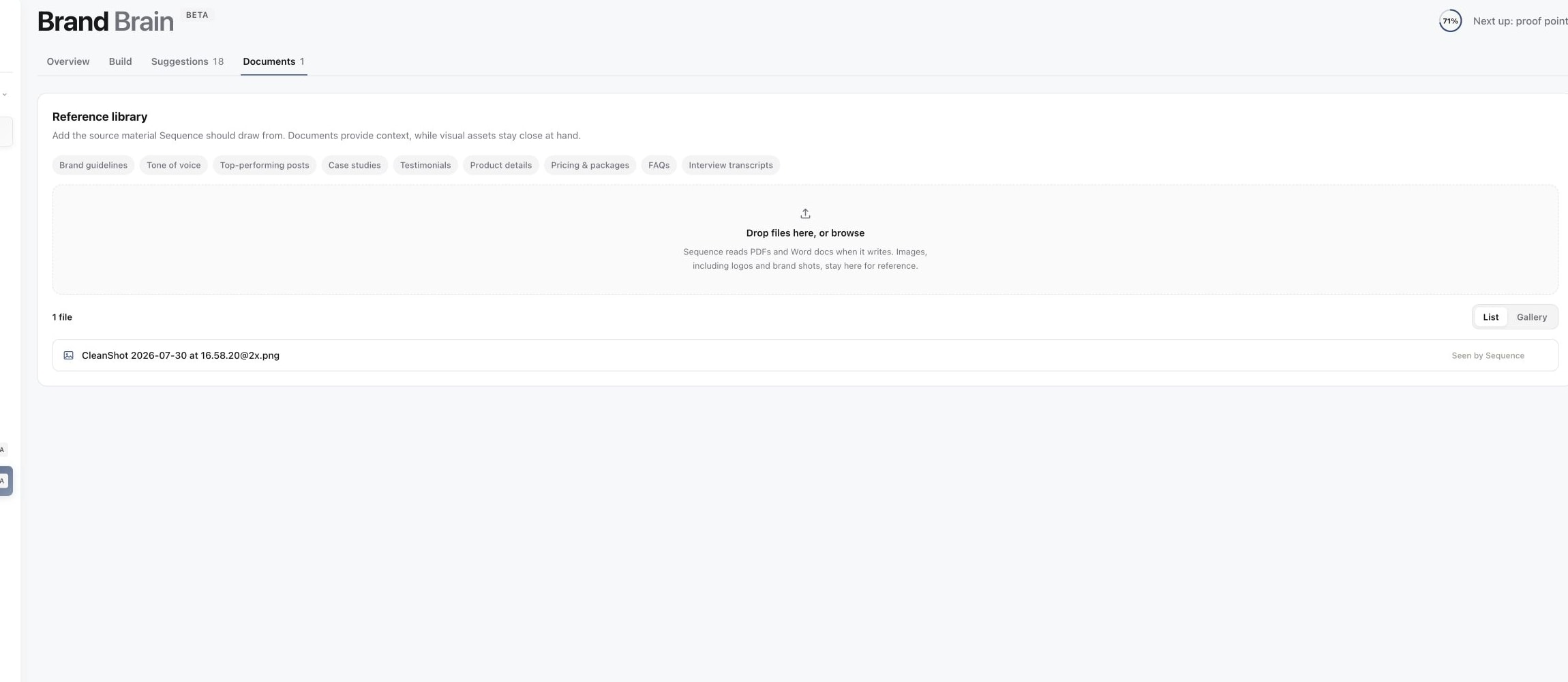
3. Add source documents
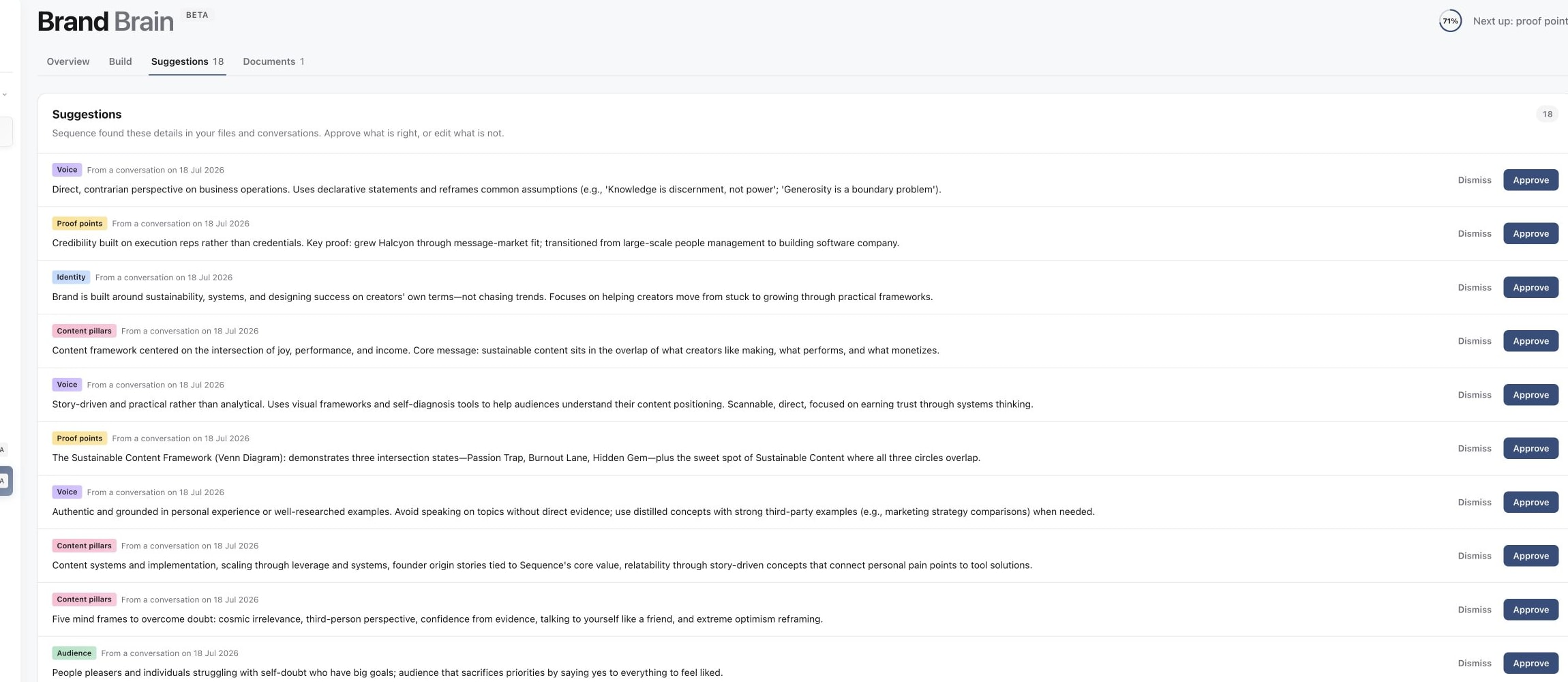
4. Review suggested improvements
Useful details are concrete. For example:
- Identity: “We help independent cafés reduce food waste through weekly stock planning.”
- Audience: “Our reader manages one or two venues and needs advice they can use between shifts.”
- Voice: “Use plain Australian English, short sentences and practical examples.”
- Guardrails: “Do not invent customer results or claim a guaranteed saving.”
Use the starter questions when you are stuck. In Voice, also review Caption style and Writing references where available. These help describe how finished writing should sound.
Read the Overview, edit in Build
Overview is the compiled brief: what Sequence currently understands from the saved brand context. Read it for inaccuracies and omissions. Make changes in Build, where saved details can be edited or removed.
The brief can take a moment to refresh after a detail changes. If the Overview still shows older wording, allow it to update and reload before adding the same fact again.
The progress indicator measures sections with saved details. It is a completion guide, not a score of how good your brand strategy or AI output is.
Add useful source material
Open Documents to upload reference files. Give files clear names, then open a document to inspect its description and what Sequence extracted. Use Re-analyze when the reading needs to be refreshed.
A brand strategy and a general library of writing examples serve different purposes. Check that information appearing in the brand brief is actually true of this brand. Generic templates, competitor examples or an inspiration library should not become claims about your own products or audience.
For text documents, open How Sequence uses this in the preview and choose About the brand or Reference resource. A reference resource can inform writing without adding claims to Brand Brain. Review the resulting brief after re-analysis instead of assuming an upload was interpreted correctly.
Review suggestions and correct recurring mistakes
Use Suggestions to inspect proposed details before accepting them. Approve facts that are accurate and useful; dismiss unsuitable suggestions rather than letting them become reusable context.
When AI keeps getting something wrong, check the relevant Build section and source documents for conflicting or outdated details. Correct the source context, then ask for a new draft with the specific task and audience.
Brand Brain helps supply context, but each draft still needs human review for factual accuracy, tone and the current task. See draft ideas, captions and rewrites for working on captions and rewrites, and review and apply AI proposals before applying proposed changes.
Was this page helpful?
Related articles
Need more help with this?