
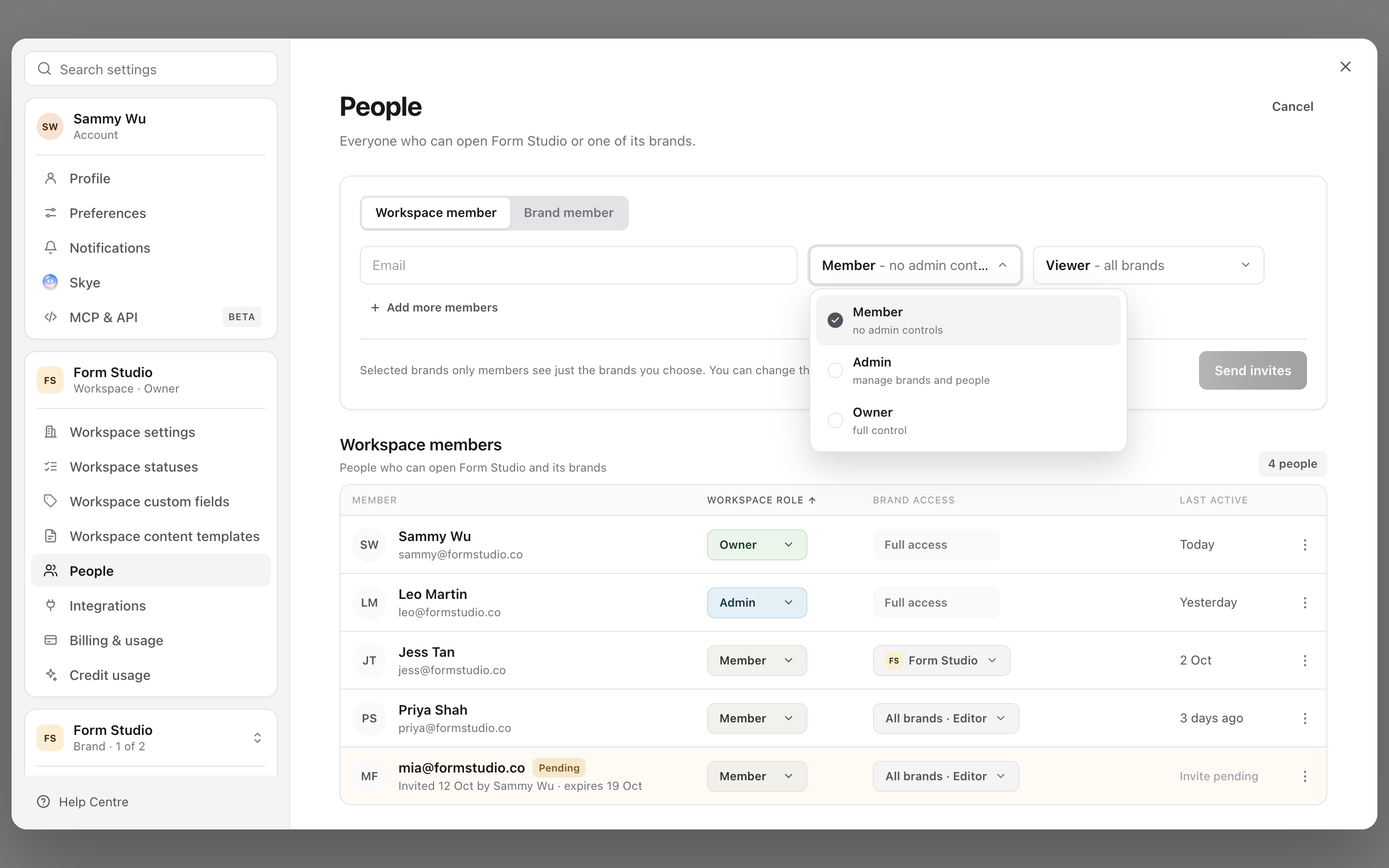
Choose access according to the work someone needs to do. Sequence has a workspace role, brand permissions and, where configured, access rules for individual social accounts. An assignee or reviewer selection does not grant access by itself.
Choose a brand role
Open your profile menu, choose Settings, then Brand access under Current brand. Check the brand name above the access table before changing anything.
A role fills in the permission checkboxes. These are the starting presets:
| Role | Starting access | Typical use |
|---|---|---|
| Viewer | View content and comment. | A stakeholder who gives feedback without editing or approving. |
| Editor | View, comment, create, edit, upload media and submit for approval. | A video editor or content producer. |
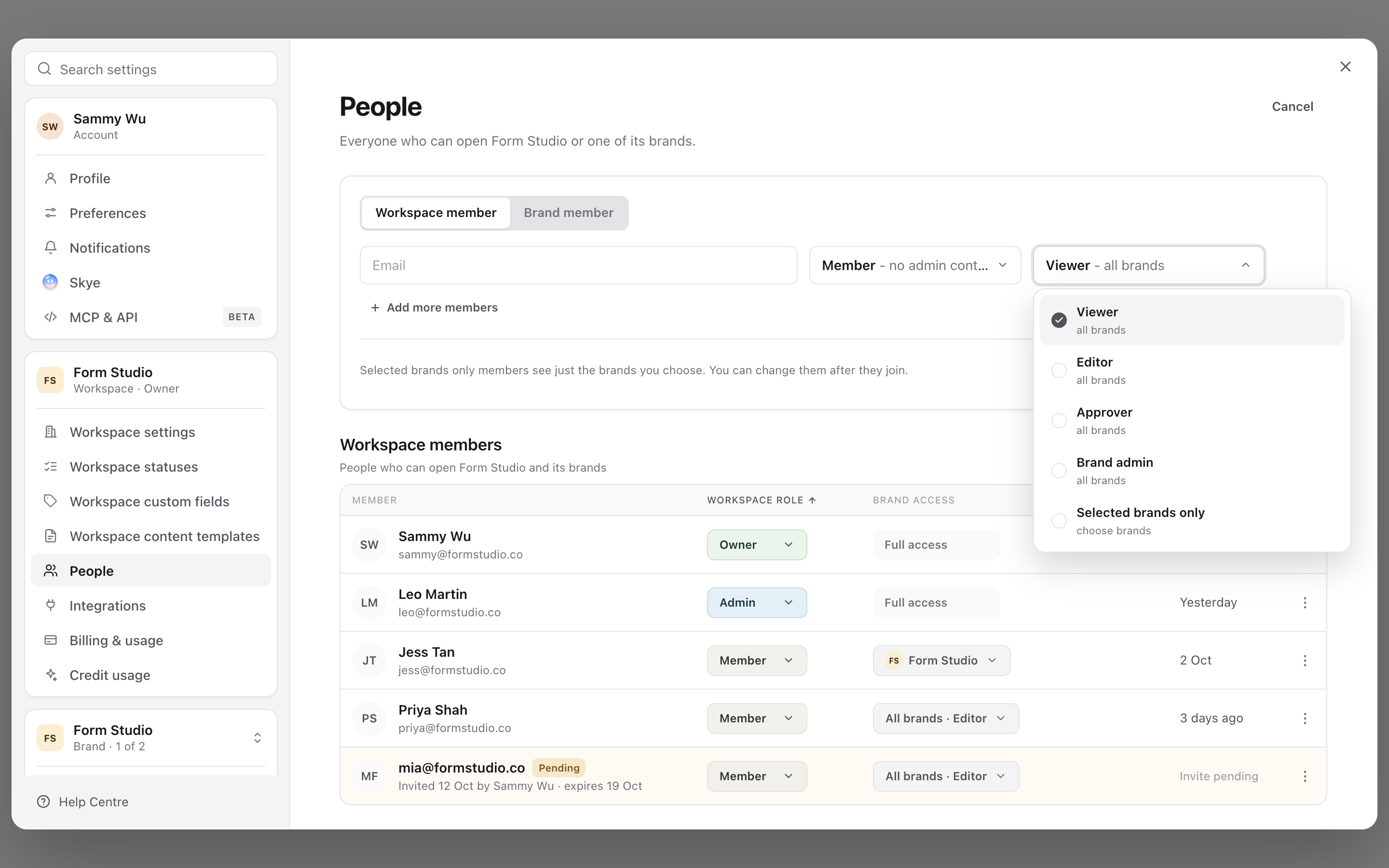
| Approver | Edit, submit, approve, publish approved content and view analytics. | A reviewer who also manages the publishing hand-off. |
| Brand admin | Broad brand access, including brand settings, team access, connected accounts and inbox viewing. | The person responsible for administering that brand. |
1. Choose a workspace role
2. Choose access across brands
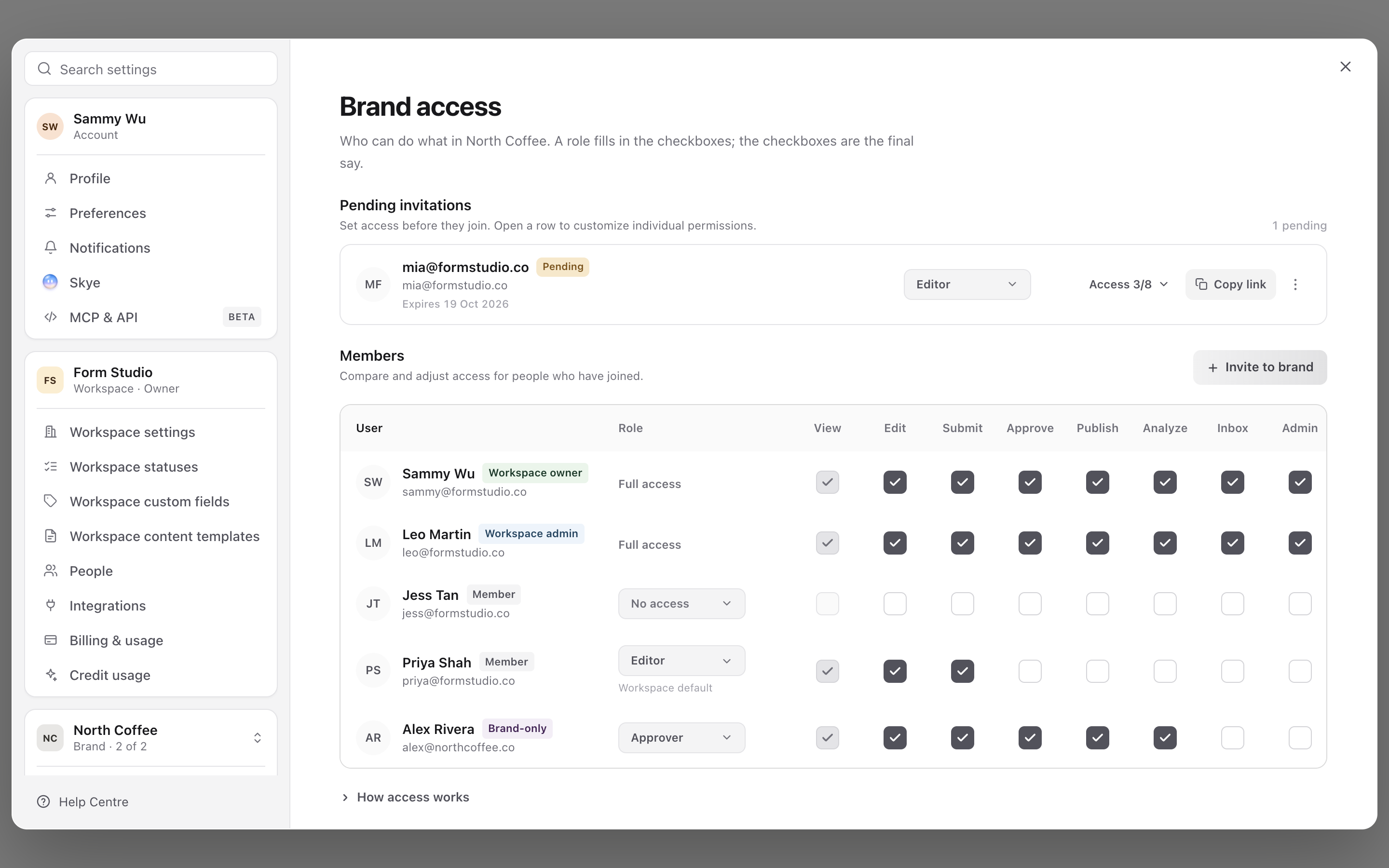
3. Review access by brand
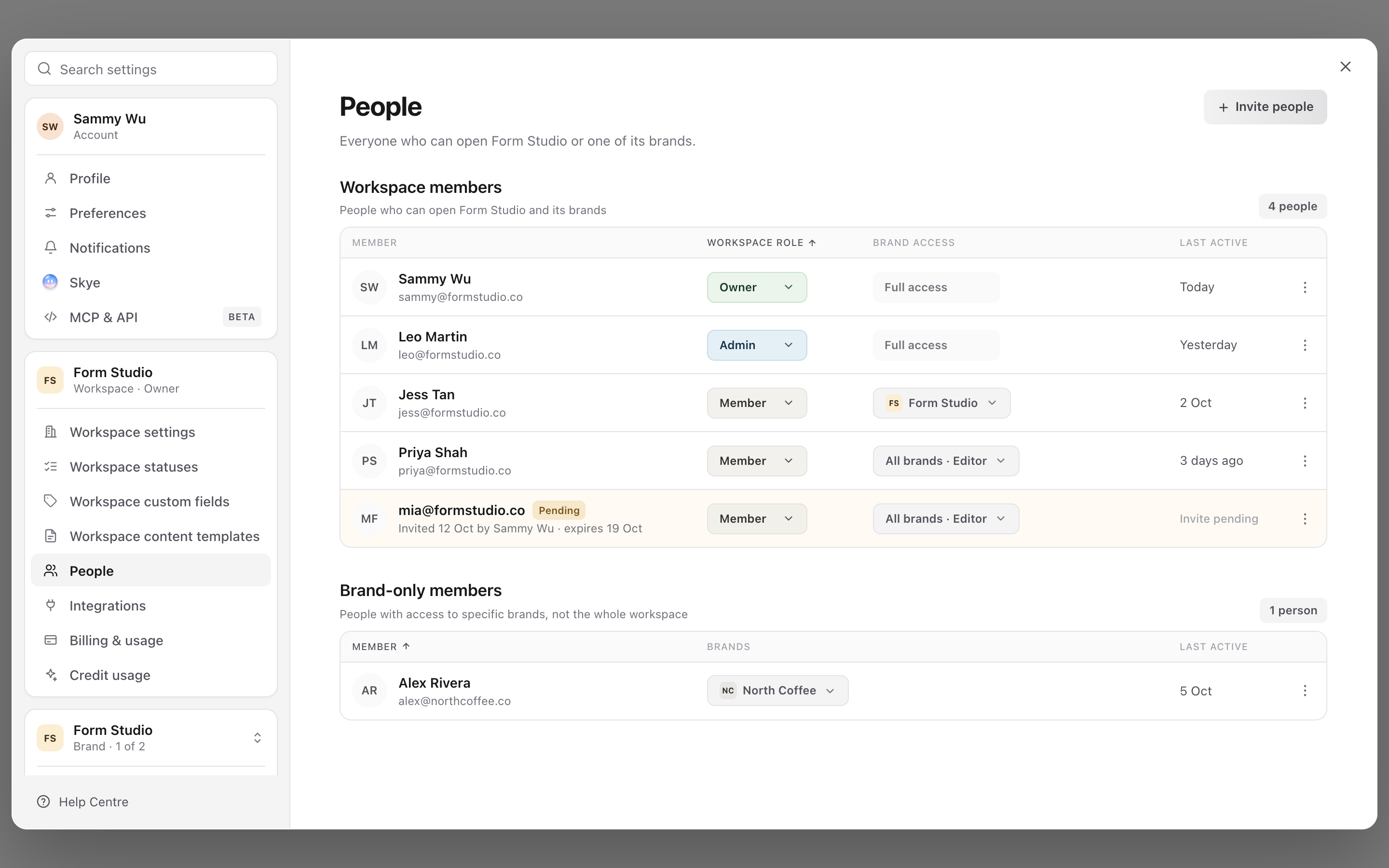
4. Confirm the member setup
Approver is broader than approval-only access. For a client who should approve but never publish, start with a suitable brand role and adjust their permission checkboxes. Do not assume the role name alone describes their final access.
Tailor the permissions
The Brand access table shows View, Edit, Submit, Approve, Publish, Analyze, Inbox and Admin. Your workspace team also sees Private comments. Hover a column label for its explanation, then adjust the relevant person's checkboxes.
For example, give the video editor Edit and Submit; give the client Approve and any editing access you want them to have; give the social media manager Publish and Analyze. Assigning the content piece to each person as work moves forward is a separate step.
A customised role shows Edited with Reset. Reset restores its preset, and choosing a different role also clears custom overrides. Private comments access isn't part of a role, so Reset and role changes keep it. Recheck the boxes after changing a role. Access changes can sign the affected person out; they may need to sign in again.
Keep client access within the right brands
In Settings → People, workspace owners and admins have full access to all brands. A workspace Member can have an all-brands default or Selected brands only, with access assigned per brand.
Use a Brand member invitation for a client who needs only the named brands. Brand admin is a brand role; it does not make someone a workspace administrator.
Comments follow the same line. Workspace members of any role see Public and Private comments. Brand members see Public comments, and Private ones only when your team ticks Private comments for them in Brand access. See use Private and Public comments.
If someone can approve but cannot publish to one particular account, also check that account's access settings. An account-specific publishing rule can differ from the brand default.
For the invitation steps, see invite and manage workspace members. For the production hand-off, see assign content and projects.
Was this page helpful?
Related articles
Need more help with this?