
Your profile and notification choices belong to your Sequence account. Updating them does not change another member's preferences.
Update your profile
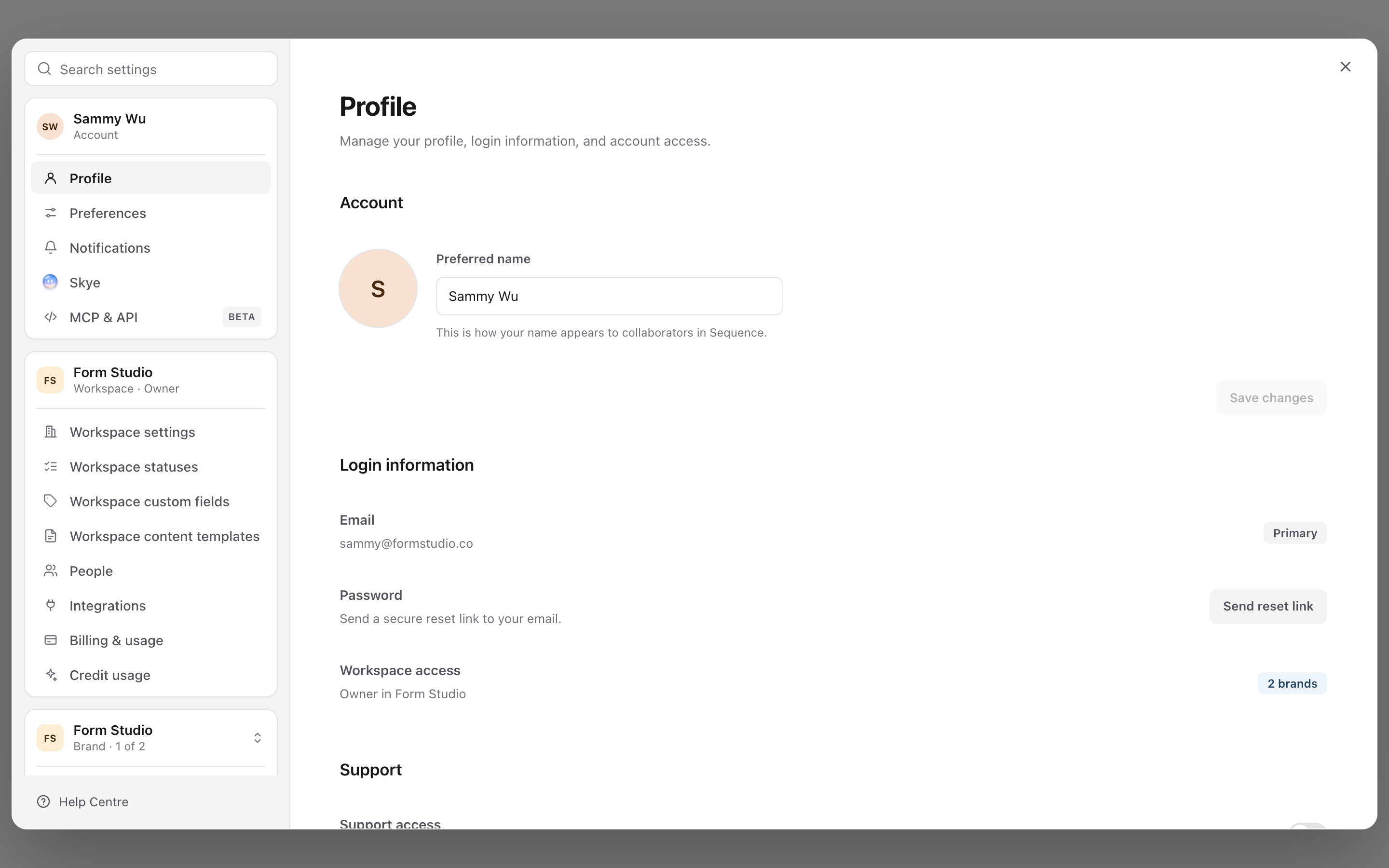
- 01Open your account menu and select Settings.
- 02Select your name under Account.
- 03Change your profile photo or Preferred name.
- 04Select Save changes.
The Profile page also shows your primary email and workspace access. Use Send reset link when you need to change the password for that email.
1. Update your profile
Choose event notifications
Open Settings > Notifications. Each event has separate In-app and Email switches. Changes save automatically and apply to your own account. Use Approval requests and changes and Approval confirmations to choose these updates separately.
2. Choose which notifications you receive
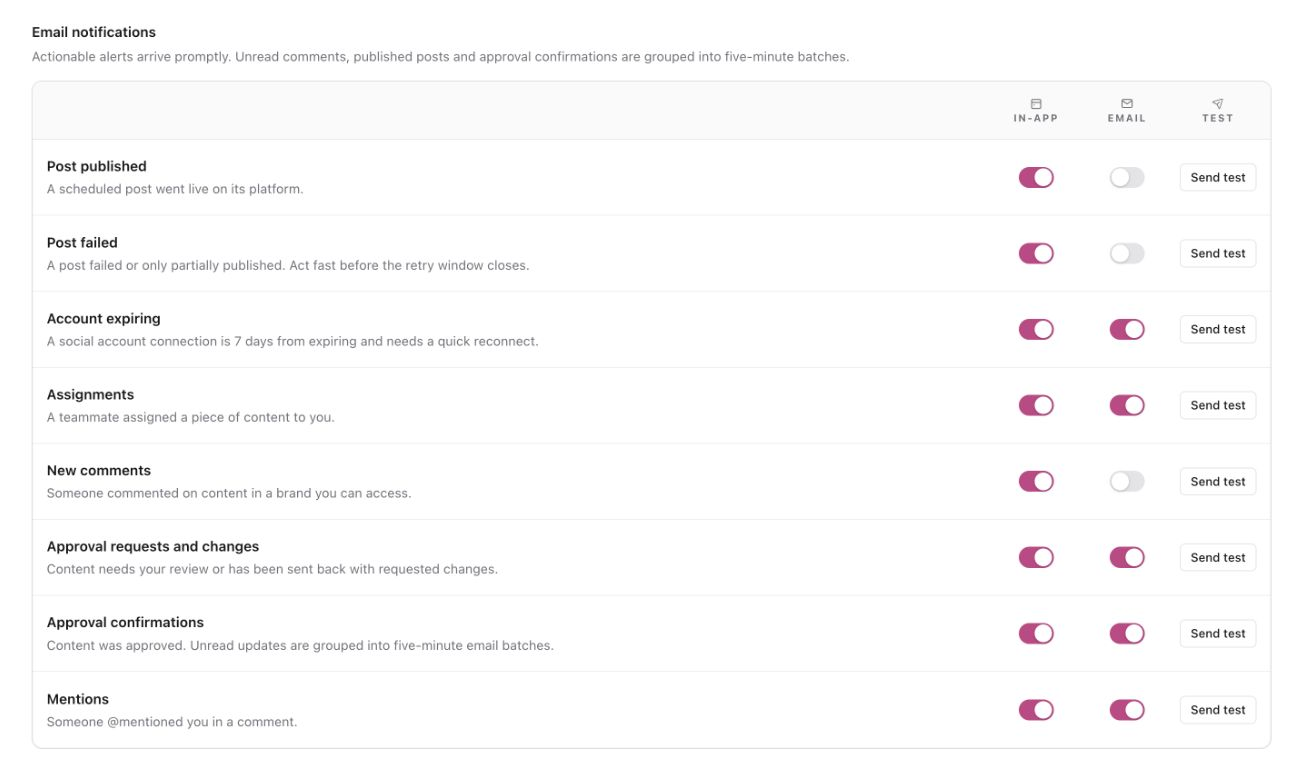
Approval requests, requested changes, mentions, assignments, failed or partially published posts and expiring account connections are emailed promptly when their Email switch is on.
New comments, published posts and approval confirmations are grouped into five-minute email batches. The first routine update starts the window; later routine updates join it. Updates you read or dismiss before the email is submitted are left out. If you have already seen everything, no batch email is sent.
Use Send test to confirm an enabled delivery channel. Account-expiry notifications start seven days before the connection needs attention.
Set up your email summary
What is an email summary?
An email summary brings selected Sequence updates together in one email, sent daily, weekly or monthly at the time you choose. It helps you catch up on published posts, assignments, approval outcomes and expiring social connections without opening each notification separately.
This is separate from notification emails, which arrive promptly or in five-minute batches depending on the update. You choose what goes into your summary independently. These settings apply to your own account, and Sequence skips the summary when there are no updates to include.
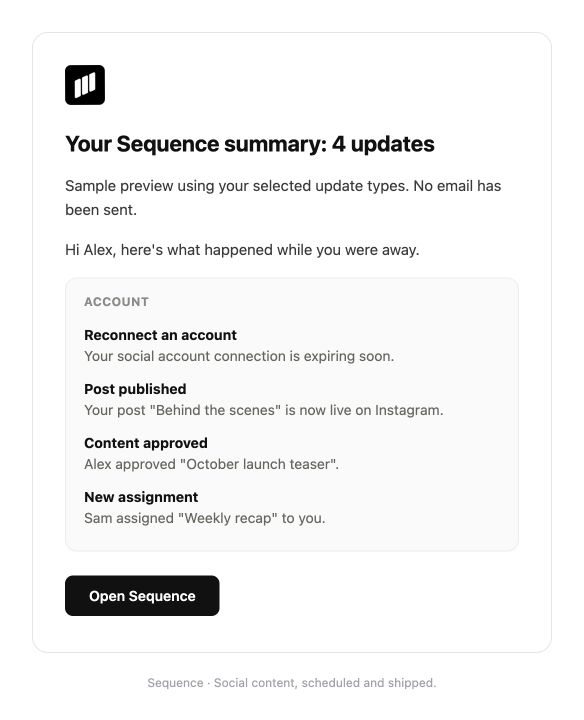
The email shows the number of updates, a short description of each one and an Open Sequence button to return to the app.
Enable and schedule your summary
- 01Open Settings > Notifications.
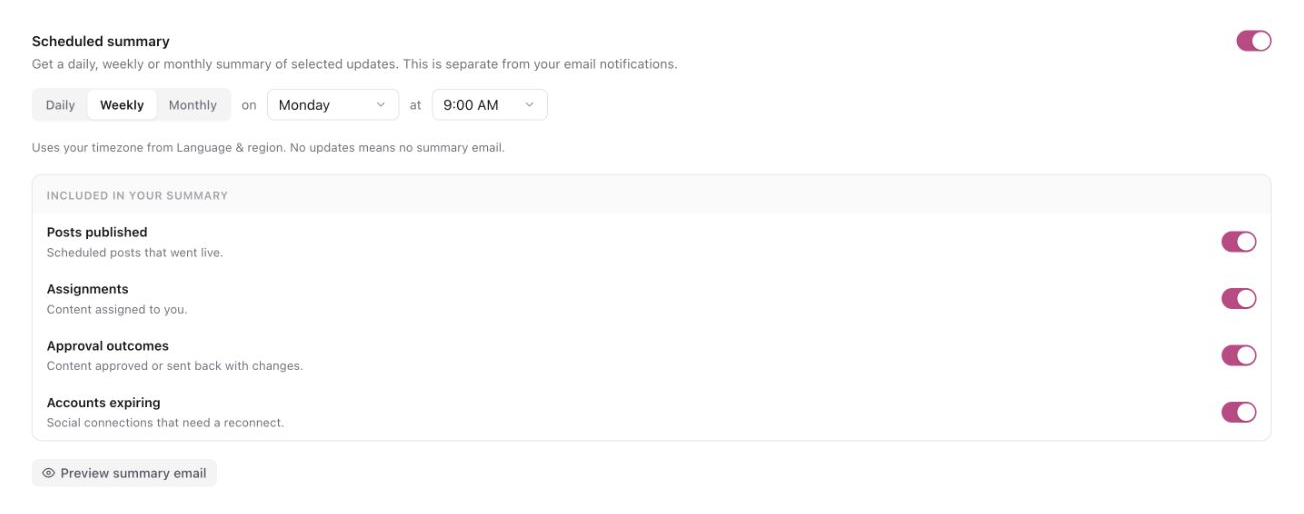
- 02Scroll to Scheduled summary and turn it on.
- 03Choose a frequency and delivery time:
- Daily: choose the time of day.
- Weekly: choose a weekday and time.
- Monthly: choose a date from 1 to 28 and a time.
Times follow Settings > Preferences > Language & region. Changes save automatically.
Choose which updates to include
Under Included in your summary, choose any of these:
- Posts published: scheduled posts that went live.
- Assignments: content assigned to you.
- Approval outcomes: content approved or sent back with changes.
- Accounts expiring: social connections that need a reconnect.
Post failures, comments, mentions and approval requests are not included in summaries. Choose their notifications in the list at the top of Settings > Notifications.
Email notifications and your summary
| Setting | What it does |
|---|---|
| Email in the notification list | Sends notification emails promptly or in five-minute batches, depending on the update type. |
| Included in your summary | Adds that update to your scheduled summary. |
Turning on your summary does not change the Email switches in the notification list.
Example: get updates about published posts only in your summary
- In the notification list, turn off Email beside Post published.
- Under Included in your summary, keep Posts published turned on.
Reading an update in the app does not remove it from your scheduled summary.
Preview or turn off your summary
- Select Preview summary email to see how the email will look. This does not send an email. The preview may show sample updates.
- To stop summary emails, turn off Scheduled summary. Your notification Email switches keep their own settings.
Manage device push notifications
Push notifications are enabled per device and browser. If the browser blocks them, restore permission in the browser or phone settings before enabling them again in Sequence.
Was this page helpful?
Related articles
Need more help with this?