
Invite people with the access they need before assigning work or requesting a decision. A pending invitation is not yet an active collaborator.
Send the right invitation
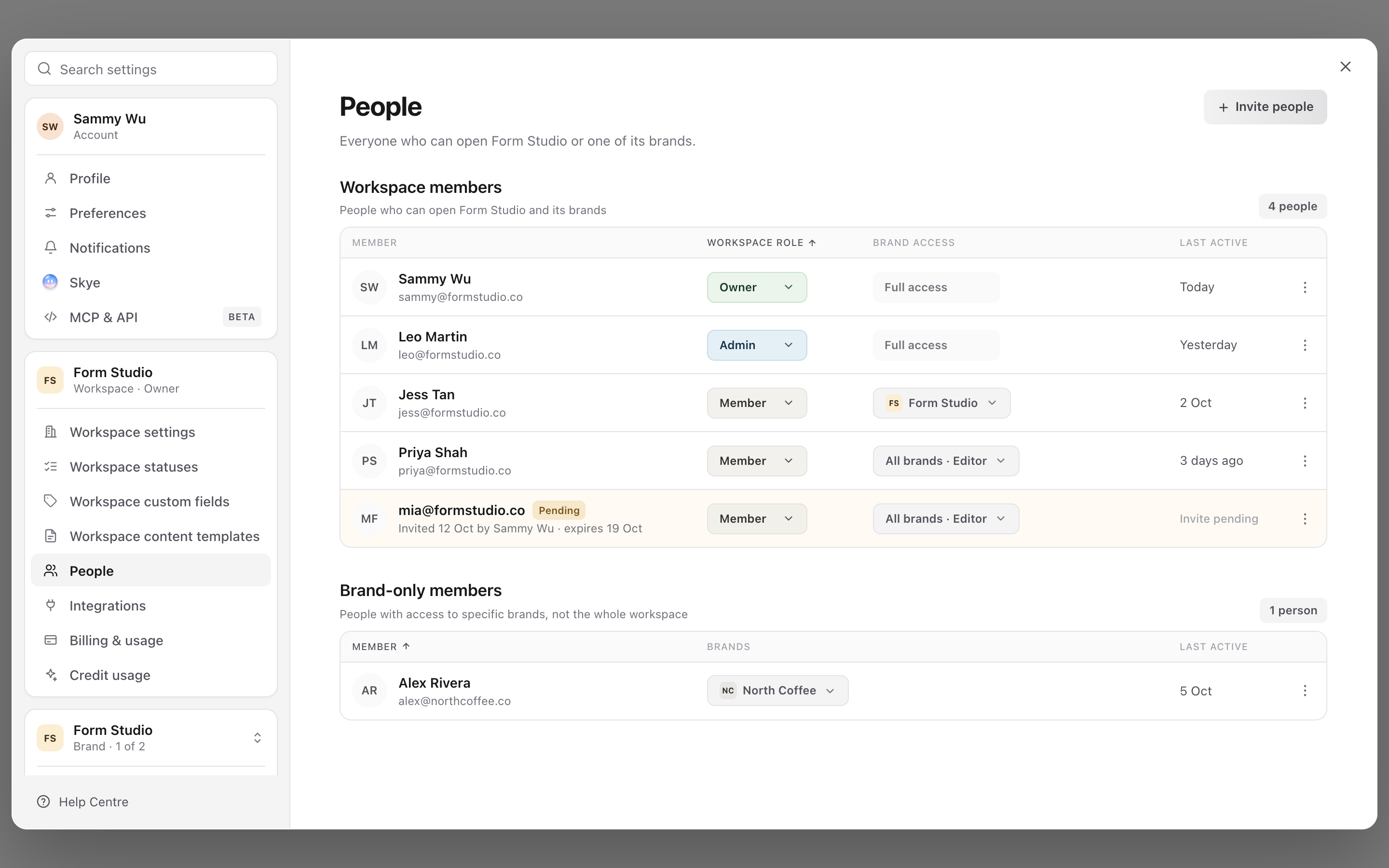
- 01Switch to the correct workspace. Open your profile menu, select Settings, then People.
- 02Select Invite people.
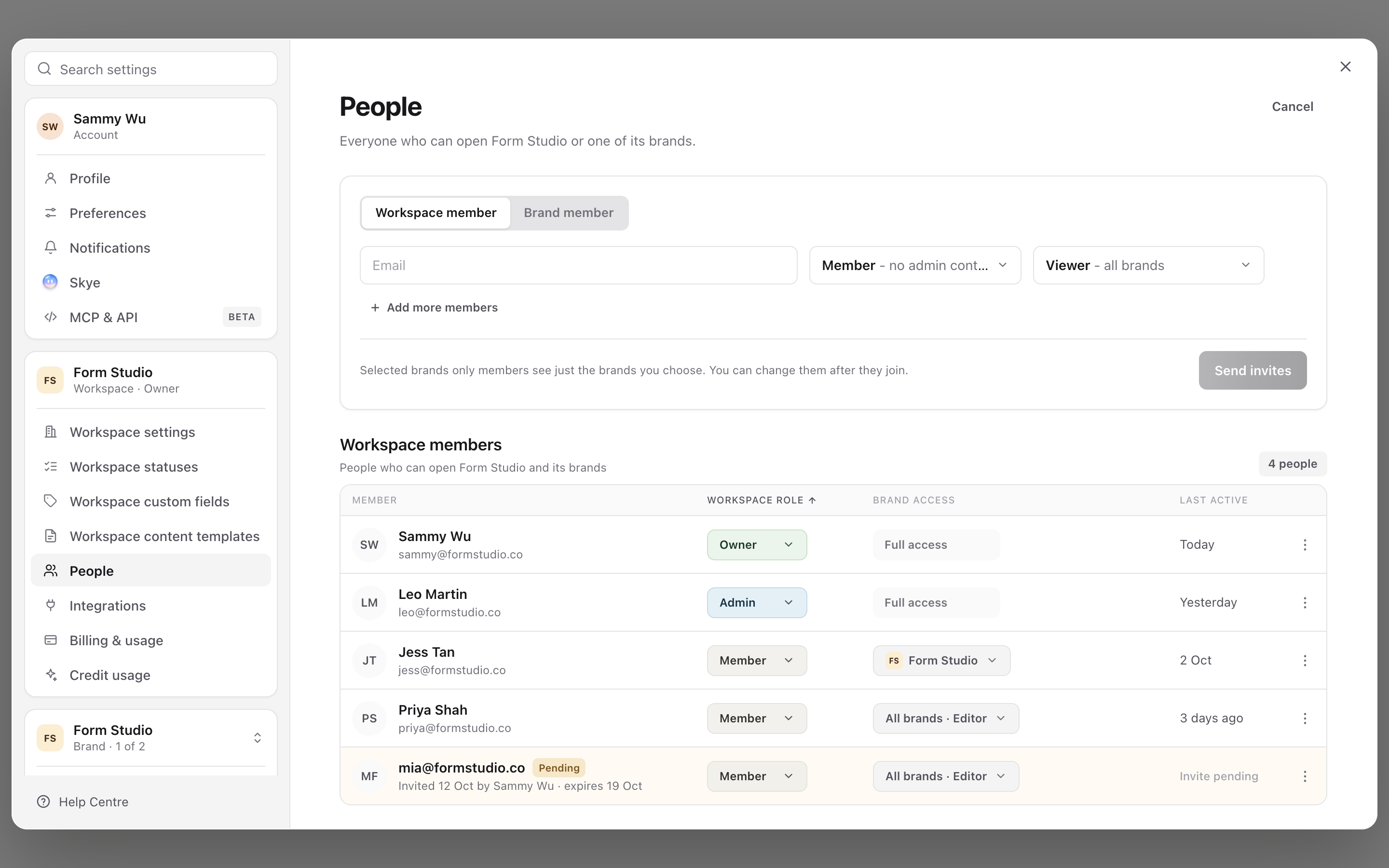
- 03Choose Workspace member for someone joining the workspace, or Brand member for someone who should only access selected brands.
- 04Enter their email address and choose their access. Use Add more members to prepare additional invitation rows.
- 05Check every email and access selection, then select Send invites.
1. Open the workspace member list
2. Enter the new member's details
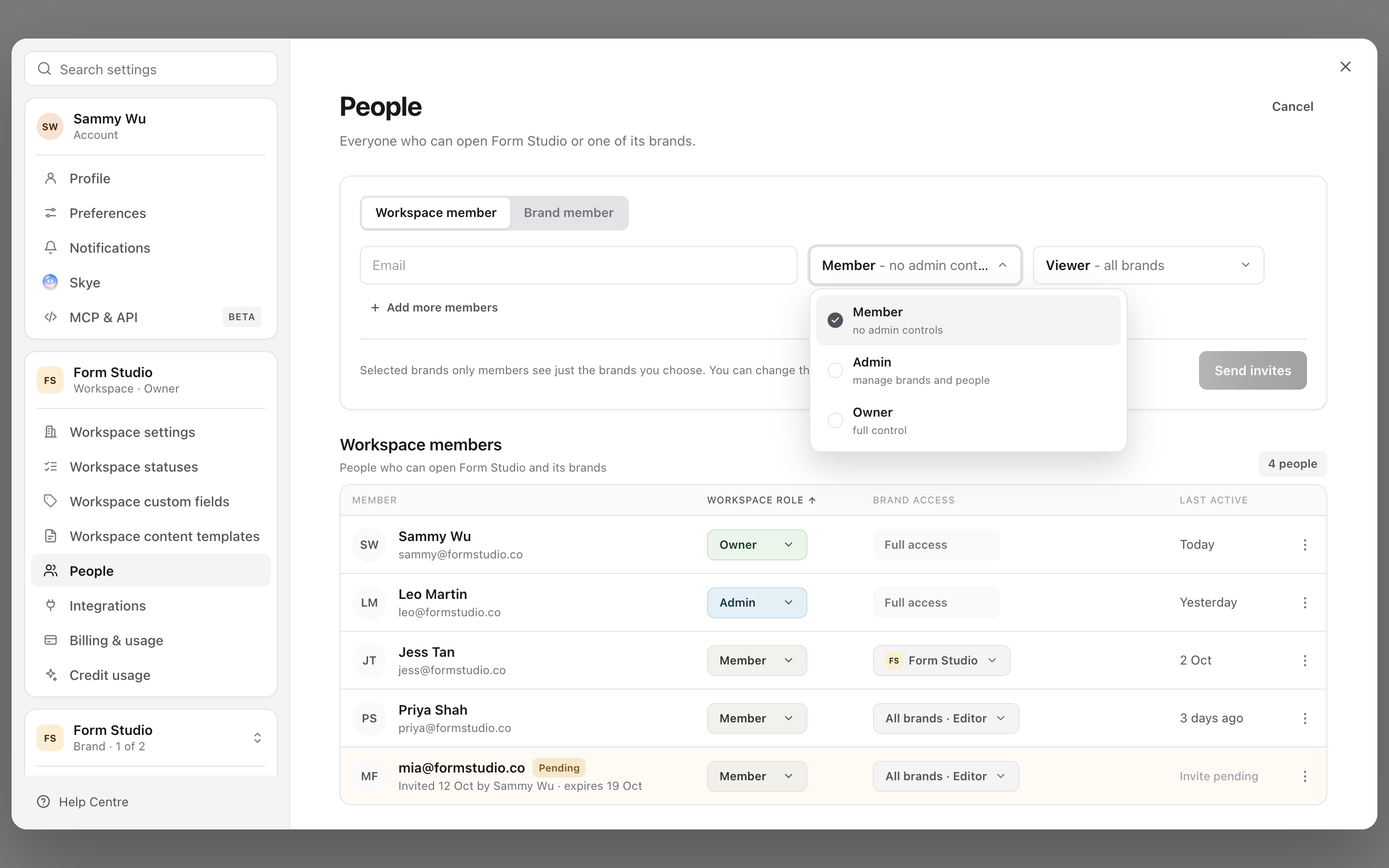
3. Choose the workspace role
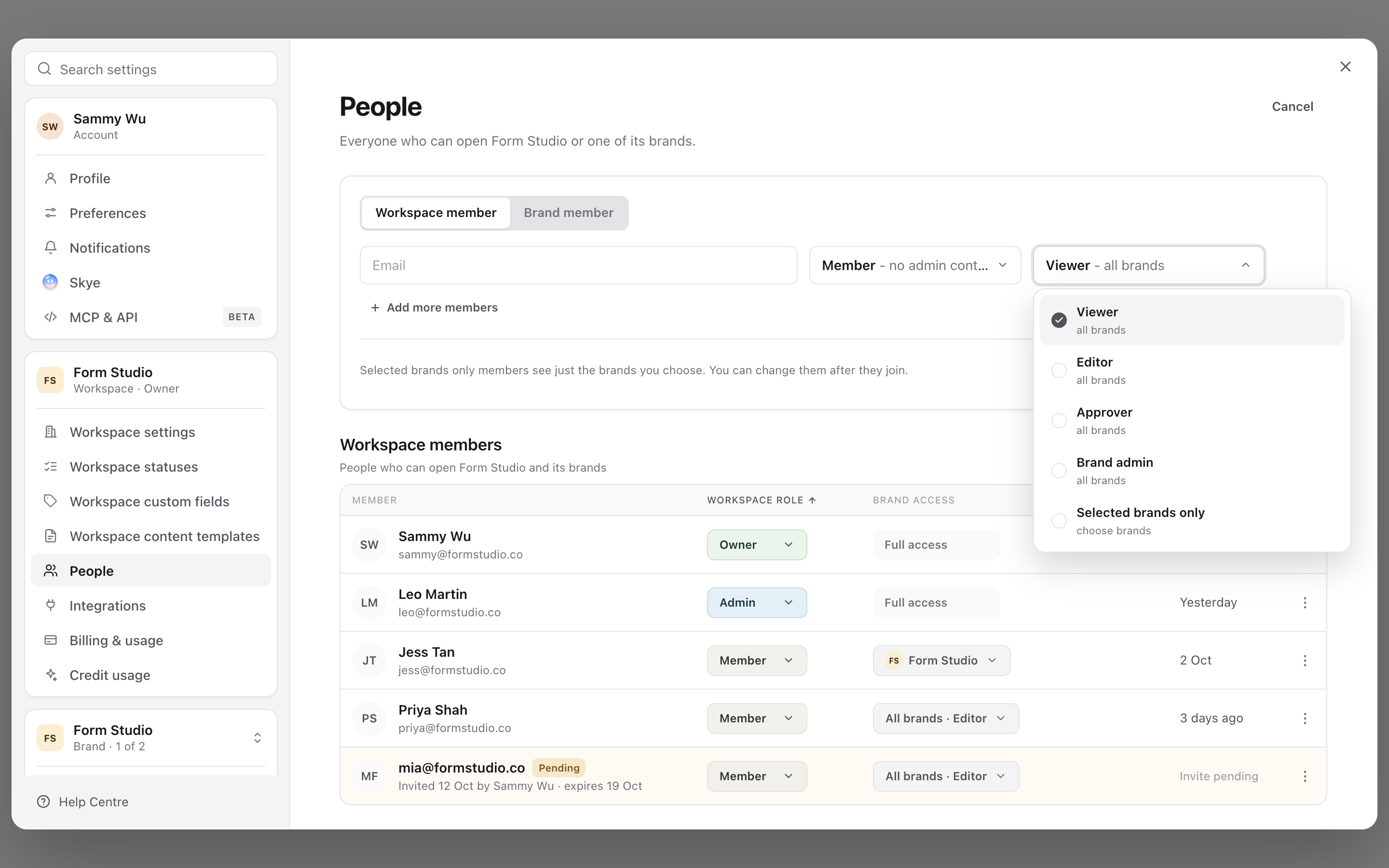
4. Set their brand access
5. Manage an existing member
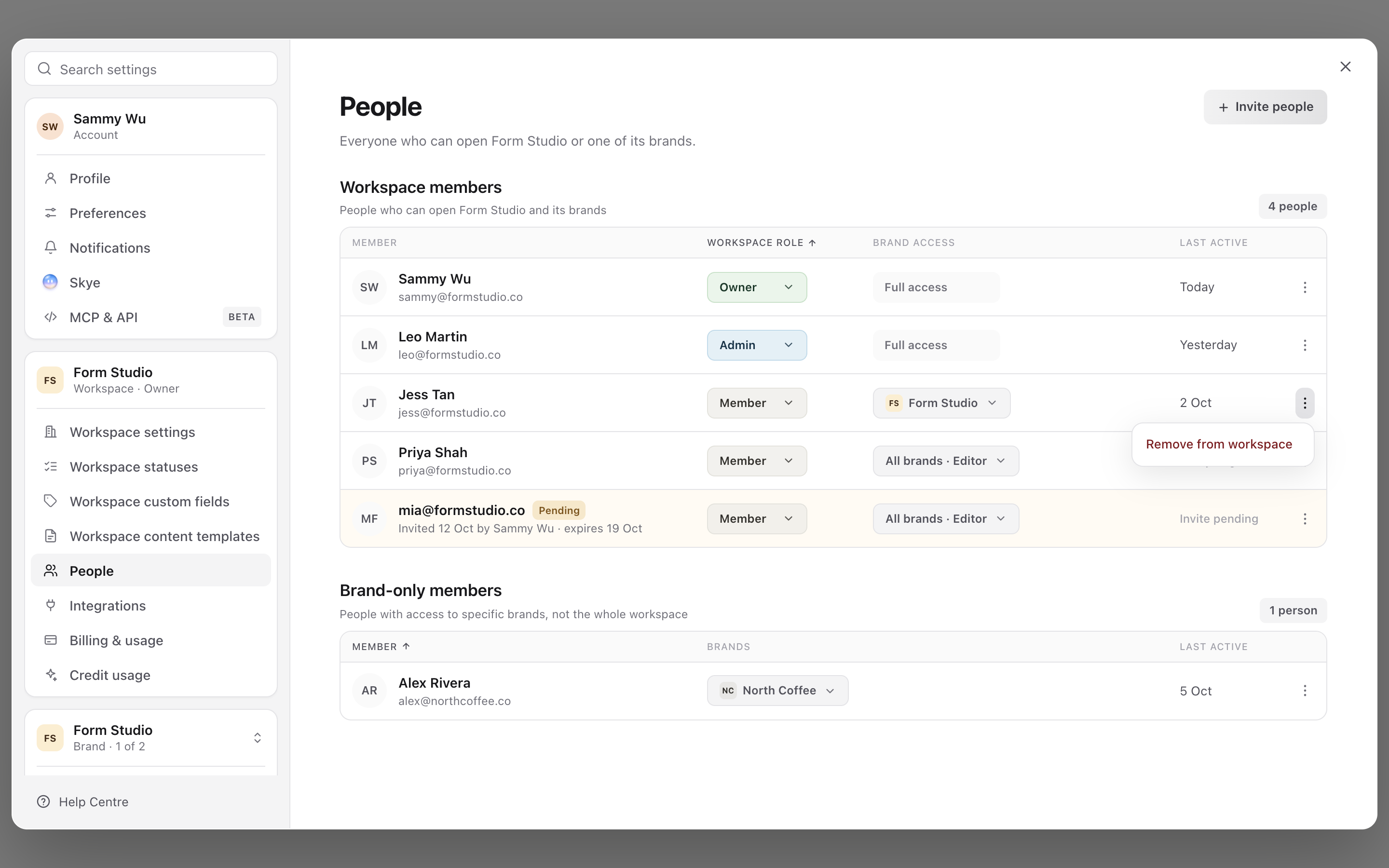
Workspace member invitations have a workspace role and a brand access choice. Selected brands only members can be assigned brand access after joining. Owners and admins have full access to all brands, so use those roles only when that wider responsibility is intended.
For a Brand member, choose each brand and its role. The same person can have different roles on different brands. A client does not need workspace-wide membership to review their brand's content. See choose the right role and brand access before deciding which role to use.
Help someone accept an invite
Ask the recipient to open their invitation and sign in or create an account using the invited email address. Signing in with another address does not give that account the invitation's access.
Pending invitations offer Resend, Copy link and Cancel. Copy link creates a fresh invitation link, valid for seven days, and invalidates older links for that invitation. Send the newest link to the intended recipient; do not post it in a shared public channel. Copying the link does not send an email automatically.
If the recipient joined but cannot see the brand, check their brand assignments rather than sending another invitation immediately. A selected-brands-only workspace member may have joined successfully without having a brand assigned yet.
Update an existing person's access
Use Settings → People to review their workspace role and brand access. For detailed permissions on one brand, open Brand access and check the current brand first.
Changing a role restores that role's preset permissions. If you need custom restrictions, review the permission checkboxes afterwards. The affected person may be signed out when access changes.
Remove access
Use the person's row actions to remove workspace membership, or remove the relevant brand access when only that relationship should end. Read the confirmation carefully: removing workspace membership revokes access within that workspace; removing access to one brand has a narrower scope.
Removing a person is not a way to delete the content they worked on. Review and reassign outstanding work separately so another person owns the next step.
Once the invitation is accepted, give a client review access explains how to send the first client review request.
Was this page helpful?
Related articles
Need more help with this?