
Webhooks tell your own app about changes in Sequence as they happen, so it does not need to keep checking. Each webhook covers the brands and events you choose and sends a signed HTTPS request to your endpoint.
Events you can receive
| Event | Sent when |
| content.created, content.updated | Content is created or saved |
| content.deleted, content.restored | Content moves to or from the Bin |
| review.requested, review.decided | A review is requested, approved or sent back |
| schedule.accepted, schedule.cancelled | A post is scheduled or withdrawn |
| publish.succeeded, publish.failed | Publishing finishes or fails |
| inbox.message_received | A new DM or comment arrives |
Each notification contains IDs, statuses and the content version, not the caption or message text. Your app can read the details with the Sequence API.
Create a webhook
- 01Open Settings, select MCP & API, then the Webhooks tab.
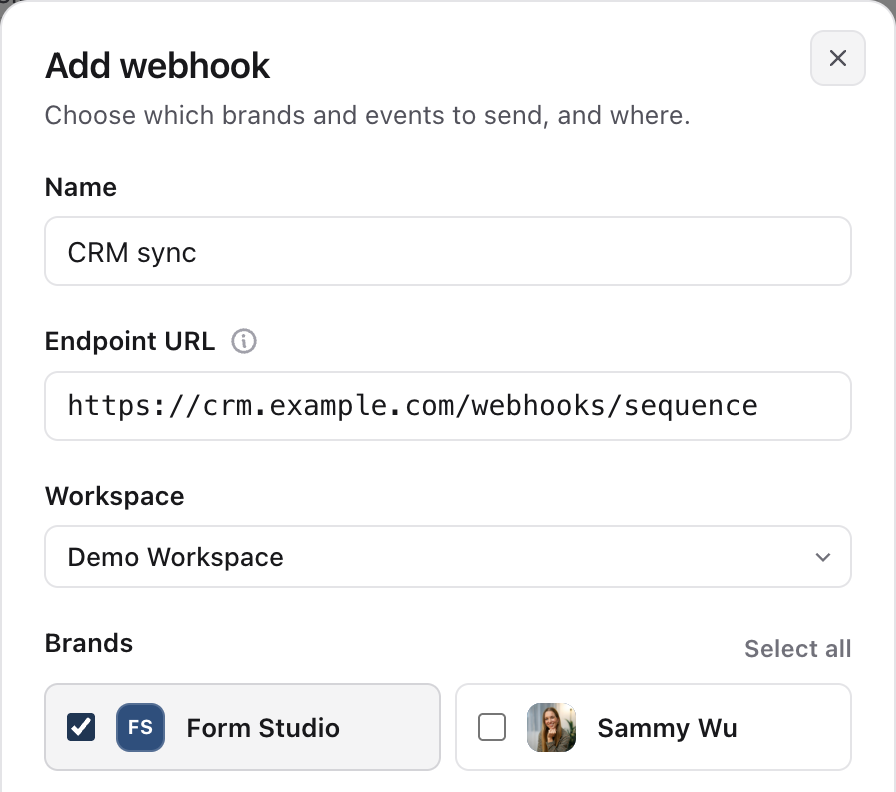
- 02Enter a Name and your Endpoint URL. It must be a public HTTPS address; redirects count as failures.
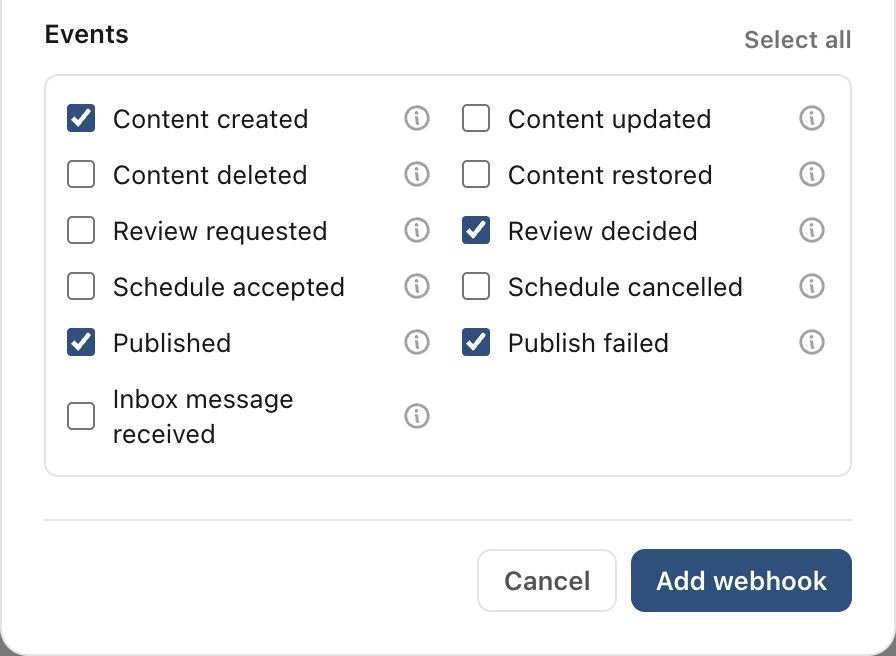
- 03Choose the Workspace, tick the Brands and the Events you want, then select Create webhook.
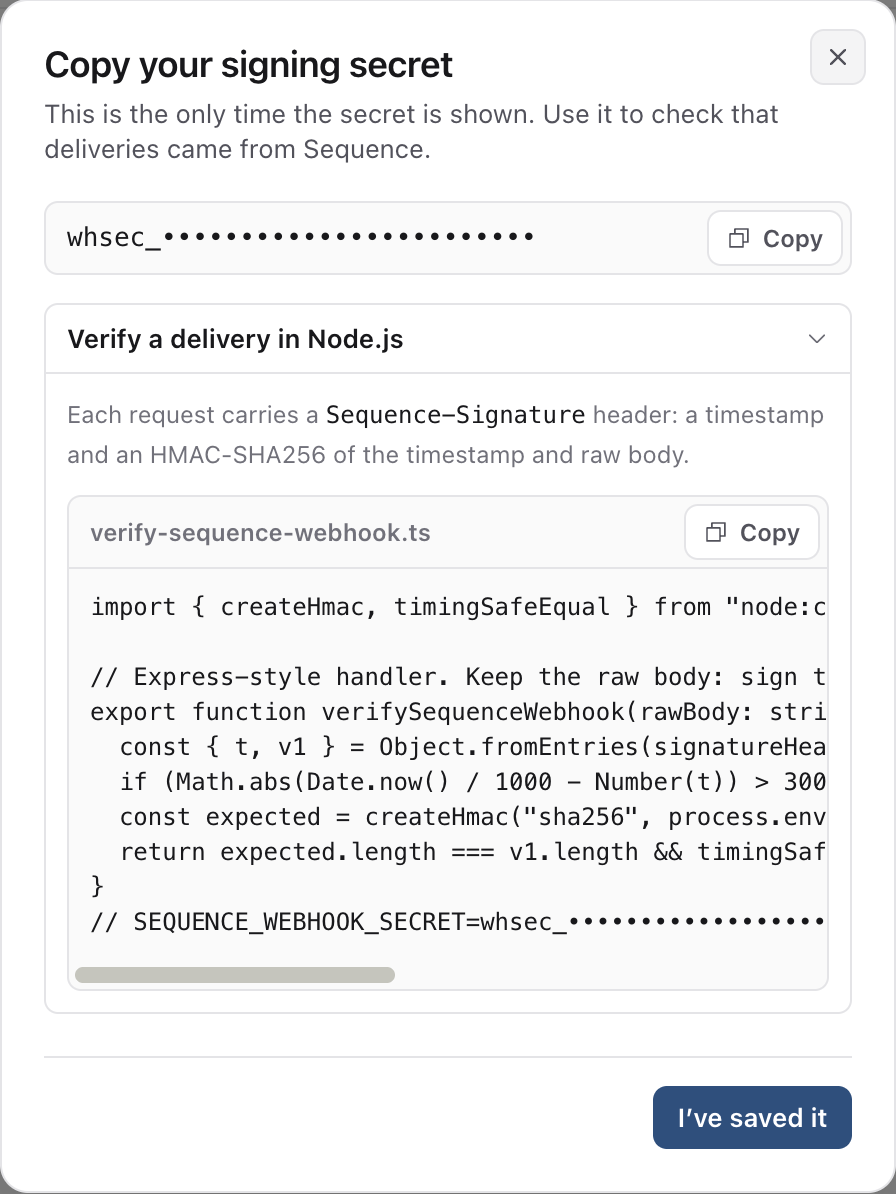
- 01Copy the signing secret. Sequence shows it once, together with an example that checks the signature.
Check that a request came from Sequence
Each request has a Sequence-Signature header in the form t=timestamp,v1=signature. The signature is an HMAC-SHA256 of the timestamp, a full stop and the raw request body, made with your secret. Reject requests older than five minutes and respond with a 2xx status quickly:
import { createHmac, timingSafeEqual } from "node:crypto";

export function verifySequenceWebhook(rawBody, signatureHeader, secret) {
  const { t, v1 } = Object.fromEntries(signatureHeader.split(",").map((part) => part.split("=")));
  if (!t || !v1 || Math.abs(Date.now() / 1000 - Number(t)) > 300) return false;
  const expected = createHmac("sha256", secret).update(`${t}.${rawBody}`).digest("hex");
  return expected.length === v1.length && timingSafeEqual(Buffer.from(expected), Buffer.from(v1));
}
Test, retries and delivery history
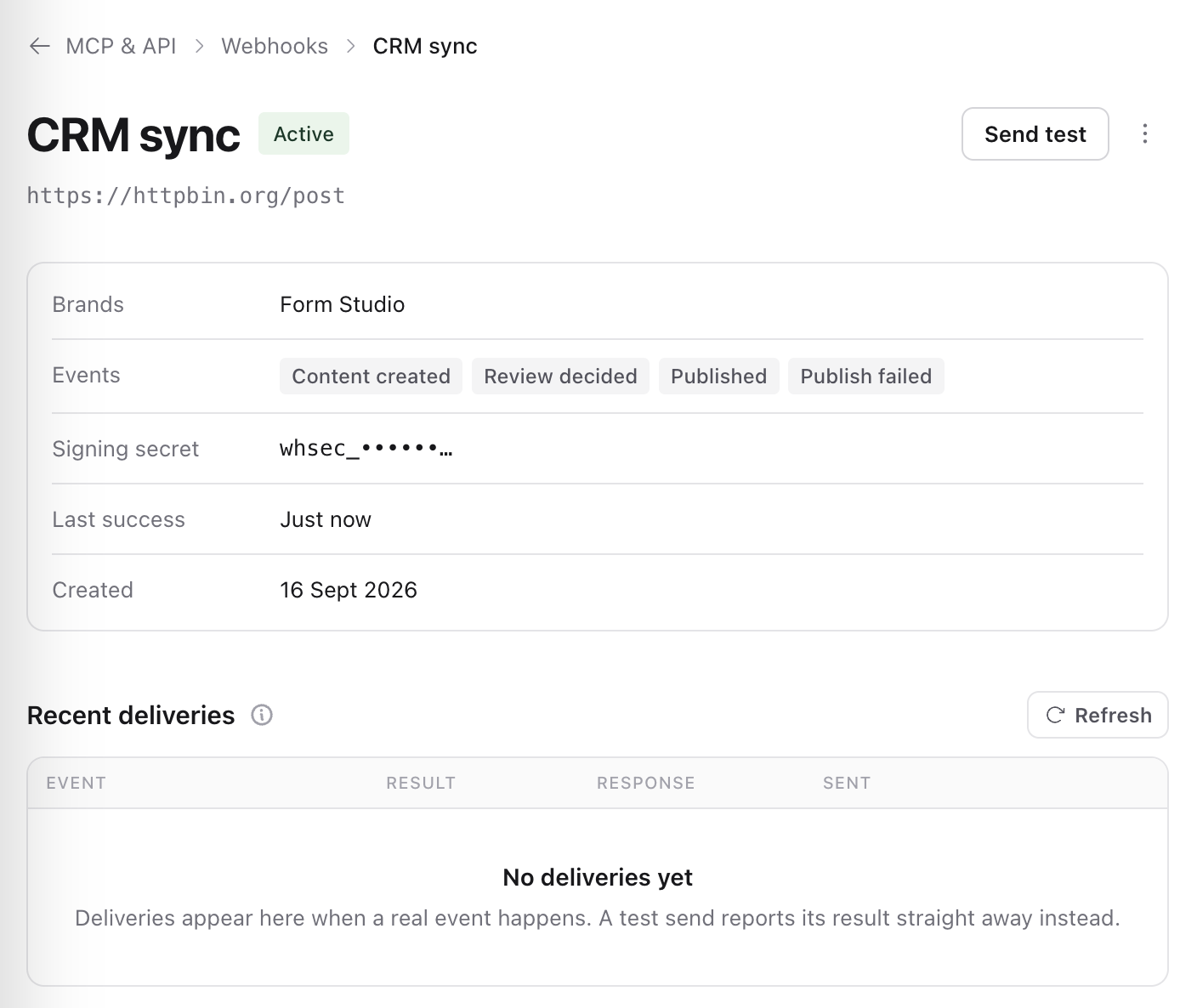
Select Send test to send a webhook.test event and see the response straight away. Select Deliveries to see recent events with their status, attempts and your endpoint's response, and Redeliver to send one again.
- If your endpoint does not answer with 2xx within 10 seconds, Sequence tries again after 1 minute, 5 minutes, 30 minutes, 2 hours, 6 hours and 24 hours.
- A webhook that fails for three days in a row is paused automatically. Fix the endpoint, then select Resume.
- Events can arrive more than once or out of order. Use the event id to skip repeats and the content version to keep the newest change.
Pause, rotate or delete
Select Pause to stop new events while you work on your endpoint, Rotate secret to issue a new signing secret (update your endpoint first), or Delete to remove the webhook and its queued deliveries. Each person can have up to 25 webhooks per workspace.
Was this page helpful?
Related articles
Need more help with this?