
After a reviewer requests changes, update the work and send the relevant stage for review again. Use Activity to understand who requested the review, what decision was recorded and how the piece reached its current state.
Uploading a revision, resolving a comment or writing “ready” in a message does not by itself resubmit an approval request.
Work through the requested changes
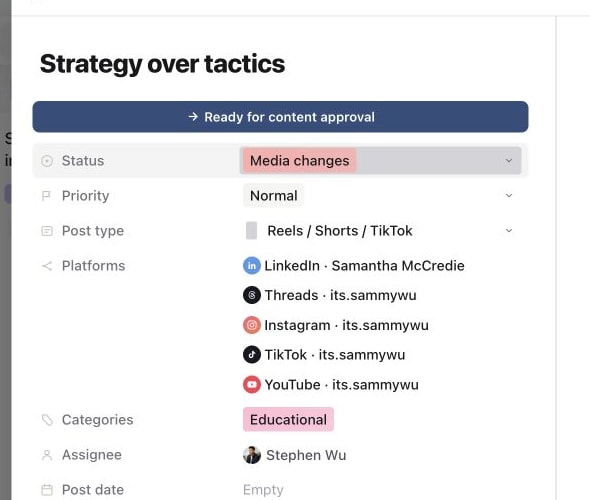
Open the piece and check its status and the review feedback. A Plan changes state points you back to the brief; Media changes points you to the creative. Read the relevant comments and inspect any timestamp or annotation before editing.
Update the material that was reviewed. For media revisions, keep useful history by uploading a new version. Then check the result and explain briefly what changed. Resolve individual notes once their requested changes have been addressed.
Send the correct stage again
- 01Open the relevant stage of the piece.
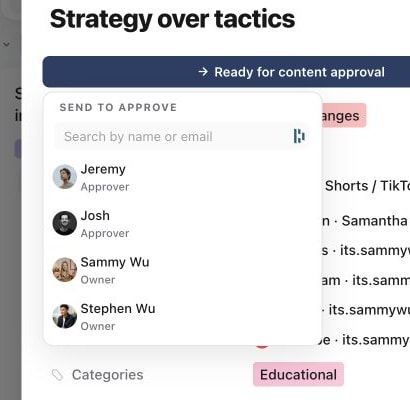
- 02Use its review request control and choose the eligible reviewer or reviewers.
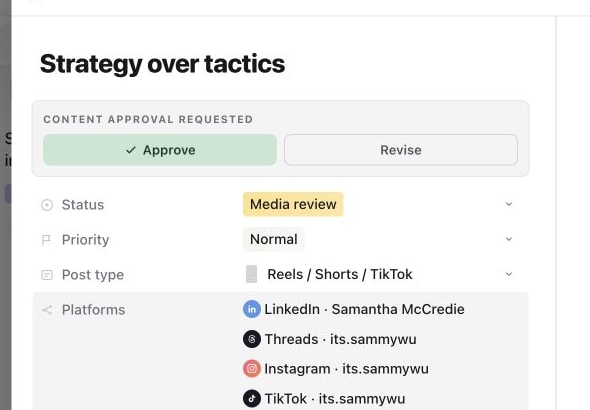
- 03Confirm the request and check that the piece is in the intended review status with the correct people assigned.
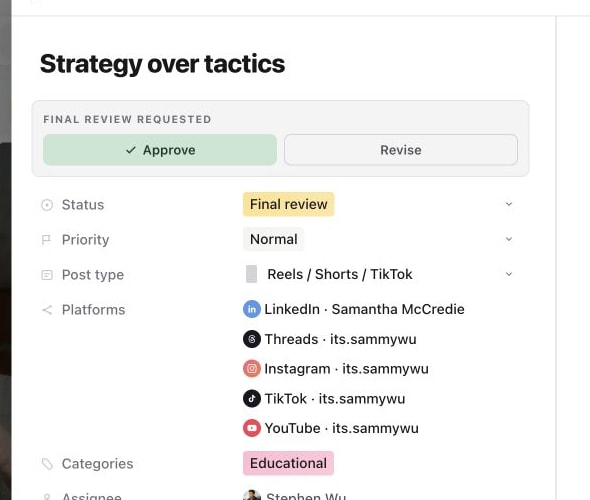
- 04Let the reviewer make the decision through the approval controls.
Use send content for approval for the exact Plan, Media and Final review paths. Do not select a later stage merely to bypass unfinished work. Plan approval, media approval and the final check before publishing serve different purposes.
If the expected client is not selectable, check their brand review access. While the piece is in review, assigned people must be able to approve content for that brand.
Read the activity history
Select Activity at the top of the piece. The timeline records events such as review requests, decisions, status and assignee changes, and edits to the Plan, caption and first comment, with the actor and time.
1. Review the requested revision
2. Choose the reviewer again
3. Confirm the new approval request
4. Record the final decision
Read the events around the change you are investigating, not just the current status. For example, a request followed by an approval and a later move to On hold means the latest status alone does not tell the whole review story.
See what changed and restore an earlier version
Every editing session on the Plan, the caption, a platform's own caption or the first comment is saved as a version. In Activity these rows read edited the Plan or edited the caption, with View changes beside the time.
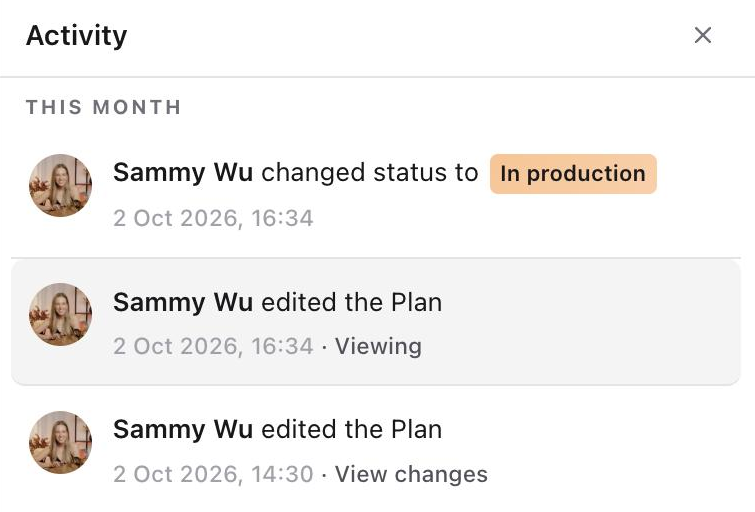
- 01Select View changes on an edit. The version opens in place of the tab: Plan versions on the Plan tab, caption and first comment versions on Publish.
- 02Read Changes to see what that edit did. Added words are highlighted green and removed words are struck through in red. Select Full version to read the whole version. The earliest saved version has nothing earlier to compare, so it opens as the full version.
- 03Select Restore this version to put it back, or Done to return to the post as it is now.
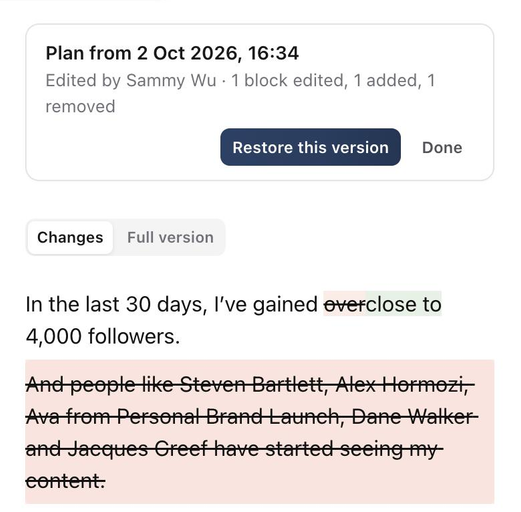
A restore is saved as a new version. Activity records who restored it and which version they restored, so you can go back to the version it replaced the same way.

Captions and first comments of scheduled or published posts are locked to the live post, so they can't be restored there. Restoring needs permission to edit the post. To compare creative files, use the Media Versions view; to read the discussion behind a decision, use the comments thread.
Check the next owner and publishing step
After approval, check who should act next. A reviewer assignment does not guarantee that the editor or social media manager has been reassigned automatically.
An approved stage is not proof that a post is scheduled. Open Publish to check account targets, final copy and delivery state before confirming a schedule.
Was this page helpful?
Related articles
- Review awaiting decisionsFind your review queue, choose a stage and resolve missing requests before recording a decision.
- Media versionsUpload revisions, compare creative versions and check the final media before another review or publication.
- Schedule or publish nowConfirm a future schedule or publish immediately, then check delivery for each selected account.
- Send for approvalChoose the review step and reviewer for one or multiple posts, use Default per post for mixed batches and confirm the approval request.
Need more help with this?