
Scheduled and published posts protect the content that is about to go live or has already been delivered. Read the state banner at the top of the piece before making a change: internal organisation can remain editable while publishing output is locked.
Change a scheduled post
If you need to change the creative or caption, first cancel its current schedule:
- 01Open the piece and read This post is scheduled.
- 02Select Unschedule.
- 03Confirm Yes, unschedule and wait for the cancellation result.
- 04The piece returns to Final review. Make the required media, copy or target changes.
- 05Check any approval requirements, review Publish again and confirm the new schedule.
If cancellation fails or publishing has already started, refresh and inspect the target states before proceeding. A local edit is not evidence that the provider's queued version has been replaced.
If only the time needs changing, use the available reschedule controls and check the confirmed result. See reschedule, unschedule and time zones.
Understand published locks
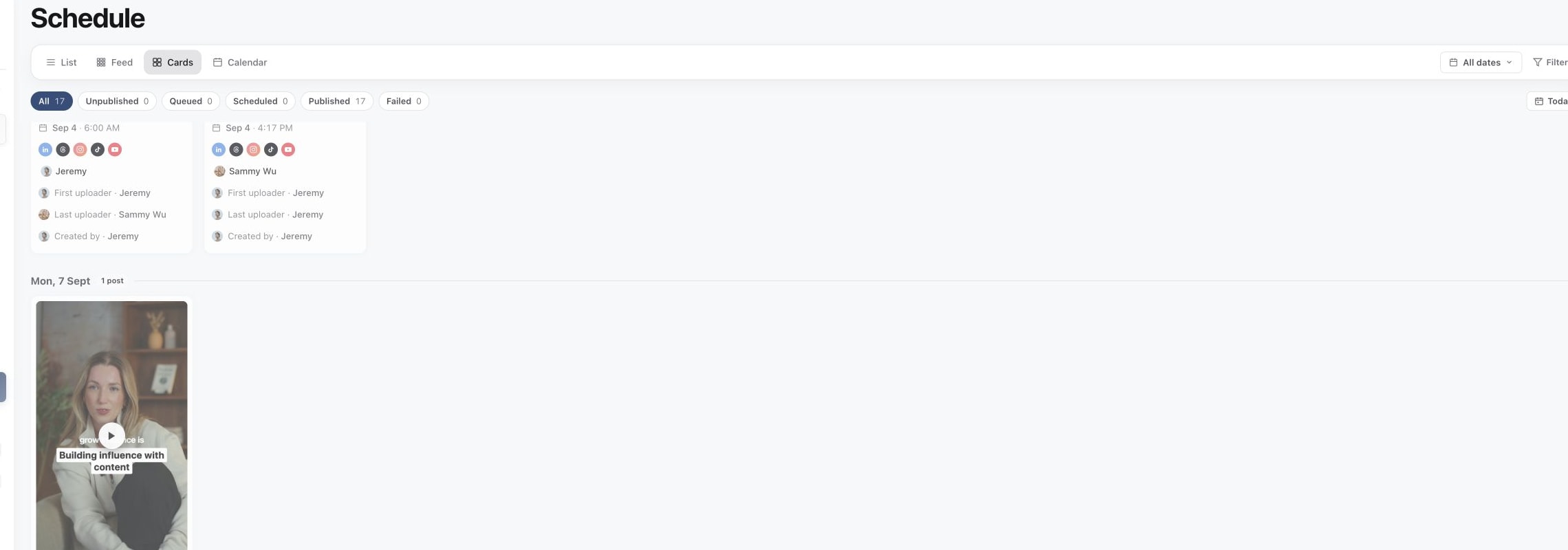
1. Find the post in Schedule
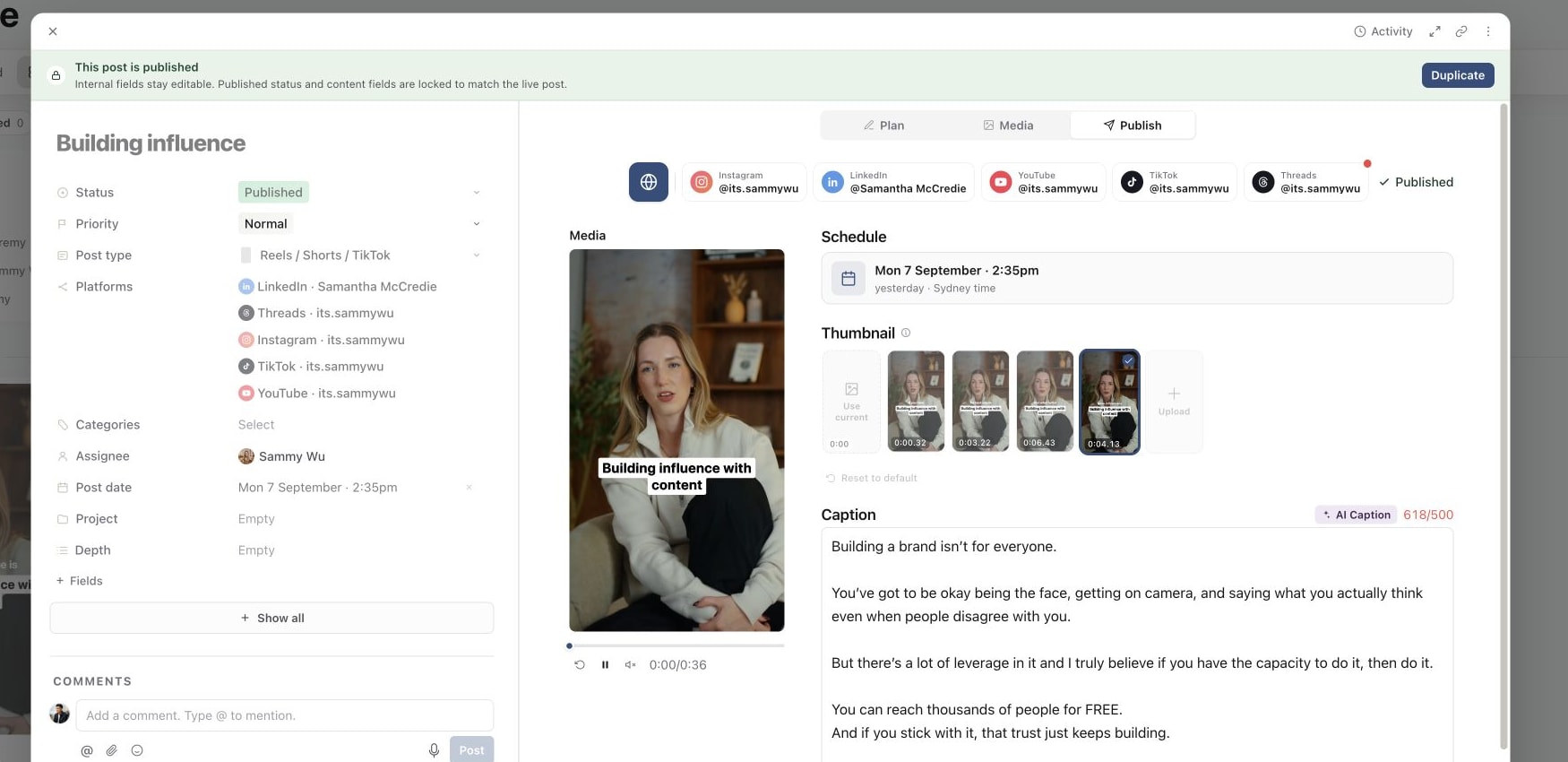
2. Open the published post and check its locked fields
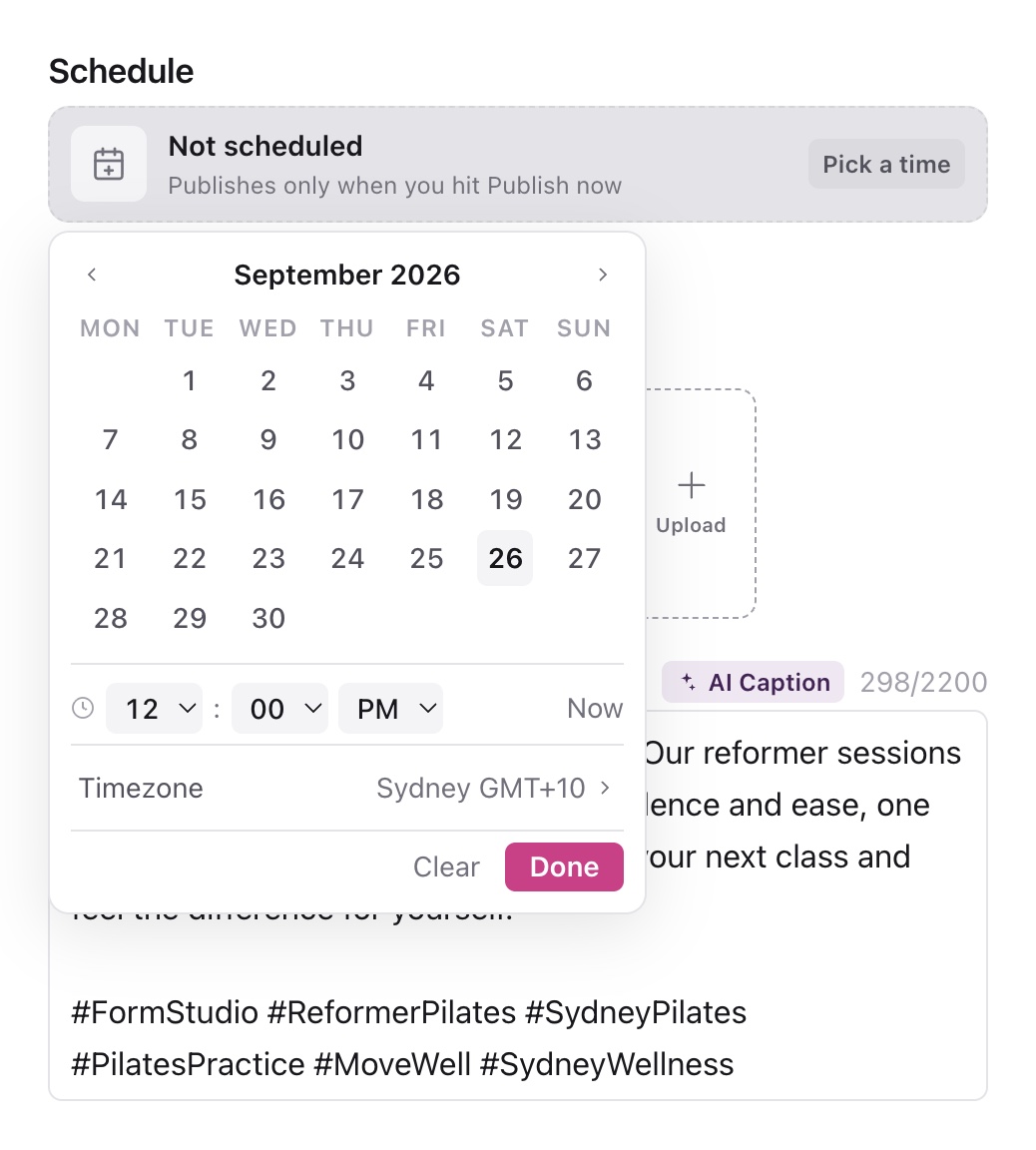
3. Use the schedule controls before a post publishes
A piece with live publishing evidence keeps its published status and output locked so the Sequence record matches the live post. Internal properties such as assignee, category and project can still be used to organise the work.
Changing internal information in Sequence does not edit a live caption or replace a video on the social platform. If you need to amend an existing live post, open its target link and use the platform's own supported editing options.
Make a new post from published content
Select Duplicate in the published banner, or Post again from the planner where offered. The new copy opens at Media approved, ready for you to review in Publish. Its earlier published link and post time are cleared.
Update the copy's title, caption, creative, accounts and schedule as needed. Confirm the new publishing action only after checking the result. The original stays available as the record of the first publication.
See duplicate and bulk update content for what to check on a copy.
Handle a partially published piece
If one account failed while others published, the banner identifies the failed targets. Published destinations remain locked. Open the failed account in Publish, correct its target-specific issue and retry that account rather than resubmitting successful targets.
Older records marked published without live evidence can show a banner explaining that distinction. Follow the available workflow controls for that record; do not treat it as proof of a live post. Use publishing statuses to interpret the account-level results.
Was this page helpful?
Related articles
- Publishing statusesRead overall and per-account publishing states, confirm live results and handle mixed success and failure.
- Duplicate and bulk updateUpdate selected pieces, duplicate drafts and reuse published posts without repeating successful deliveries.
- Reschedule and time zonesCancel a queued schedule, check the time zone and submit the post for its new time.
Need more help with this?