
A post can succeed on one account and fail on another. Open the content piece's Publish tab and use Publishing status to identify the account that needs attention. Fix and retry that target so the successful destinations are not submitted again.
Confirm that the target failed
Check the state next to the account name. Pending means the account has not been queued, while Preparing media and Processing mean work is still underway. Those states are different from Failed.
If a target is still Processing, check for updated messages and a live post link before deciding it needs another submission. A slow result alone does not mean the platform rejected the post.
For a Failed target, read the error shown underneath it. Note the platform and account handle so you correct the right destination, especially when several accounts use the same platform.
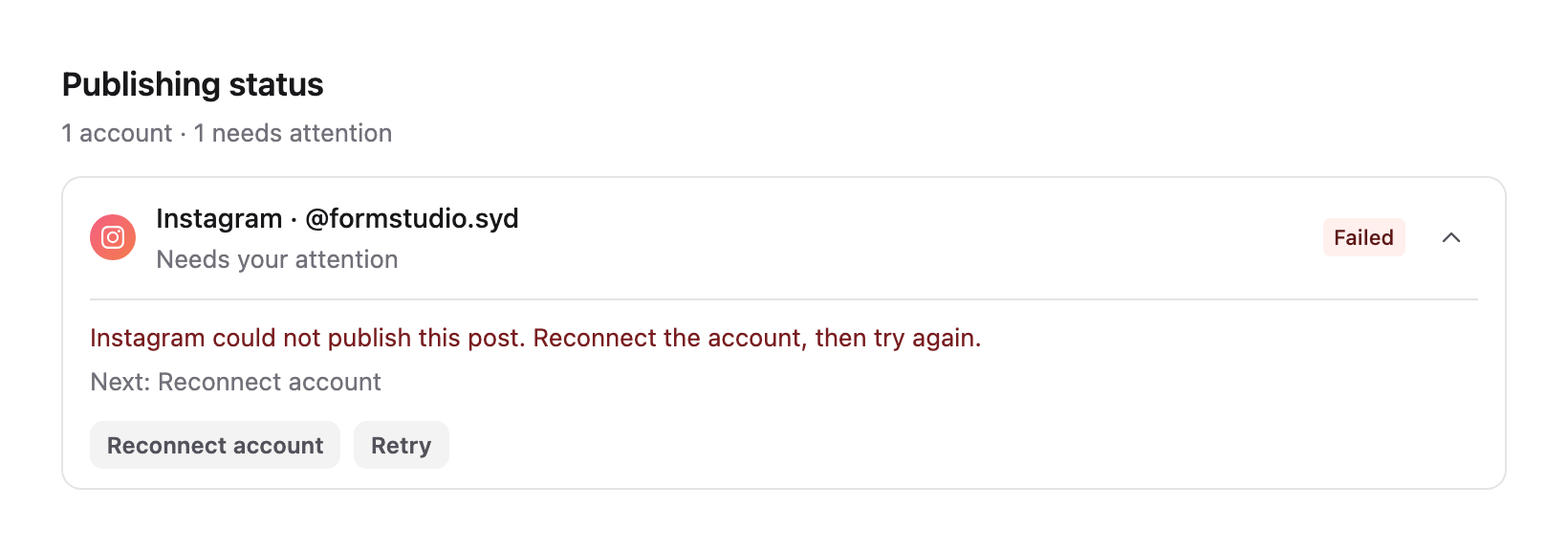
Failed account details open automatically. If collapsed, select anywhere on the account header to reopen them. Read the Next instruction. Reconnect account opens Channels; Retry stays disabled while the connection needs reconnecting or another retry is underway. Once the connection is healthy, return to the failed row and select Retry.
Fix the issue named in the error
Use Edit on the failed target where available to open its settings. Work from the actual message rather than changing unrelated fields.
| The message concerns… | What to check |
|---|---|
| Connection or authorisation | Open Channels and refresh the existing account's connection. Confirm that the intended handle is Active. |
| Caption or required metadata | Open that platform's view and correct the caption length or missing field. Check customised copy separately from the shared version. |
| Media or processing | Check the selected file, post type and media-preparation message. Resolve an unsupported format, incomplete processing or crop issue before retrying. |
| A platform option or destination | Review that account's required fields, such as its destination board or video settings. |
| Permissions or a workspace limit | Ask the administrator to resolve the displayed restriction; retrying does not change it. |
For connection instructions, see Connect a social account. For file problems, see Fix a media upload or video processing problem.
Retry the failed account
After correcting the issue, wait for changes to save and select Retry on that failed account's row. This action targets that account, leaving completed destinations intact.
Check the piece's post time before retrying. If it is still in the future, the retry uses that future time. If the time is missing or already past, the retry starts publishing now. Decide whether immediate delivery is appropriate before clicking Retry.
A Retry started or Retry scheduled message confirms the retry was accepted, not that the post is already public. Watch the target for its final state and open the live post link once available.
If the same target fails again
Read the latest message, which may differ from the original error. Avoid repeatedly retrying unchanged content or scheduling the entire piece again to solve one account's failure.
Contact Sequence support with the content-piece link, brand, platform and handle, the visible error and the approximate attempt time with its time zone. Include a screenshot of the target row if useful. This gives support the specific failed attempt to investigate.
Was this page helpful?
Related articles
Need more help with this?