
Schedule a prepared post for a future time or start publishing it now. Adding a post date does not queue the post. You must submit it from Publish and confirm the destinations and timing.
You need publishing permission for the brand, at least one valid connected account and a post that passes the required checks. Finish any review your team requires before submitting.
Schedule for a future date
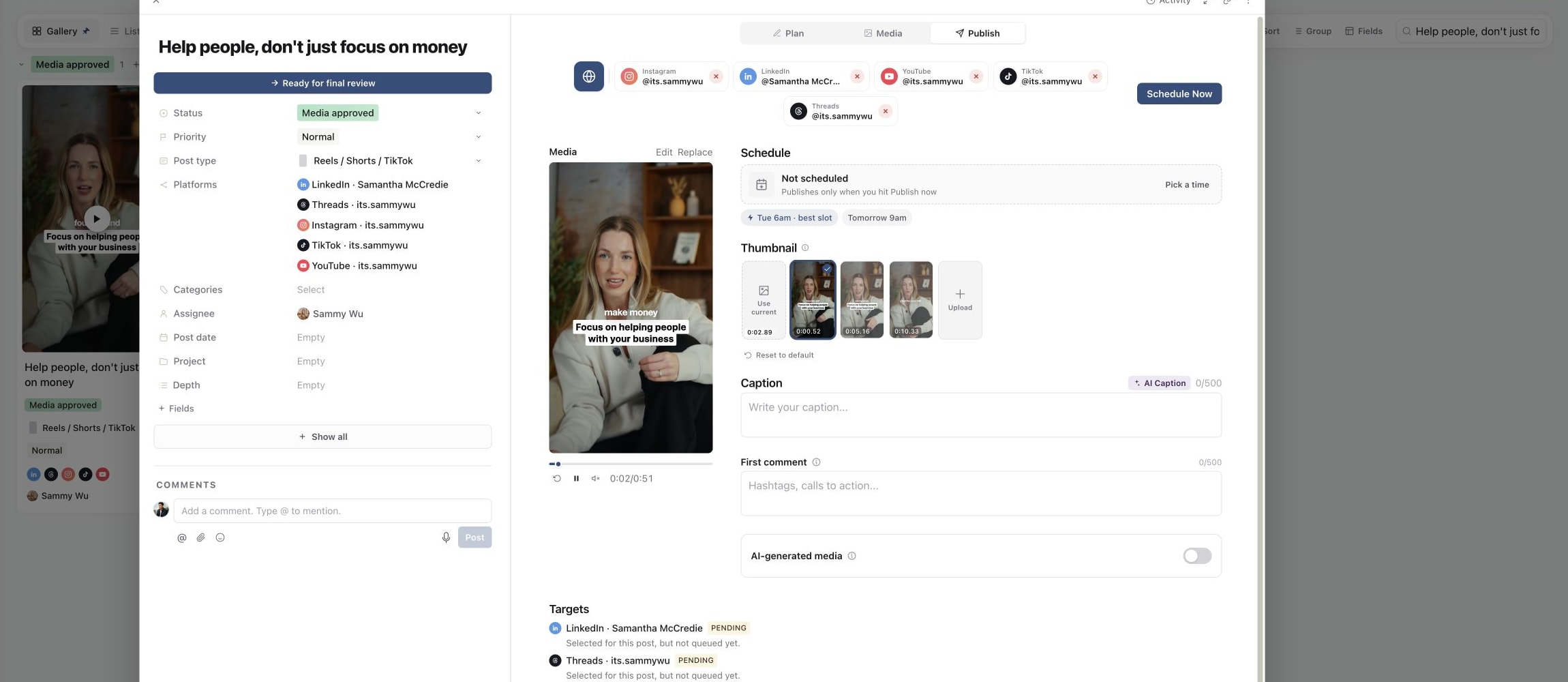
- 01Open the piece and select Publish. Check its post type, selected accounts, media, caption and platform-specific options.
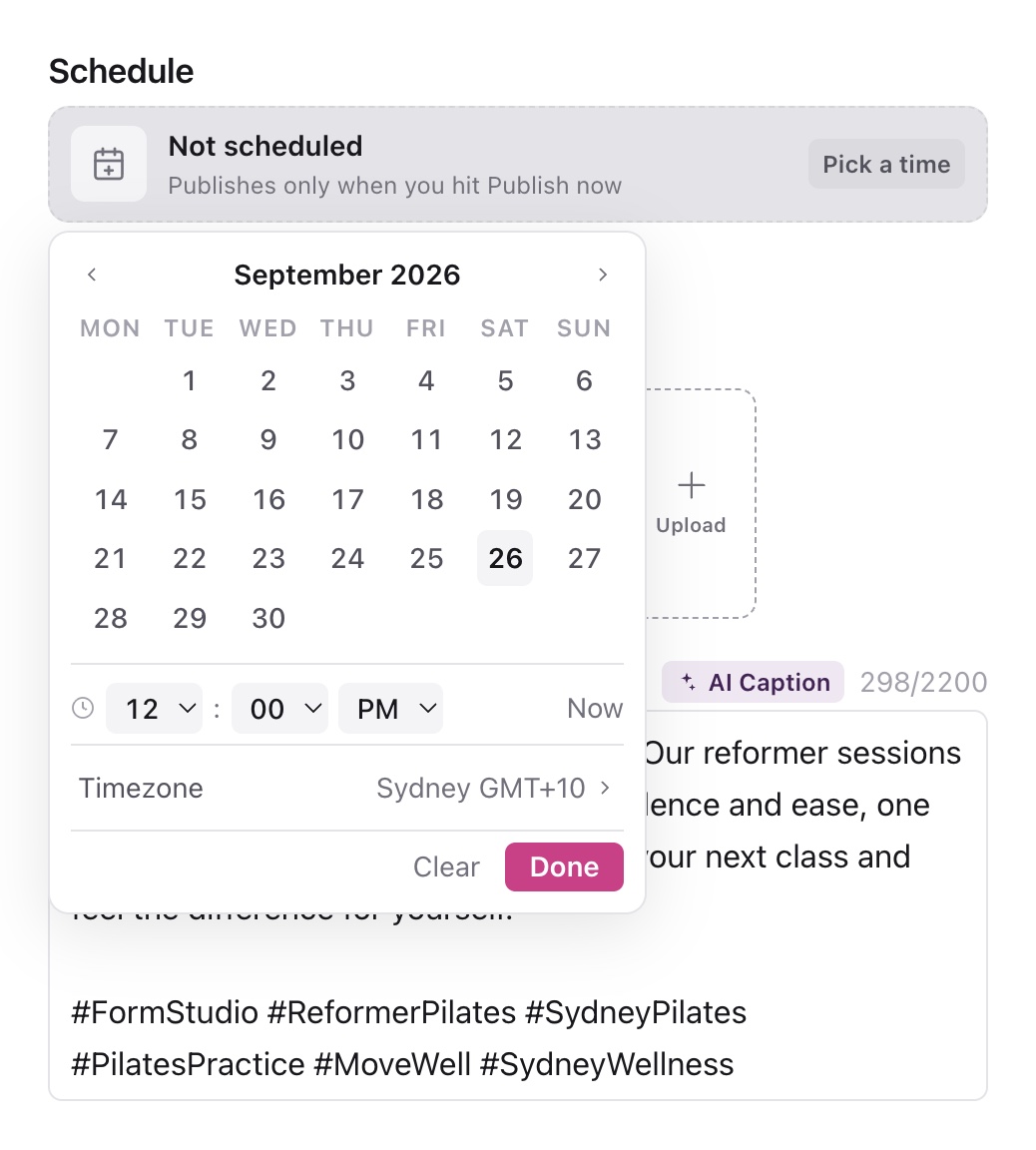
- 02In Schedule, select Pick a time, or Change if a date is already set.
- 03Choose the date and time. Read Timezone and check the displayed zone before closing the picker with Done.
- 04Select Schedule Now at the top of Publish. This opens the confirmation.
- 05Read the future date and time, account count and account names. Confirm only when those match your plan.
If the piece is already ready, the confirmation offers to schedule it for the displayed time. Otherwise, it may say Mark ready and schedule this post? and offer Mark ready and schedule. This explicitly changes its readiness as part of submission; it is not a recorded approval from another person.
1. Prepare the post in Publish
2. Choose a publishing time
3. Confirm the post in Schedule
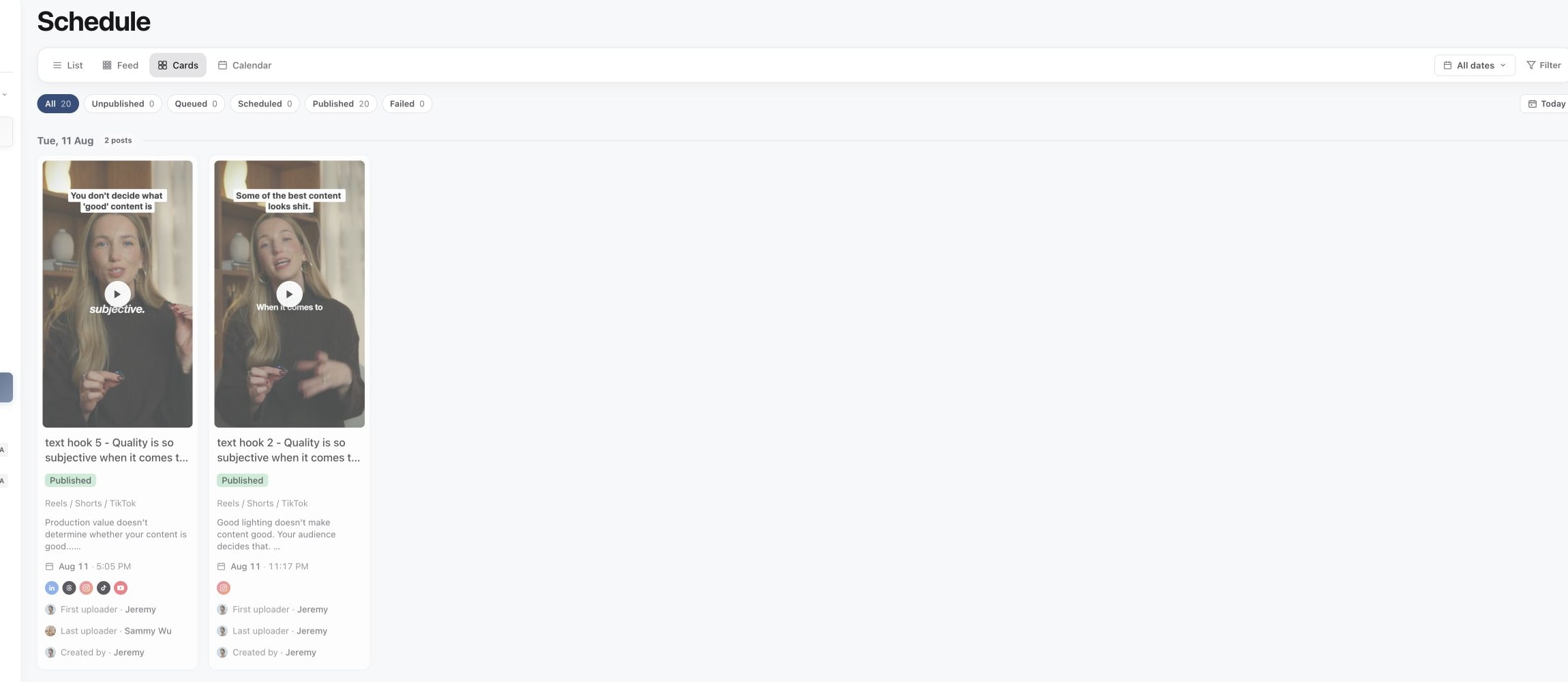
After submission, look for the Scheduled confirmation and check each account under Targets. If only some accounts succeeded, review the remaining targets rather than assuming the entire post is queued.
Publish immediately
Open Publish and select Schedule Now. If no post time is set, the confirmation says No post time set. If the time is already past, it says Scheduled time is in the past.
Read the destinations, then choose Publish now or Mark ready and publish now, depending on the piece's current status. If you meant to schedule for later, choose Update time instead.
The Now control inside the date picker sets a timestamp. It is not the final publish action. Immediate publishing begins only when you submit the publishing confirmation, and it does not have the future-schedule Undo action.
Read the result for each account
Use Targets to distinguish the states:
- Pending: the account is selected, but not queued.
- Preparing media: Sequence is preparing a publishable version.
- Scheduled: the target has a future publishing schedule.
- Processing: publishing has started or is waiting for the platform's result.
- Published: the platform result is recorded; use the live link when shown.
- Failed: read the error and fix that target before retrying.
Submission is not the same as a completed public post. Check the targets again to confirm delivery.
Change your mind about a future schedule
A successful future schedule offers Undo briefly, for 60 seconds. You can also use Unschedule in Publish while the post remains scheduled. Wait for cancellation to succeed before changing and resubmitting it. Follow Reschedule, unschedule and understand time zones.
Was this page helpful?
Related articles
Need more help with this?