
First identify whether the problem is uploading the file, preparing its playback, or publishing it to a social account. These are separate steps and need different fixes.
Identify where it stopped
| What you see | What to check next |
|---|---|
| Upload progress stops or “Upload needs attention” appears | File size and format, the local file and your connection. |
| The file is attached but says it is processing | Allow processing to finish, then reopen the piece and check playback. |
| Media plays in Sequence but Publish rejects it | The selected account's format and publishing validation. |
| One account fails after submission | The error on that target, rather than re-uploading everything. |
Check the file before retrying
Sequence's direct-upload limit is 10 GB per file, with a 100 MB limit for images. Supported media includes JPG, PNG, WebP, AVIF and GIF images, plus MP4, MPEG, MOV, AVI, WebM and M4V video. PDF, DOCX and PPTX can be attached as supported documents, but that does not make every document publishable to every social platform.
Open the original file locally. If it does not play or open there, export a fresh copy from the source application. Changing only a filename extension does not change the file's actual format.
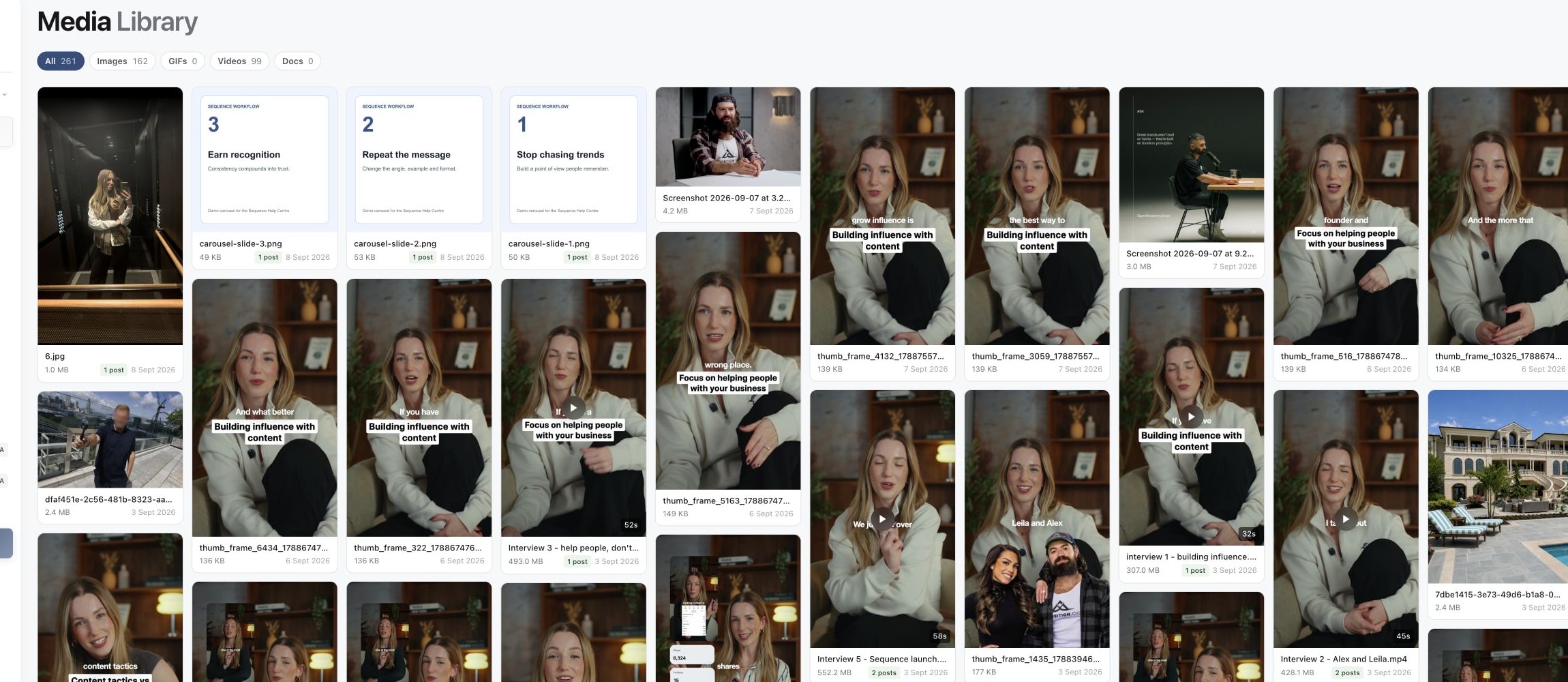
1. Check the file in Media Library
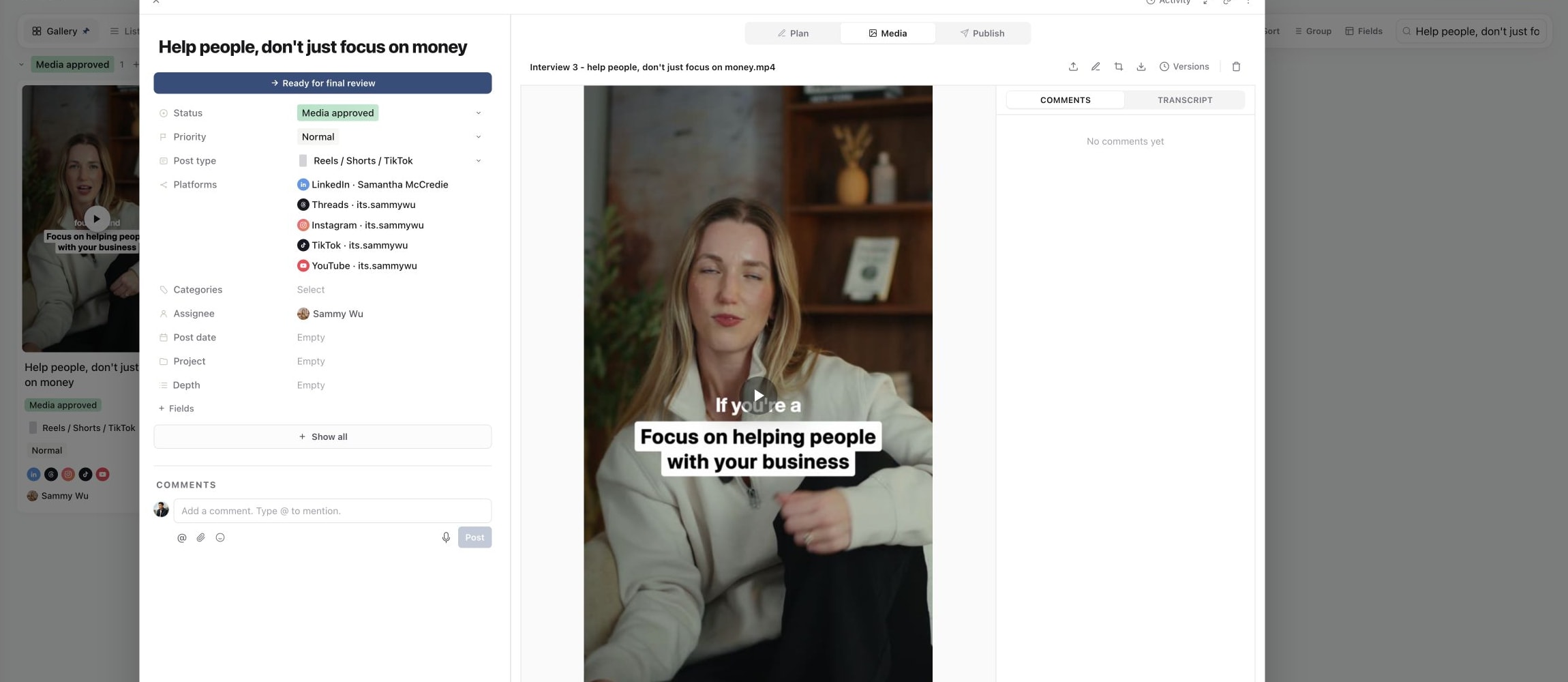
2. Open the file on its content piece
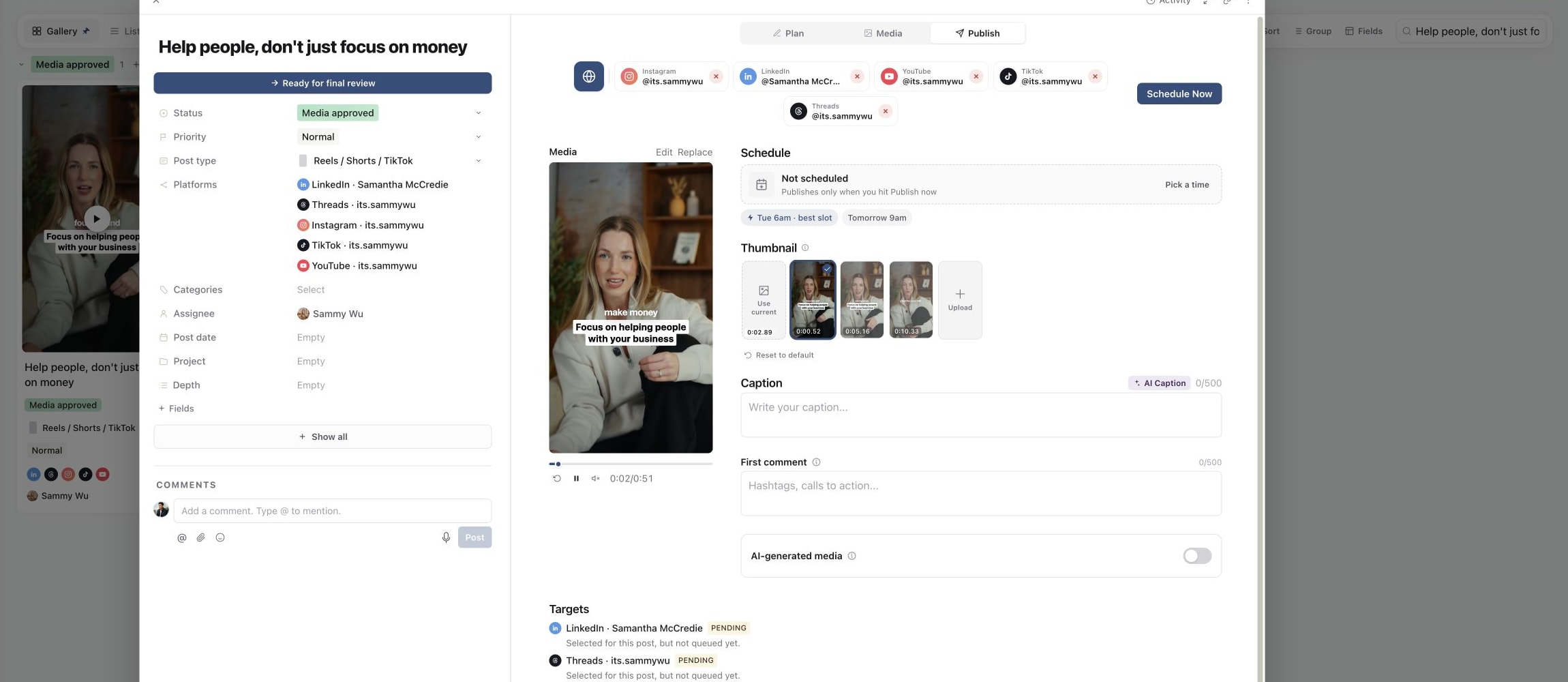
3. Confirm it is ready in Publish
Check that your connection is stable and keep the page open during transfer. If an upload fails, inspect which files already attached before retrying, so you do not add duplicate slides or versions. Cancel upload stops an active transfer; Dismiss clears the failed-upload notice.
A video is still processing
An attached file can need additional processing before its preview is ready. Wait for that state to complete before deciding that the upload failed. Avoid repeatedly uploading the same large file while a previous copy is still being prepared.
After a video uploads, Sequence prepares its proxy for smooth playback. The video can still be played from the original while this happens, and the Proxy download shows Still being prepared until it is ready. A proxy that is still being prepared is not an upload failure.
If the state does not progress, reopen the piece and check the latest status. If the original plays locally but Sequence still cannot prepare it, try a fresh export in a supported format. Keep the original available until the replacement is verified.
Media works, but publishing fails
Open Publish and inspect the exact account's message. File duration, dimensions, aspect ratio, slide combinations and other rules depend on the target. Resolve the stated issue and preview that destination again. Use failed publishing targets when submission has already failed on an account.
When contacting support, include the piece link, filename, actual file type and size, approximate upload time, browser, and the visible error or screenshot. Say whether the file opens locally and whether the issue affects one file or every upload. That evidence helps distinguish a damaged export from a processing or connection issue.
Was this page helpful?
Related articles
Need more help with this?