
Inbox puts a blue dot on a direct message conversation when the customer sent the last message and your team hasn't replied yet. The dot is shared by everyone in the workspace, so the DMs tab doubles as your team's list of conversations still waiting on an answer.
What is the needs-reply dot?
A DM row shows the dot, and its preview text turns darker, while the customer's latest message is newer than the brand's latest reply. Any reply clears it: one sent from Sequence, one typed in the Instagram or Facebook app, or one sent by an automation such as a DM Flow.
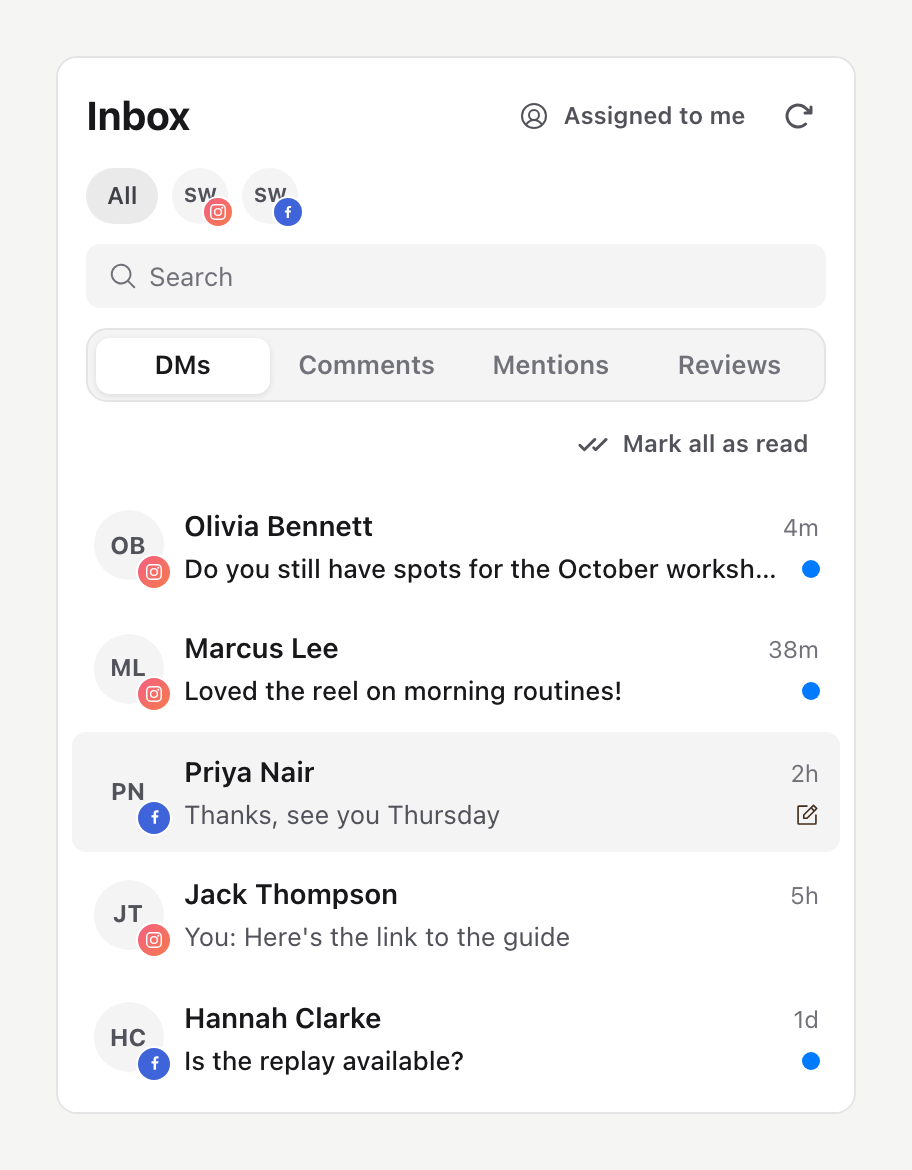
The dot is Sequence's own record, not the platform's unread count. Reading a message in the Instagram or Facebook app without replying doesn't clear it, and opening a conversation in Sequence doesn't clear it either, so you can read a thread without losing track of it. Only DMs show a dot. Comments, mentions and reviews don't.
Only messages sent from 22 October 2026 count. A conversation whose last message arrived before then shows no dot until the customer writes again.
Mark a conversation as read or unread
- 01Open Inbox and select DMs.
- 02Right-click the conversation in the list. With a keyboard, focus the row and press the menu key or Shift+F10.
- 03Select Mark as read to clear the dot, or Mark as unread to add it back.
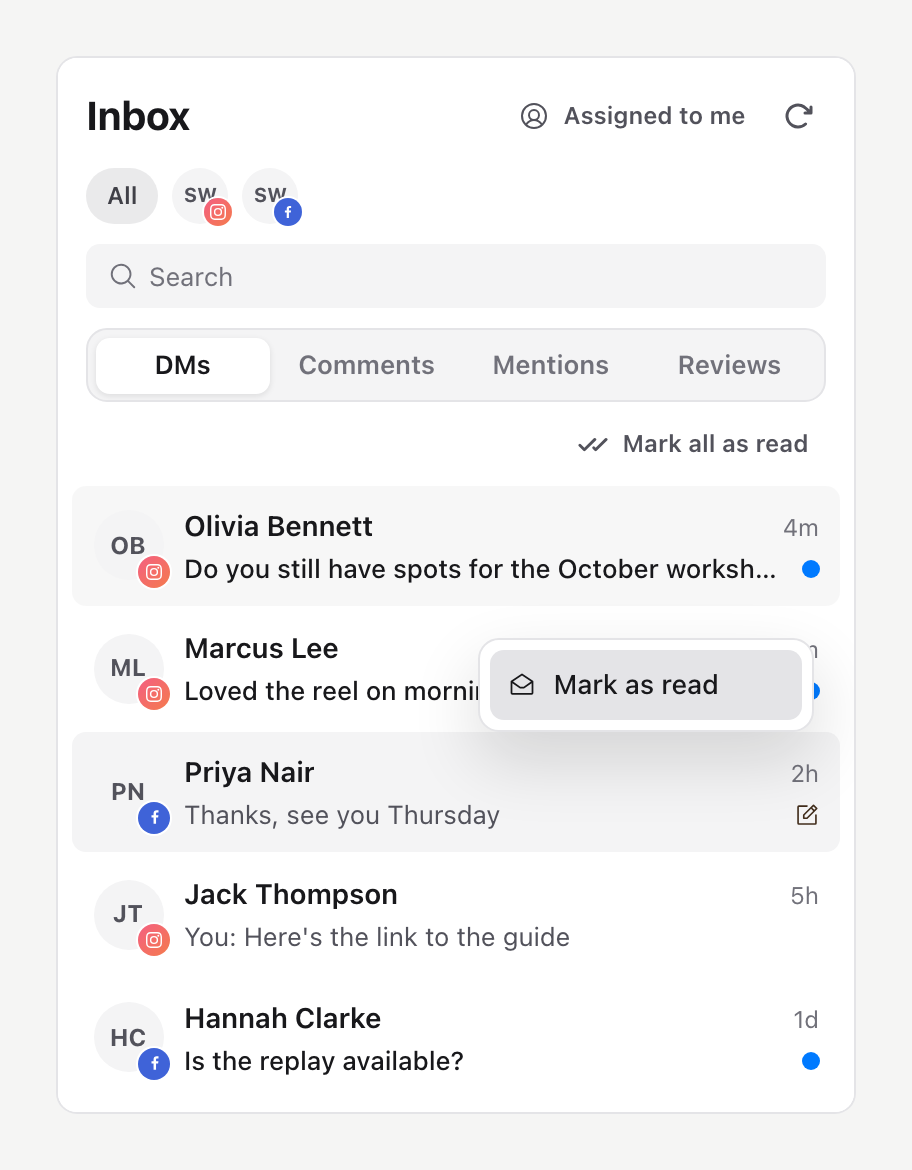
Mark as read clears the dot for the whole team until the customer sends another message. Mark as unread shows the dot until someone replies or marks it read. Use it to flag a conversation you need to come back to.
You can mark conversations only on accounts you're allowed to reply from. If the menu doesn't appear, ask a workspace owner or admin to check your Inbox reply access for that account.
Mark every conversation as read
In DMs, select Mark all as read under the tabs. It clears the dot from every conversation in the list that shows one, up to 100 at a time, on accounts you can reply from. It follows the account, Search and Assigned to me filters you have on, so filter first to clear only part of the list. The button is unavailable when nothing in view shows a dot.
When a dot looks wrong
- No dot on an older conversation. Messages from before 22 October 2026 don't count.
- The dot is still there after a reply in the app. The platform reports replies made outside Sequence, which can take a moment. Select Refresh at the top of Inbox.
- The dot came back. The customer sent a new message, or a teammate marked the conversation unread.
To reply, see View and reply to conversations in Inbox.
Was this page helpful?
Related articles
- View and replyFind direct messages or comments, reply from the right account and handle sending or permission errors.
- Supported Inbox channelsUnderstand which connected accounts can provide Inbox conversations and why publishing access alone is not enough.
- Missing Inbox messagesCheck filters, account permissions and connection availability when Inbox access or a conversation is missing.
Need more help with this?