
A welcome message answers the first DM someone sends your Instagram account or Facebook Page, straight away, even when nobody is online. On Instagram you can add conversation starters too: questions people can tap before they write anything, each with its own automatic answer.
What is a welcome message?
A welcome message is a DM Flow that starts when someone messages your account for the very first time. Sequence sends your message once, to that person only. Anyone who has messaged the account before, like an existing client, never gets it, so it won't interrupt conversations you're already having.
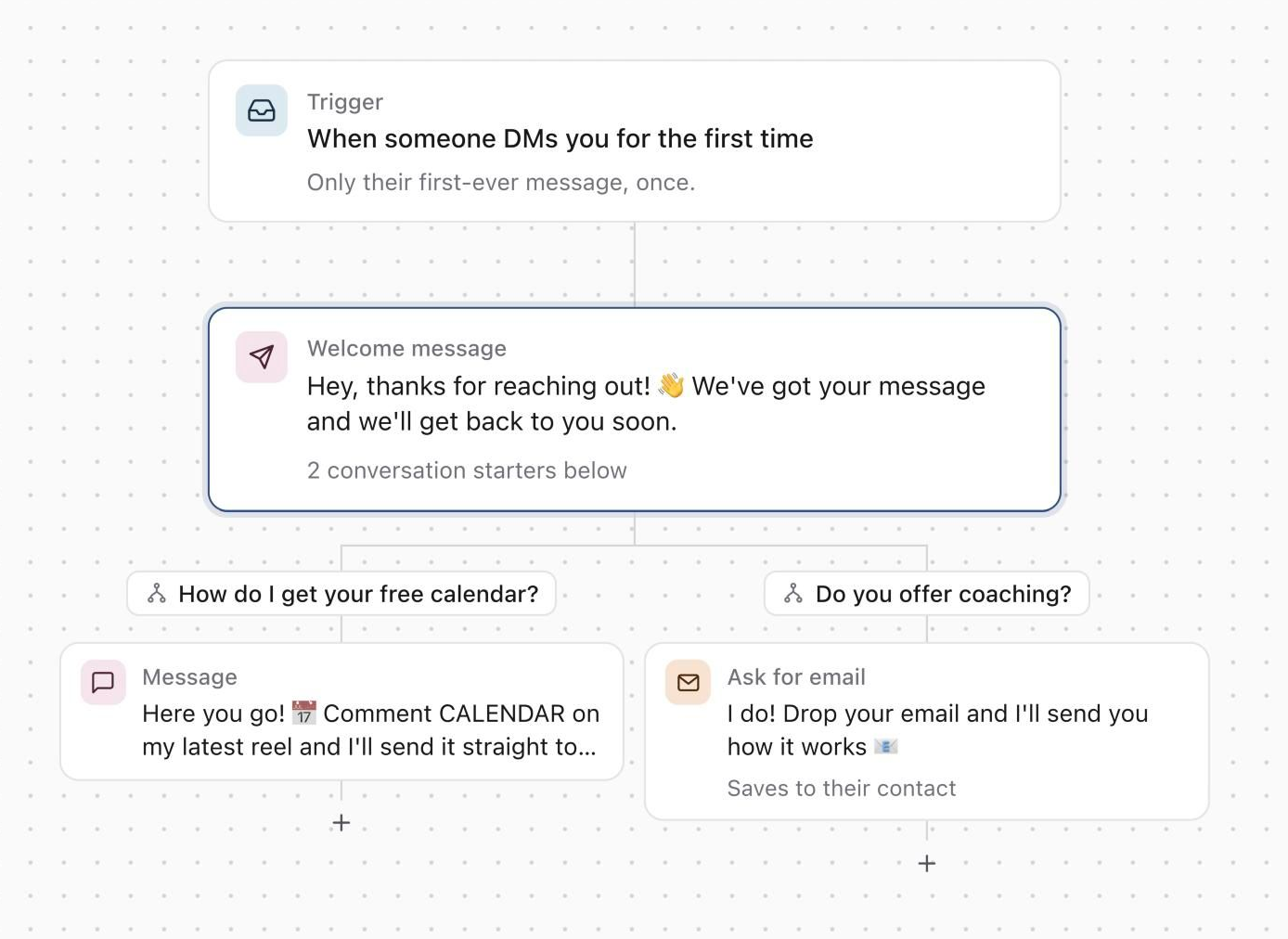
The welcome message is text only. To share a link, put it in the message itself. Messages it sends show Sent by DM Flows in Inbox, so your team can pick up the conversation from there.
What are conversation starters?
Conversation starters are up to four questions Instagram shows when someone opens a chat with your account for the first time, before they type anything. Tapping one sends that question as their message and starts the answer you set up for it: messages, waits and an Ask for email step, the same as a path.
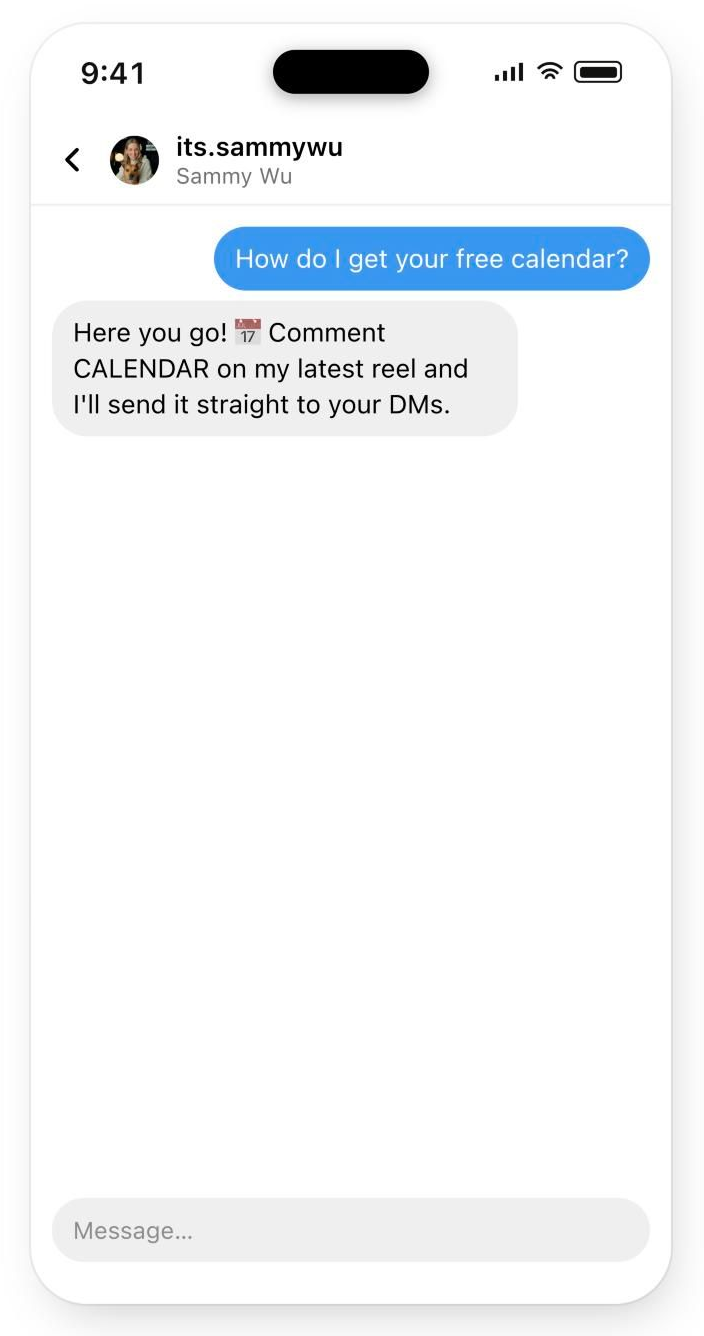
A tap runs only that question's answer. The welcome message doesn't also send, because the tap was their first message. People who type their own message get the welcome message.
- Conversation starters work on Instagram only.
- Each question can be up to 80 characters.
- Instagram shows them only in a new conversation, so people who have already messaged you don't see them.
- They show while the flow is live. Switching the flow off takes them down from Instagram.
- Saving conversation starters replaces any you set up in the Instagram app.
Before you start
- DM Flows are included in the Pro plan. The feature is in beta.
- The brand needs an Instagram account or Facebook Page connected with Inbox access.
- To create or edit a flow you need permission to reply in Inbox for that account.
- Each account can have one welcome message.
Create a welcome message
- 01In the sidebar, open Community and select DM Flows.
- 02Select New DM Flow, then pick Welcome message.
- 03If you manage more than one account, choose the account at the top of the editor.
- 04Select Welcome message in the flow and write your message. It can be up to 1,000 characters.
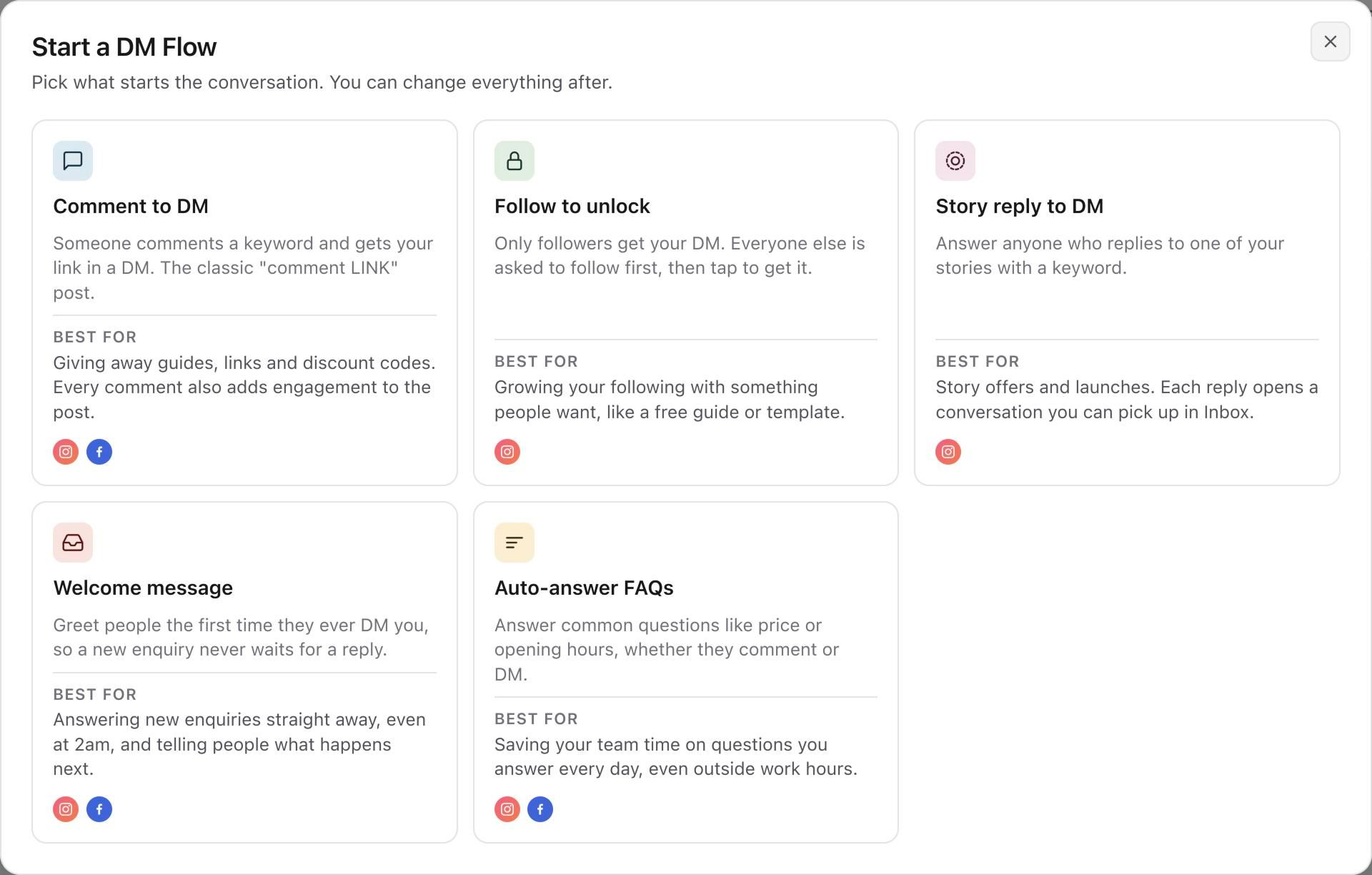
The flow has two steps: Trigger, which starts it when someone sends their first DM, and the welcome message itself.
Add conversation starters
- 01Select the Welcome message step.
- 02Under Conversation starters, select Add question and type the question, like "What are your prices?".
- 03A lane for the question appears under the welcome message. Select Add the first step, or the + in the lane, and choose Message, Wait or Ask for email.
- 04Repeat for up to four questions.
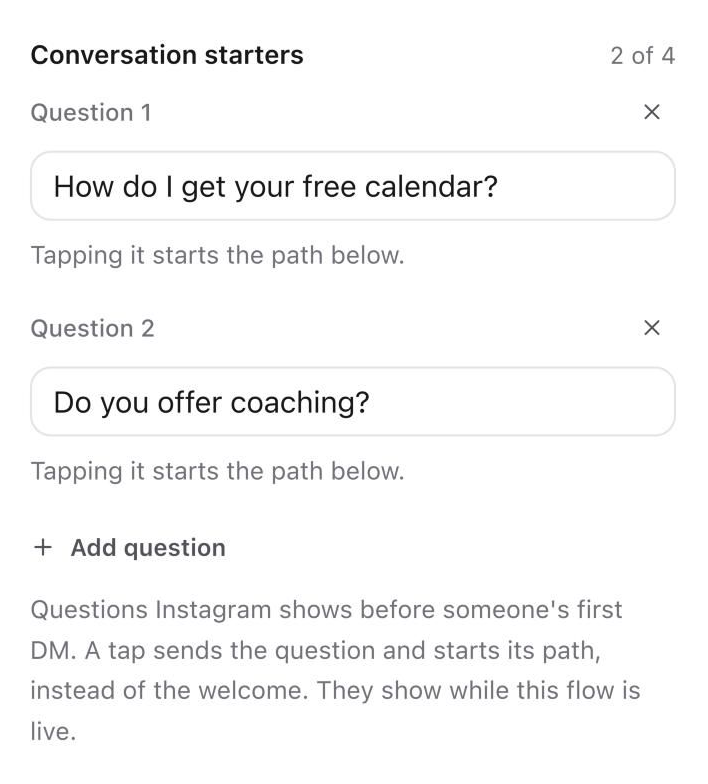
Each answer can have up to 10 steps, and the waits in one answer can add up to 24 hours at most, because Instagram only allows replies within a day of the tap.
Preview and turn it on
Select Preview at the top of the right panel. DM shows their first message and your welcome message. Select a step in a question's lane to see that answer after someone taps it.
Use the Live switch, then select Create flow. Once the flow is live, your conversation starters appear in Instagram for new conversations. It can take a few minutes for Instagram to show them.
Check the results
Open the flow and select Results. People welcomed counts everyone whose first DM started the flow, and Messages sent counts the welcome messages that went out. Conversation starters shows how many people started each question's answer. Emails collected by an Ask for email step are listed with the question they came from.
Activity lists each person who sent a first DM, what they wrote and whether the welcome message was sent.
Good to know
- Only someone messaging the account for the very first time gets the welcome message, and only once.
- A welcome message can't change into a comment or story reply flow. Create a new flow for that instead.
- If the workspace moves off the Pro plan, the welcome message is switched off and its conversation starters are taken down from Instagram.
- You can also ask Skye, Claude or ChatGPT to set up a welcome message. It's created switched off, and you turn it on when you're happy with it.
- To collect emails from a conversation starter, see Collect emails with DM Flows.
Was this page helpful?
Related articles
- Collect emailsAsk for an email in a DM Flow, find every email collected in Contacts, export them, and send new ones to Zapier, Make or your own webhook.
- View and replyFind direct messages or comments, reply from the right account and handle sending or permission errors.
- Connect InstagramConnect the correct Instagram professional account and approve the access Sequence needs for publishing, analytics and supported Inbox features.
- Missing Inbox messagesCheck filters, account permissions and connection availability when Inbox access or a conversation is missing.
Need more help with this?