
Create a carousel as one content piece, put its slides in the intended order and confirm the sequence before scheduling.
Set the post type before uploading
Open the content piece and select Post type, then choose Carousel. Set the intended social accounts as well because each destination has its own file and slide-count requirements.
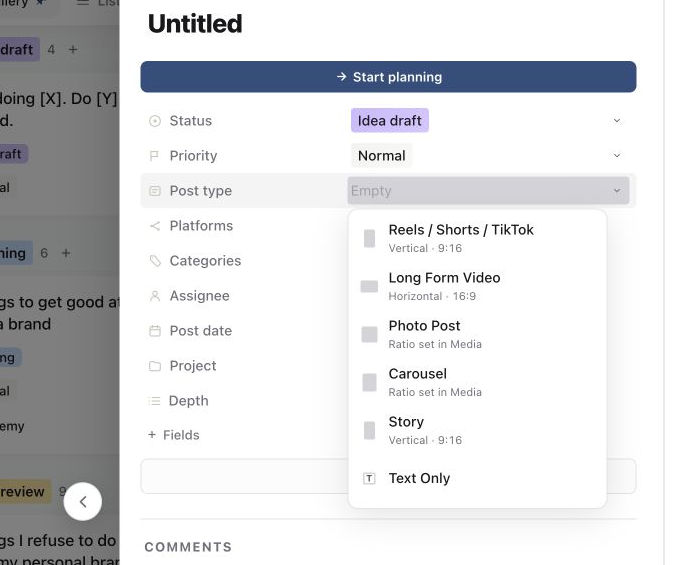
Add and reorder slides
Open Media and upload the first image. Select the Add slide tile in the filmstrip for each additional image. Wait until all uploads finish, then drag a thumbnail left or right to change the order. The slide numbers update to match the sequence.
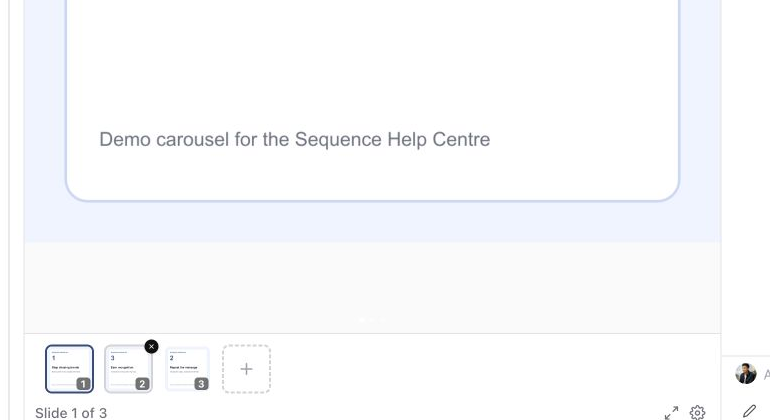
Select each thumbnail and read the carousel from the first slide to the last. Make the opening slide understandable on its own and give the final slide a clear next step.
Know when to add a slide or replace a version
A slide adds another item that will publish in the carousel. A version replaces or revises creative for the selected slide. Use Add slide only when the audience should see both items in the final post.
Check the publishing preview
Open Publish and inspect the media preview for each selected account. Step through every slide, check the order and framing, then resolve any platform or mixed-media validation messages before scheduling.
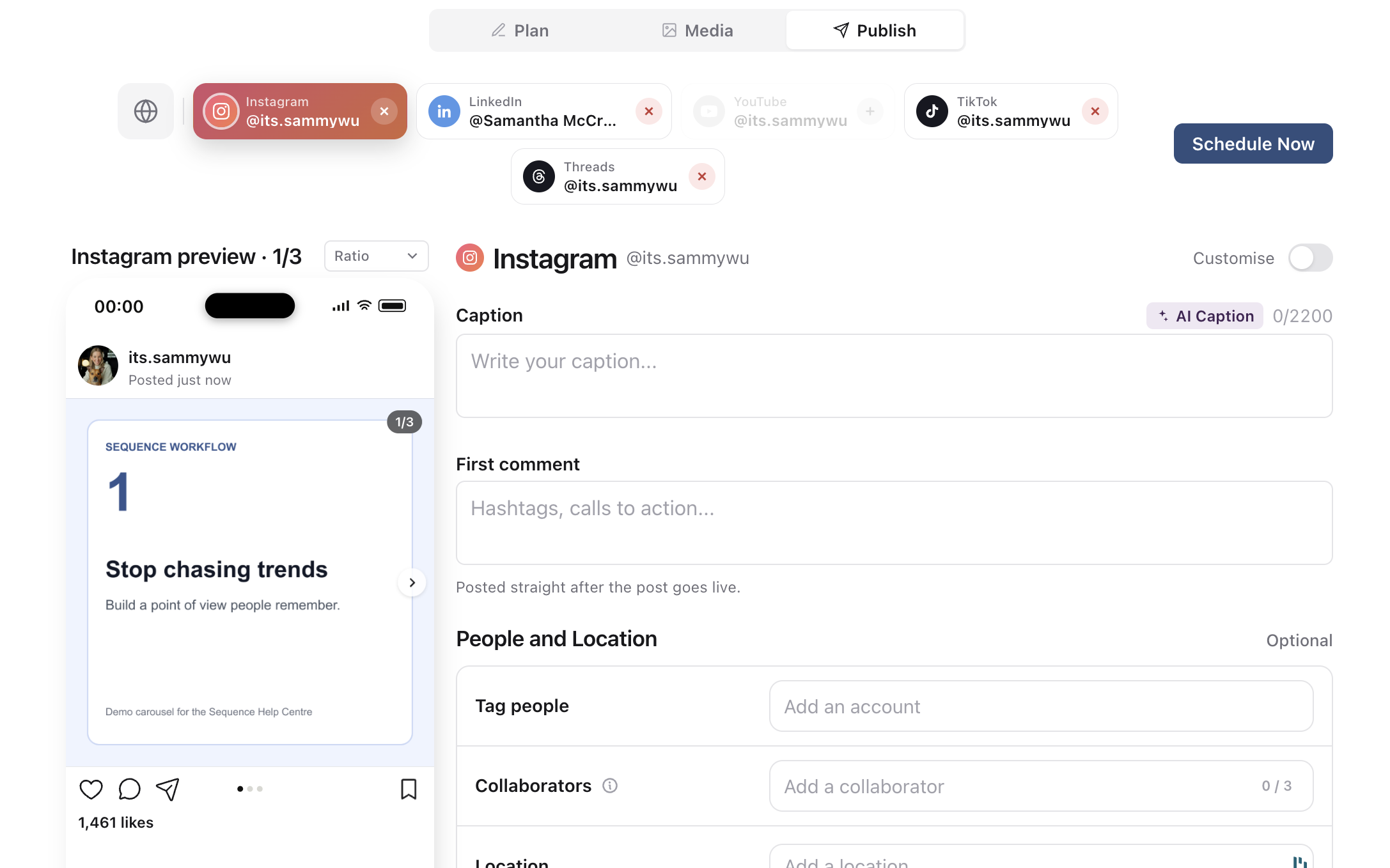
If the filmstrip is read-only, check whether the piece is already scheduled or published. Use the scheduled and published locks guide before changing the output. For an upload failure, use the media troubleshooting guide.
Was this page helpful?
Related articles
Need more help with this?