
Add creative to a content piece's Media tab so the team can review it and prepare the version that will be published. Uploading a file and preparing it for a social platform are separate steps: an accepted upload may still need processing, cropping or a different publishing format.
Uploading is not the same as publish-ready. Sequence can accept a file into Media for review even when a selected social destination cannot publish that format, size, duration or number of items. Before scheduling, check supported publishing platforms and requirements for the current photo, carousel, video, Story and text-only rules.
Upload to a content piece
- 01Open the content piece and select Media.
- 02Drag your file into the upload area, click the area to browse, or select Upload.
- 03Choose the file and wait for the upload to finish. Keep the browser open while it is transferring.
- 04Check that the intended file appears and that its preview is usable before sending it for review.
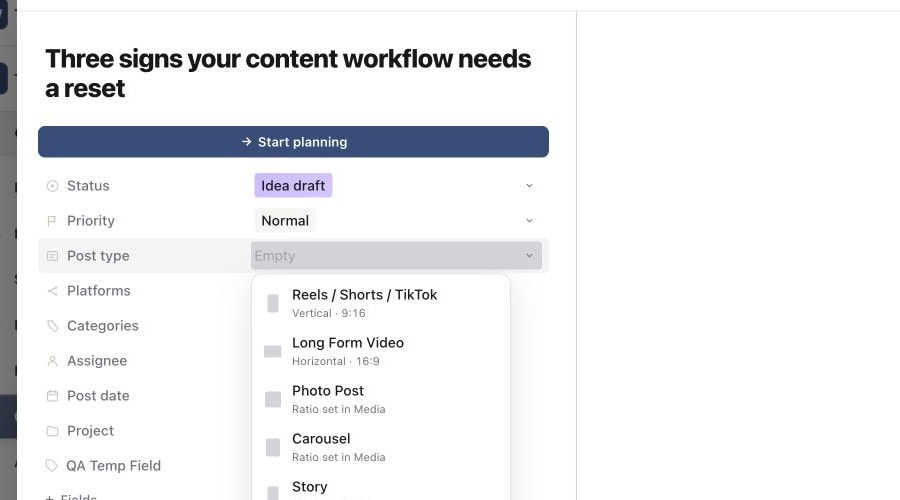
1. Choose the post type first
2. Check uploaded files in Media Library
3. Wait for the media workspace
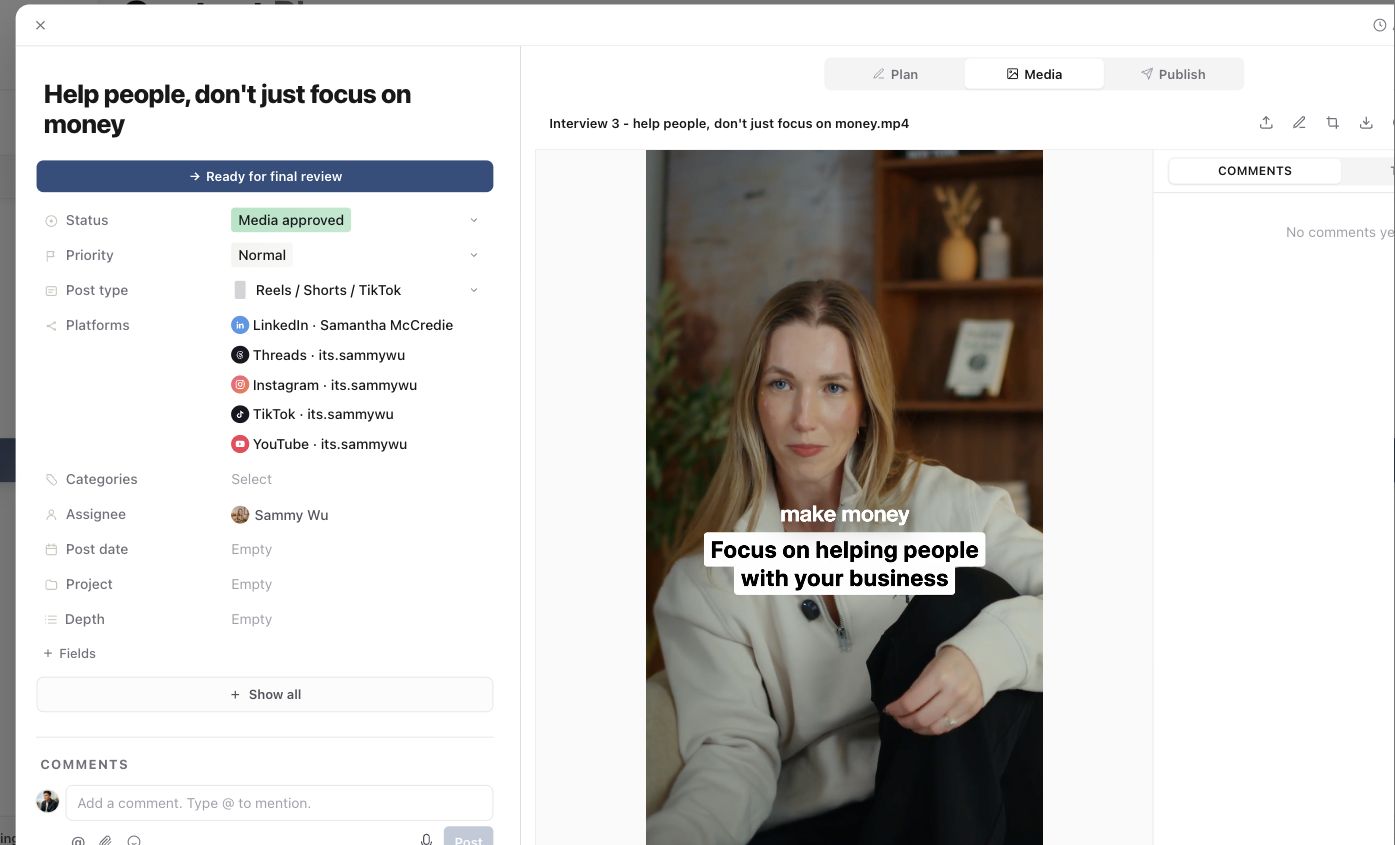
For a video, play a section and check the sound. For an image or document, check that you uploaded the correct version and that its content is legible. If processing is still underway, allow it to finish before judging the final preview.
Supported upload formats and sizes
| File kind | Accepted formats |
|---|---|
| Images | JPG/JPEG, PNG, WebP, AVIF |
| Animated images | GIF |
| Video | MP4, MPEG/MPG, MOV, AVI, WebM, M4V |
| Documents | PDF, DOC/DOCX, PPT/PPTX |
The direct-upload limit is 10 GB per file, with a separate 100 MB limit for images. These are Sequence upload limits. The platform and post type you publish to may require a smaller file or a different format.
Audio files are not supported as publishable media in this upload flow. Keep audio references or working files as attachments in Plan when appropriate.
A document being accepted into Media does not mean every social platform can publish that document. Choose the intended post type in Publish and resolve its requirements before scheduling.
Add a revision without losing the context
When creative already exists, use Upload new version for an updated version of the same work. Review the versions in Versions so feedback stays associated with the content piece.
If you drop files onto existing media, read the choice Sequence presents before continuing. Replace media, Replace slide, Add new version and Add slides serve different purposes, depending on the current media. A revised cut of one video is different from another slide in a carousel.
See Replace media and compare creative versions or Add multiple images and reorder a carousel for those tasks.
Prepare the uploaded file for publishing
Open Publish, choose the post type and accounts, and check the media preview and any validation messages. Review crop, slide order and thumbnail where those controls are available. The selected publishing media should be the version the team intends to release.
If an upload stalls or fails, check the file's size and extension first. A renamed extension does not convert the file. If the file appears but the preview or publishing preparation is still unavailable, use Fix a media upload or video processing problem and include the filename and visible error when contacting support.
Was this page helpful?
Related articles
- Fix media processingIdentify upload, processing and publishing problems, check the source file and retry the right step.
- Media versionsUpload revisions, compare creative versions and check the final media before another review or publication.
- Platform media limitsSee which social networks support photo, carousel, video, Story and text-only posts, plus current media limits.
Need more help with this?