
Use media comments when feedback needs a precise location: a moment in a video, a slide in a carousel or an area of an image. A good note tells the editor what to change and where to find it.
For general discussion about the brief or ownership, use the content piece's separate comments thread.
Media comments are Public or Private, like other comments. The panel opens on Public; select Private under Comments and Transcript before you write a team-only note. Public feedback is visible to brand members such as clients, and Private feedback stays with your workspace team and anyone they give access. See use Private and Public comments.
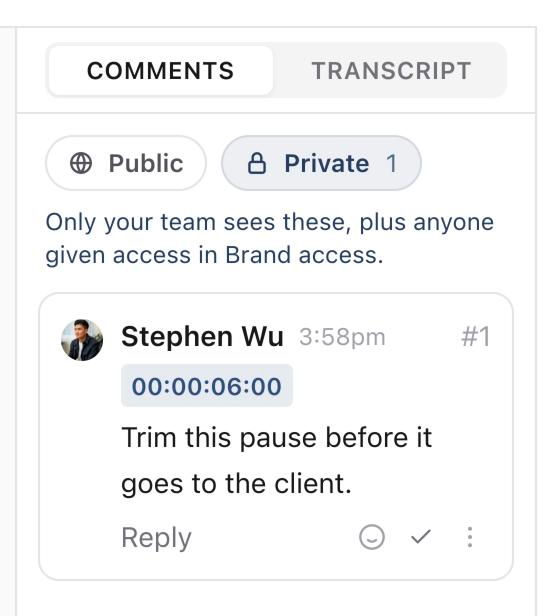
Leave a timestamped video comment
- 01Open the piece and select Media.
- 02Check the file, version and, if relevant, carousel slide.
- 03Play or scrub to the moment you want to discuss, then pause.
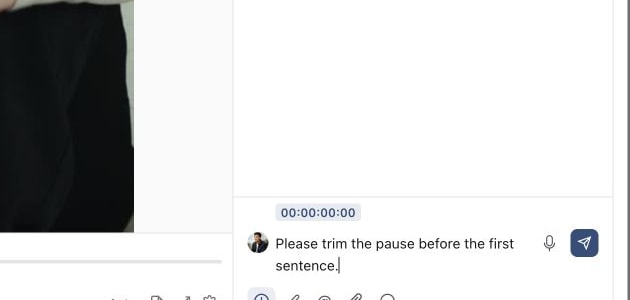
- 04Write your feedback in the media comment composer and select Add timestamp to attach the current position.
- 05Check the attached time, then select Send comment.
For example: “Bring the headline on before the speaker starts this sentence” is more actionable than “The intro feels wrong.” The timestamp tells the editor which sentence you mean.
Annotate an area of the creative
Select Annotate beside the comment composer. Choose Draw, Line, Arrow or Rectangle, then mark the area that needs attention. Use the colour controls and Undo annotation or Redo annotation as needed.
1. Open the Media review workspace
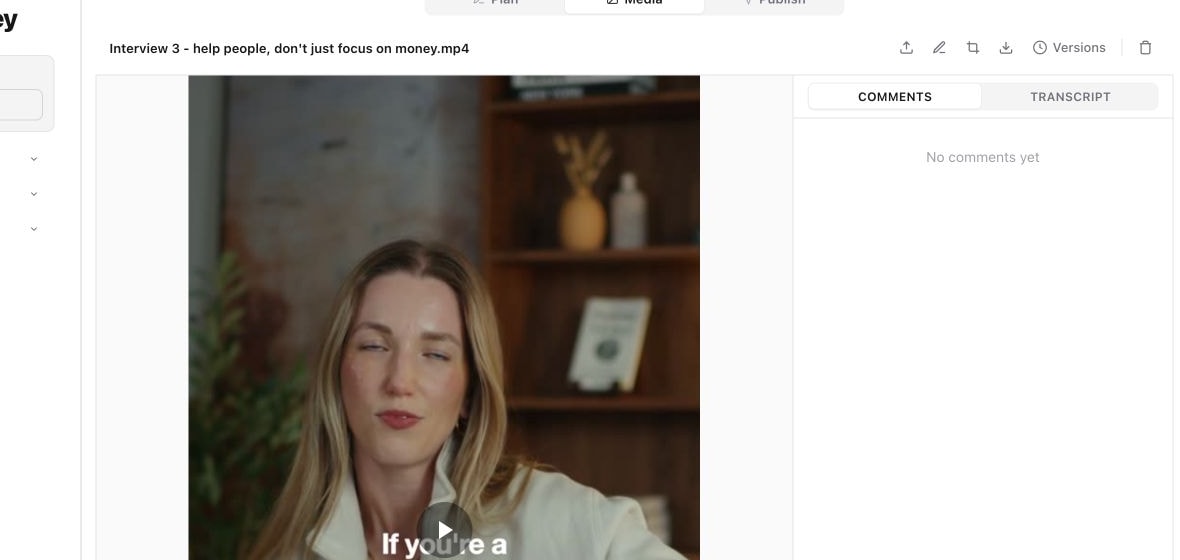
2. Write a timestamped comment
3. Mark the exact area that needs attention
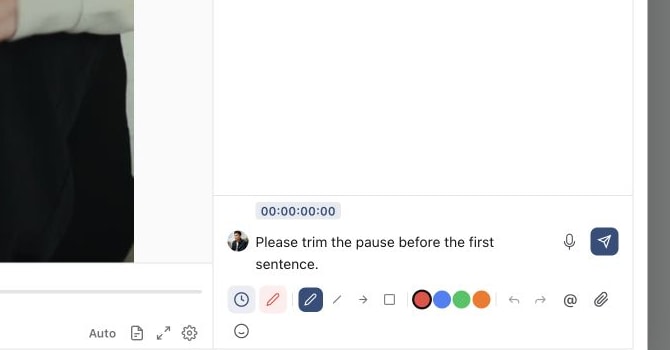
Add a written explanation before sending. A rectangle can identify a caption that needs moving, but the note should say why and where it should go. Use Stop annotating when you have finished marking the preview.
For a carousel, select the relevant slide before commenting. Check the displayed slide and version context when reading feedback later, especially after a reorder or revised upload.
Reply, resolve and revisit
Use Reply to keep discussion under the original note. Select a timestamp on an existing comment to return to that moment. Reactions are useful for acknowledging feedback, but they are not an approval decision.
Use Resolve comment when the requested change has been dealt with. Resolved feedback remains distinguishable from open work, and Reopen comment makes it active again if it still needs attention. Resolving a comment does not change the content's workflow status.
Finish the review hand-off
After making the change, upload the revised creative as a new version. Check it, explain what changed and resubmit for review when a formal decision is needed.
If the composer or editing controls are unavailable, check the access and state of the piece. Do not create a duplicate comment thread just to get around a read-only view; ask the owner to confirm that you have the appropriate brand or shared-link access.
Was this page helpful?
Need more help with this?