
Sequence publishes text and photo posts to a Google Business Profile, the listing people see for your business in Google Search and Maps. You schedule it like any other channel, from the Publish tab of a content piece.
What you can post
- Text Only: a caption of up to 1,500 characters.
- Photo Post: one image with a caption of up to 1,500 characters. The image must be at least 400 by 300 pixels. If it is larger than Google accepts or in another format, Sequence prepares a JPG or PNG copy for you.
Video, posts with more than one photo, and Google event, offer and call to action posts are not available yet. Sequence shows a message on the Google Business account if the post type or media does not fit.
Before you start
Connect the Google Business Profile to the brand in Channels. Under Add social account, choose Google Business Profile and sign in with the Google account that manages the profile. See connect a social account to Sequence for the full steps.
Create a Google Business post
- 01Open the content piece and set Post type to Photo Post or Text Only. For a Photo Post, add one image in the Media tab.

- 02Select Publish, then select the Google Business account in the account row so it turns blue.

- 03Write the caption. The counter beside it shows how many of the 1,500 characters you have used, and Google Business preview shows the post with its photo. Turn on Customise to give Google Business a different caption from your other channels.
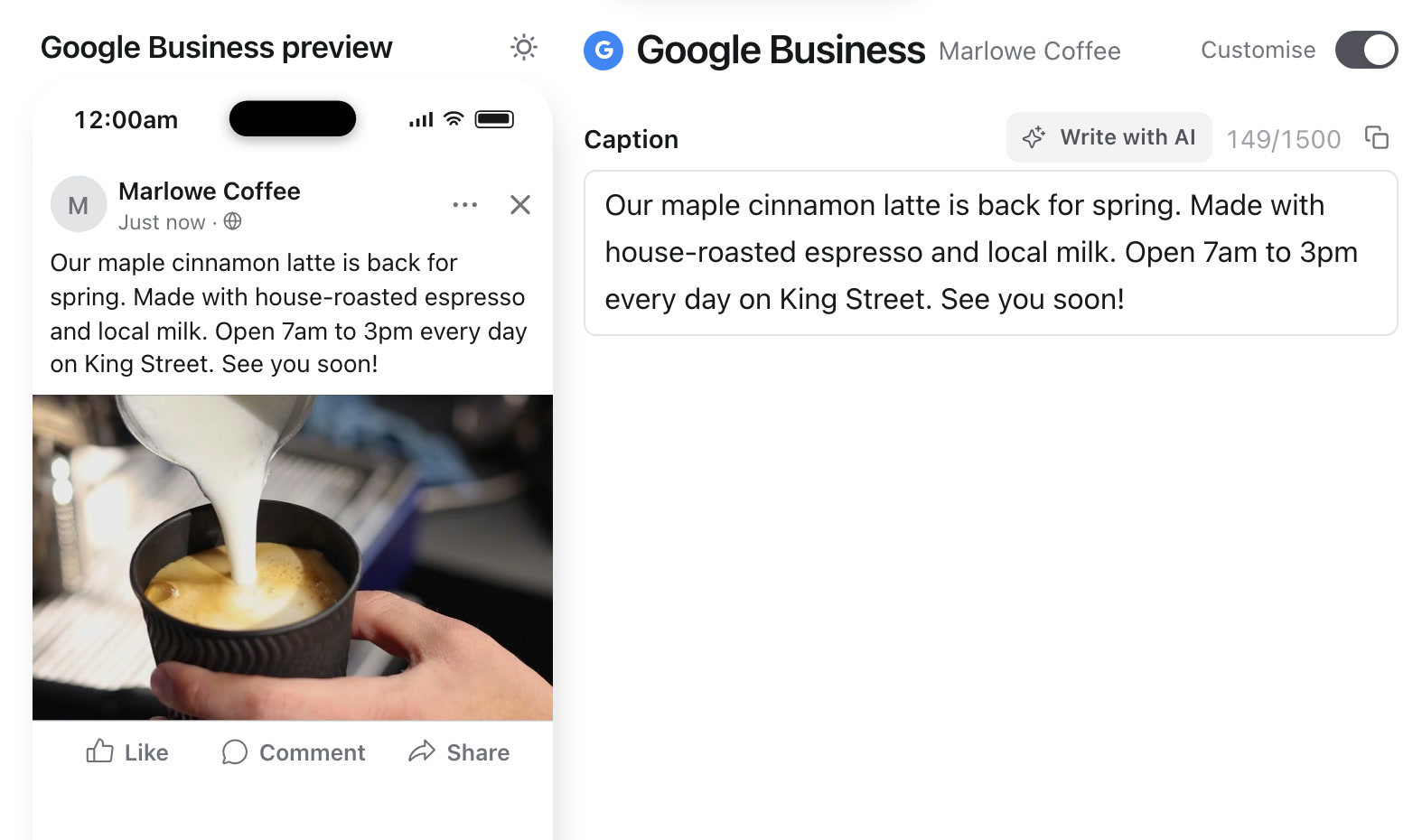
- 04Pick a time and select Schedule Now, or publish straight away. See schedule or publish now for both options.
After the post goes out, it appears on the business profile on Google. If Google rejects it, the account shows a failed status with Google's reason, so you can fix the post and try again.
Was this page helpful?
Related articles
- Connect a social accountConnect the correct social profile to a brand and check it is available for your posts.
- Schedule or publish nowConfirm a future schedule or publish immediately, then check delivery for each selected account.
- Platform media limitsSee which social networks support photo, carousel, video, Story and text-only posts, plus current media limits.
Need more help with this?