
The Explore catalogue helps you find public social references without leaving Sequence. Use it to collect useful patterns for the active brand, rather than copying a finished post.
Browse a focused set
- 01Open Inspiration and select Explore.
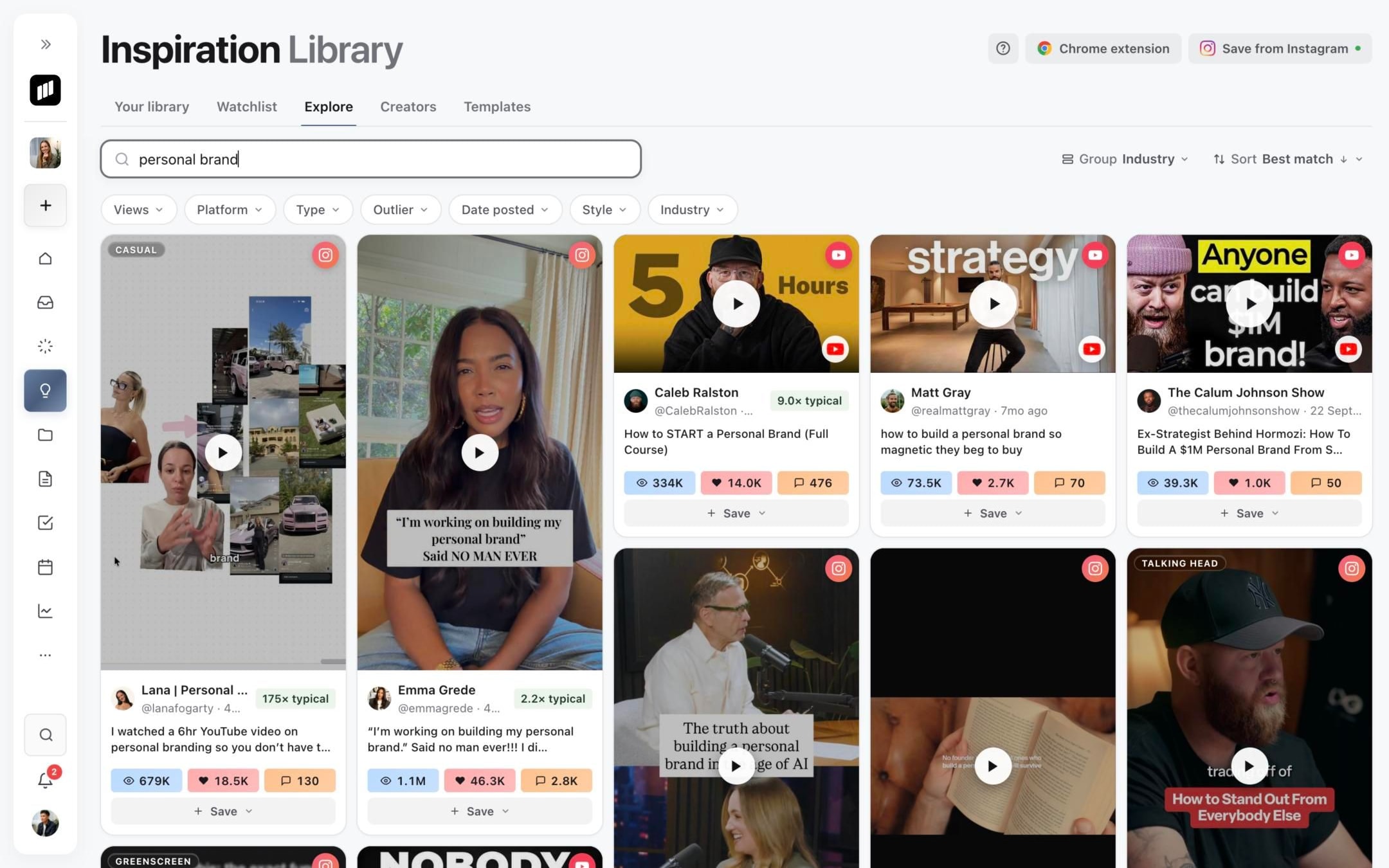
- 02Search for a hook, owner, transcript phrase or topic.
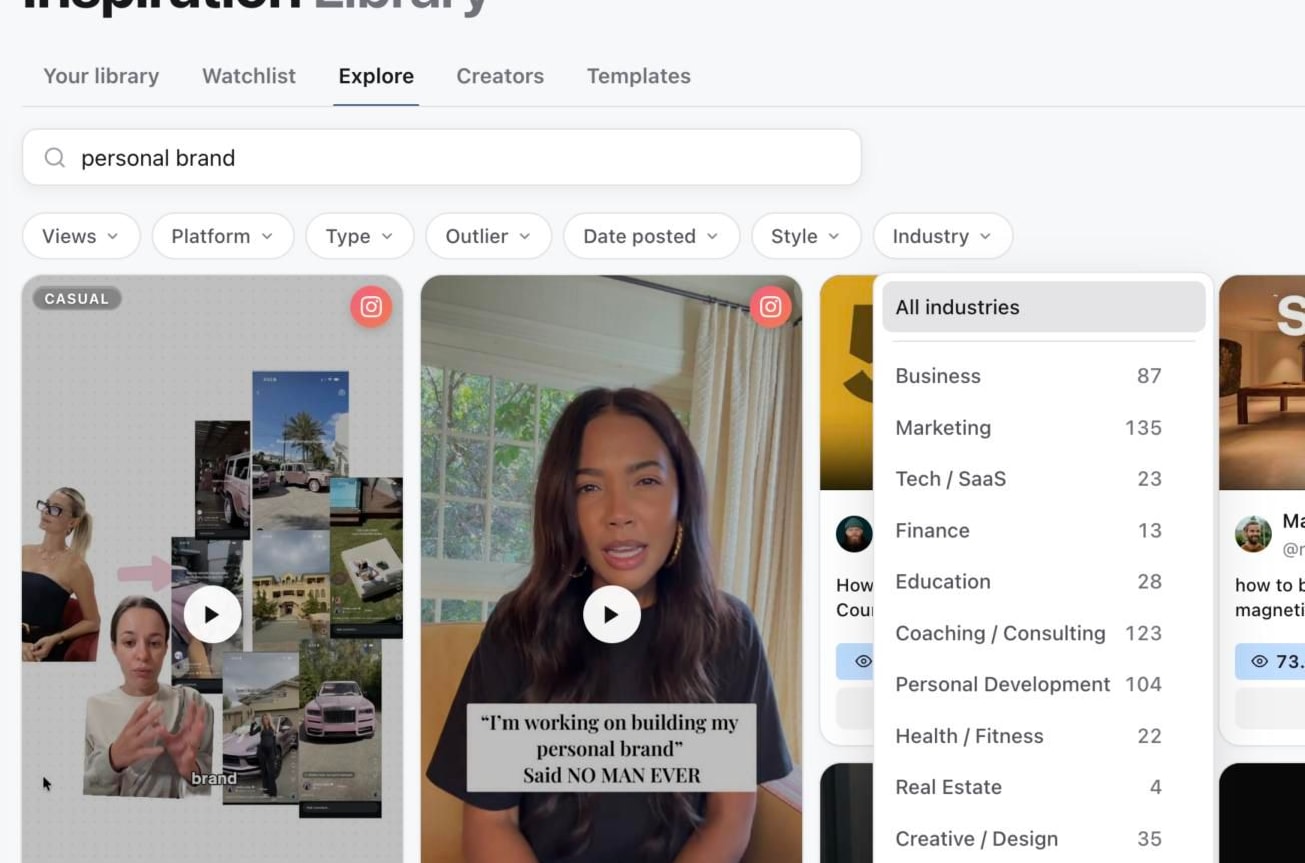
- 03Use the filter row to narrow by Platform, Type, Outlier, Date posted, Style or Industry.
- 04Use Group to see posts by industry, or choose None, and Sort to change the order. While you search, results sort by Best match.
- 05Open a card to inspect the reference, or select Save to add it to Your library.
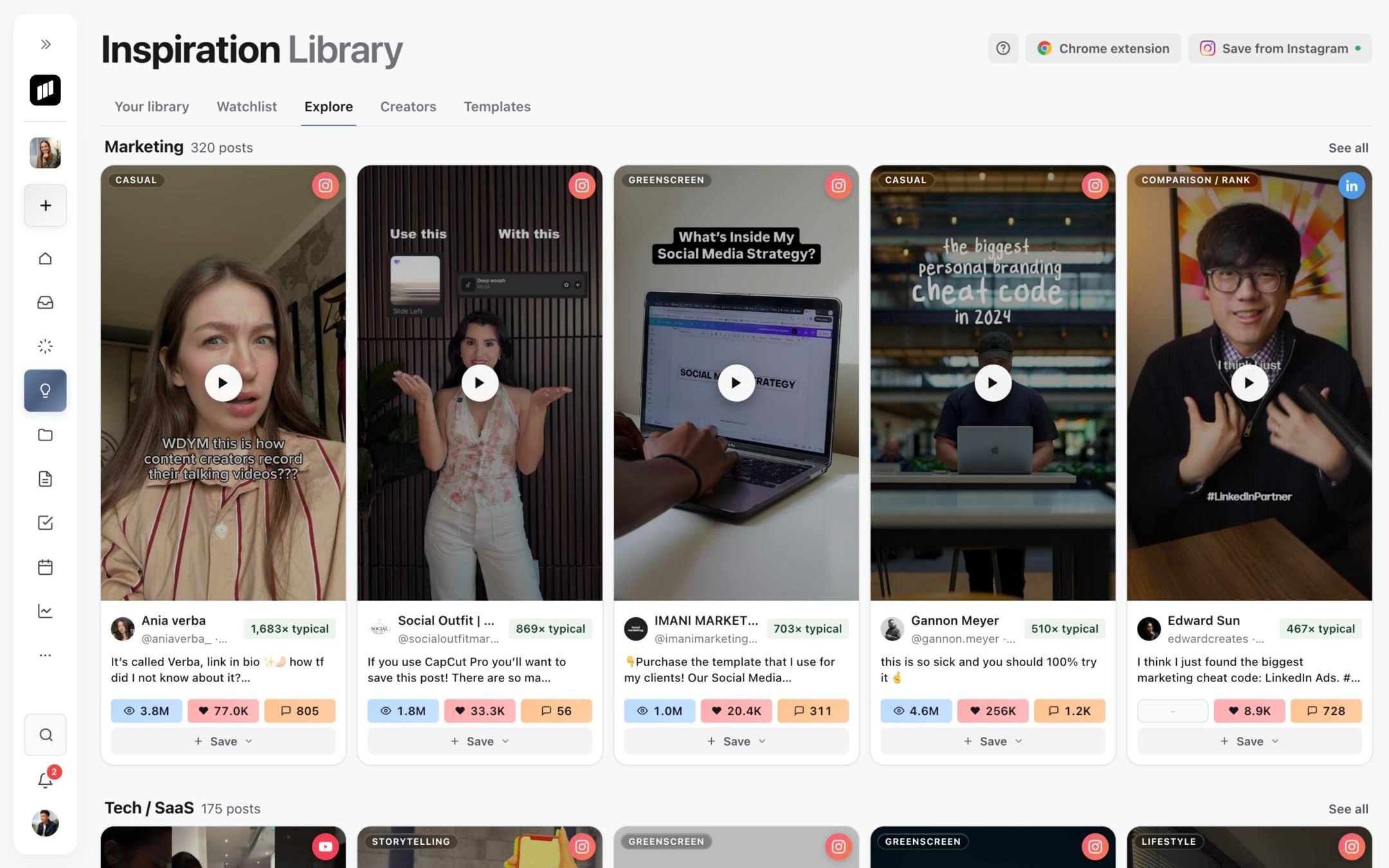
1. Open Explore
2. Narrow the recommendations
3. Search by a useful theme
Read the source labels
Each card shows its platform, a format label such as Talking head or Split screen, and, from 2x up, an outlier score such as 20x typical. The score compares the post with its creator's typical views. See Creators, typical views and outlier scores.
Platforms include Instagram, TikTok, YouTube, LinkedIn, X, Threads, Facebook and Meta Ads. Use Type to separate Reels or Shorts, long-form video and carousels.
Save with a purpose
Save a reference when you can name the useful element, such as the opening contrast, pacing, proof structure or visual treatment. Select Save to add it to Your library, or use the arrow beside it to save straight into a folder. Explore saves do not spend credits on analysis. Open the saved reference in Your library when you are ready to analyse or develop it.
To follow a creator's new posts, add them to your Watchlist.
Was this page helpful?
Need more help with this?