
Your library keeps references saved to the active brand. Search and filters help you return to a useful pattern when you need it.
Search the reference text
Open Inspiration and stay on Your library. Enter a hook, owner, transcript phrase or topic in Search inspiration. Use a distinctive phrase when a broad keyword returns too many cards.
1. Start in Your library
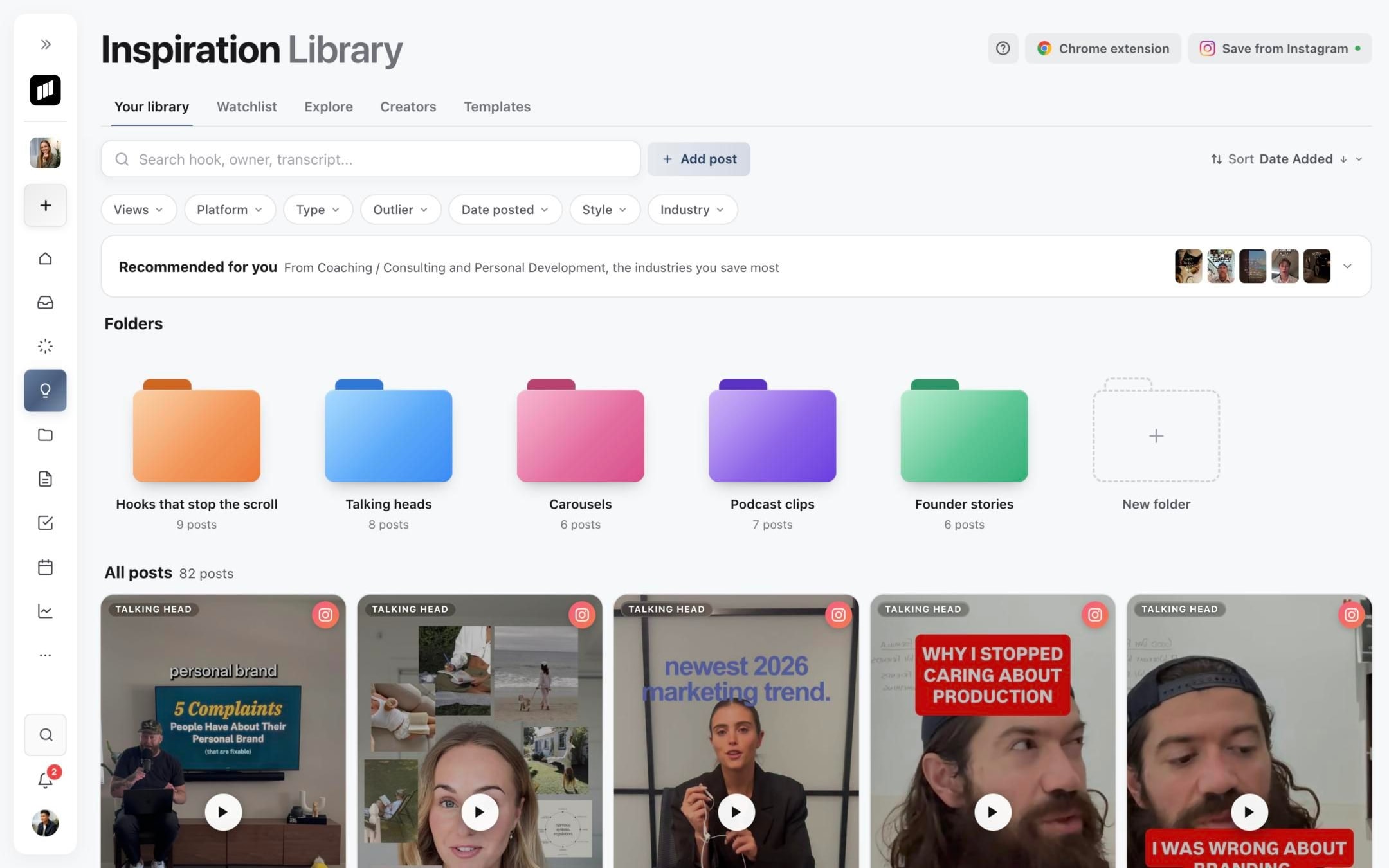
2. Search hooks, owners, or transcripts
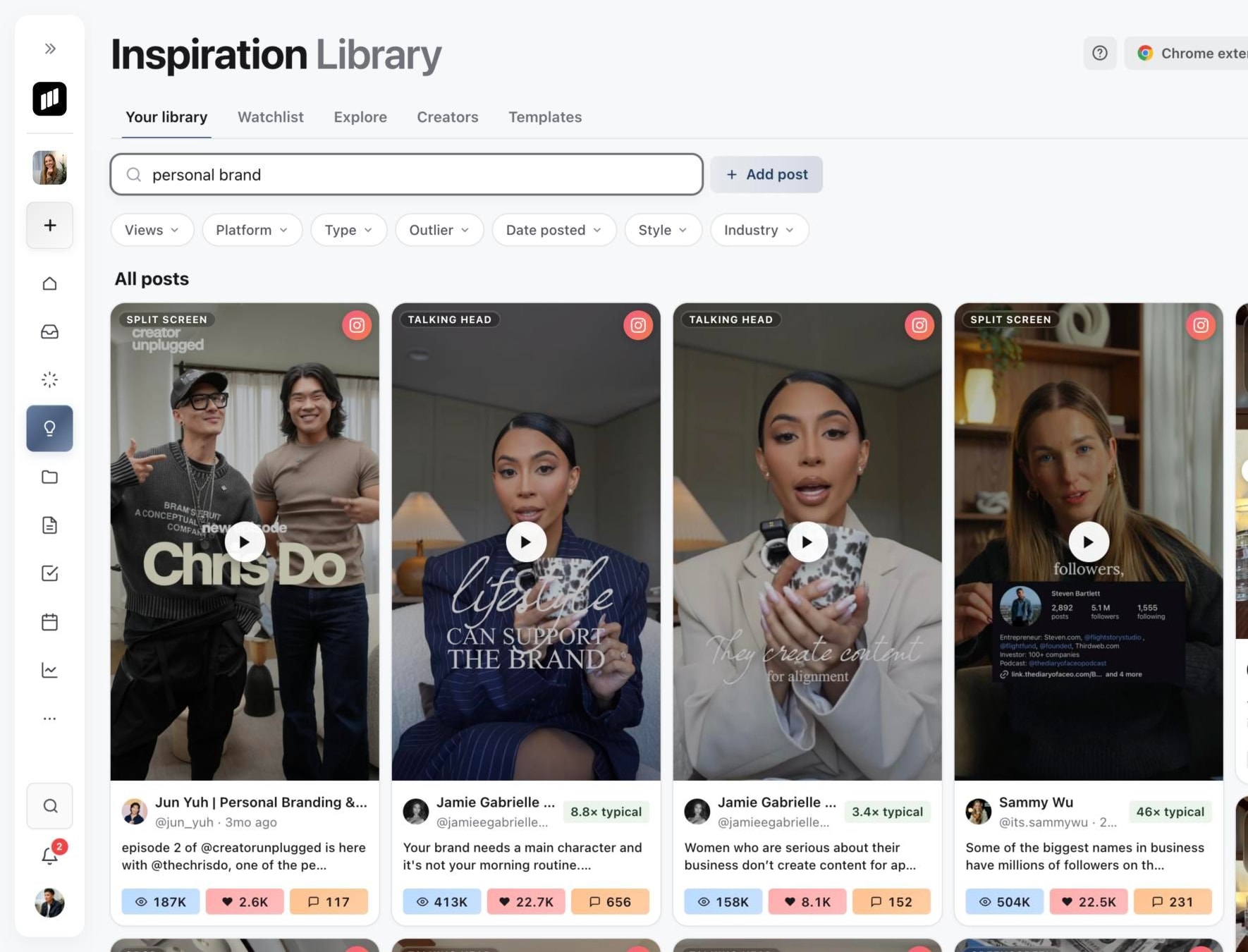
3. Combine search with filters
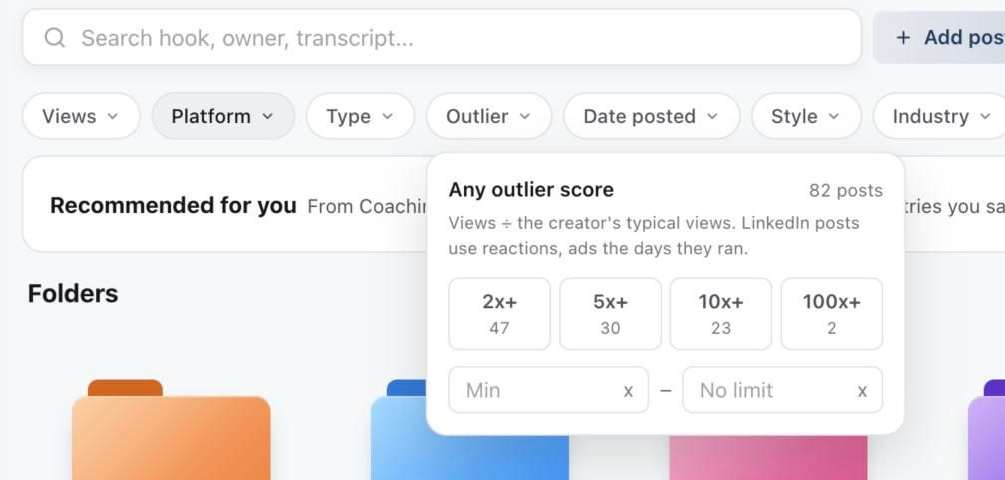
Narrow the results
Use the filter row under search: Views, Platform, Type, Outlier, Date posted, Style and Industry. Each menu shows how many saved posts match. Use Sort to change the order; while you search, results sort by Best match.
Outlier shows posts that beat their creator's typical views, from 2x+ to 100x+, or a range you type. See Creators, typical views and outlier scores.
Filters combine, so an empty result can mean the saved library has no card matching every active choice. Clear search text and filters, then add constraints one at a time.
To keep a set of references together, put them in a folder. See Organise your Inspiration library with folders.
Use the analysis state
An Analysed badge opens the creative breakdown. Retry means analysis failed and can be restarted. A saved reference without analysis is still useful as a visual or source reference, but its structured creative patterns are not yet available.
Was this page helpful?
Need more help with this?