
Connect the Instagram account to the correct Sequence brand. The connection is complete only after the platform authorisation finishes and the intended account returns to Sequence as Active.
Before you start
Instagram must be a Business or Creator account. Personal Instagram accounts cannot publish through the API. Sign in to the exact professional account you want to connect.
Connect the Instagram account
1. Select the workspace and brand that should own this connection.
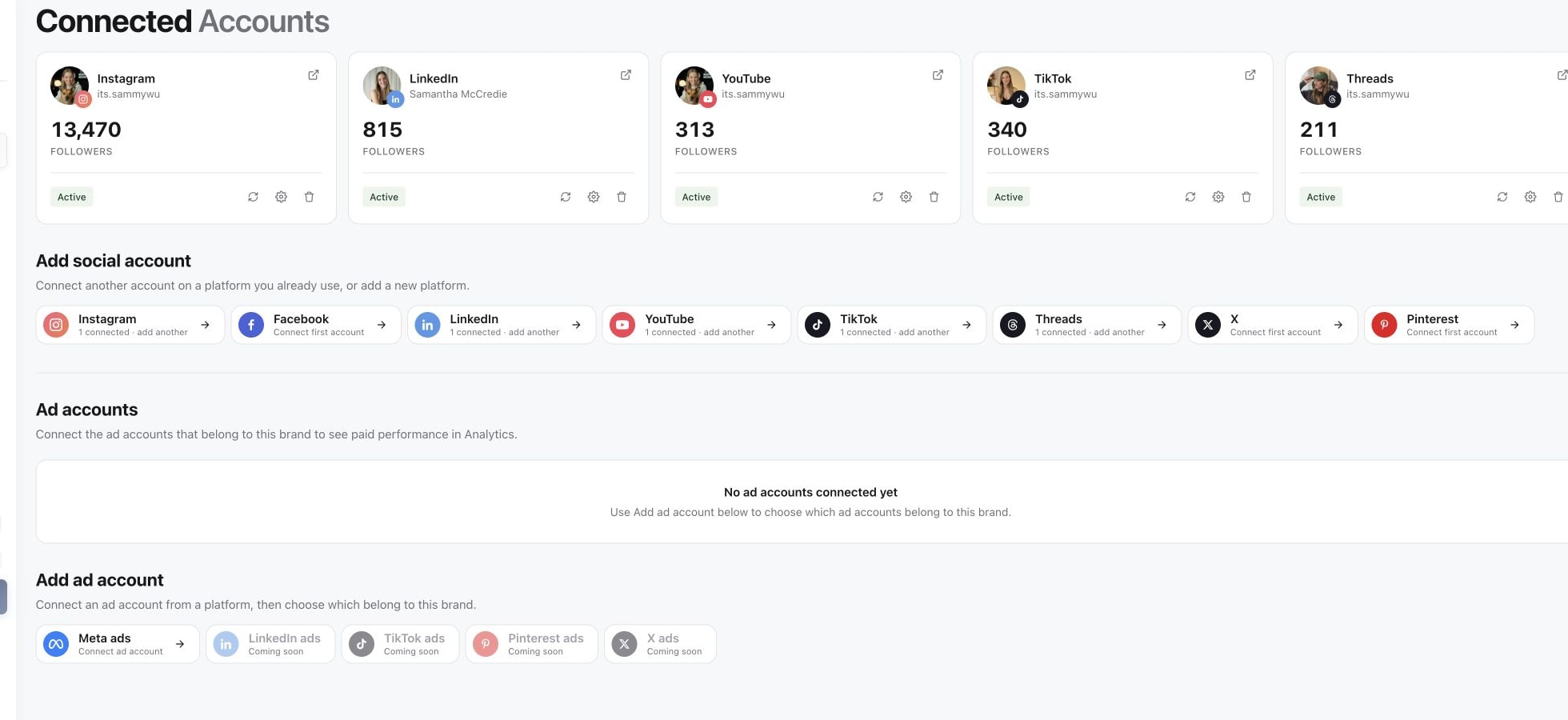
2. Open Accounts in the sidebar. Under Add social account, choose Instagram.
3. Read the connection explanation and select Continue to Instagram.
4. Instagram authorises the professional account directly. Check the username shown by Instagram, approve every requested permission, and finish the authorisation. A Facebook Page is not required for this standard connection flow.
5. Return to Sequence. Under Connected Accounts, confirm that the intended account appears and its connection is Active.
If the Instagram account does not appear
If the account is missing or Instagram reports that it is not eligible, confirm that it is a Business or Creator account and that the browser is signed in to the correct Instagram profile. If an existing connection is missing a feature, reconnect it and approve every permission shown.
If the provider window was closed before authorisation finished, or your browser blocked the pop-up, return to Accounts and start the connection again. If Sequence shows a workspace limit or role message, resolve that message with your workspace administrator before retrying.
Was this page helpful?
Related articles
Need more help with this?