
Choose the format you are making, then the exact accounts that should receive it. Sequence uses both choices to show the relevant publishing controls and check the post before submission.
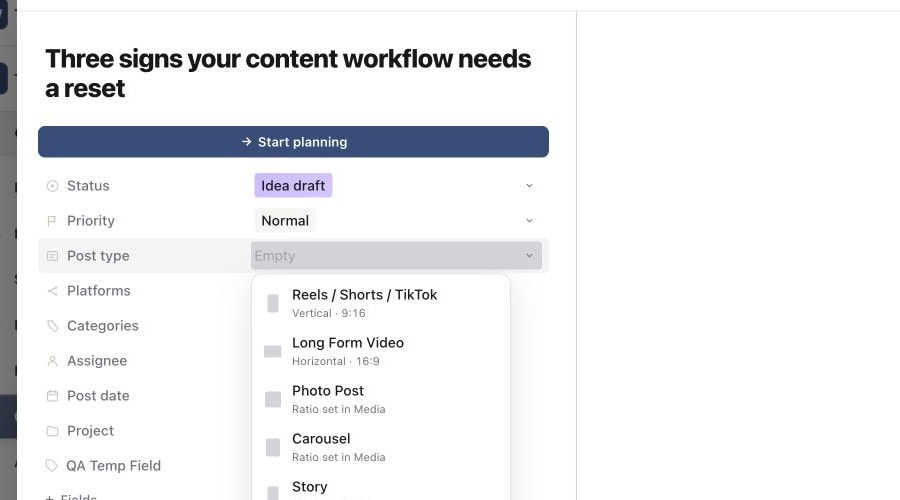
Choose a post type
Open the content piece and select Publish. If a post type has not been chosen, the Choose the post type screen appears first.
1. Choose the content format
2. Select the connected target accounts
3. Fix a missing target in Channels
| Post type | Use it for |
|---|---|
| Reels / Shorts / TikTok | Vertical short-form video, using a 9:16 format. |
| Long Form Video | Horizontal video, using a 16:9 format. |
| Photo Post | A single image; set its ratio in Media. |
| Carousel | Multiple slides; set their ratio in Media. |
| Story | A vertical 9:16 story. |
| Text Only | A post without image or video media on a supporting platform. |
The post type describes the format, not a promise that every connected platform supports it. Account availability and validation depend on the selected type. You can change the choice later through the piece's Post type property; recheck the media and destinations afterwards.
Select the destination accounts
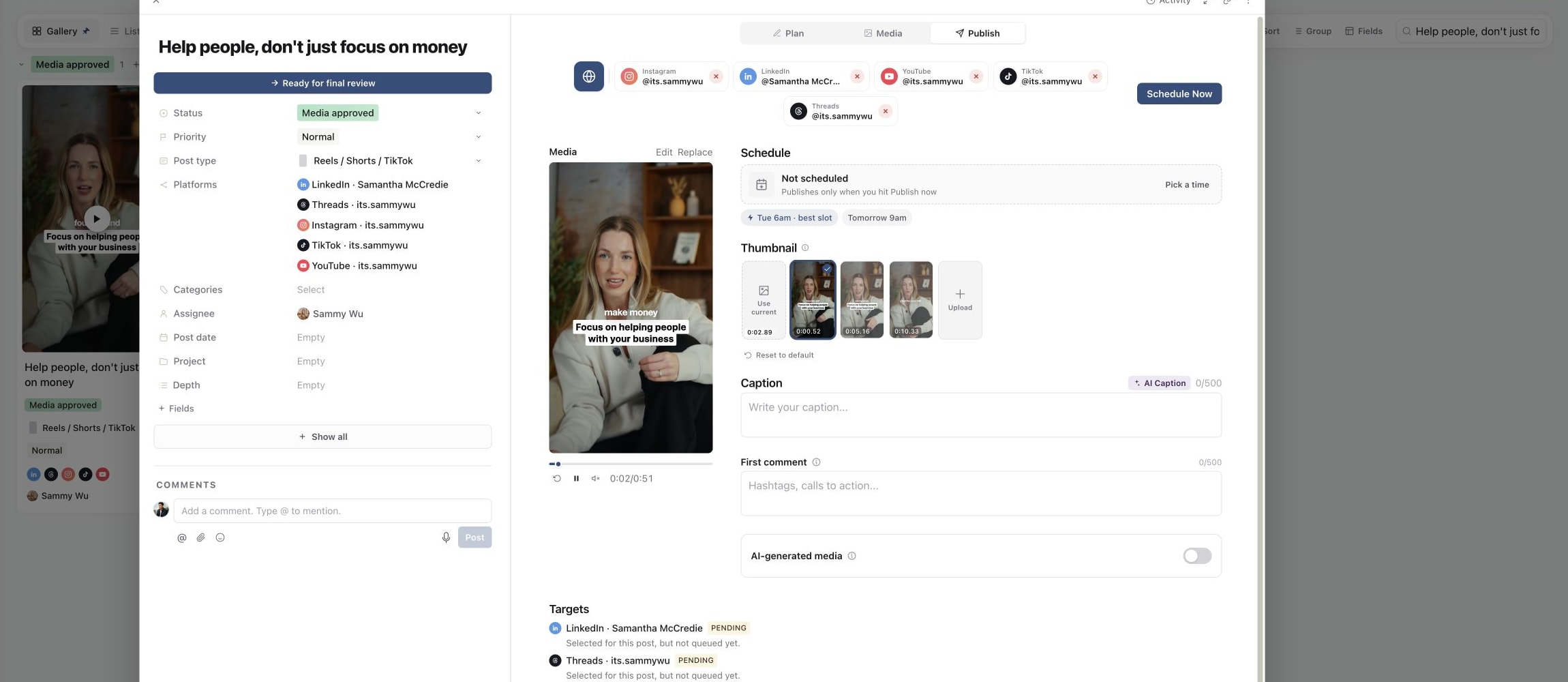
In Publish, select the connected accounts that should receive this post. Read each account's handle or name, particularly when the brand has more than one account on the same platform.
Selecting an unselected account adds it as a destination. Selecting an account that is already included opens its platform-specific view. Use the account's remove control when you want to remove it from the post.
The globe control, All selected accounts, returns to the shared view. Use it for settings shared across the selected destinations, then open individual account views to check any required platform options.
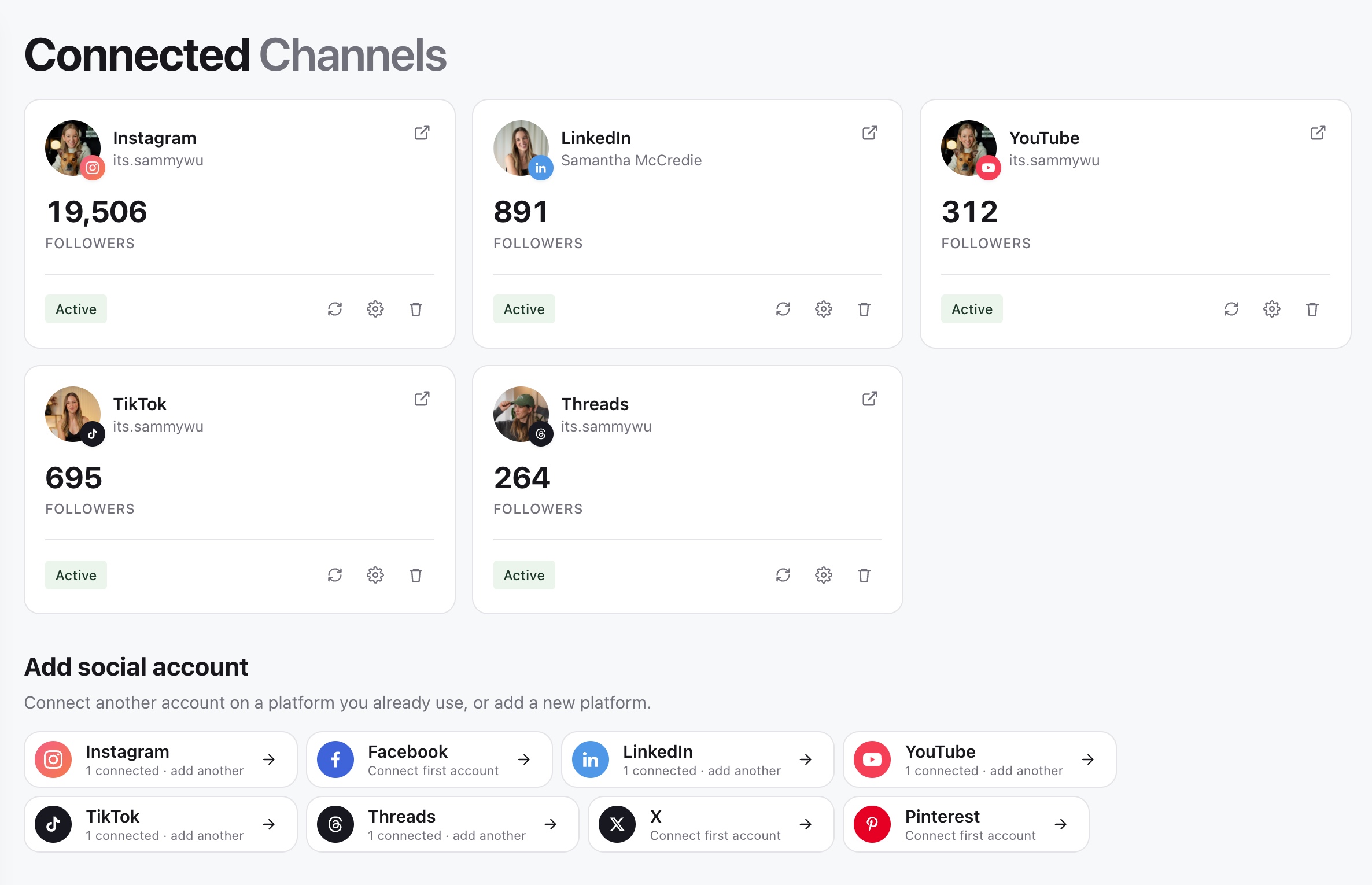
If the account is missing, check the selected brand and connect it through Channels. If it is unavailable for this post type, choose a supported combination rather than adding it through another field and assuming it can publish.
Understand what Pending means
The Targets section lists the selected accounts and their publishing state. Before submission, a target can show Pending with “Selected for this post, but not queued yet.” This means the account is selected; it has not accepted a schedule.
Neither selecting accounts nor adding a post date queues the post. Complete the media, captions and required platform fields, then use Schedule Now and its confirmation.
Check destinations one last time
Before confirming a schedule or immediate publish, compare the account count and names in the confirmation with your intended destinations. One content piece can have a different result on each account, so check the individual targets after submission rather than relying only on the piece's overall status.
Was this page helpful?
Related articles
Need more help with this?