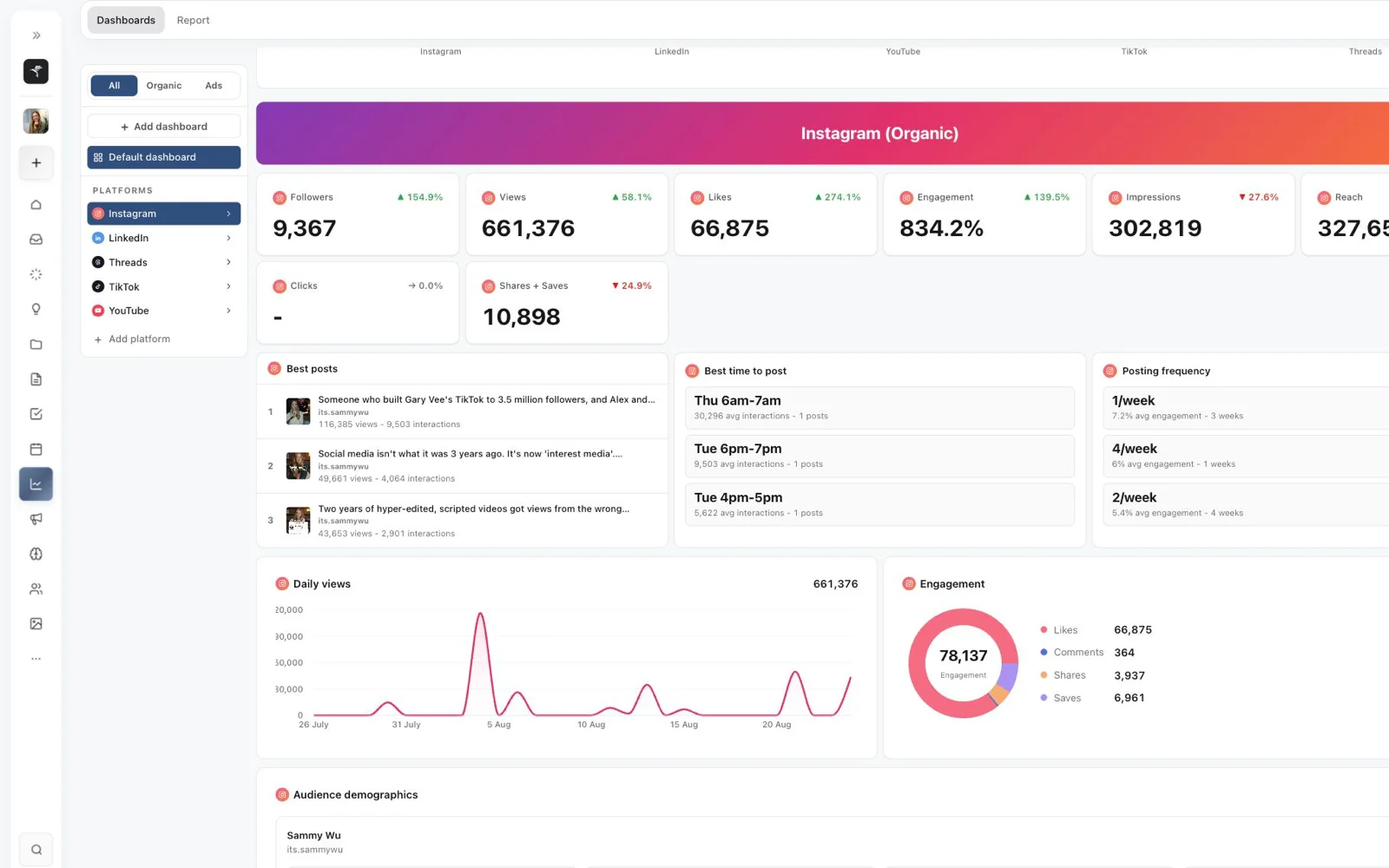
No more bouncing between tools
Planning, approvals and publishing read from the same record. Nothing gets exported, re-uploaded or pasted between tools on the way out.
Research, plan content, write, review, approve, publish and track performance without stitching together a different tool for every step.
No credit card required
Trusted by content teams globally
Planning, approvals and publishing read from the same record. Nothing gets exported, re-uploaded or pasted between tools on the way out.
Clients, editors and teammates work on the post itself, right beside the plan. Approvals are visible at a glance, and nothing goes out on a guess.
Send a post, a project or a report as a link. Choose what it shows, add a passcode and an expiry, and whoever opens it needs no account.
Viewing needs no account. Approving is for invited brand members.
151
Brands supported
2,570+
Pieces of content managed
604
Posts published
Live from the brands running on Sequence.
Inspiration Library
Save the posts worth learning from, read the breakdown of hook, format and transcript, then turn the good ones into drafts without leaving the page.
Replaces
Content Planner
Nobody has to ask what is going out on Thursday. Owner, status, format and date sit on every post, in one table both sides read.
Replaces
Review & Approvals
When someone asks whether a post is cleared, the answer is on the post. Decisions and requested changes live on the content itself, not buried in a thread.
Replaces
Preview & Scheduling
One calendar shows what is drafted, scheduled, blocked and already live, so nothing goes out twice and nothing quietly misses its date.
Replaces
Analytics & Reporting
Make decisions from live results instead of guessing, and schedule the report so it sends itself weekly or monthly to whoever needs to see it.
Replaces
Connect your accounts once. Sequence publishes to each platform from the same plan, no re-uploading.

Skye lives beside every page in Sequence. Ask about your content, draft and rewrite Plans, research the web or talk it through out loud. You approve every change.
Press ⌘J on any page and Skye docks beside it, already knowing what you're looking at.
Draft a Plan from one line, or select a sentence to improve it, shorten it, sharpen the hook or change the tone.
Every change arrives as a proposal, before beside after. Nothing moves until you press Allow.
When an answer needs current information, Skye reads the web and lists its sources under the reply.
Have a hands-free conversation in one of three voices, transcribed as you speak.
Skye writes from your Brand Brain: who the brand is, who it talks to, how it sounds, and what it never says.
Comment-to-DM, welcome messages and email capture for Instagram and Facebook, in the same workspace as your posts. Included in Pro, with no charge per contact.
Someone comments your keyword and gets your link in a DM. New DMs get a welcome message, and Ask for email saves every address to Contacts and sends it on to Zapier or Make.
An inbox, reporting, saved views, Slack, and the small things that save an hour a week.
Reply to Instagram, Facebook, YouTube, X and Threads in one place, with the post's numbers beside the thread. Voice messages and GIFs included.
Live avatars and cursors in the planner, and the plan itself edits together in real time.
Drag and resize tiles, charts, best posts and platform comparisons, for organic, ads or a single platform.
Daily, weekly or monthly to up to ten people. Or publish a live link, or save a PDF.
Sequence learns when each brand's posts perform, and the publish tab offers that slot in one click.
Save any filter, grouping and layout. Keep it personal, share it with a brand, or set the team default.
Route approvals, failures and published posts to the channels that care, then approve, check a post or add to the planner with /sequence.
Press ⌘K for posts, projects, people, settings and actions.
Start every post from your own template. Alt+C creates one.
Eleven signed events, with retries and a delivery history.
Crop, flip and adjust, or fit with a blurred background, per platform.
Boost a published post and manage Meta campaigns beside the content.
Group posts under a campaign with dates, an owner and a share link.
Deleted posts wait 30 days before they are gone for good.
Built for mobile. Add it to your home screen today, with the native app launching in 2027.
Set your brand count and team size to compare the tools, including ManyChat for DM automations, against Sequence.



Launch price · ends 1 November.
 Sequence Pro
$1,123 a month less, or $13,476 a year. Clients join free on Sequence. You pay per brand, with unlimited team members and clients.
Scripts and captions run on the 5,000 AI credits included with each brand every month. We kept Slack, so it's left out of both sums: Sequence sends approval requests and publishing alerts into it.
USD · Monthly billing. Vendor USD list prices checked 7 October 2026. Sequence launch pricing ends 1 November 2026.
ManyChat assumes one Pro account per brand, with up to 3 users and 2,500 active contacts per account each month. The stack total excludes extra access for your whole team on every ManyChat account. Contact overages and tax are excluded. DM Flows in Sequence cover Instagram and Facebook and are included in Pro, in beta. ManyChat also supports other channels and broadcasts.
One Pro plan, priced per brand on falling bands, with unlimited team members. Growing the roster grows the margin.
See pricingWhat that brand adds to your monthly bill, in USD.
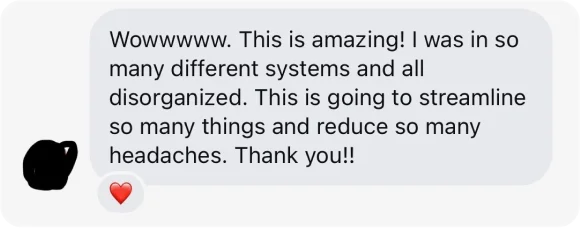
Real reviews and messages, exactly as they came in.
![Direct message (names redacted): Hi Sammy, it’s [redacted]! I’m [redacted]. I just wanted to say.. (and excuse my language and advance), But what a f😘king product you guys have created. I’ve only just been playing around this morning but it literally is all the shit house problems I’ve been facing with Poppy, Rella or with notion just resolved into one platform. ❤️](https://content.sequencesocial.com/site/responsive/v1/3b47c540c75de1bd81195142/595.webp)
100% worth it
I don't normally post reviews like this, but I manage over 500 pieces of content every single month and this platform is the best one I've ever used.
I used to plan everything and collaborate with clients in Notion and then have to move it all into a scheduler. I've tried all the big scheduling platforms, but I've never really loved any of them.
This platform meant I got rid of Notion and my scheduler, and I can even do all the media reviews with clients in one place. It's super simple to use and all my clients have found it easier to navigate aswell.
If you're managing a lot of content and want a clean, easy-to-use platform that can handle the whole content workflow and publishing process, this is 100% worth it.
Sam
Australia

THIS APP COOKED!!!
Managing my content across socials feels so much easier now. I didn't even realize I needed it until I tried, and now I'm hooked.
Harper
Philippines
Great to have everything in one
Great to have everything in one. Team are super responsive to feedback. Has improved our operations.
Shaun Cunningham
Australia
We were early adopters of sequence social
We were early adopters of sequence social. This software is category leading for social media management. My team have gained great efficiencies at a great price. It’s replaced a bunch of apps and brought them into one ripping package. The team behind it are super stars too. Highly recommend.
Mark Kevin
Australia
What an amazing platform
What an amazing platform. It has streamlined our day to day work and given our clients an incredible experience.
And the customer service is top tier. The platform is very new and has had some minor (and I mean minor) bugs but the response time is less than minutes and the fix feels just as quick.
If you’re looking for a platform to streamline your business or even just your personal pages, I would highly recommend this one.
Tahlia Hadfield
Australia
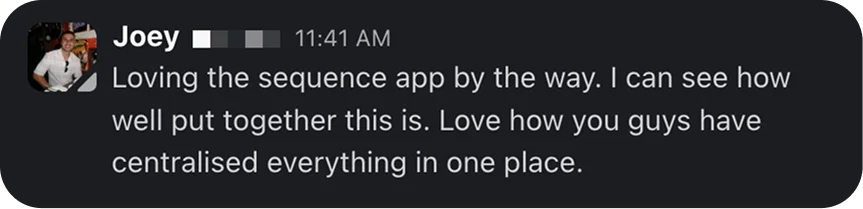
If you manage and create content, use Sequence!
Sequence is honestly amazing! The way that the software has been built is very well thought out. As someone who plans, scripts and post content, it makes the whole content creation process so easy. I used to use google docs to plan out my videos but it was very messy.
Sequence helps you to streamline the whole process and even allows you to post to multiple different platforms at once so you don't have to manually upload it every time.
Would definitely recommend to anyone who wants a better way to create and publish content!
Jeremy
Australia
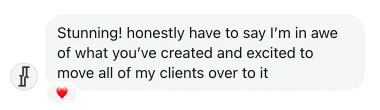
Great app
Great app! Cutdown my workflow significantly and super user friendly! Highly recommend
Angela Zhou
Australia

The all in one content software
Being in the content creation space, this software has solved my biggest issue of having to use so many different softwares in my workflow whether that be scripting or content delivery. Now, I can ideate, script, revise videos, and post videos all in one platform!
Josh Parkes
Australia

I genuinely haven’t felt this excited...
I genuinely haven’t felt this excited about a software or new tech for quite some time now 👥
For what I’ve been able to do with Sequence..., freaking solves so many of the messy problems creatives and the content teams deal with every day.
- Can finally operate stress-free and not paying at least $100 dollars on other subscriptions for content management,distribution, organization, planning... it´s everything in there, on my own dashboard!
(Loved Sequence far more than when I tried Notion the first time ... that’s... quite the deal team!)
You made me want to create more and keep building the brand... can’t thank you enough for that! 🫡
Creativ Studios
Mexico

What an incredible app
What an incredible app! It is just so good to see and manage everything to do with ads and organic in the one place and it’s so easy to use!!
Steven Gorgis
Australia
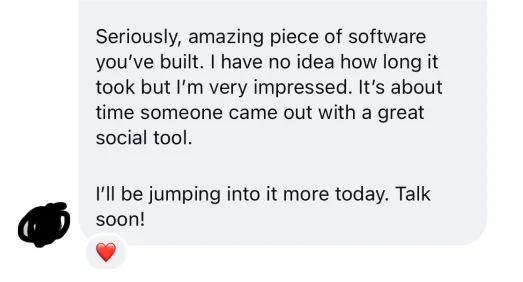
I had an awesome experience using it
I had an awesome experience using it! Seamlessly organised, great customisability, cool interface. Literally I'd give it 5 stars for every aspect of it.
Vincent Capalit
Philippines
Amazing platform
Amazing platform. It has completely transformed the way our company runs socials. Buy it and try it!!
Francesca Hayes
Australia

Sequence is social content operations software for agencies, social teams, and their clients. We built it so planning, media review, client approval, publishing, inbox, and analytics live in one shared workspace, and a post keeps its context from first idea to published result.
Sequence is for agencies, in-house social teams, and the clients who approve their work. Your team runs the operation across every brand, your clients review and approve posts, and everyone sees only what they should.
Sequence replaces the patchwork most social teams run on: Notion, Airtable, or Google Sheets for the plan, feedback scattered across chat threads and email, Frame.io or a shared drive for video review, Buffer, Hootsuite, Planable, or Sprout Social for scheduling, ChatGPT for captions, and ManyChat for comment-to-DM, story replies and keyword DM automations on Instagram and Facebook. DM Flows are included in Pro, in beta. ManyChat still covers channels such as WhatsApp, TikTok and SMS, plus broadcasts. We wanted the plan, the approval, and the result on the same post, so it all lives in one workspace. If your team runs on Slack, keep it: Sequence sends approvals and publishing alerts there.
Yes. Sequence covers planning, media review, client approval, publishing, inbox, and analytics on the same post, where those tools each focus on part of that workflow. We've written a fair comparison for each, including where the other tool is the better fit: Buffer, Hootsuite, Sprout Social, Planable, Later, Sendible, and SocialPilot.
Yes. Free Forever costs nothing and needs no card. It includes one brand, one team member, one connected account, 250 AI credits a month, 5 scheduled posts, and the core planning, publishing, media review, organic analytics, inspiration, AI and import tools.
Sequence has two plans: Free at $0 USD for one brand, and Pro from $29 USD a month, priced by how many brands you run. The more brands you add, the less you pay per brand, and paying yearly gets you two months free.
In Sequence, approvals happen on the post itself, not in a separate email thread. Each post moves through draft, internal review, client review, changes requested, approved, scheduled, and published, and your approvers can sign off one post at a time or a whole batch at once.
Yes. One Sequence workspace holds all your brands or clients, each with its own social accounts, content, approvals, and analytics. Pro is priced by how many brands you run, from one to a hundred, and the per-brand rate drops as you grow. Adding a brand simply changes your price, with no separate add-on to buy.
Skye is the AI assistant built into Sequence: it opens beside every page, answers questions about your pipeline, posts and analytics, drafts and rewrites Plans, researches the web with sources, and creates images for a post. Nothing Skye proposes changes until you press Allow, and anything it drafts goes through the same review and client approval as every post your team writes.
Bring one brand in on the free plan and run a week through it. Planning, review, publishing, results. If it does not beat what you have now, you have lost an afternoon.
 Apify
Apify Claude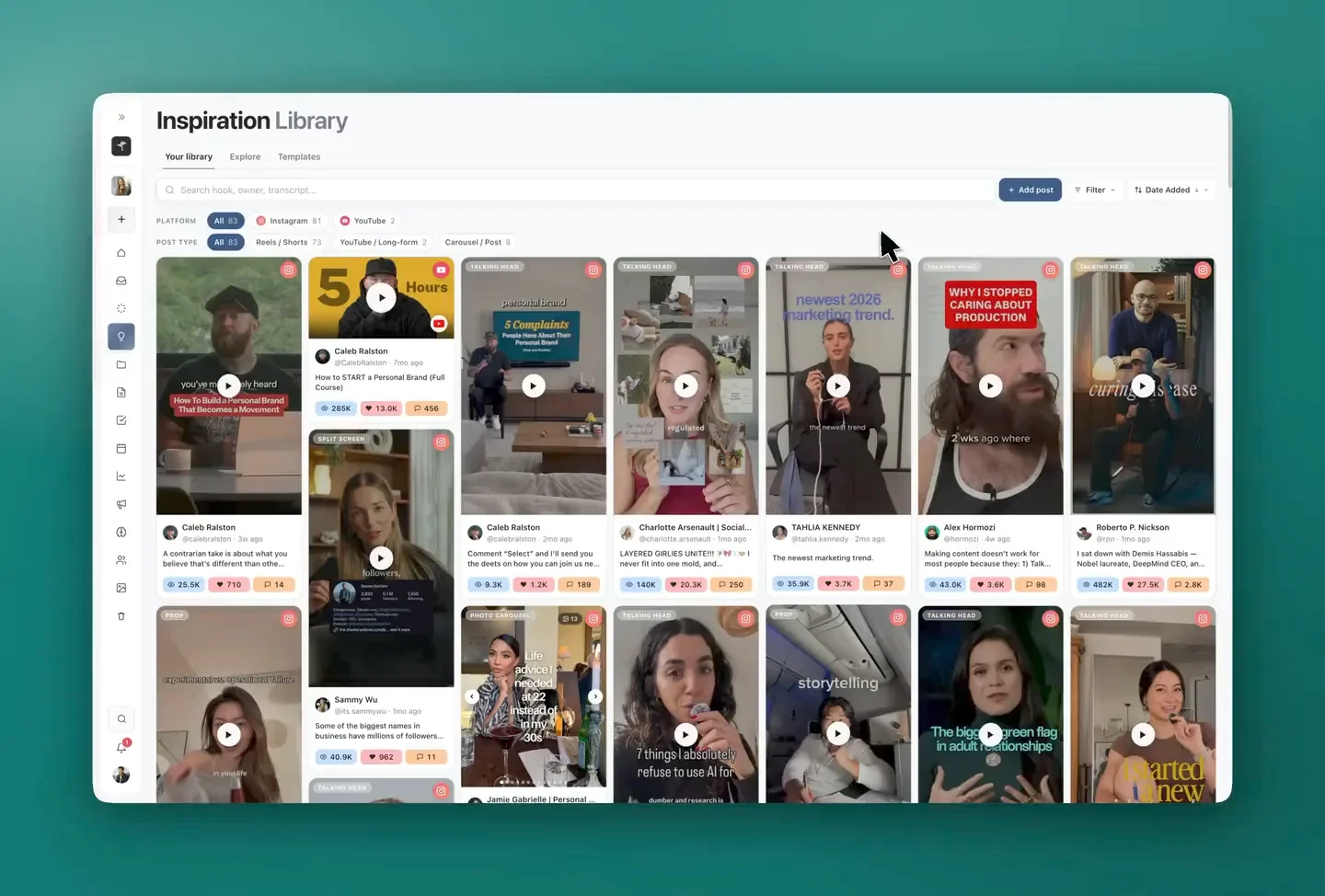
 Trello
 monday.com
 Google Sheets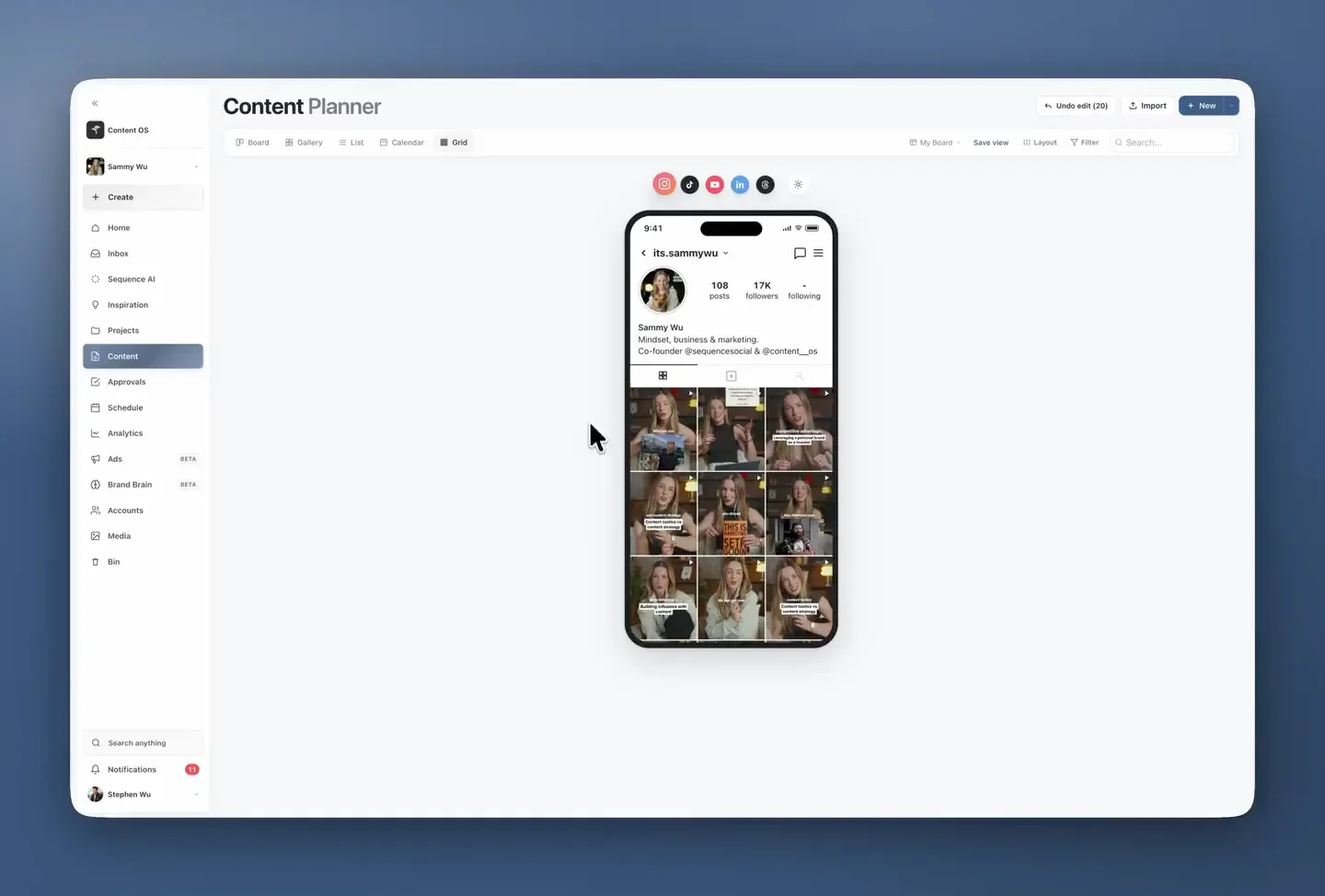
 Dropbox
 Google Drive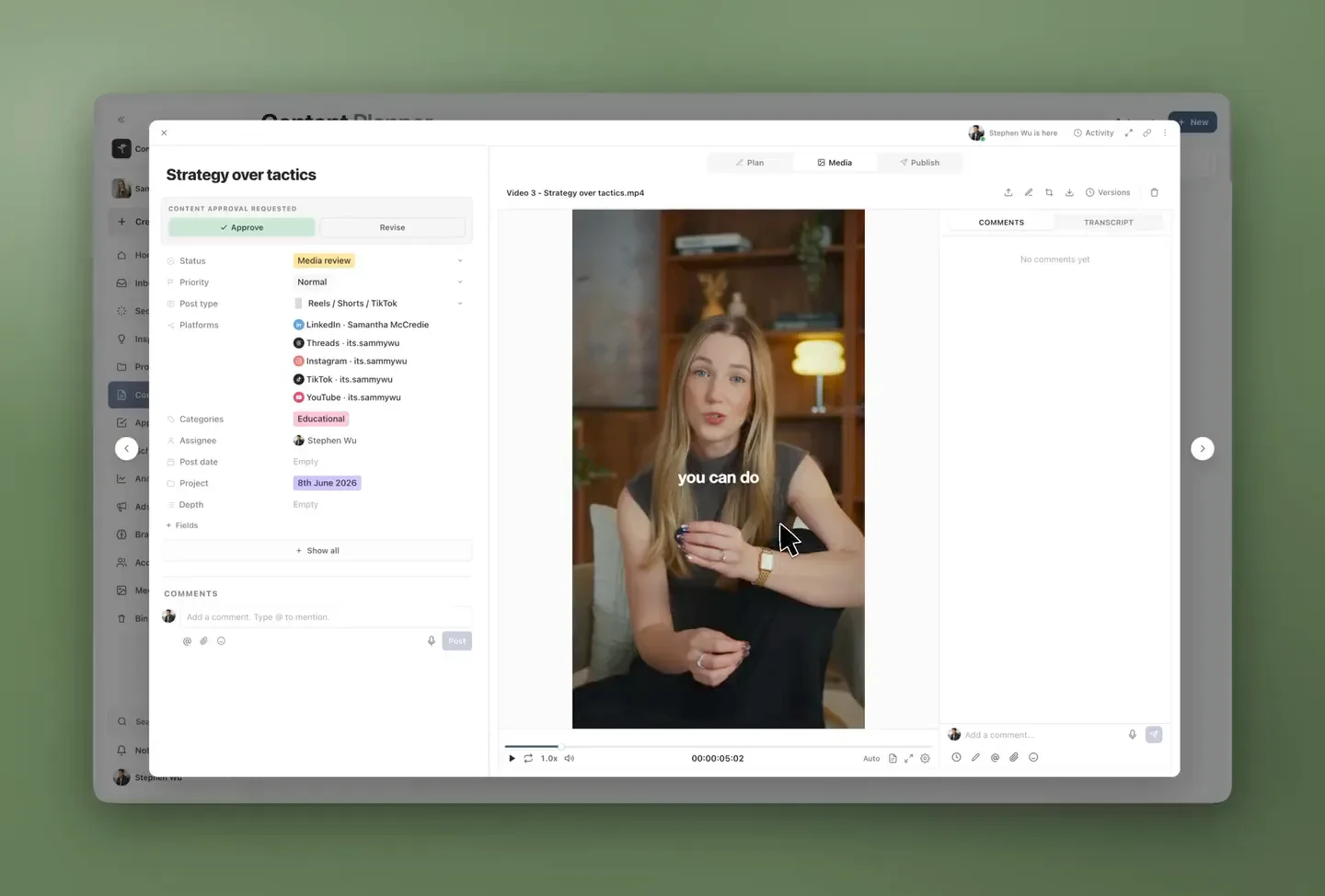
 Buffer
 Hootsuite
 Planable
 Sprout Social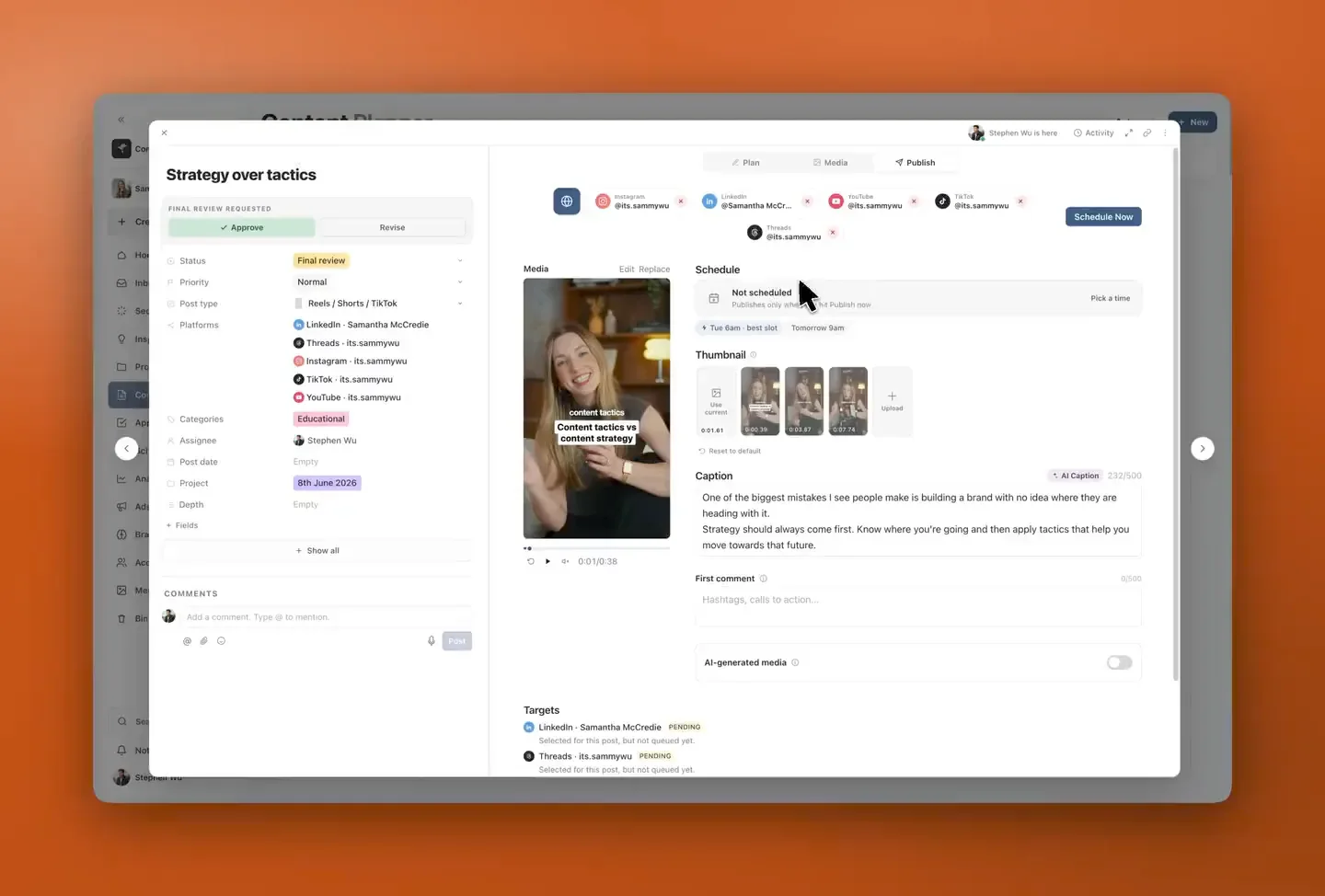
 Google Analytics
 AgencyAnalytics