
Meet Skye, your personal
content assistant.
Skye lives beside every page in Sequence. Ask about your content, draft and rewrite Plans, research the web or talk it through out loud. You approve every change.
Beside every page.
Press ⌘J, or the round Skye button in the corner, and Skye docks beside whatever you're working on. The page stays usable, and Skye already knows what's on it. It works inside the brand you have open, and only sees what you can see.
- Open it
- the Skye button, ⌘J (Ctrl+J on Windows), or Ask Skye in Search anything
- Knows the page
- a Currently viewing chip you can remove with ×
- Suggests
- On this page questions that change with the page
- Your layout
- drag the panel wider, or tuck it into the sidebar
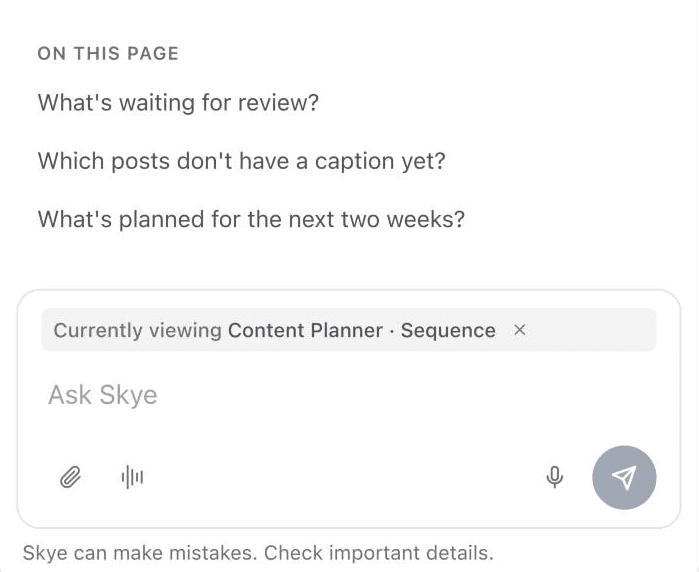
Ask about your content.
What's waiting for review? Which posts still need a caption? What performed best last month? Skye reads your pipeline, posts, saved inspiration, brand voice and analytics, and answers from what's actually there.
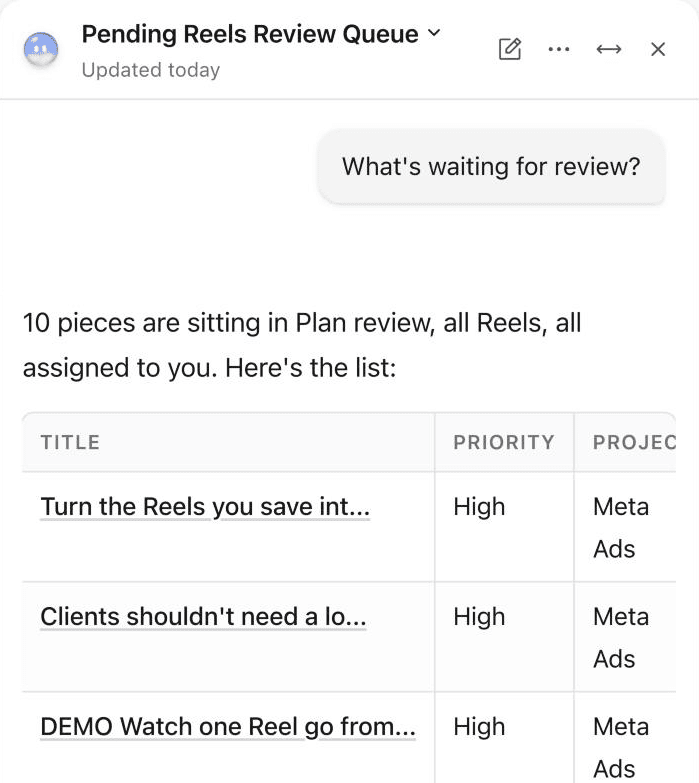
Writes your Plans.
Sharpen a Plan a sentence at a time, start one from a single line, or turn something you saved into a draft.
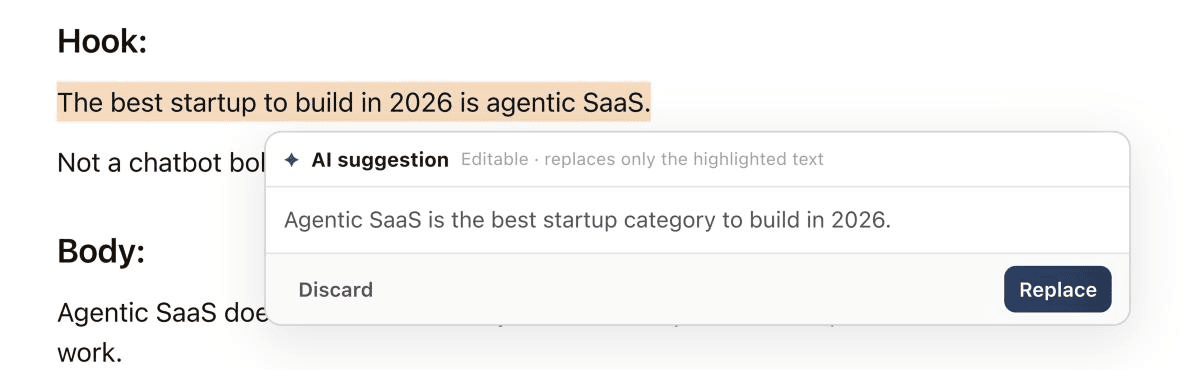
Improve any line
Select text and choose Improve, Shorten, Stronger hook or a Tone, or write your own instruction. Edit the suggestion, then Replace or Discard.
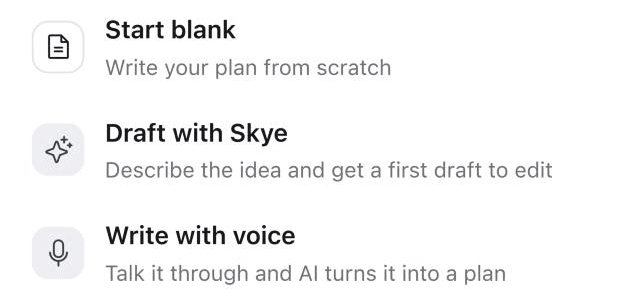
Draft with Skye
On an empty Plan, Draft with Skye opens the panel with the prompt already started. Describe the idea and get a first draft to edit.
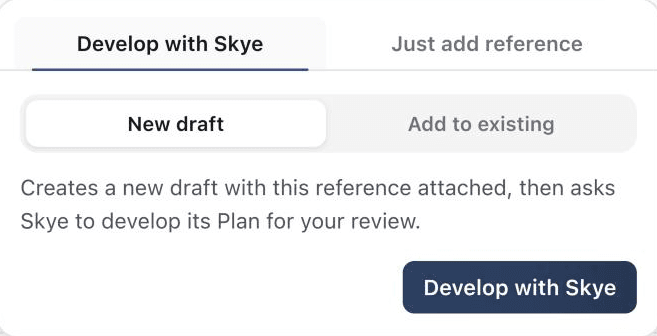
Develop with Skye
Turn a saved Inspiration reference, or a template, into a draft Plan for your review.
You approve every change.
Skye never edits your work on its own. Every change arrives as a proposal headed Skye wants to, and nothing moves until you press Allow.
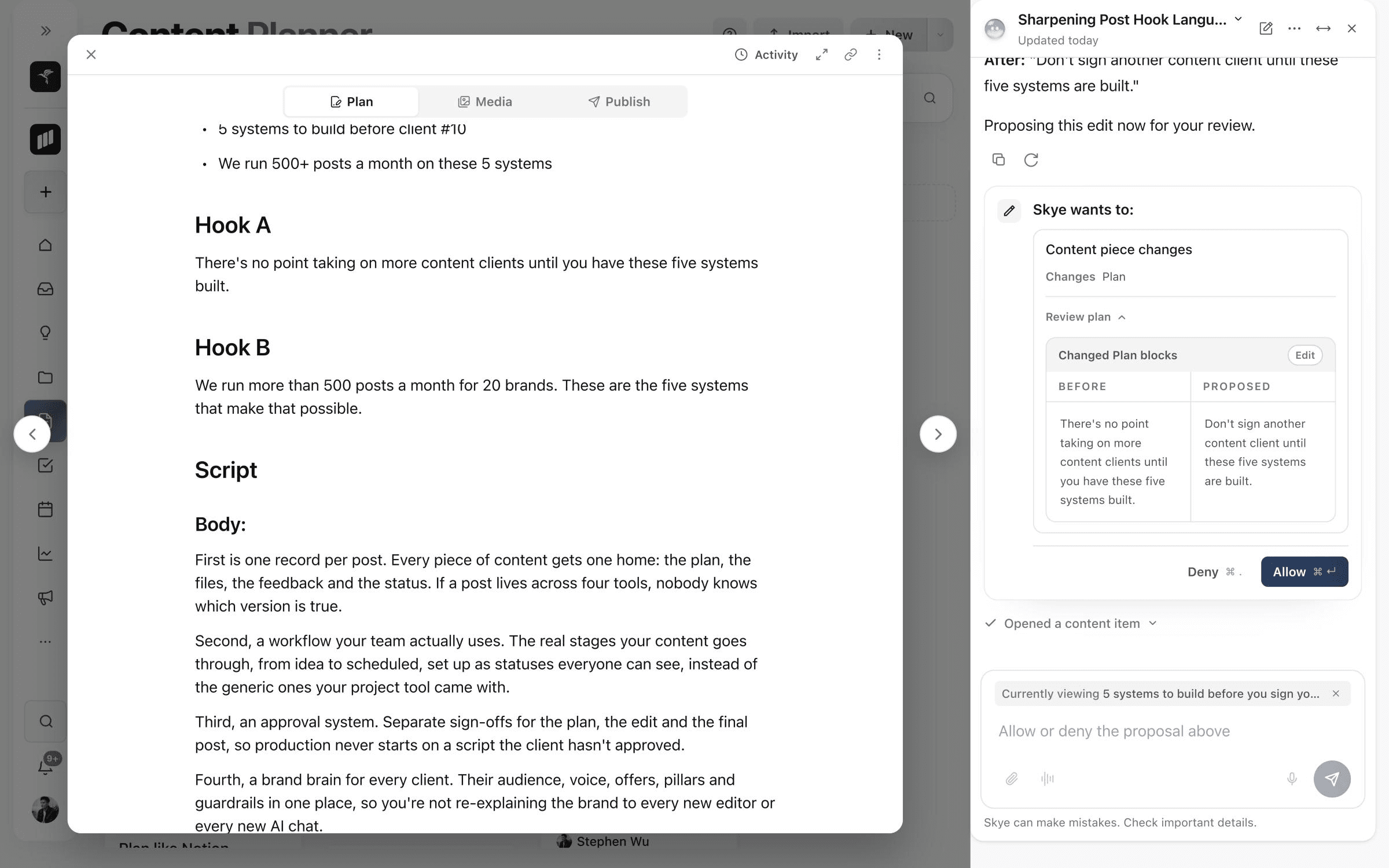
Before and Proposed
Plan changes show the block as it is beside the version Skye wants, so you see exactly what moves.
Allow or Deny
Decide in the panel, or from the keyboard with ⌘↵ to allow and ⌘. to deny.
Time to decide
Plan and image proposals stay open for 24 hours. Everything else waits 10 minutes.
Researches the web.
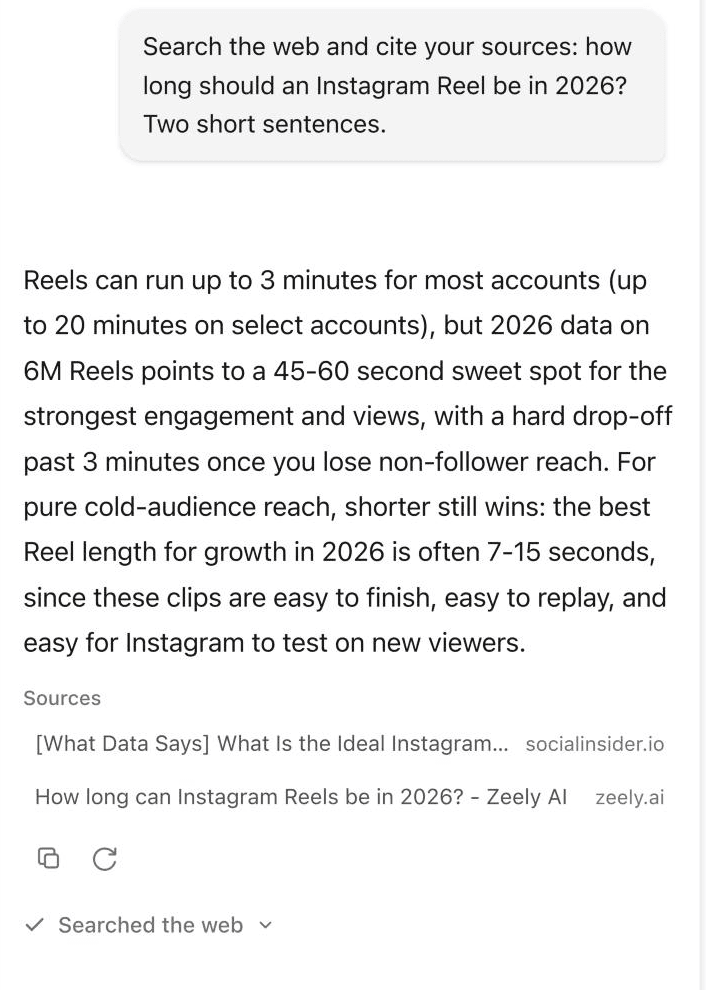
When an answer needs current information, Skye searches the web and reads the pages, then lists its sources under the reply. The sources stay with the chat, so you can check them later.
- Each message
- up to three searches and three page reads
- Sources
- the page title and site, under the reply
- Read, not obeyed
- web pages are reference material, never instructions
Talk it through.
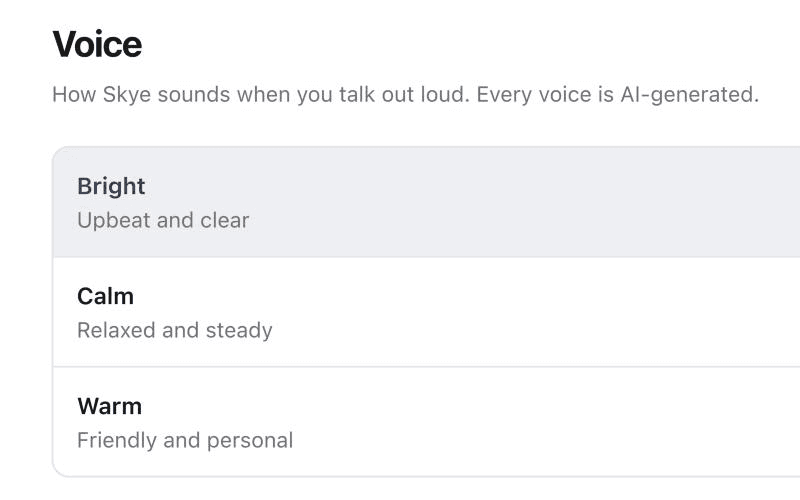
Start Talk with Skye for a hands-free conversation. Skye transcribes you as you speak and answers out loud. Talk over Skye to cut in, in supported browsers, or press Interrupt.
- Three voices
- Bright, Calm or Warm, all AI-generated
- Dictation
- a separate button turns one spoken message into text
- Credits
- voice adds nothing beyond the messages themselves
Pick your sky.
Skye comes in eight skies. Choose yours in Settings, under Skye.
- Daybreak
- Clear day
- Golden hour
- Cotton candy
- Dusk
- Midnight
- Aurora
- Overcast
Good to know.
Attach files
Add JPG, PNG, WebP, PDF or DOCX files to a message: up to five files, 10 MB each and 25 MB in total.
Runs on AI credits
A Skye message uses 20, 40 or 80 credits, depending on how much it reads. Free includes 250 AI credits a month, and Pro includes 5,000 per brand.
Makes images
Skye can create images for a post once you allow it, for 120 credits. They're saved in the chat rather than added to Media.
Learn Skye step by step
Short guides in the Help Centre, written from the product itself.
Frequently asked questions
What is Skye?
Skye is the AI assistant built into Sequence, your personal content assistant. It opens beside every page, knows what you're looking at, and helps you ask about your content, write Plans and research, inside the brand you have open.
Is Skye the same as Sequence AI?
Yes. Sequence AI was renamed Skye on 4 October 2026 and moved from its own page into a panel that docks beside every page. Read the launch notes.
Can Skye change my content without asking?
No. Every change Skye wants to make arrives as a proposal, and nothing changes until you press Allow. Plan and image proposals stay open for 24 hours, and all others for 10 minutes.
What can Skye see?
Skye works inside the brand you have open, and only within your access. It knows the page you're on through the Currently viewing chip above the message box, which you can remove with × to leave that page out.
Does Skye search the web?
Yes, when an answer needs current information. Skye can run up to three searches and read up to three pages per message, then lists its sources under the reply, and treats what it reads as reference material, never as instructions.
How much does Skye cost?
Skye is included on every plan and runs on your AI credits. A message uses 20, 40 or 80 credits depending on how much it reads, voice adds nothing extra, and Free includes 250 AI credits a month while Pro includes 5,000 per brand. See pricing.
Put Skye to work on your brand.
Free includes 250 AI credits a month and needs no card. Open any page and press ⌘J.