
Approve the plan
Review the idea, brief and script together. Agree on what you’re making before production starts.
Plan approvedGive clients a clear place to review the plan, leave feedback on the creative and approve the finished post. Every comment, revision and decision stays with the work.
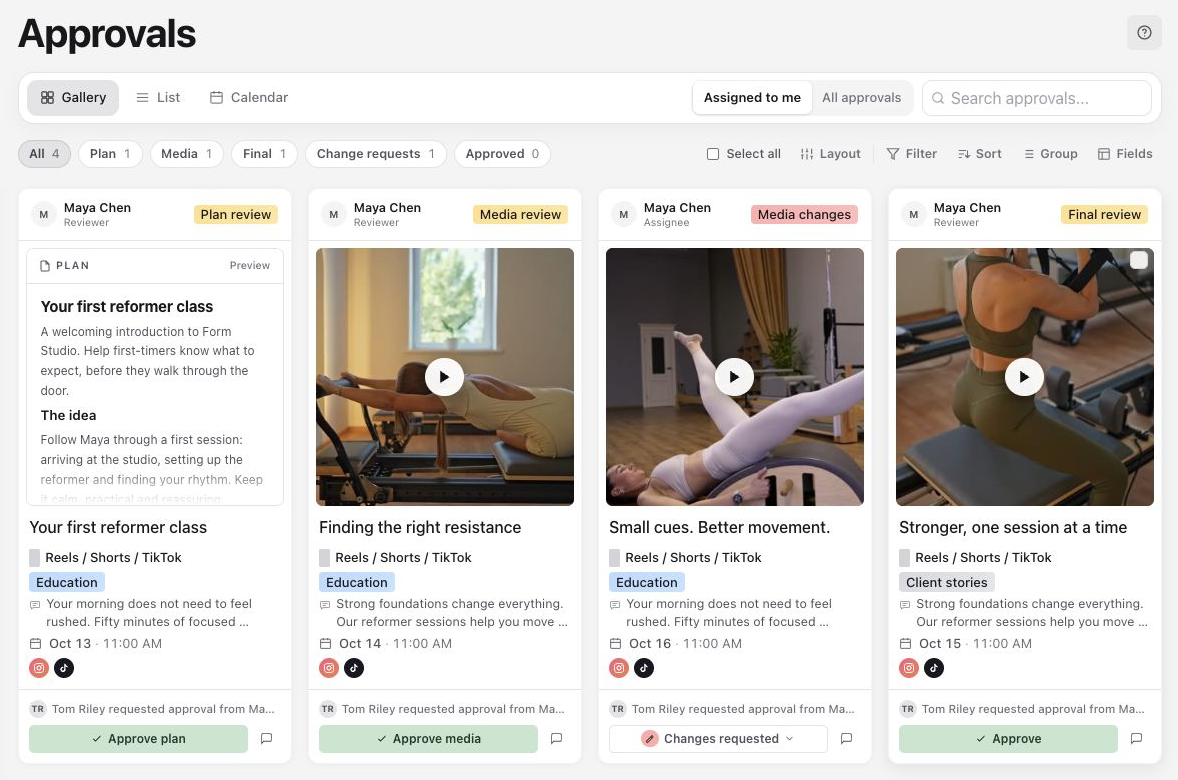
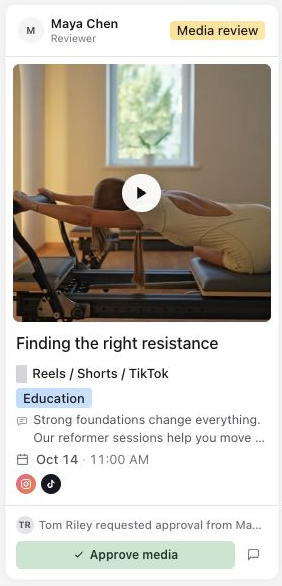
Get the direction agreed before filming. Sign off the edit before preparing the post. Use the review stages your team needs, with a clear decision at each handoff.
Review the idea, brief and script together. Agree on what you’re making before production starts.
Plan approvedWatch the cut, check the carousel and leave precise feedback. Approve the media when the edit is ready.
Media approvedCheck the final caption, creative and destinations together. Give the publisher a clear go-ahead.
Ready to postFinal approval makes the post ready. You still choose when to publish.
Explore the approval workflowSend one post or a whole batch to a named reviewer. Their Assigned to me queue brings the requests together, with Plan, Media and Final filters to keep the next decision clear.
Scan the creative in Gallery, compare posts in List or check the timing in Calendar. Open any post to review the work in context.
Take a closer look at Approvals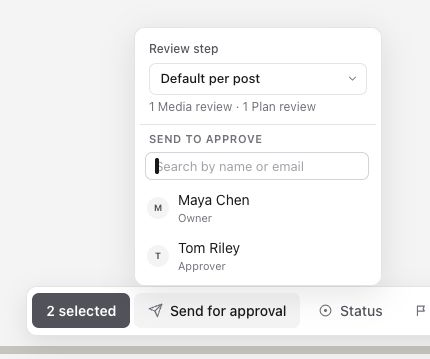
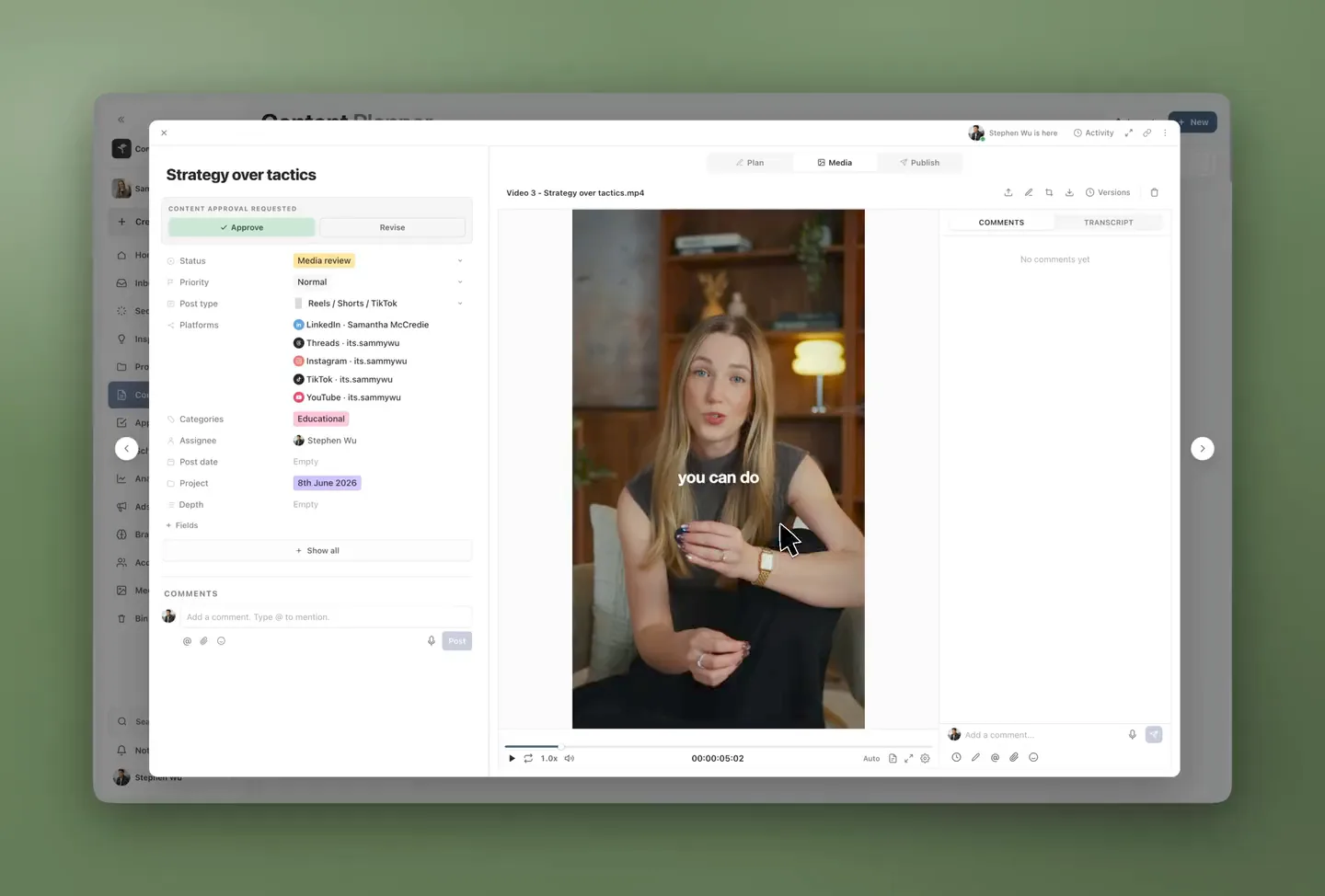
Keep the discussion beside the work. Your editor can see the exact moment, detail or line you mean.
Work through the details with your team, then keep the client conversation focused. Public and Private comments live on the same content, with a clear audience for each.
Private comments stay with your workspace team and anyone you explicitly give Private comments access.
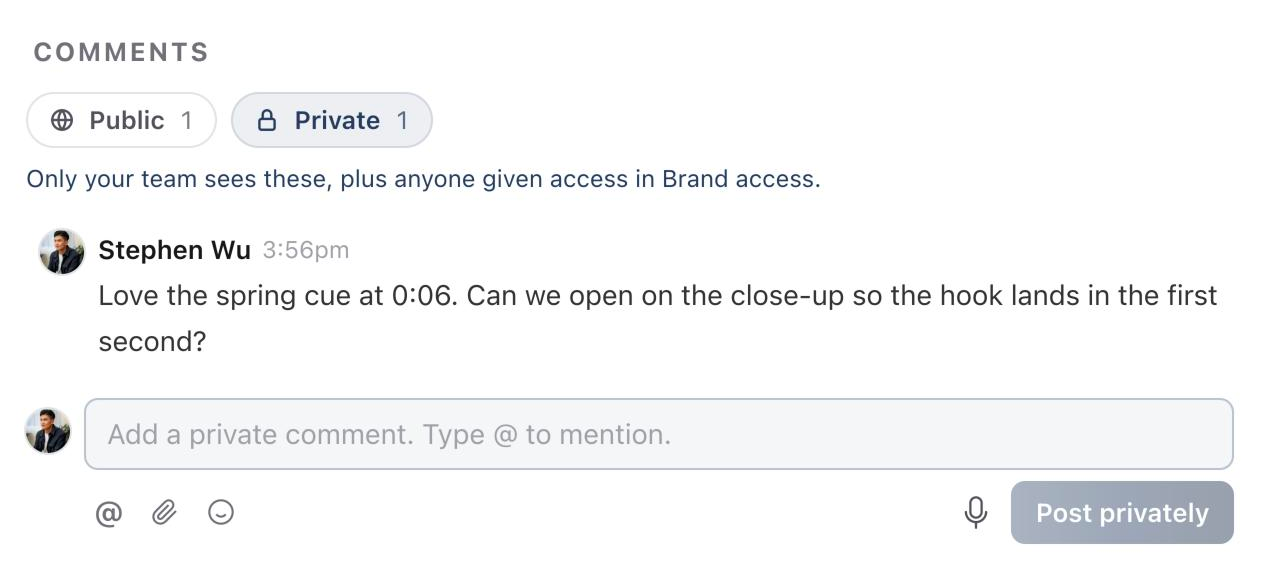
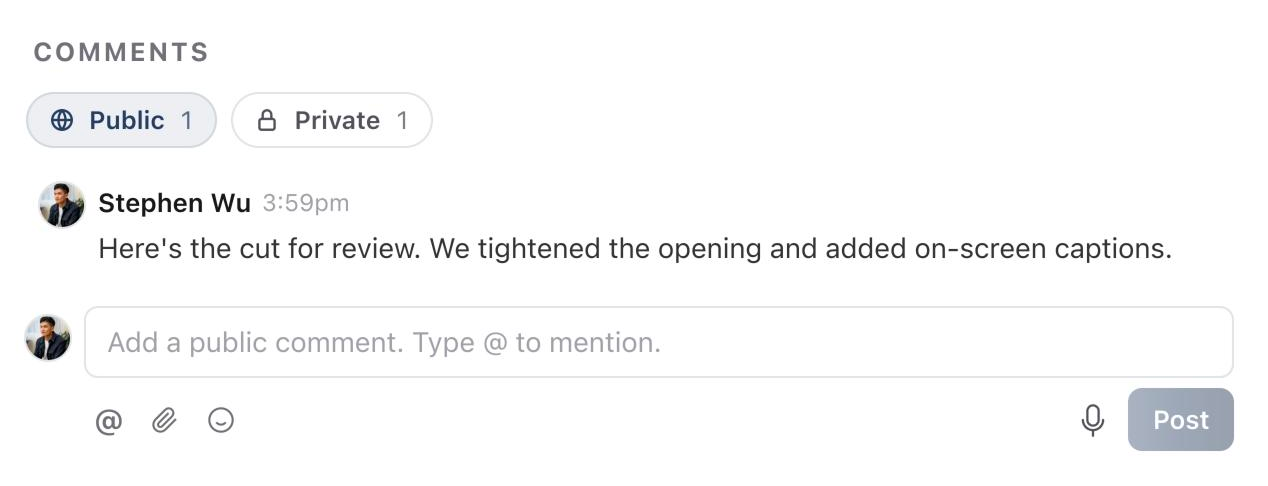
Public comments are visible to people with brand access, so your client can follow the discussion and respond.
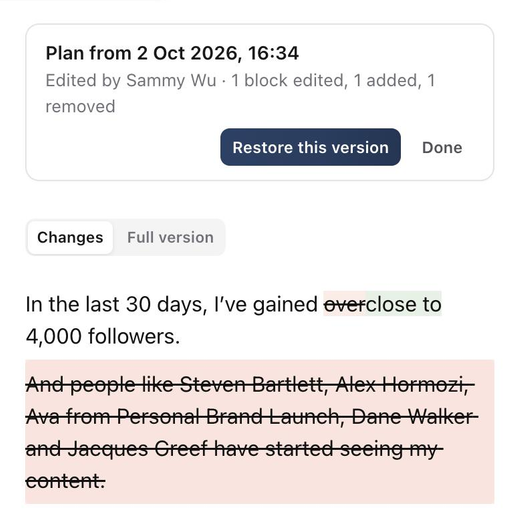
Open an edit in Activity and see exactly what changed in the Plan, caption or first comment. Added words appear in green; removed words are struck through in red.
Choose Approve when the work is ready, or Revise when it needs another pass. The decision is recorded on the post, alongside the feedback that explains it.
Make the changes, then send the post back for the relevant review. Your workflow can have its own approval steps and status routes.
See how decisions move work forward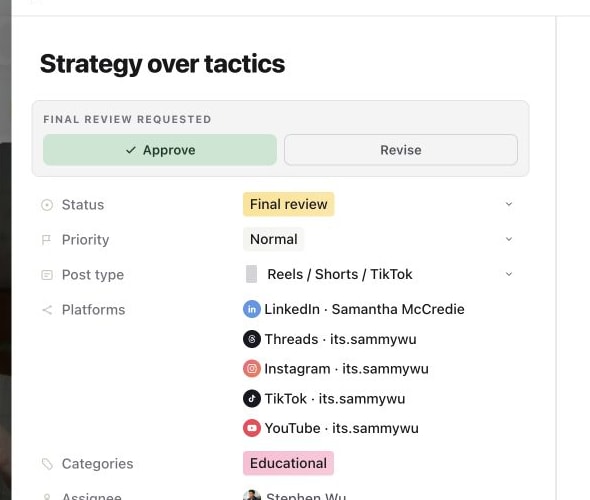
Activity records requests, decisions, edits and status changes, with the person and time. When you’re ready, switch to Publish on that same post.
Approval workflows are included in Sequence Pro. Free includes media review tools, while sending work to approvers and collaborating with clients require Pro. See plan details.
Yes. Sequence supports Plan, Media and Final review stages, so you can collect a decision on the Plan before moving on to media and the finished post.
Yes. Sequence supports timestamped video comments and visual annotations so your editor can see the frame and the detail you mean.
Yes. Select the posts in the planner and choose Send for approval. Default per post follows each post’s own review route, or you can choose one review step for the selection. Then choose the reviewer.
Yes. Private comments are visible to your workspace team and anyone explicitly given Private comments access. Public comments are visible to people with access to the brand. Share-link viewers only see public comments when the link includes Comments.
Yes. Activity records edits to the Plan, caption, platform-specific captions and first comment. Open View changes to compare the edit or read the full version. People with edit permission can restore an earlier version; captions and first comments on scheduled or published posts remain locked. Media Versions keeps your earlier creative files separately.
No. With default routing, final approval moves the post to Ready to post. A person with publishing permission still needs to confirm the destinations and schedule or publish action in Publish.
Start your content plan for free. With Pro, bring your team and clients into the same review workflow, from the first brief to final sign-off.