
What is a Story series?
A Story series is a Story post with more than one slide. Instagram and Facebook take one photo or video per Story, so when a Story in Sequence has several files, Sequence posts each file as its own Story, in the order you set, sending each one the moment the one before it is live. Your followers see them one after another, as if you had posted each one by hand.
A Story with one file posts exactly as before.
Add your slides
- 01Open the post and set Post type to Story.
- 02Add your photos and videos to Post media, or drop them into the Media tab. You can add up to 10, and photos and videos can be mixed.
- 03Choose your Instagram or Facebook accounts in Platforms.
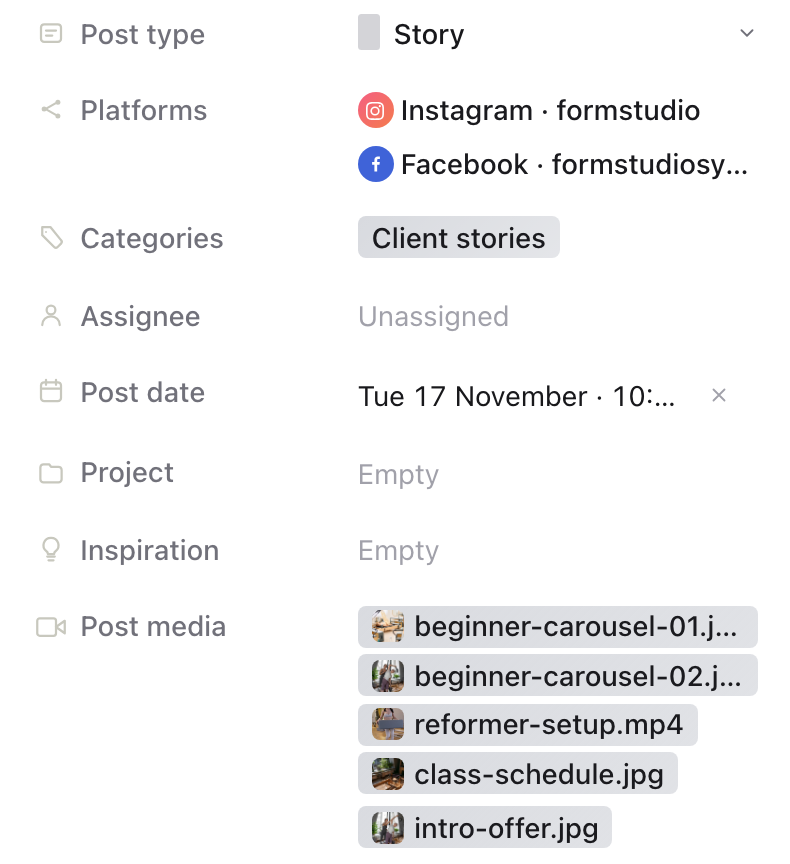
Put the slides in order
Slides post in the order of the strip under the media in the Media tab, slide 1 first. Drag a thumbnail to move it.
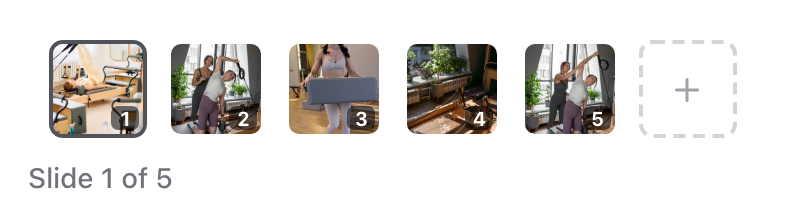
Preview each slide
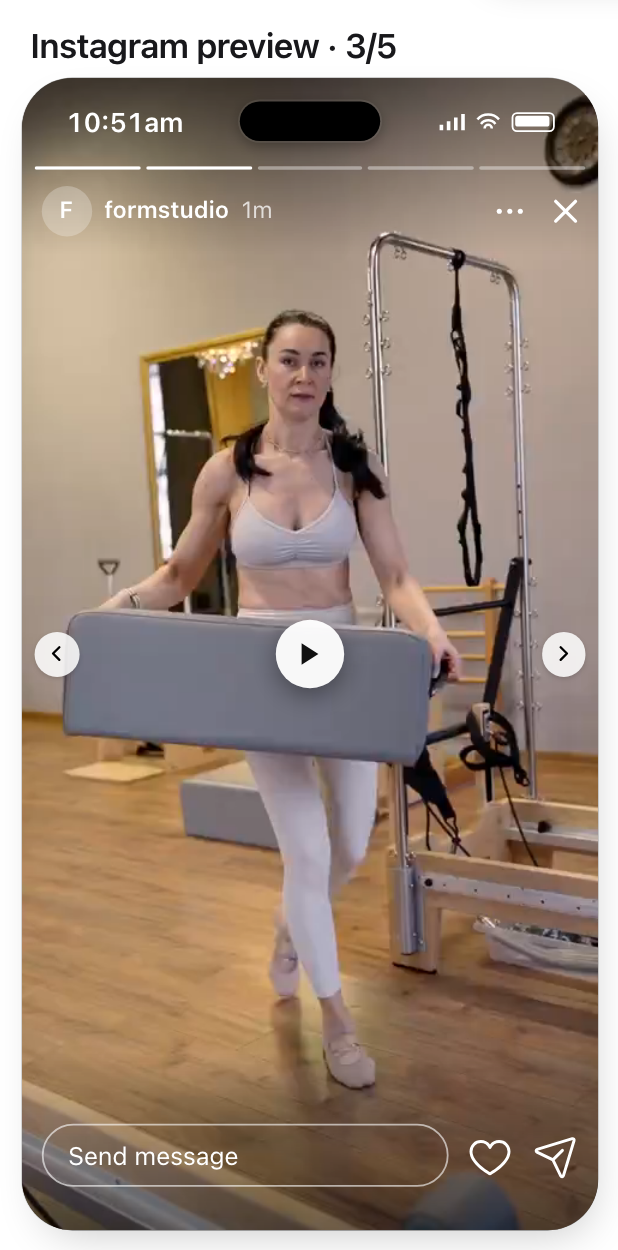
On the Publish tab, the media preview reads Slide 1 of 5 and the arrows step through the slides. Select an account, such as Instagram, to see each slide in that platform's Story preview. The bar at the top of the preview has one segment per slide.
Schedule or publish
Schedule the post or publish it now as usual. The time you choose is when slide 1 goes out. Each later slide is sent as soon as the one before it is live on the platform, so the slides always arrive in order.
Until slide 1 goes out, you can change the time and add, remove or reorder slides. Once the Story starts posting, its slides can't be changed.
Track each slide
Under Publishing status, each account shows one numbered dot per slide: green once it has posted, red if it didn't post, grey while it's posting, and outlined while it waits for the slide before it.
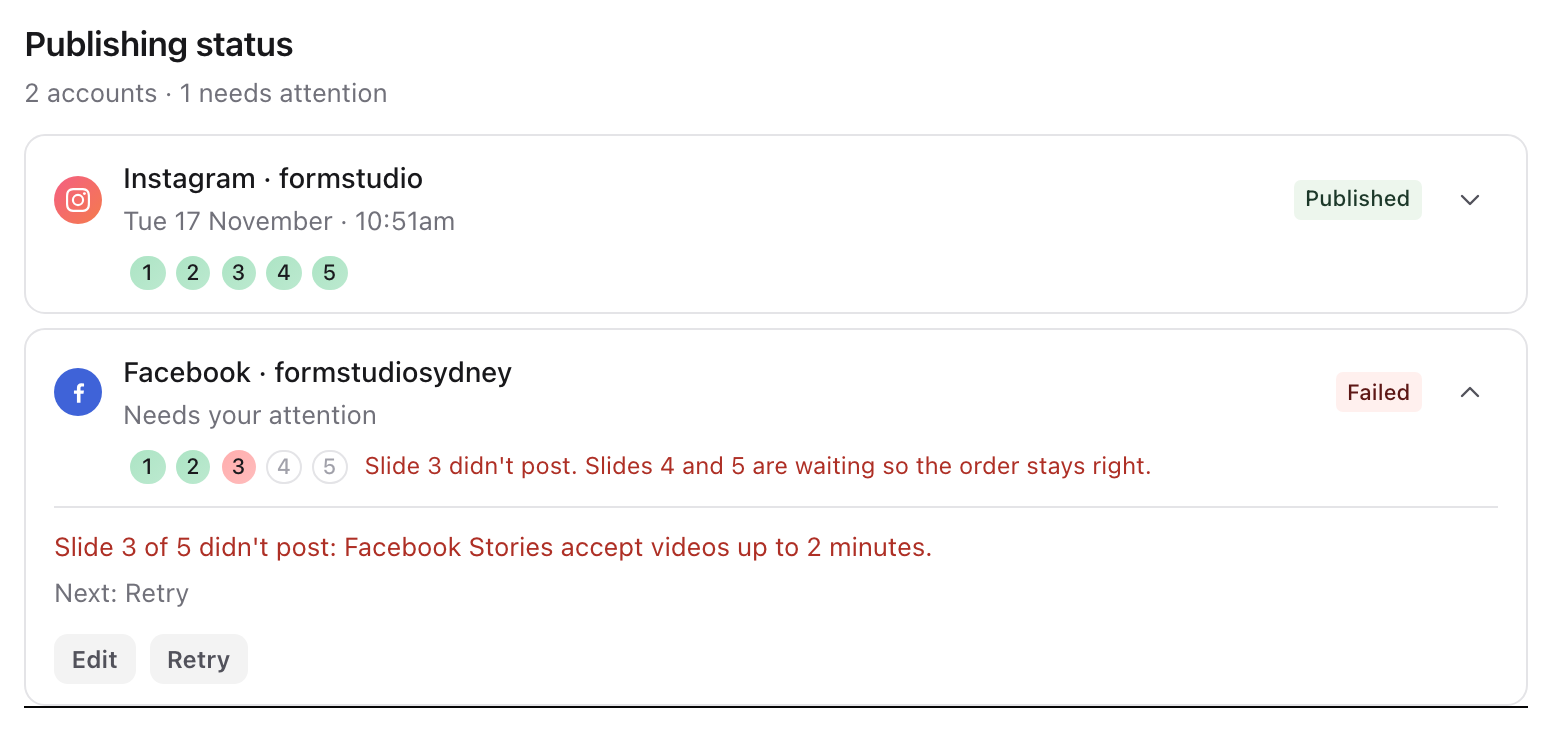
If a slide doesn't post, the slides after it wait instead of going out of order, and show as empty dots. Fix the cause shown, such as a video longer than Facebook allows for Stories, then select Retry. Retry posts only the failed slide and the ones that waited. Slides that already posted are never sent again.
Limits
- Up to 10 slides in one Story.
- Story series work on Instagram and Facebook, the platforms Sequence publishes Stories to.
- Facebook Story videos can be up to 2 minutes long.
- Every account posts the post's own slides. Platform-specific media under Customise isn't available for individual Story slides.
Was this page helpful?
Related articles
- Targets and post typesChoose a post format and the exact accounts that should receive it, then check their target states.
- Platform media limitsSee which social networks support photo, carousel, video, Story and text-only posts, plus current media limits.
- Schedule or publish nowConfirm a future schedule or publish immediately, then check delivery for each selected account.
- Fix failed publishingIdentify a failed account, correct its error and retry it without resubmitting successful destinations.
- Prepare and preview a postReview media, captions, destinations and required platform settings before submitting a post.
Need more help with this?