
The Plan is the working brief for a content piece. Use a template to get started, then combine writing, references and supporting files so the next person can do the work without searching through messages.
The Plan is separate from the final media and caption. A file placed in the Plan is a reference; it is not automatically the creative that will be published.
Start with a template or blank page
Open a content piece and select Plan. On an empty Plan, choose a template from Templates by Sequence or the templates available to you. You can also select Start writing to begin with a blank page.
A selected template prefills the planning document. Template caption, post type and categories fill their corresponding fields only when those fields are empty. Check the result so the brief and publishing properties still fit your piece.
If you already have a populated Plan, work in that document rather than expecting the empty-page template picker to remain visible. Keep a copy of any notes you want to retain before replacing planning material.
Build a brief people can use
1. Open the Plan tab
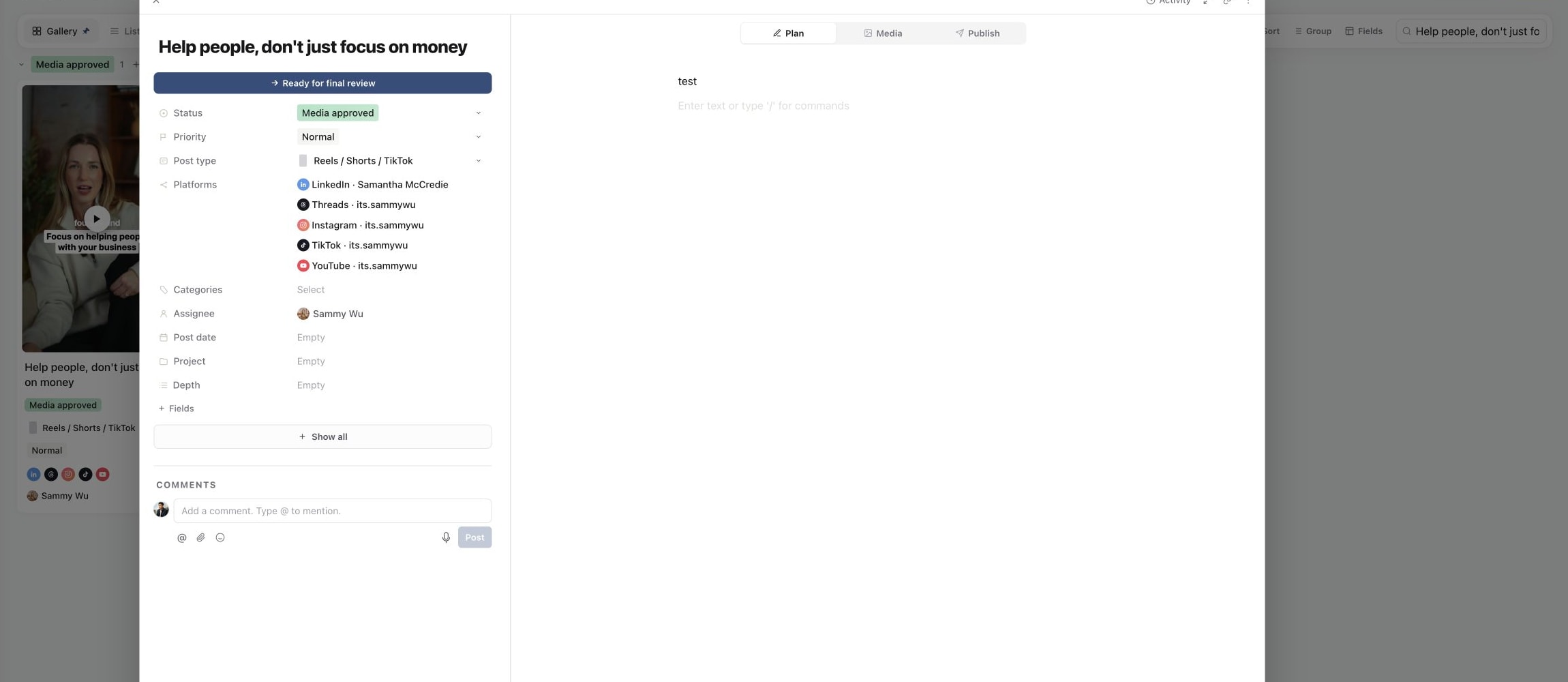
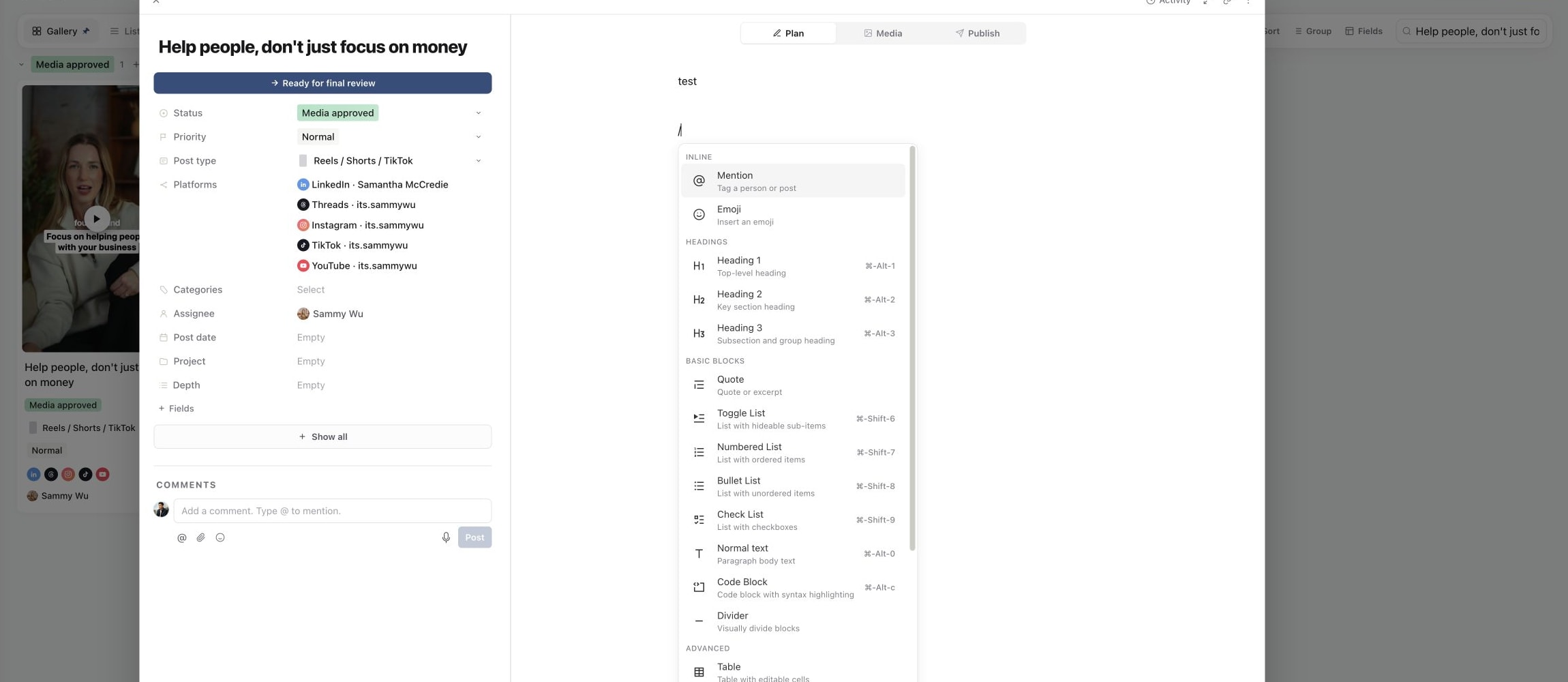
2. Insert a structured Plan block
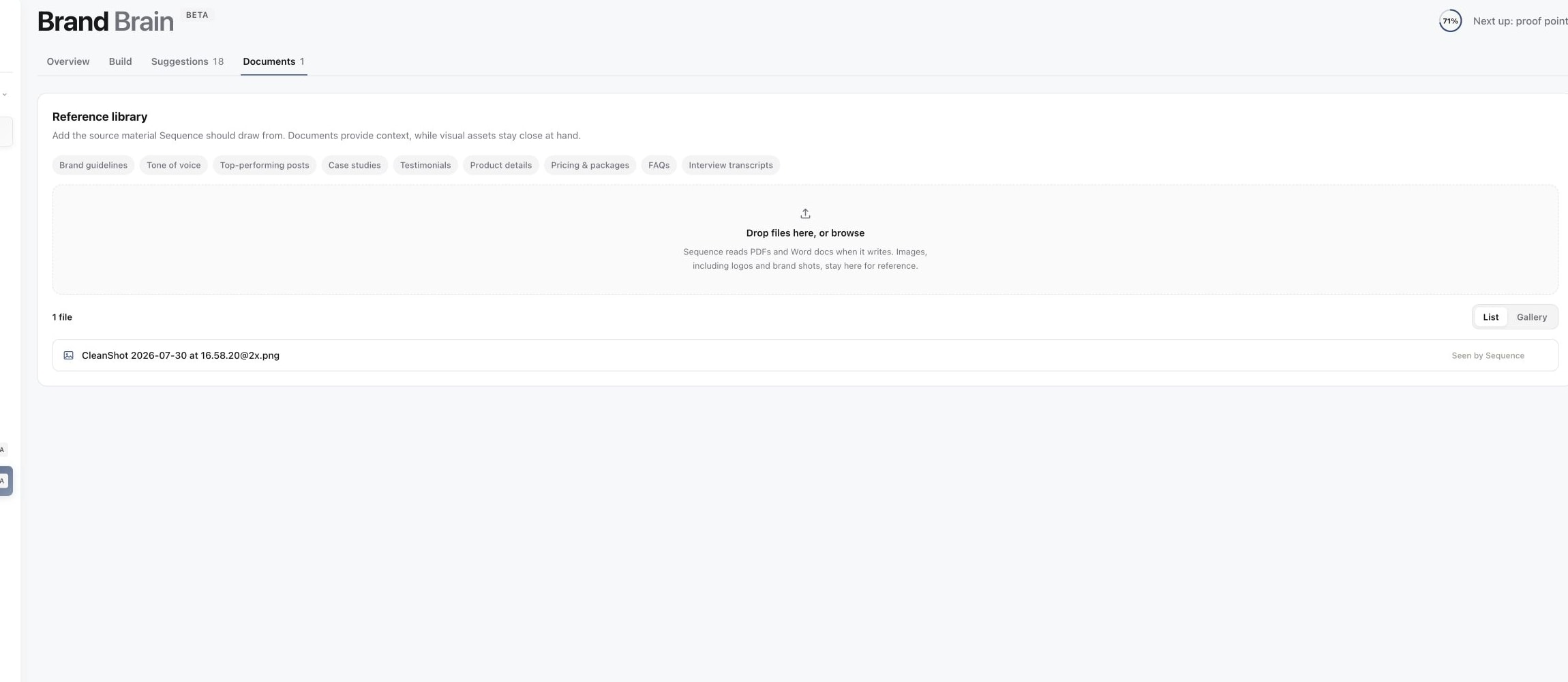
3. Keep reusable source context with the brand
A useful brief normally includes:
- The audience and the single point the piece should make.
- The hook, script or talking points.
- Required shots, visual references and brand details.
- The deliverable and the person responsible for the next step.
Use headings to separate those sections. Use a checklist for shots or preparation tasks, and a table only when the information is easier to compare side by side.
Add links, files and embeds
Type / on a new line to open the block menu. Choose a heading, list, image, file or another supported block. Link Preview creates a reference card; Media Embed supports compatible media links. You can also add a normal text link when an embedded preview is unnecessary.
For a file block, use its upload control and wait for the attachment to appear. Open the attachment once to check it is the intended file. If an external reference cannot be previewed, keep a working link and check that collaborators have permission to open the source.
Keep final creative in the piece's Media tab and final copy in Publish. This prevents an editor from confusing a reference video with the approved export.
Share the right parts
A Plan may include internal notes. Share with anyone has a separate Plan visibility switch, so review that setting before creating a public link. Use approval requests for a formal decision and comments and mentions for discussion around the brief.
Was this page helpful?
Need more help with this?