5 Social Media Client Approval Tools for Plans, Media and Posts
Compare approval features in Sequence, Planable, Buffer, Sendible and SocialPilot, from scripts and media feedback to final post sign-off.
A social media approval tool should match the work your clients actually review. Compare five schedulers by approval scope, feedback precision and the handoff to publishing.
Social media client approval tools should cover more than the final post
The best social media client approval tool for your team depends on where clients enter the work. If they approve finished captions and assets, a scheduler with draft approval may be enough. If they need to agree on the idea, review the script, annotate a video and then sign off the finished post, compare the whole production workflow.
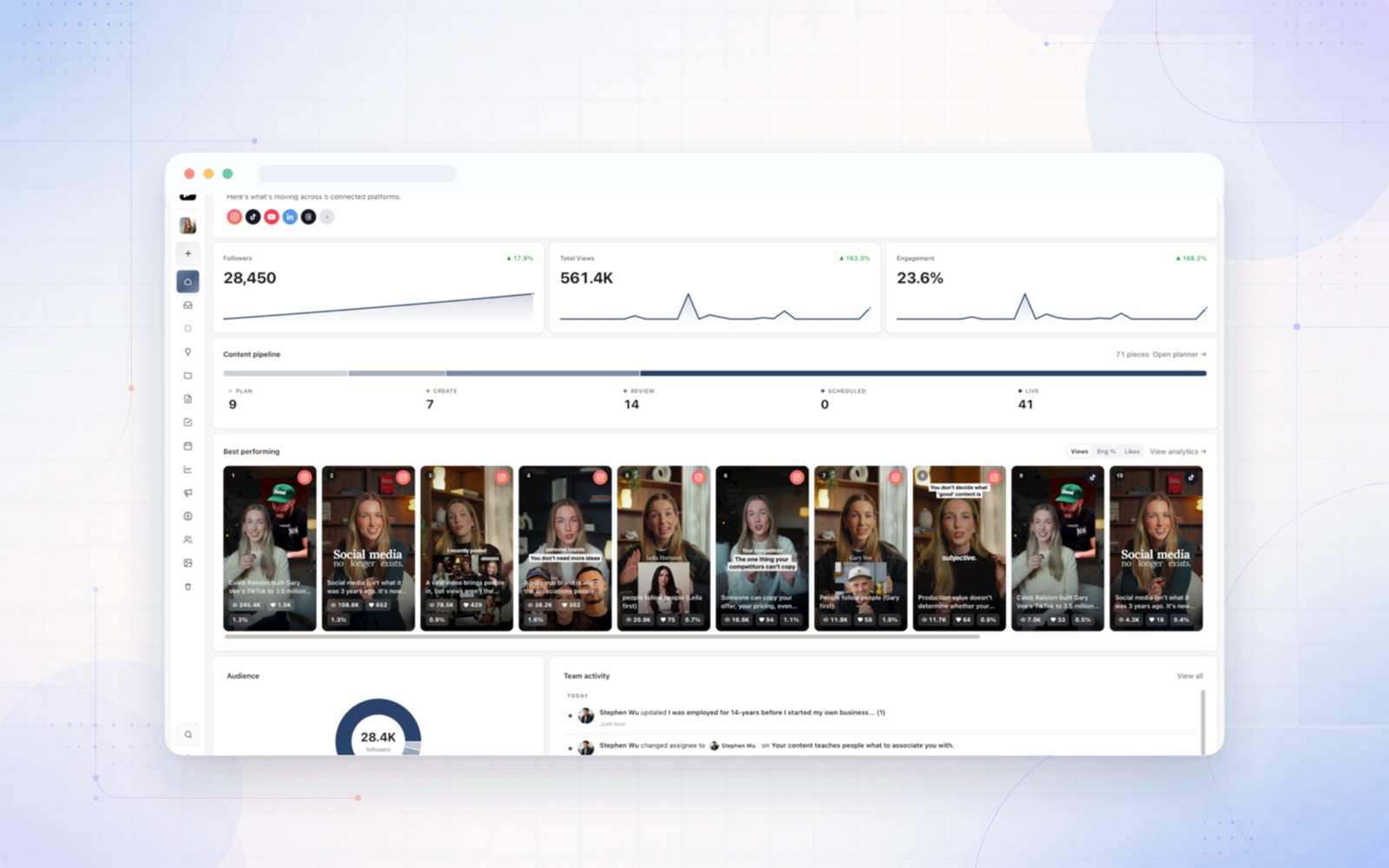
Sequence is a strong fit for that second situation. It keeps plan, media and final review with the same content piece, alongside scheduling. Planable, Buffer, Sendible and SocialPilot offer different approaches to approval inside a social publishing tool. Here is what matters when choosing between them.
We make Sequence and include it in this comparison. Product facts were checked against first-party documentation on 9 September 2026, and Sequence’s plan details on 24 October 2026. The recommendations are our editorial judgement, not a claim that one product suits every agency.
Compare five social media schedulers with client approval
All five tools below schedule and publish social content. The differences are what gets reviewed, how precise feedback can be, and which permissions or subscription plans apply. ✅ means verified support in the stated scope. ◐ means plan-dependent support. An unlisted feature is not a verified absence.
| Tool | Approval scope | Feedback approach | Scheduling |
|---|---|---|---|
| Sequence | ◐ Pro: plan, media and final review | ✅ Video timestamps and visual annotations | ✅ Confirm after final approval |
| Planable | ◐ Required: Pro; multi-level: Enterprise | ✅ Comments, text annotations and suggestions | ✅ Auto-schedule on approval setting |
| Buffer | ◐ Draft approval: Team | ✅ Notes on drafts and posts | ✅ Approved drafts enter queue or schedule |
| Sendible | ◐ Post approval on eligible plans | ✅ Comments with approval requests | ✅ Approval inside publishing workflow |
| SocialPilot | ◐ Team and client approval differ by plan | ✅ Internal and client comments | ✅ Approved posts enter queue |
Check current account, user and format limits as well as the approval feature. A platform's ability to publish a video does not, by itself, establish that it supports timestamped review of that video.
Sequence: approve the plan, the creative and the finished post
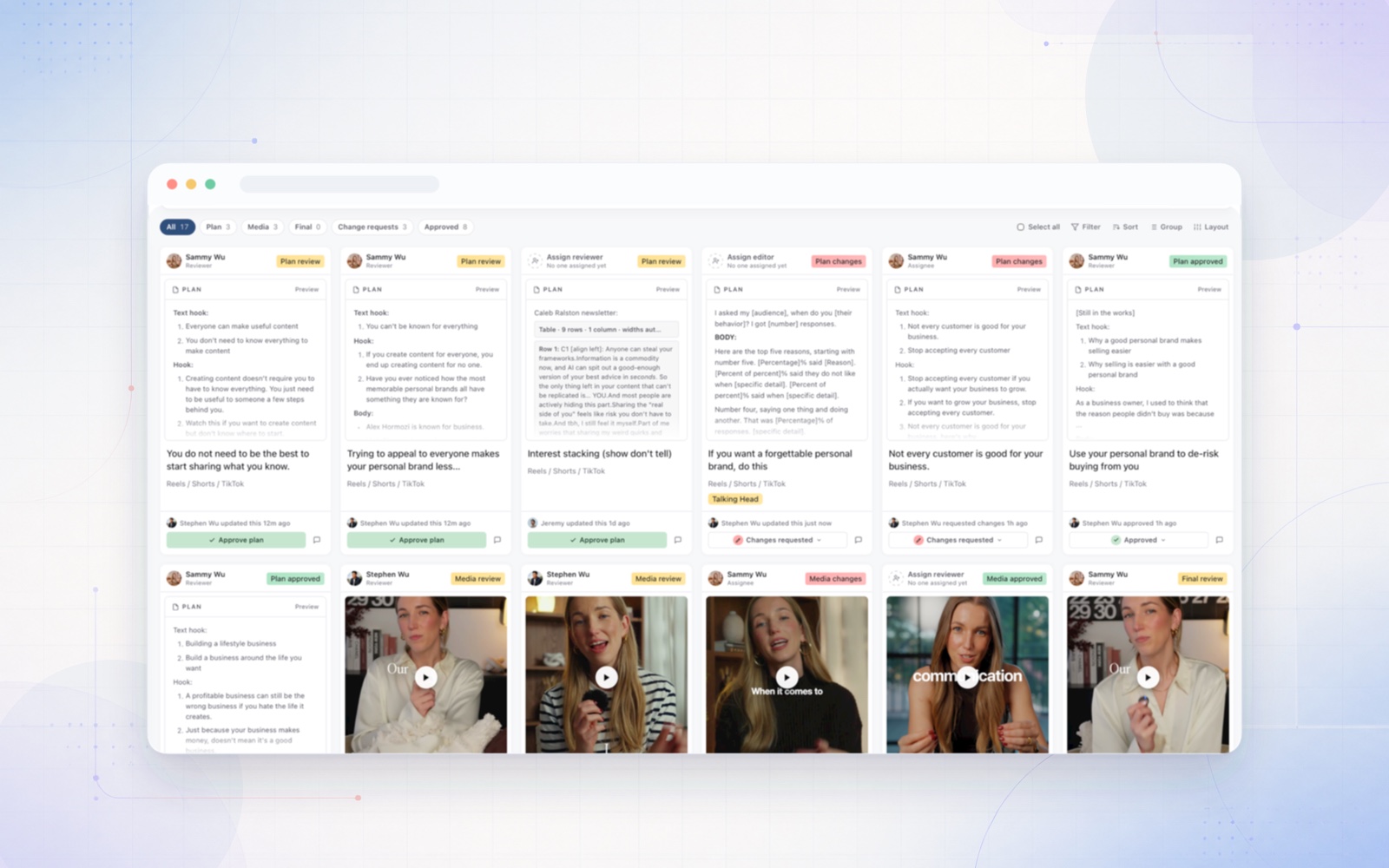
Sequence treats approval as more than a final gate in a publishing queue. Plan review covers the idea, brief, script or written plan before production. Media review covers the creative. Final review covers the finished post, including caption and intended destinations.
For an agency producing a client interview, that means the client can agree on the angle before filming, review the edited video afterwards, and approve the final caption before scheduling. The team does not need to treat an approved script as approval of a video that has not been made yet.
From photos and carousels to YouTube videos
The same content workflow can support a photo, a carousel, a short-form video or a longer YouTube video. The review task changes with the format: check the crop on a photo, the wording and order of carousel slides, or a particular moment in an edited video. Sequence supports publishing YouTube Shorts and long-form videos, alongside other supported platforms and formats. Each destination still has its own media requirements.
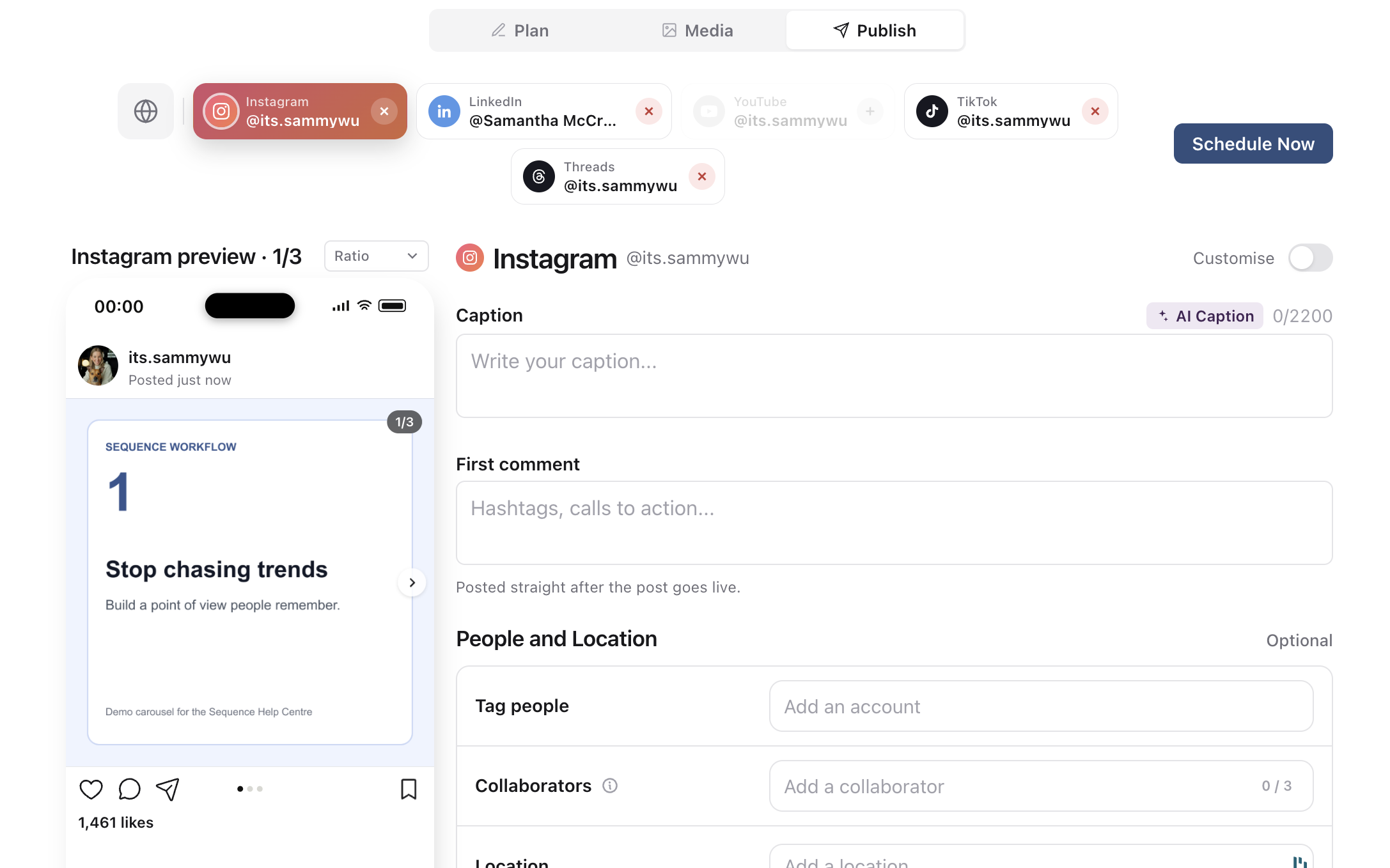
A carousel needs review as a complete post, not just a folder of approved images. This demo shows the slide preview beside the caption and destination controls.
Annotation feedback without a separate social-content review tool
Sequence's media review tools let reviewers attach a timestamp to video feedback and mark an area of the creative with drawing, lines, arrows or rectangles. They can reply to feedback, resolve it and reopen it when necessary. Revised creative can be uploaded as a new media version.
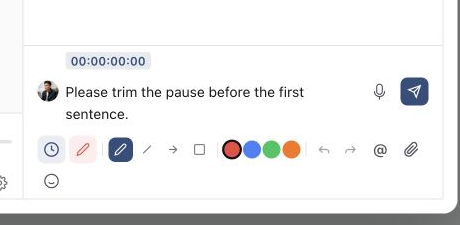
Attach feedback to the relevant video moment, then use annotation tools when the editor also needs a precise visual location.
If your team uses Frame.io mainly to collect client feedback on social photos and videos, Sequence can replace that review step and keep it beside planning and publishing. That is a workflow-fit recommendation, not full feature parity: Frame.io has a specialist production and post-production integration ecosystem. Keep it when those integrations are part of your delivery requirements.
One important distinction: final approval in Sequence moves the piece to Ready to post. It does not automatically schedule or publish it. A person with publishing permission still confirms the destination and time. Formal reviewers need brand access and approval permission, or a share link with Approve or request changes switched on, which lets a guest decide without an account. Approvals and share links are Pro features.
Planable: configurable approval rules and copy collaboration
Planable is worth evaluating when your priority is deciding who must approve a post and what happens afterwards. Its approval settings distinguish optional approval from required approval on Pro and multi-level approval on Enterprise. Optional approval does not block publication. It also offers settings to lock approved content and automatically schedule dated posts after approval.
Its feedback documentation covers comments, annotations on selected text and suggested copy edits. Planable also supports universal content, so it should not be dismissed as a tool for finished social posts alone. In a trial, test your real script-to-media review process rather than assuming every kind of annotation means the same thing.
Buffer: straightforward draft approval close to the queue
Buffer suits teams where the creative is largely finished and a reviewer needs to check the post before publishing. Its Team plan provides collaboration and approval, with channel-level permissions such as Needs Approval and Full Access.
Users with Needs Approval submit drafts; authorised reviewers can approve them for the queue or schedule. Check the requester and approver rules against your agency setup, particularly if the account owner creates content and the client approves it. Notes support discussion on drafts and posts. If most feedback concerns video cuts before a publishing draft exists, include that upstream work in your evaluation.
Sendible: approvals within a client dashboard workflow
Sendible supports sending posts for approval with a comment to the selected reviewer. Its documented client workflow uses client dashboards and notifications, keeping approval connected to social publishing. The feature is not available on every plan.
Evaluate it when separate client dashboards fit the way your agency already works. Test who prepares the draft, who can approve it and how requested changes return to the creator. For precise creative feedback, test your actual image or video revision task rather than equating a post comment with visual annotation.
SocialPilot: client review links and a publishing queue
SocialPilot offers team review and a client approval workflow, including Approve On-the-Go links. Clients can review and send back posts without signing in. Its commenting workflow separates internal team discussion from public client comments.
Check the current plan comparison: team approval and client approval are separate entitlements. Also check client permissions and the Auto-Approve setting, which can bypass client approval before the scheduled time. If explicit client sign-off is mandatory, that setting matters more than the presence of an approval button.
Choose with a real client-content test
Use one campaign containing a script, a photo, a three-slide carousel and a video. Ask a colleague to act as the client. Can they find the correct version, request a precise change and record the right decision? Then change a caption after approval and inspect what the software does. Do not assume approval locks, resets or publishing restrictions without testing them.
Approval is one part of the job. If you’re also deciding how many tools to run, our guide to all-in-one social media management software compares platforms that keep review, publishing and reporting together.
Choose Sequence when you want planning, media feedback and final approval connected to delivery. Choose another scheduler when its reviewer access, approval rules or publishing setup better match your requirements. Use our approval process template to define reviewer authority, then try the workflow in Sequence with a sample client batch on the 14-day Pro trial.