Social Media Client Approval Workflow: Stop Gluing Tools Together
Bring scripts, creative feedback, client approval and scheduling into one workflow, instead of stitching together planning docs, review tools and a scheduler.
When the plan, video feedback and final yes live in different apps, somebody has to connect the dots. Here is how to move one client content batch into a connected approval workflow with Sequence.
A social media client approval workflow should not need a tool relay
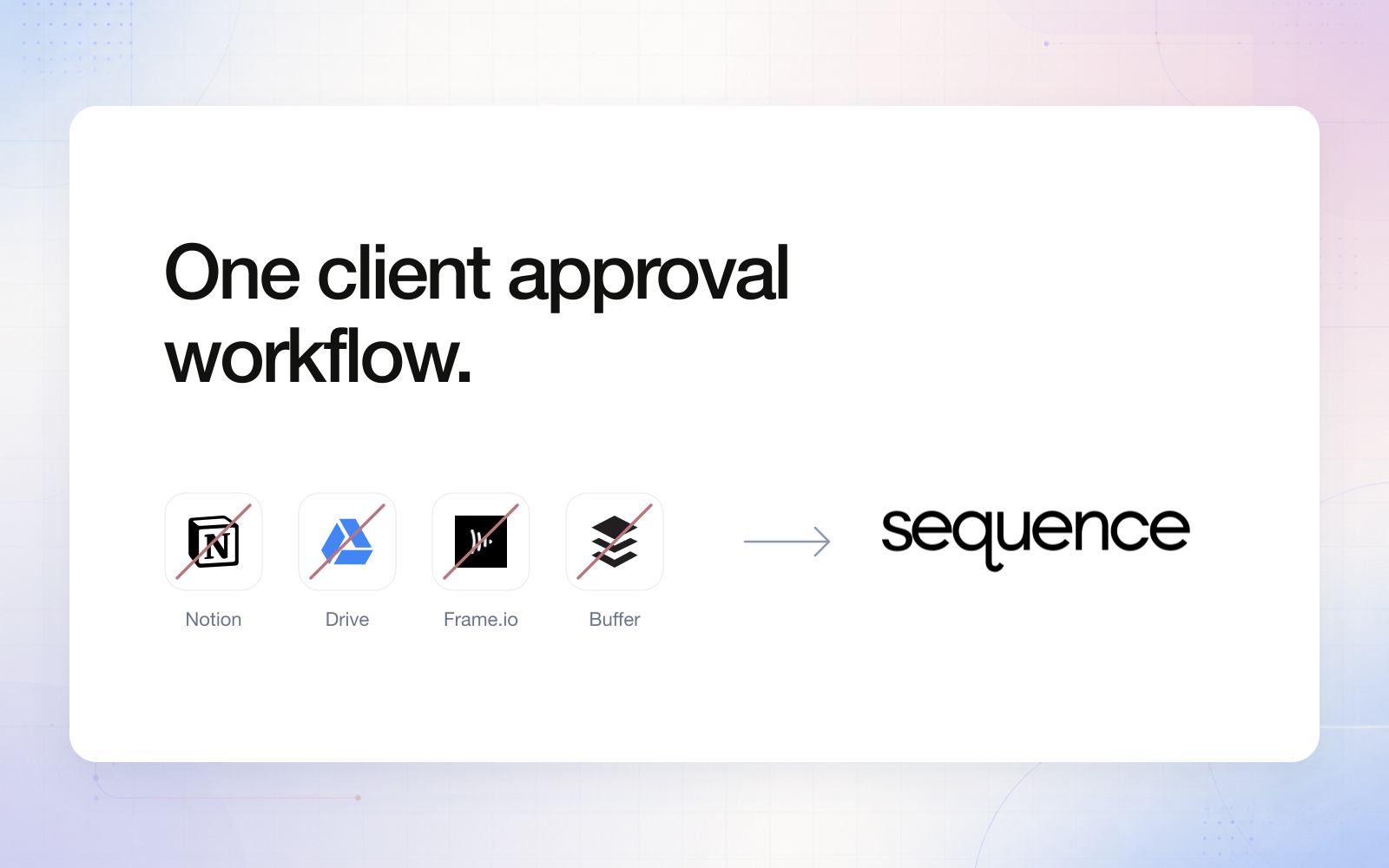
A social media client approval workflow becomes difficult to manage when each decision lives in a different app. The script is in Notion, the files are in Drive, video feedback is in Frame.io, the final caption is in a scheduler, and the actual yes arrives in a message. Someone has to connect all five.
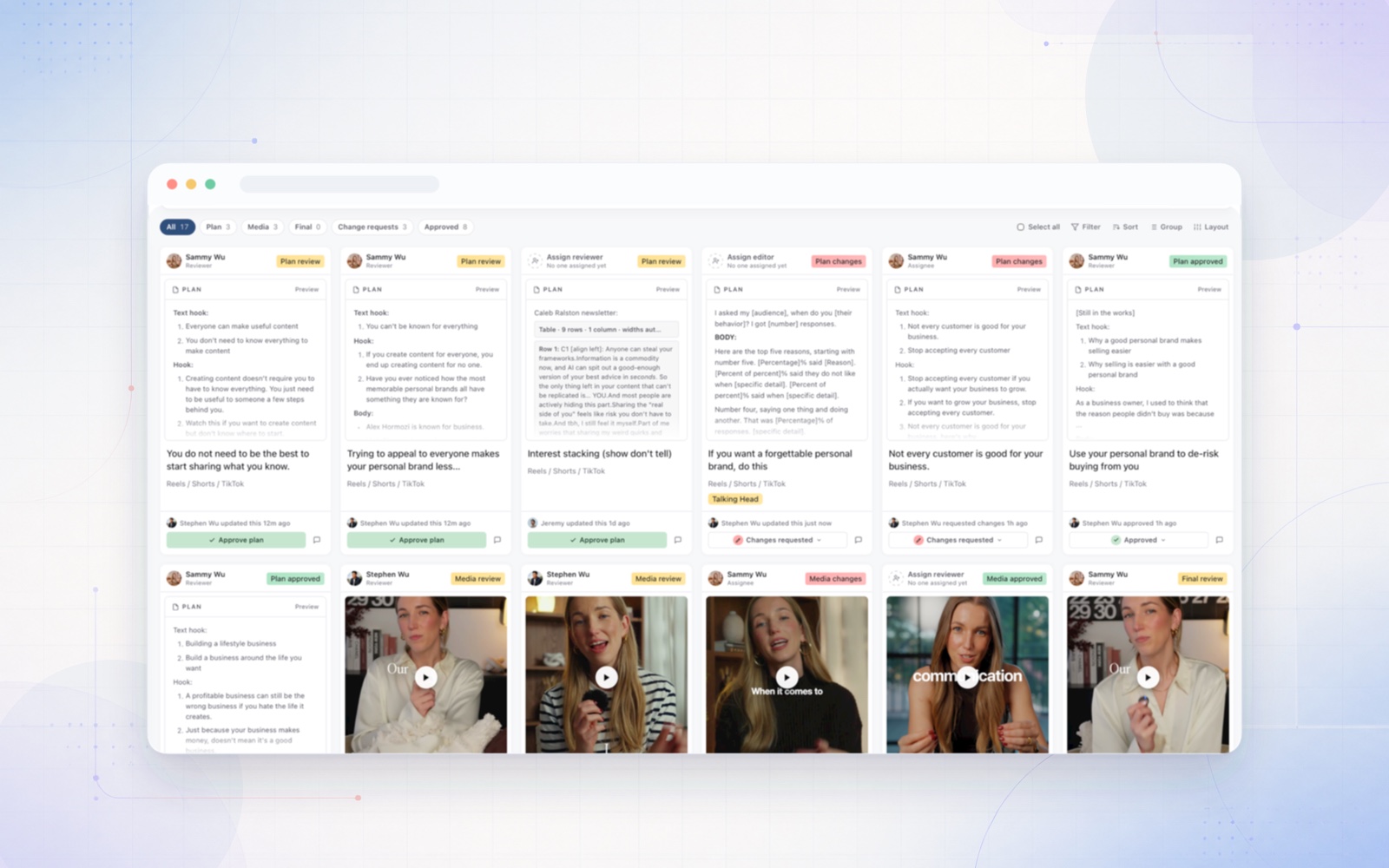
Sequence offers a better way for teams whose work runs from planning through social publishing: keep the plan, creative, feedback and approval stages with one content piece. The point is not to abandon every specialist tool. It is to stop rebuilding the context every time the work changes hands.
This is a practical workflow guide, not a claim that every agency needs the same stack. The tool names in the cover illustrate separate jobs that a team might combine. Sequence can consolidate those social-content planning, review and scheduling jobs; it does not replace everything those products do.
The hidden job in a glued-together approval process
Consider a client interview that will become a YouTube video, two short clips and a carousel. The client approves the script in a planning document. The editor uploads the first cut to a review tool. The account manager downloads the revised file, adds it to the scheduler and pastes the caption into a message for final approval.
None of those tools is necessarily doing its own job badly. The fragile part is the handoff. Which video version belongs to the approved caption? Did the carousel order change after sign-off? Does “looks good” refer to the idea, the cut or the post that will go live?
The account manager becomes the connection between the tools. They reconcile filenames, links, comments and statuses rather than helping the client make the next decision. Adding another reminder does not settle what the approval actually covers.
| Handoff | Separate-tool workflow | Connected workflow in Sequence |
|---|---|---|
| Idea to production | Copy an approved brief into a task | Keep the plan and request plan approval |
| Creative to revision | Translate comments between files and messages | Use media timestamps and visual annotations |
| Revision to sign-off | Reconcile the latest file with an earlier yes | Review the revised media version in context |
| Sign-off to scheduling | Rebuild the post in a separate scheduler | Check the finished post, then confirm scheduling |
Start client content approval before production
Do not wait until the video is edited to discover that the client disagrees with the angle. Put the idea, brief or script in the Plan section and request a plan decision when the direction is ready.
For the interview campaign, the useful question is specific: “Are these the three points you want the audience to remember?” That is a different question from “Is this final video ready to publish?” Sequence's plan, media and final review stages keep those decisions distinct.
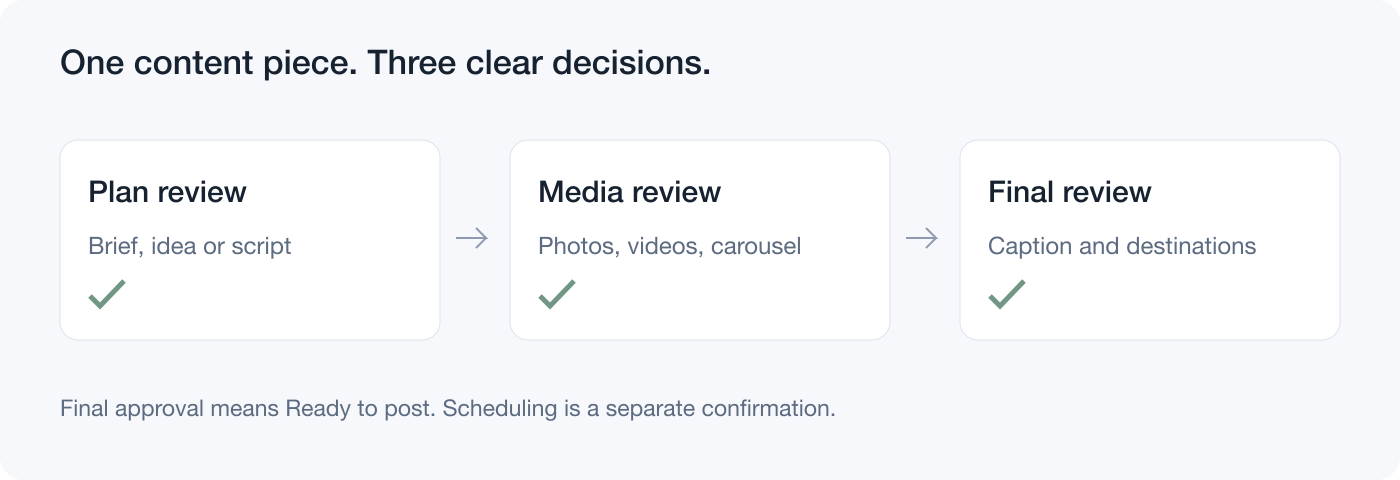
Three different decisions, with the context kept on one content piece. Use only the review stages your team needs.
Use only the stages the work needs. A straightforward written LinkedIn post may go directly to final review. A filmed campaign may need plan approval before production and creative approval afterwards. More stages are not automatically a better process.
Review the actual creative, not a description of the problem
“Can you move that text?” is a difficult instruction when the editor has to ask which text, which frame and which version. Sequence lets reviewers attach a video timestamp and use visual annotations to identify an area that needs attention. Written feedback then explains the requested change.
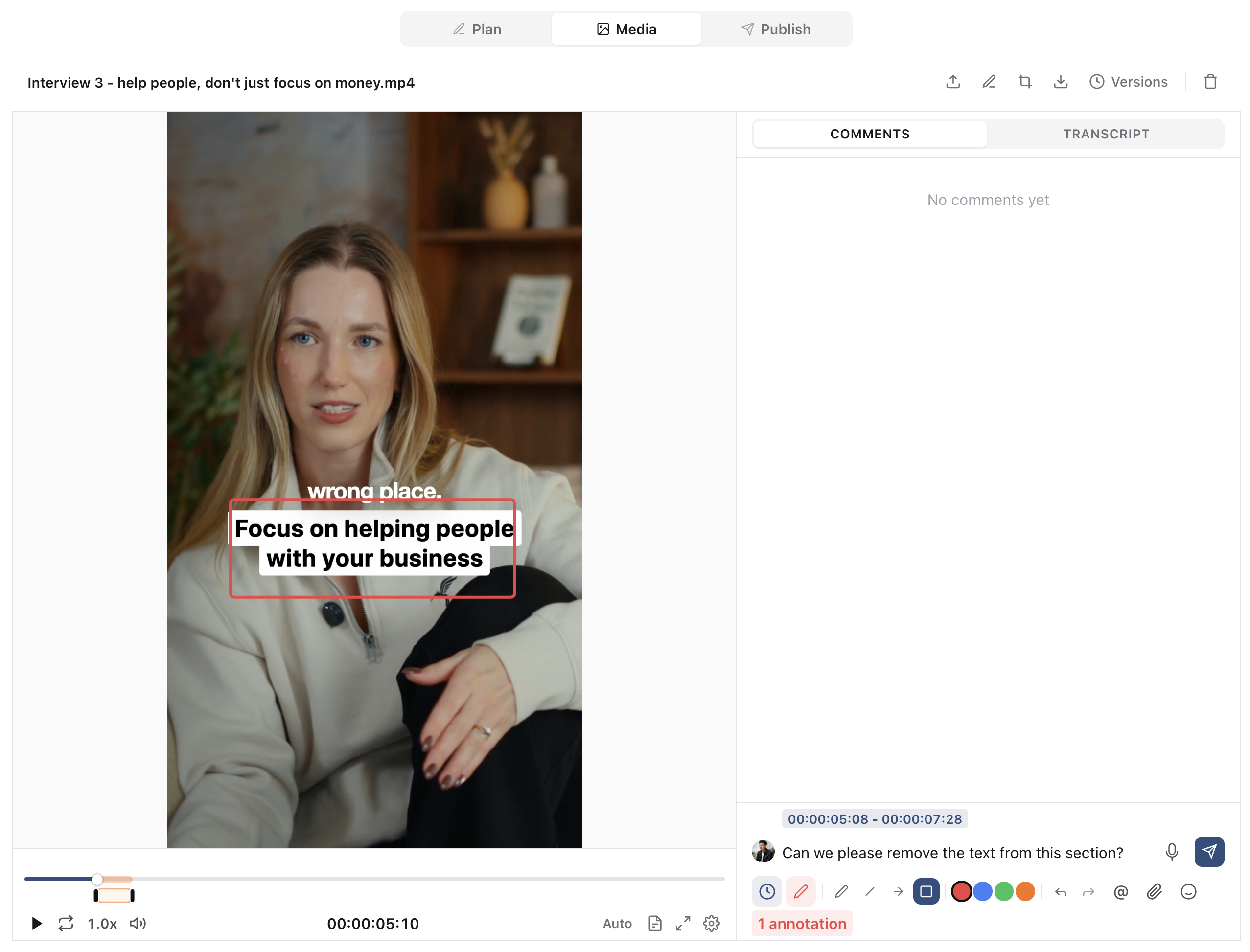
The review stays beside the creative. A timestamp identifies the moment; an annotation can identify the visual area.
For a photo, identify the crop or design element. For a carousel, select the relevant slide and check the slide order. For a short clip or a longer YouTube video, point to the moment that needs changing. The reviewer can be precise without recording a second screen-share or sending a marked-up screenshot into a different conversation.
After the edit, upload the revision as a new media version, check the feedback and request another decision when needed. Resolving a comment means the feedback has been handled; it does not itself approve the content. See the media commenting and annotation guide for the controls.
When Sequence can replace the Frame.io review step
If Frame.io's job in your agency is collecting client comments on social videos, reviewing revised cuts and pointing out visual changes, Sequence is worth testing as the replacement for that step. Media feedback can stay with the same plan and post instead of becoming another link for the account manager to reconcile.
Keep the comparison honest. Frame.io has specialist production integrations, including editing and Camera to Cloud workflows. If those are requirements, retaining a specialist review environment may be the right decision. The aim is to remove unnecessary social approval handoffs, not to promise that a social publishing platform replaces an entire production system.
Approve the complete post before scheduling
An approved video can still be paired with the wrong caption. A carousel can have individually acceptable slides but tell the wrong story after a reorder. Bring the creative and publishing context back together for the final decision.
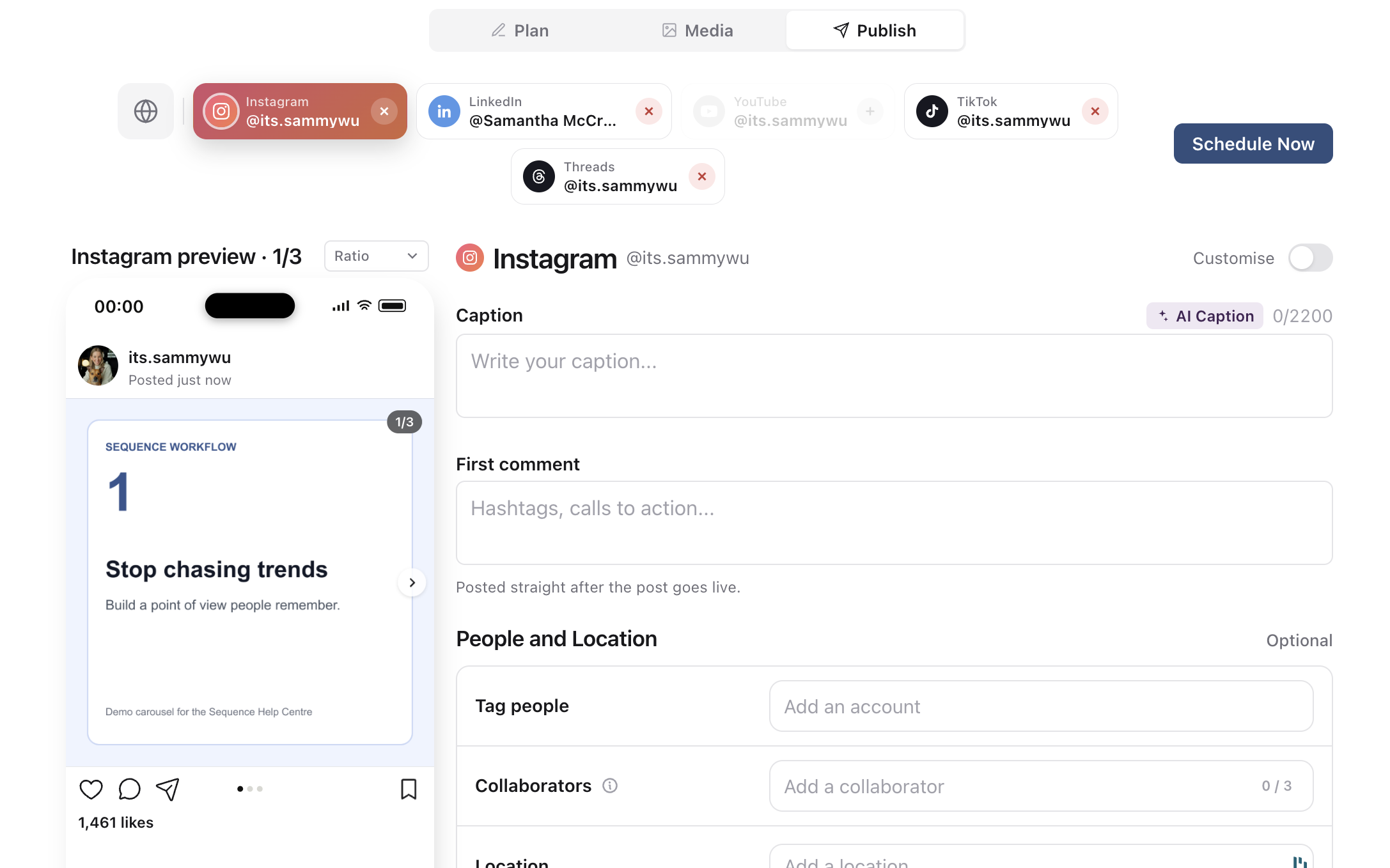
Check the carousel as a post, including its order, caption and intended destination. This is demo content, not a published campaign result.
Sequence supports photos, carousels, short-form video and long-form video across its supported publishing destinations, including YouTube Shorts and long-form YouTube videos. The available formats differ by destination. Approval does not override a platform's file, caption or account requirements.
Final approval moves a piece to Ready to post. The person responsible for publishing still opens Publish, checks the connected accounts and confirms the schedule. Treat that separation as a final delivery check, not as another request for creative feedback.
Move one client batch into the connected workflow
Start with one upcoming batch instead of migrating every historical file. Choose a named reviewer with brand access and approval permission. Agree on the review deadline, what each stage covers and who consolidates conflicting stakeholder feedback.
- Put each deliverable's brief or script in its content piece. Request plan approval where it will prevent expensive rework.
- Add the media and send it to the intended reviewer. Ask for timestamps, annotations and a written explanation when requesting a revision.
- Upload the revised version, resolve addressed feedback and resubmit for a formal decision when needed.
- Prepare the finished caption and destination settings. Request final review, then have the publishing owner confirm the schedule.
Sending for approval assigns the piece to the selected reviewer. After the decision, check the assignee and hand the work to the next owner. The previous assignees are not automatically restored. On Pro, a share link can also let a guest approve or request changes without an account, when the link’s Approve or request changes switch is on. With that switch off, link comments are feedback, not a recorded decision.
At the end of the batch, ask someone who did not run the project to find the approved version and the next action. If they still need a private message to understand the decision, tighten that part of the process. The goal is a handoff that the next person can understand without a guided tour.
For a software shortlist, see our social media client approval tools comparison. For reviewer responsibilities and operating rules, use the approval process template. Then try one client batch in Sequence on the 14-day Pro trial and keep the plan, feedback and final post together.