
Plan your grid by dragging posts into place
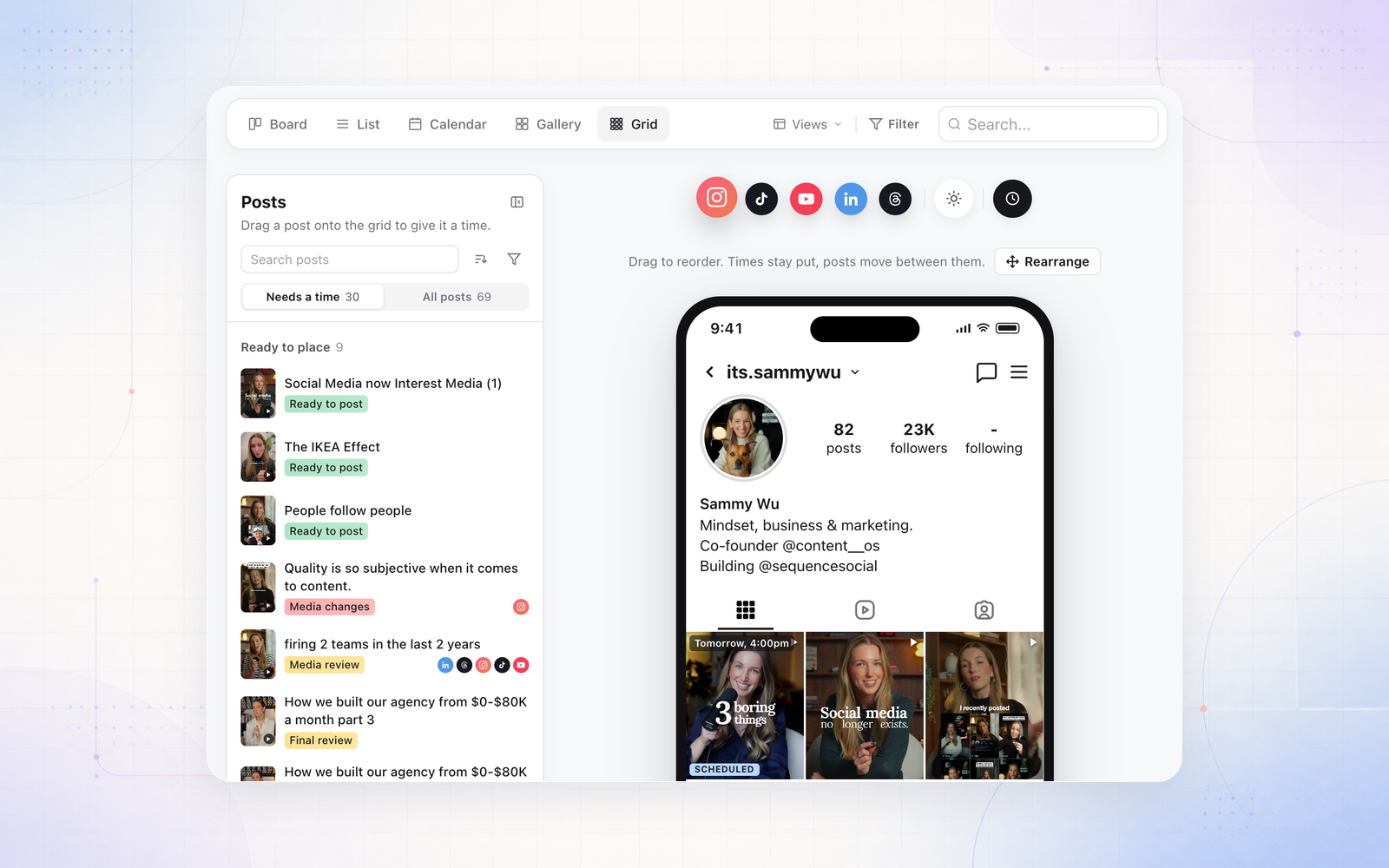
The grid preview in the Content Planner is now somewhere to plan your feed, not just look at it. Drag a post to a new spot and the times stay where they are while the posts move between them, so your posting rhythm stays the same.
- Drag posts in from the new Posts panel. Each one gets a time in the gap you drop it into, at the same time of day as the post beside it.
- Drag a post back onto the panel to clear its time. A queued post is taken off the schedule.
- Turn on Rearrange to make several moves, then review them together.
Nothing saves until you confirm. The review lists every post with its old and new time, and the platforms each queued post will be rescheduled on. Posts that are published, publishing or due in the next 15 minutes stay where they are.