
Skye now writes your Plans
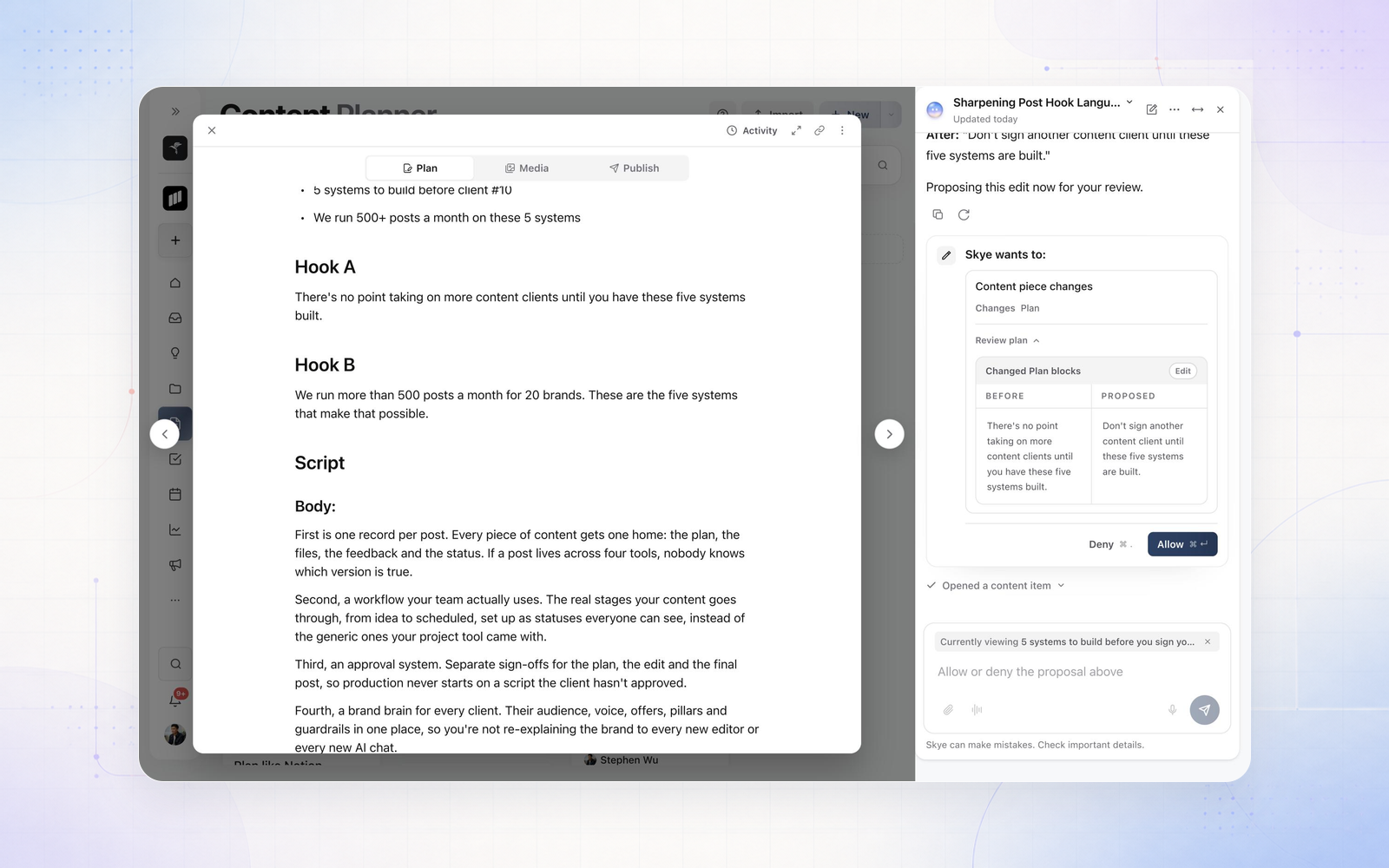
Skye now works on the post you have open. Open a post, open Skye beside it, and ask it to draft the Plan, sharpen a hook or tighten the script. Skye knows which post you're looking at, and every change it suggests shows the before and after for you to allow or deny.
On an empty Plan, select Draft with Skye to start straight away. Highlight text in a Plan to Improve it, Shorten it, write a Stronger hook or change the Tone in place. From Inspiration, Develop with Skye adds the saved post to your post as a reference and has Skye draft the Plan from it. Skye can also create images for a post once you approve the request. Skye replaces the old Plan Assistant.